Waking Up to a Privacy Nightmare
Last week, I bought a random, unknown brand of coffee at my local grocery store. I paid with my card and drove home. Two hours later, my phone showed me three different ads for that exact coffee brand. I didn't search for it online. I didn't text anyone about it. That is when I realized my digital privacy was a complete joke. My own data was working against me, and I had no idea how to stop it.
A cold shiver ran down my spine. I had never signed up for their newsletter, nor had I given them any of my personal details.
I immediately started wondering how a complete stranger knew so much about my private life. Was someone actively monitoring my devices? Did I accidentally agree to a shady terms of service agreement?
I felt completely exposed, like someone was standing right outside my window watching my every move. That single moment completely shattered my sense of security.
That was the exact moment I realized my mental peace was gone. I started second-guessing every click, every search, and every app I downloaded.
Every day, ordinary people like you and me walk right into this invisible trap. We leave behind tiny bits of personal information, completely unaware of who is picking them up.
Data brokers quietly collect these breadcrumbs to build terrifyingly accurate profiles of our habits, our finances, and our families. They sell this information to the highest bidder without a single thought about your privacy.
You start feeling anxious about what might happen if your sensitive data falls into the hands of identity thieves. That constant, lingering worry slowly eats away at your daily happiness.
Are we just supposed to accept this as the new normal? Should we just give up our privacy because we want to use the internet?
Absolutely not. You have every right to protect your personal life.
Your 60-Second Privacy Rescue Plan (Key Takeaways):
- Audit Your Footprint: Find and delete old accounts you no longer use.
- Block the Trackers: Install open-source blockers like uBlock Origin to speed up your browser and hide your habits.
- Fake Your Email: Start using email aliases for all your online shopping so your main inbox stays safe.
- Automate Your Memory: Move everything into a trusted open-source password manager today.
Taking Back Control: How to Erase Your Digital Shadows
The thought of disappearing from the internet might seem like an impossible task. Most people assume they need expensive software or a degree in computer science to stay safe online.
The good news is that you do not need to spend a single dime to protect yourself. The open-source community has built incredibly powerful tools designed specifically to help regular people defend their privacy.
Let me show you a highly practical, step-by-step framework to clean up the mess and lock down your digital life.
Step 1: Mapping Out Your Hidden Exposures
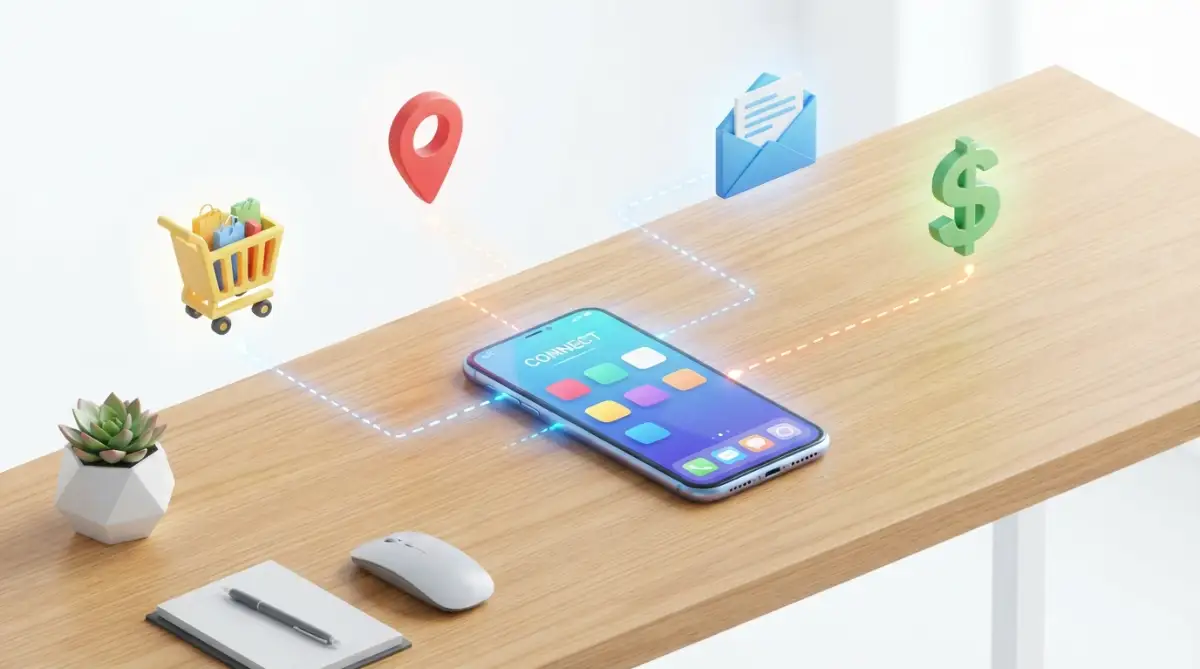
Before you can clean up a spill, you need to know exactly how far the water has spread. The exact same logic applies to your online data.
You need to figure out which websites, apps, and data brokers are currently holding onto your private details. Most of your exposed data comes from old, forgotten accounts that you created years ago.
Think about that random forum you joined to ask one specific question, or that food delivery app you used once while traveling. Those abandoned accounts are goldmines for hackers because they usually have weak passwords and zero security updates.
To start your cleanup, you can use open-source intelligence methods to safely search for your own username or email address.
Pro Tip: I used to use the exact same username across every single platform I joined. I quickly realized this was a massive mistake, because if someone found my public gaming profile, they could easily trace it back to my personal finance accounts. Now, I use completely random, generated usernames for anything that does not require my legal name.
When you know where your data lives, you can start cutting off access.
The Creepy Price Tag on Your Life
Ever wonder what your personal data is actually worth to these brokers? I did some digging, and the numbers are honestly a bit insulting. Here is what they usually charge to sell your life to advertisers:
They are selling our biggest life moments for literal pennies. This is exactly why we have to lock down our accounts today.
Are you ready to see exactly how exposed your accounts really are? Check out this quick breakdown on how hackers view your public information, and learn how to close those gaps immediately.
Step 2: Equipping Your Browser with Invisible Armor
Your web browser is the main front door to your digital life. If you leave that door wide open, trackers will constantly walk right in and monitor your behavior.
Every time you visit a website, hidden scripts secretly load in the background. These invisible trackers record how long you stay on a page, what you click on, and even how far down you scroll.
This is where powerful open-source extensions come into play. These tools act like a heavy steel vault door, blocking unauthorized scripts from loading on your screen.
Tools like uBlock Origin are completely free, open-source, and extremely lightweight. Unlike commercial ad blockers that secretly sell your data, open-source tools are built by volunteers who genuinely care about privacy.
When you install a proper content blocker, you will instantly notice that web pages load much faster. That speed increase happens because your browser is no longer downloading dozens of heavy, hidden tracking codes.
Another excellent layer of defense is Privacy Badger. This open-source tool learns as you browse, automatically blocking third-party trackers that try to follow you across different websites.
Step 3: Creating Unlinkable Email Aliases
One of the biggest mistakes we make is giving out our primary email address to every single store, app, and newsletter. Your primary email address is like your digital social security number.
Once a data broker connects your primary email to your shopping habits, your identity is fully exposed. If one of those random websites gets hacked, your main email address ends up on the dark web.
To solve this, you need to start using email aliases. An alias is a randomly generated email address that automatically forwards messages to your main inbox.
If an alias starts receiving spam or gets involved in a data breach, you simply click a button to delete it forever. Your real email address remains completely hidden and safe.
Open-source tools like SimpleLogin allow you to create unlimited alias addresses on the fly. You can generate a unique email address for every single service you use.
Real-Life Example: How I Catch Companies Selling My Data
Let me show you how I actually use this every week. When I order pizza from my neighborhood shop, I never give them my real email address. Instead, I give them an alias like pizza.junk44@simplelogin.co.
A few months ago, I suddenly started getting spam emails about cheap car insurance sent directly to that exact "pizza" address. I instantly knew the pizza shop had sold my data to a broker. Because I used an alias, I just hit one button, deleted the email address, and the spam stopped forever. My main inbox stayed perfectly clean.
Myth vs Reality: The "Incognito" Illusion
Many people falsely believe that opening a private browsing tab shields them from data collection. In reality, it only hides your activity from the person sitting next to you at the computer.
If you truly want to hide your browsing habits from your internet service provider, you need to route your traffic securely. This is where open-source routing protocols become incredibly useful.
Step 4: Automating Your Password Security
Trying to remember a unique, strong password for fifty different websites is impossible for the human brain. Most people simply give up and use the name of their pet followed by a number.
Hackers love this lazy habit. They use automated software to test thousands of common password combinations in a matter of seconds.
If you use the same password on multiple sites, a breach on a minor blog can give criminals direct access to your primary bank account. You must break this dangerous cycle immediately.
An open-source password manager is the safest way to store your login credentials. Tools like Bitwarden generate incredibly complex passwords and remember them for you securely.
Because the code is open-source, independent security experts constantly review it to ensure there are no secret backdoors. You only need to remember one strong master password to unlock your entire encrypted vault.
Step 5: Scrubbing the Public Record
Once you have secured your browser and locked down your passwords, it is time to do the heavy lifting. You need to actively remove the data that is already floating around the internet.
Start by searching for your name on major search engines. Look past the first page of results to see what kind of public records, old social media posts, or directories pop up.
You can manually send opt-out requests to data broker websites. Most of these companies have a hidden "Do Not Sell My Info" link buried at the very bottom of their homepage.
The process of manually requesting removal is incredibly boring and takes a lot of patience. However, completing this step drastically reduces the amount of spam you receive.
For the accounts you no longer use, log in one final time to delete your stored credit cards and personal details. After wiping the data, navigate to the account settings and permanently delete the profile.
If a website refuses to let you delete your account, simply change all your personal details to completely fake information before abandoning it. Change your name to something random, update the birthday, and swap the email to a disposable alias.
Why the Open-Source Advantage Matters
Corporate software is a closed box. You have no idea what the code is actually doing behind the scenes, or if it is secretly logging your keystrokes.
Open-source software is completely transparent. Anyone in the world can inspect the code to verify that it does exactly what it claims to do.
When hundreds of independent developers work together on a security tool, bugs are found and fixed incredibly fast. You get enterprise-level security without having to hand over your personal data to another large tech corporation.
Managing your digital footprint is not a one-time chore. It is an ongoing habit, much like brushing your teeth or locking your front door at night.
By taking these practical steps today, you are actively protecting your identity, your finances, and your peace of mind. You no longer have to feel like a helpless target in a highly connected environment.
You hold the power to control your own data. Start small, secure your browser today, and slowly reclaim the privacy that rightfully belongs to you.
Going Beyond the Basics: Next-Level Defense Secrets
Now that you have your basic browser shields up and a solid password manager in place, you might think you are completely hidden. But data brokers are incredibly stubborn, and they use sneaky tricks to identify you even when you block their standard trackers.
If you truly want to starve these companies of your personal data, we need to talk about some expert-level habits. Do not worry, you do not need to write code or become a hacker to use these methods.
We are simply going to use smarter logic and a few extra open-source tools to build an invisible wall around your daily internet activity.
The Magic of Data Compartmentalization
Imagine carrying all your cash, your family photos, your house keys, and your medical records in one single, flimsy shopping bag. If you drop that bag, you lose absolutely everything at once.
Most people treat their web browsers exactly like that fragile shopping bag. They use one single browser window to log into their bank, scroll through social media, and search for random medical symptoms.
This habit makes it incredibly easy for websites to connect the dots and figure out exactly who you are. The smartest way to fix this is a concept called compartmentalization.
You should start using completely different open-source browsers for different areas of your life. For example, you can use Mozilla Firefox strictly for your personal banking and paying utility bills.
Then, you can install a privacy-focused browser like Brave for your casual online shopping and reading daily news. By separating these activities, you stop social media trackers from secretly watching your financial transactions.
Blocking Trackers Before They Enter Your Home

Browser extensions are fantastic, but what about the smart TV in your living room or the fitness app on your smartphone? These devices are notorious for secretly sending your private usage statistics back to massive corporate servers.
You cannot easily install ad blockers on a smart refrigerator or a Wi-Fi-connected security camera. This is exactly where network-level blocking becomes an absolute game changer for your privacy.
There is an amazing open-source project called Pi-hole that acts like a digital water filter for your entire house. You run this software on a tiny, inexpensive computer connected directly to your home router.
Once it is set up, Pi-hole inspects every single piece of data trying to enter or leave your home wireless networks. If your smart TV tries to quietly send a report about what channels you watch, Pi-hole instantly drops the connection.
It stops these invisible background trackers on every device connected to your Wi-Fi, without you ever needing to install apps on your phone. If you are serious about securing smart home devices, taking control of your network traffic is the ultimate defensive move.
Escaping the Browser Fingerprint Trap
Here is a terrifying fact that most tech companies will never tell you out loud. Even if you hide your IP address and block cookies, websites can still recognize your exact computer out of millions of other users.
They do this through a creepy method known as browser fingerprinting. Every time you load a website, your computer hands over specific details like your exact screen resolution, your installed fonts, and your battery level.
When you combine all these tiny, unique details, it creates a digital fingerprint that perfectly identifies your machine. If you want to learn exactly how aggressive this tracking method is, you can read the EFF's guide on browser fingerprinting to understand the technical details.
To fight back, you need to blend in with the crowd. Open-source browsers like Tor Browser are specifically designed to make every single user look completely identical to websites.
While Tor is a bit too slow for streaming heavy video, it is the absolute best tool available for reading sensitive information anonymously. When you use it, websites just see a generic, blank face instead of your unique personal profile.
Silent Traps: Why Good People Still Get Tracked
It is incredibly frustrating when you spend time setting up good security tools, only to accidentally leave a back door wide open. Human error is always the biggest risk to our online privacy.
I have seen countless smart, cautious people make the exact same mistakes simply because they were in a rush. If you want to keep your digital footprint completely erased, you must avoid these dangerous traps.
Blindly Trusting "Free" Commercial Security Apps
This is easily the most common and dangerous trap on the internet today. When people start worrying about their privacy, they often rush to the app store and download the very first "Free VPN" they see.
Running a secure network of global servers costs a massive amount of money every month. If a private company is giving you a powerful security tool for free, you have to ask yourself how they pay their bills.
The ugly truth is that many free commercial VPNs secretly log your browsing history and sell it to the exact data brokers you are trying to hide from. You are essentially paying for the service with your private data.
This is why we always push for community-driven open-source alternatives. When you are working with automated tools or privacy apps, transparent code is the only way to prove a company is actually keeping your secrets safe.
If you need a VPN, skip the free app store garbage and use a trusted, independently audited service like Mullvad or ProtonVPN.
Giving Away Your Real Phone Number
Think about how many times a cashier has asked for your phone number to give you a quick store discount. Or how many random websites demand your phone number just to read a single article.
Your phone number is completely unique to you, and it is almost always tied directly to your legal name and billing address. Every time you hand it out, you give data brokers the perfect missing puzzle piece to complete your profile.
Stop giving out your real phone number for random sign-ups. You can use open-source communication tools or affordable VoIP services to create a secondary burner number.
Keep your real phone number reserved exclusively for your family, close friends, and your primary bank. Give the burner number to every retail store, social media app, and digital newsletter.
Ignoring the Expiration Dates of Security
Nothing on the internet stays safe forever. Hackers are constantly changing their methods, and software bugs are discovered every single day.
Many people install a privacy extension once and then completely forget about it for months. They ignore the little red update notifications because they think it will interrupt their work.
An outdated security tool is essentially a broken shield. It leaves you exposed to new tracking scripts and modern vulnerabilities.
This applies to website security too. Always look at the address bar before typing a password to make sure the connection is secure. If you ever notice websites acting strangely, it might be an issue with SSL certificates expiring, which means your data is traveling completely unprotected.
Make it a solid habit to restart your browser and update your open-source tools at least once a week. According to CISA's recommendations on online security, keeping software updated is one of the most effective ways to prevent cyber attacks.
Your Action Plan for a Quieter Digital Life
Taking on the entire internet at once feels incredibly overwhelming. You do not need to delete every app and throw your smartphone in a river to find peace of mind.
True privacy is about making small, deliberate choices every single day that slowly reduce your exposure. You are simply putting the power back into your own hands.
If you want to start building these habits, I highly recommend checking out our daily tech insights where we regularly share simple ways to stay secure.
To make this process as easy as possible, let us break everything down into a simple, stress-free action plan you can start tomorrow morning.
The Weekend Privacy Checklist
Phase 1: The Easy Wins (Takes 10 Minutes)
- Install uBlock Origin on your primary web browser to instantly kill hidden trackers.
- Change your default search engine from Google to a privacy-respecting alternative like DuckDuckGo or Searxng.
- Go through your phone and delete any random apps you have not opened in the last three months.
Phase 2: Securing the Gates (Takes 30 Minutes)
- Download an open-source password manager like Bitwarden and create one strong master phrase.
- Move your top five most important accounts (Banking, Primary Email, Healthcare) into the new password vault.
- Set up a free email alias account so you never have to give out your real email address to retail stores again.
Phase 3: The Deep Clean (Takes a Few Hours)
- Search your old usernames on a search engine to see what forgotten public profiles are still visible.
- Begin manually deleting old forums and shopping accounts you no longer need.
- If an account refuses to delete, change all the personal details to fake names and fake birthdays before logging out forever.
It takes a little bit of patience to clean up years of messy internet habits. But I promise you, the peace of mind you feel afterward is absolutely worth the effort.
Questions People Constantly Ask About Online Privacy
Can I completely delete myself from the internet forever?
Honestly, completely erasing yourself is nearly impossible unless you stop using modern technology altogether. However, you can easily remove 90% of the publicly available data that brokers use to target you. Using aliases and open-source blockers keeps your current activity completely hidden from casual tracking.
Do I really need to pay for premium privacy software?
No, you absolutely do not need to spend money to get excellent protection. In fact, many free open-source tools offer better security than expensive commercial software because their code is transparent. The only tool generally worth paying a small fee for is a highly trusted, no-log VPN service.
Are open-source tools safe to install on my computer?
Yes, they are widely considered the safest option available. Because the source code is public, independent cybersecurity researchers constantly review it to ensure there are no hidden viruses or tracking scripts. Just make sure you always download the software directly from the official developer's website.
Will blocking trackers break my favorite websites?
Sometimes, a very aggressive tracker-blocker might cause a video player to freeze or a shopping cart to glitch. If this happens, you do not need to uninstall the tool. You simply click the extension icon and temporarily pause it for that specific trusted website.
How long does it take for data brokers to remove my information?
It highly depends on the company and the laws in your specific region. Some brokers will remove your profile within 48 hours of receiving your request, while others might drag their feet for a month. If you want more details on your legal rights, checking the FTC consumer advice on data brokers is a great starting point.
I used to feel completely helpless whenever a creepy ad popped up on my screen, thinking I had no control over my own life. Once I started using these free open-source tools, my inbox got quiet, the spam calls stopped, and I finally felt like I could breathe again. You have the exact same power to take back your privacy, and you can start right now.
Disclaimer: The information provided in this article is for educational and informational purposes only. It does not constitute legal or professional cybersecurity advice. While open-source tools are generally safe, always research and download software from official sources. We are not responsible for any issues that may arise from modifying your network or device settings.


