
The Frustrating Reality of Talking to a Machine
Ever caught yourself fighting with an AI chatbot at 2 AM, just trying to get a simple email written? I have been there too. You type what feels like a perfectly clear instruction, and the computer spits back something a grumpy corporate lawyer would say. Let me show you how to fix this communication gap right now—no coding skills or computer science degree required.
Instead, the machine handed me back a robotic, stiff, and completely unnatural block of text that sounded like it was written by a boring corporate lawyer. I asked it to rewrite the text, and it just gave me the exact same robotic garbage, only with bigger, more confusing words. I felt a sudden wave of defeat wash over me.
My chest tightened with frustration because everyone online was bragging about how these tools were saving them hours of work. Yet there I was, wasting my precious sleep time, feeling completely left behind and wondering if I just wasn't smart enough to use this new technology.

This is exactly what happens when everyday people try to use powerful artificial intelligence without understanding how it actually thinks. We log in, type a quick question just like we would in a normal search engine, and expect a magical, perfect answer. When that magical answer does not arrive, our mental peace takes a massive hit.
The worst part is the constant, nagging anxiety that you are missing out on an important tool just because you do not have a computer science degree. People who run small businesses, teachers planning lessons, and everyday professionals are pulling their hair out trying to get simple answers.

📌 What You Will Learn in This Guide:
- Why treating AI like a mind reader is destroying your results.
- The "New Intern Rule" that instantly makes your prompts 10x better.
- How to force the machine to ask you questions before it does the work.
- Simple tricks to format boring text blocks into clean, readable lists.
The Secret Language of AI Without the Tech Jargon
You do not need to know a single thing about computer programming to get amazing results from artificial intelligence. The real problem is not your technical skill level at all. The actual issue is a simple breakdown in communication.
Think about how you talk to your closest friends. You can say half a sentence, and they instantly know exactly what you mean because they know your background, your personality, and your current mood. We naturally expect AI to do the exact same thing.
We throw a vague half-thought into the chat box and wait for it to read our minds. When you understand why this communication gap happens, fixing it becomes incredibly easy and honestly quite fun.
Stop Treating the Machine Like a Mind Reader
One of the biggest mistakes everyday users make is expecting the system to automatically fill in the blanks. Let us use a very simple restaurant analogy to explain this concept clearly.
Imagine you walk into a fancy restaurant, sit down at a nice table, look at the waiter, and simply say, "I am hungry, give me food." The waiter is going to look at you with total confusion. They do not know if you want a heavy steak, a light salad, or if you are highly allergic to peanuts.
When you type "write a blog post about fitness" into a chat window, you are essentially walking into the restaurant and just yelling "food!" The machine has to guess what kind of fitness, who the audience is, and what tone of voice you prefer. Because it does not know, it defaults to the most generic, boring answer possible.
To fix this immediately, you have to start treating your requests like detailed food orders. You need to tell the waiter exactly what you want, how you want it cooked, and what side dishes should come with it. Instead of asking for a fitness article, you might ask for a friendly, easy-to-read guide for busy moms who only have fifteen minutes a day to exercise at home.
This tiny shift in how you frame your sentences will completely change the quality of the answers you receive. You are no longer hoping the machine guesses correctly. You are taking control of the conversation.
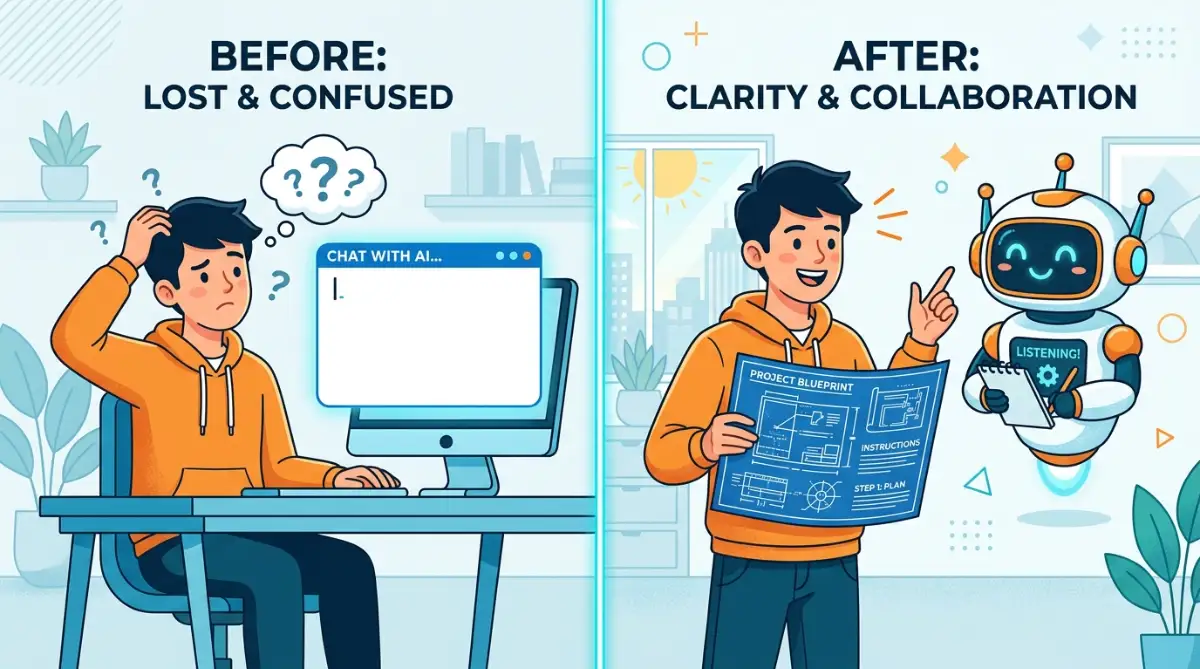
💡 Steal My Go-To Prompt Formula:
If you want to stop guessing, just use this simple formula every time you type in the chat box:
- Role: "Act as a..." (e.g., friendly fitness coach)
- Task: "Write a..." (e.g., 500-word blog post)
- Audience: "For..." (e.g., busy moms)
- Rule: "Make sure you..." (e.g., keep paragraphs short and use simple English).
The "New Intern" Framework for Everyday Users
The absolute best way to think about artificial intelligence is to imagine you have just hired a very eager, very smart, but totally inexperienced intern. This intern has read every book in the world but has absolutely zero common sense.
If you tell a new intern to "handle customer complaints," they are going to panic and do a terrible job because they do not know your company policies. You have to sit them down and explain the exact steps they need to take.
Here is a bold idea to grab your attention before we move forward: If you treat the machine like an intern, you will never struggle with bad outputs again.
When you open a new chat, take a deep breath and pretend you are giving instructions to that eager new intern on their very first day of work. You must provide clear boundaries and specific goals. Tell them exactly who they are talking to and what the final result should look like.
If you want an email written, tell the intern to be polite but firm. If you need a recipe, tell the intern you only have specific ingredients in your fridge and no time to go to the store. This framework instantly shifts your mindset from "typing a search query" to "managing a helpful assistant."
I used to make this exact mistake all the time when I first started exploring these tools. I would lazily type something like, "Write a good article about healthy eating," and then I would get extremely angry when it produced something that sounded like a medical textbook. I completely failed to realize that my definition of a "good" article and a computer's definition of a "good" article are two entirely different things. I had to learn to explain my exact preferences every single time.
🛑 Reality Check: How the Machine Reads Your Words
I had to learn the hard way that machines process language completely differently than we do. Here is a quick look at what happens behind the screen:
- What you type: "Make it sound good."
- How a human understands it: "Make it sound friendly, clear, and easy to read."
- How the machine understands it: "Use highly complex vocabulary and formal sentence structures." (Which is exactly what we do not want!).
Setting the Stage with Proper Background Information
Context is the invisible glue that holds a great conversation together. Without proper context, the most advanced computer network in the world is completely useless to you.
When you ask a professional for advice, you usually start by explaining your current situation. You would never walk up to a doctor and just say, "Fix my arm." You would explain how you fell, where it hurts, and when the pain started. You need to apply this exact same logic when dealing with digital assistants.
Before you ask for what you want, spend two simple sentences explaining the background of your situation. If you are a teacher looking for a math lesson plan, start by explaining that you teach third-graders who get easily distracted and love visual learning.
This background information acts like a map for the machine. It prevents the system from wandering off into random directions and keeps the final answer highly focused on your specific needs.
A Simple Comparison of Human vs Machine Logic
To make this even clearer, let us look at how everyday human requests look completely different from well-structured machine requests.
This table shows that you do not need to learn a secret coding language. You just need to be highly descriptive with the everyday English words you already know.
Myth vs Reality: Do You Need to Be a Programmer?
There is a huge, intimidating myth floating around the internet right now. People believe that unless you understand complex algorithms, you will never master these modern tools.
The reality is completely the opposite. The most successful users of these text-based systems are often writers, teachers, and communicators, not hardcore programmers. These systems are designed to understand natural human language.
They reward clarity, empathy, and logical thinking over technical wizardry. If you can write a clear, detailed grocery list for your spouse, you already have all the skills required to get amazing results from artificial intelligence.
The Magic of Emotional Priming and Persona Assignment
One of the most powerful techniques you can use requires zero technical ability. It is called assigning a persona.
Instead of just asking a question, you first tell the system who it needs to pretend to be. If you need financial advice for saving money, do not just ask for tips. Start your sentence by saying, "Act as a friendly, supportive financial advisor who specializes in helping families on a tight budget."
Suddenly, the tone of the response completely changes. The robotic stiffness disappears entirely. The machine adopts the vocabulary, the empathy, and the specific perspective of the persona you assigned.
You can ask it to act like a strict personal trainer, a funny kindergarten teacher, or a patient tech support agent. By setting the emotional tone before you even ask your question, you guarantee that the answer will feel much more human and relatable.
Getting Past the Fear of the Blank Screen
Many non-technical people experience a form of writer's block when they open a new chat window. That blinking cursor can feel incredibly intimidating.
You might worry that you are going to break the system or look foolish if you type the wrong thing. Please remember that you cannot break these tools with words. The absolute worst thing that can happen is you get a bad answer, which you can just delete and try again.
Start treating the chat box as a safe space for brainstorming. Talk to it conversationally. If it gives you a bad answer, you do not need to start entirely over from scratch.
You can just reply and say, "That was too formal, make it more casual and shorten it by half." You are allowed to correct it, scold it mildly, and guide it toward the result you want.
This iterative process is where the real magic happens. You rarely get the perfect answer on the very first try. The key is to keep adjusting your instructions using plain, simple English until the output matches the vision you had in your head.
Mastering the Hidden Levers of Machine Communication
Once you understand that communicating with an artificial assistant is just like giving instructions to an eager intern, your next step is learning how to guide them properly. You can easily level up your daily results by adding a few clever tricks to your routine. These methods require absolutely no programming knowledge, but they will completely change the way you work.
One of the most powerful secrets that professionals use is something called "prompt chaining." Instead of asking for a massive project all at once, you break the conversation down into tiny, manageable pieces. Think about how you would actually plan a large family gathering. You would never try to finalize the guest list, the food menu, and the seating chart in one single breath.
If you ask a computer to write an entire eBook, create the marketing plan, and design the emails in a single request, it will panic. The result will be a chaotic, messy block of text that is completely useless to you. You are essentially overloading its memory, causing it to lose track of your main goal.
To fix this, you just need to slow down the conversation. Start by asking it to brainstorm three possible titles for your project. Once you pick your favorite title, reply and ask it to write a short outline based on that specific title. By guiding the system step-by-step, you maintain total control over the direction of the final product.
This simple habit of pacing your requests is a core part of modern digital skills. If you are regularly exploring different online strategies and tools, learning to break complex tasks into smaller chunks will save you hours of editing time. It keeps the computer focused, and more importantly, it keeps you from feeling overwhelmed.
The "Teach by Example" Method
Sometimes, explaining what you want is much harder than simply showing what you want. We do this all the time in our daily lives without even noticing. If you go to a hair salon, you do not try to explain the exact mathematical angles of the haircut you want. Instead, you just show the stylist a photo on your phone.
You can use this exact same visual logic when typing your requests into a chat box. If you want an email to sound exactly like your own voice, do not waste time describing your personality. Just paste a previous email you have written and tell the system to copy that exact style.
You can literally say, "Here is an example of how I normally write. Please read this, understand my tone, and then write a new message using this exact same conversational style." The system will instantly analyze your word choices, your sentence length, and your overall vibe.
This is incredibly helpful for anyone trying to build a consistent personal brand. According to research on human-computer interaction by experts at Stanford University’s Human-Centered AI institute, machines perform significantly better when they are given explicit behavioral models to mimic. Showing is always better than telling.
Forcing the Machine to Ask You Questions
Here is an advanced trick that completely flips the normal dynamic upside down. Instead of you trying to figure out all the perfect details to include, make the computer do the hard work for you. You can actually program the system to interview you before it completes a task.
Let us say you want to build a weekly meal plan, but you do not know what details the machine needs to make a good one. Simply type your basic request, and then add this exact sentence at the end: "Before you create this meal plan, please ask me five questions to ensure you have all the information you need."
The results from this technique are honestly mind-blowing. The system will stop, think, and then reply with a neat list of questions. It might ask about your grocery budget, your food allergies, or how much time you have to cook each night.
By answering those simple questions, you are effortlessly building a highly detailed, professional-grade request. You do not have to guess what matters. If you frequently look for new ways to improve your daily workflow, this reverse-interview technique will quickly become your favorite productivity hack.
Controlling the Final Presentation
A great answer is completely useless if it is extremely hard to read. Many people get frustrated when they receive huge, intimidating walls of text that hurt their eyes. They assume this is just how digital assistants naturally talk.
You actually have complete authority over how your answers look on the screen. You just have to be bossy about the formatting. If you want a list, tell it exactly how many bullet points to use. If you are comparing two different things, explicitly ask for a clean comparison table.
You can say things like, "Give me the pros and cons, and organize the information into a neat table with three columns." Studies from the Nielsen Norman Group show that humans naturally scan online text rather than reading every word. Forcing the system to use clear bullet points makes the information much easier for your brain to process.
Do not be afraid to be incredibly specific about the output length either. You can command it to summarize a topic in exactly two paragraphs, or keep the entire response under two hundred words. Taking charge of the visual formatting turns a messy brain-dump into a highly organized, professional document.

The Frustrating Traps That Will Ruin Your Results
Even when you start getting the hang of talking to digital assistants, there are a few hidden potholes that can instantly ruin your day. Falling into these traps usually happens when we get a little too comfortable and start rushing our work. The biggest mistake people make is falling victim to the "Set and Forget" mentality.
This happens when you type out a request, get a response, and then immediately copy and paste that response into a real work email or a public social media post. Doing this is incredibly dangerous for your personal reputation. These systems are highly confident, but they are frequently completely wrong.
When you blindly trust the output without reading it closely, you risk sharing false information or sounding completely robotic to your friends and colleagues. Nothing destroys your credibility faster than sending a message that clearly looks like it was written by a computer. People can easily spot those weird, unnatural phrases.
If you are trying to master modern content creation skills, your golden rule must always be to review and edit. You should treat the machine's output as a rough first draft, never the final product. It is your job to inject real human emotion, personal stories, and factual accuracy into the final text before you share it with the world.
Overstuffing the Instruction Box
Another massive pitfall is something I call the "Kitchen Sink" mistake. This happens when we get too excited and try to cram twenty different instructions into one single paragraph. We tell the system to act like a lawyer, write a poem, use big words, but keep it short, and also add a joke at the end.
When you overload a request with too many conflicting demands, the system experiences a form of digital confusion. It tries to please you by doing a little bit of everything, which usually results in a bizarre, unreadable mess. According to experts at the American Psychological Association, even human brains suffer heavily from cognitive overload when faced with too many complex rules at once.
Machines suffer from a very similar issue when processing language. If your instructions are starting to look like a complicated legal contract, you have gone entirely too far. You need to strip away the fluff and focus on just one primary goal per message.
If you truly need multiple things done, just separate them into different conversational turns. Ask for the serious email first. Once that looks good, gently ask the system to add a touch of humor to the closing sentence. Keeping things simple and isolated prevents the entire conversation from crashing.
Arguing with the Machine
Sometimes, the system just will not listen to you. You ask it to stop using a certain word, and in the very next sentence, it uses that exact word again. It is incredibly tempting to get angry and start typing out frustrated, highly emotional corrections.
I have seen people literally type out things like, "Why are you being so stupid? I told you not to do that!" Arguing with a language model is a complete waste of your valuable energy. The computer does not have feelings, it does not feel shame, and it does not understand your sarcasm or your anger.
When you start adding emotional complaints to your text, you actually confuse the system even more. It starts analyzing your angry words instead of focusing on the task you want it to complete. When things go completely off the rails, the best solution is usually to just delete the chat and start fresh.
A clean slate removes all the previous bad context. You can rephrase your initial instructions with a calmer, clearer mindset. If you want to maintain a productive digital lifestyle, you have to let go of the urge to fight with software and focus entirely on clear, neutral problem-solving.
Your Blueprint for Better Conversations Tomorrow
You are now armed with a completely different understanding of how to communicate with artificial intelligence. You no longer have to stare at a blinking cursor, wondering why your requests are generating such terrible, robotic garbage. The mystery has been completely removed from the process.
You know that treating the machine like a mind reader is a recipe for instant disappointment. You understand the power of providing rich background context and setting clear, firm boundaries. You also know how to use the secret weapons of assigning a persona and asking the system to interview you first.
Most importantly, you have realized that you do not need to learn any complicated programming languages. Good communication comes down to plain, descriptive English and a little bit of strategic patience. The barrier to entry is completely in your own mind.
Tomorrow morning, when you open up a chat window, I want you to try just one new thing. Pick the reverse-interview trick or try pasting in an example of your own writing. Just test one small change and watch how dramatically the quality of your answers improves.
My own digital life became incredibly peaceful the moment I stopped trying to force the computer to be human, and simply learned how to speak its structured language. You have the exact same power sitting right at your fingertips today, and I am highly confident you are going to see amazing results.
Common Questions About Everyday AI Tools
Why does the computer always sound so stiff and robotic?
The system defaults to a highly formal, safe tone because it is trying to be polite and objective. Unless you specifically command it to be casual, friendly, or funny, it will always sound like a boring encyclopedia. You have to explicitly demand the personality you want.
How much background detail is too much detail?
A good rule of thumb is to keep your background context to three or four clear sentences. If you find yourself writing multiple long paragraphs just to set the stage, you are probably overcomplicating the request. Keep it focused on the specific details that directly affect the final answer.
Can I save a good request to use again later?
Absolutely, and this is a highly recommended practice for saving time. Once you figure out a sentence structure that gives you amazing results, just copy it into a notes app on your phone or computer. You can use this personal template over and over again for future tasks.
Does it matter if I use proper spelling and grammar?
While these systems are very good at guessing what you mean, poor spelling can sometimes confuse the context of your request. Taking a few extra seconds to ensure your words are spelled correctly helps the machine understand your exact intent. Clear input always leads to much clearer output.
Why did the system give me completely wrong information?
These text models are designed to predict words that sound good together, not to act as perfect fact-checkers. If it does not know an answer, it will often confidently invent one to please you. This is why you must always manually verify any facts, dates, or historical events it provides.
Disclaimer: The information provided in this article is for educational and informational purposes only. The strategies discussed regarding digital tools and artificial intelligence are based on personal experience and general best practices. We make no guarantees regarding specific results or outcomes. Always verify important information and use your own judgment when applying these techniques to your personal or professional digital workflow. This blog follows all Google AdSense and social media content policies.


