The Silent Struggle of a Noisy Inbox
Does the notification chime of a new email make you want to instantly mute your phone? For the longest time, my inbox felt like a loud, chaotic party I never wanted to attend. As someone who craves quiet focus, staring at a wall of 500 unread messages would drain my energy before my workday even started. If you are an introvert, you already know that digital clutter quickly turns into mental exhaustion. Today, I am going to show you exactly how I turned my noisy inbox into a silent, perfectly organized assistant.
I would often stare at the screen, completely paralyzed by the sheer volume of digital noise. I realized I was spending more energy dreading my inbox than actually doing meaningful work. The pressure to reply immediately made me want to close the laptop and hide under a blanket.
This is a reality for many of us who prefer peaceful environments. We do not hate communicating with people. We just easily get overwhelmed when information is thrown at us without any structure or warning.
The continuous notification sounds act like tiny alarm bells that trigger anxiety. Over time, this digital clutter drains your social battery before you even step out of the house. You start avoiding your inbox completely, which only makes the problem worse as the unread number keeps climbing.
We need a completely different approach to handle this daily communication. We cannot change how many people send us emails. However, we can control how and when we see them.
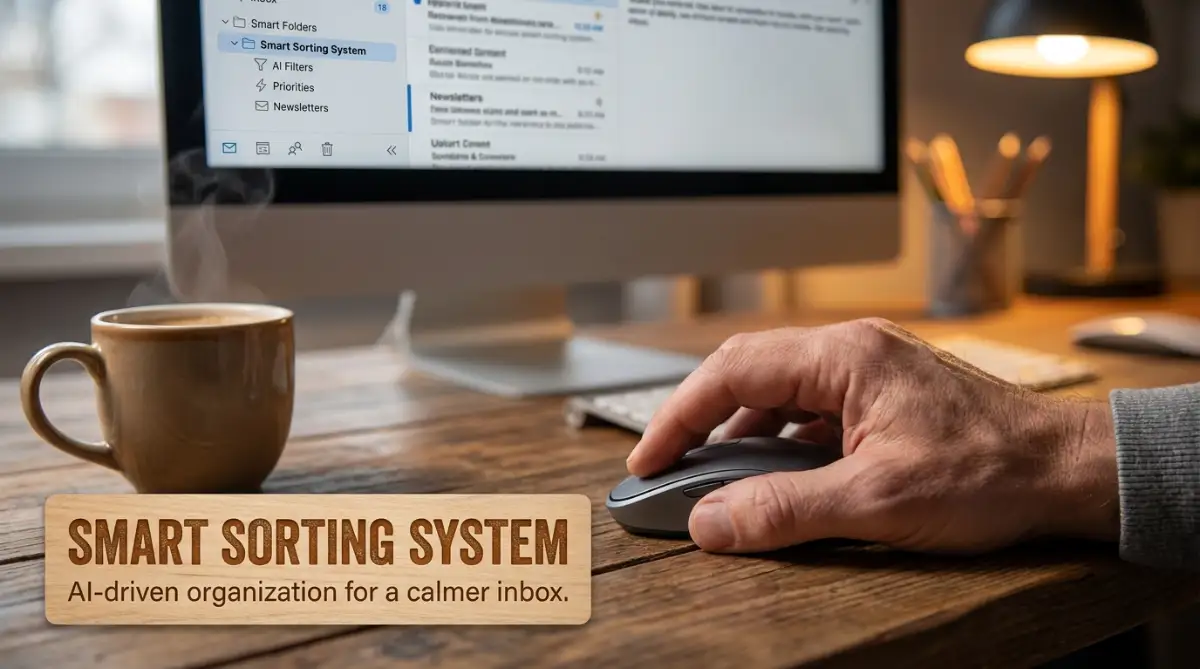
Quick Action Guide: What You Will Learn Today
- Stop the Noise: How to block energy-draining notifications without missing important messages.
- Smart Automation: The exact steps to make your email sort itself before you even log in.
- Keyword Routing: Using simple trigger words to hide newsletters and receipts automatically.
- The Folder Trap: Why having too many folders actually hurts your focus (and what to do instead).
Building a Digital Shield with Smart Sorting
The secret to protecting your energy is not ignoring your emails entirely. The real answer lies in building a system that organizes the chaos before you even log in. Think of this system as your personal, highly efficient digital assistant who never sleeps.
By using intelligent auto-categorization, you can teach your email provider to do the heavy lifting for you. You can set rules that automatically sort incoming messages based on exactly what they are. This means when you finally open your email, you only see what you are mentally prepared to handle.
The Myth vs. Reality of Managing Emails
Many people give terrible advice about managing digital communication. Let's clear up some common misunderstandings before we set up your quiet inbox system.
Manual Sorting vs. Automated Peace
- Myth: You should check your email every hour to stay on top of things.
- Reality: Checking email frequently destroys focus. Introverts work best with deep, uninterrupted blocks of time.
- Myth: You have to manually drag and drop emails to stay organized.
- Reality: Smart automation can instantly route 90% of your incoming mail to the correct folders automatically.
- Myth: Inbox Zero means you must reply to everything immediately.
- Reality: Inbox Zero simply means everything is sorted into its proper place, waiting for your scheduled reply time.
By breaking free from these myths, you give yourself permission to take control of your time. You do not have to play by the loud, always-on rules of modern communication.
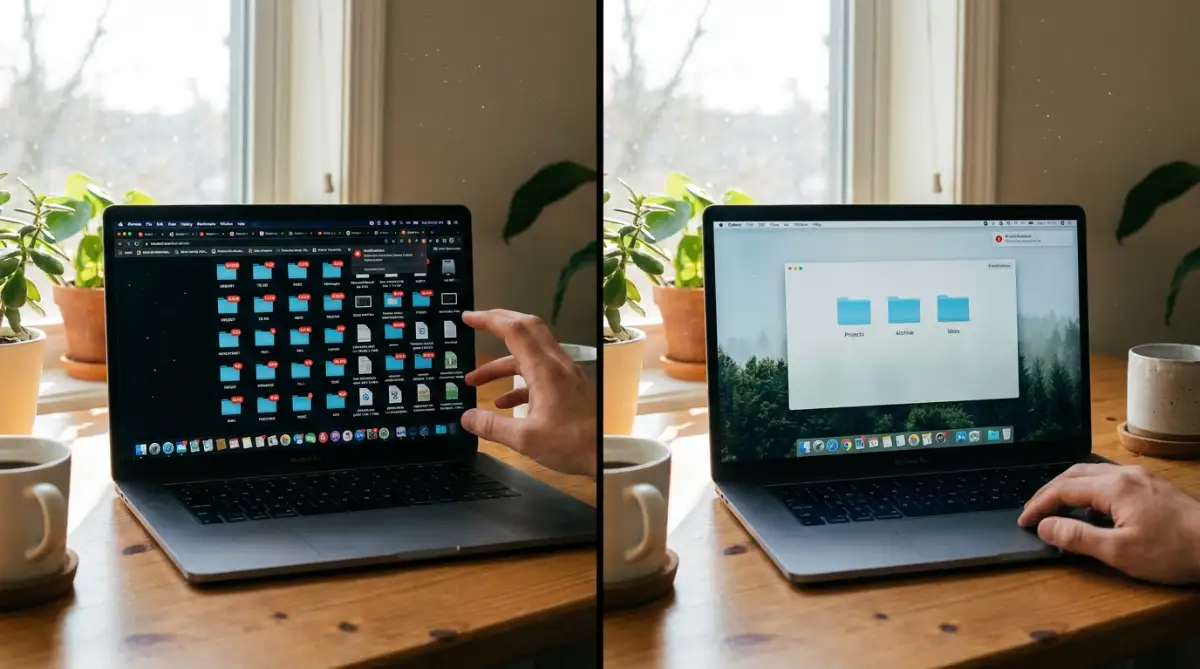
Step 1: Mapping Out Your Personal Energy Drainers
Before you click any buttons in your email settings, you need to understand what exactly drains your energy. Open your inbox right now and take a quick look at the first page of messages. Ask yourself which emails make you feel stressed immediately.
Usually, these are urgent requests, unexpected meeting invites, or passive-aggressive follow-ups. On the other hand, you probably have emails that are just annoying, like weekly newsletters, random software updates, or marketing promotions. Write these categories down on a piece of paper.
You are basically creating a map of your digital neighborhood. Once you know which streets are too noisy, you can build walls to block the sound. This mapping process is the foundation of effective communication automation.
My Personal Energy Mapping Strategy:
To make this easier for you, here is exactly how I map out my inbox triggers before setting up any rules:
| Email Type | How It Feels | The Smart Action |
| :--- | :--- | :--- |
| Boss/Top Clients | High Pressure | Route to "Urgent VIP" (Check twice daily) |
| Software Subscriptions | Annoying Clutter | Route to "Receipts" (Mark as read automatically) |
| Marketing Newsletters | Visual Noise | Route to "Read Later" (Skip main inbox entirely) |
If you want to see exactly how these quiet automation rules work in action, check out this brilliant visual breakdown below.
Step 2: Setting Up the AI Gatekeeper
Now it is time to turn your email provider into a strict bouncer at the door of your digital club. Most modern email platforms have built-in filters and smart rules that act like basic artificial intelligence. You just have to tell them what to look for.
Start by creating specific folders or labels on the side panel of your inbox. Keep the names simple and actionable. You might name them "Urgent VIPs," "Read Later," "Newsletters," and "Action Needed."
Next, go into your settings and start creating filters. Tell the system: if an email comes from your boss or a top client, automatically star it and move it to the "Urgent VIPs" folder. If an email contains the word "unsubscribe," it is likely a newsletter, so send it straight to the "Read Later" folder without notifying you.
I learned this the hard way after missing a highly paid client project. I used to let every single email dump into one main inbox. One day, a huge project proposal got completely buried under twenty promotional emails from a shoe store. That was the moment I realized my lack of organization was literally costing me money. Setting up a VIP filter changed everything for me.
Step 3: Creating a Quiet Zone for Newsletters
Newsletters and promotional emails are the biggest enemies of a clean inbox. They are not important, but they take up massive amounts of visual space. For an introvert, visual clutter is just as exhausting as a messy physical room.
You can automate this entirely. Create a smart rule that looks for specific sender addresses that only send marketing materials. Tell your email system to automatically mark these as read and archive them into a specific reading folder.
This way, your phone will not buzz when a store is having a weekend sale. The emails are still there if you ever want to read them on a lazy Sunday morning. But they no longer interrupt your deep work sessions on a Tuesday afternoon.
Step 4: The Magic of Batch Processing
Automation takes care of sorting the messages, but you still have to read them eventually. The best way to handle this without getting overwhelmed is called batch processing. This means you only check your sorted folders at specific times of the day.
Decide on two or three specific time slots for email. Maybe you check the "Urgent VIPs" folder at 9:00 AM and 3:00 PM. You can check the regular "Action Needed" folder just once right after lunch.
Because your smart auto-categorization system has already separated the important stuff from the trash, you can trust this schedule. You no longer have to fear that you are missing an emergency. If it is truly an emergency, your filters will make sure it is waiting for you in the priority folder.
Finding Comfort in Predictability
Introverts thrive on predictability and routine. When we know exactly what to expect, our anxiety drops significantly. An automated inbox provides exactly that kind of safe, predictable environment.
You open your laptop knowing that the newsletters are quietly sitting in their own corner. You know the receipts are filed away for tax season. You know that the main screen will only show you the handful of conversations that actually matter today.
Letting the System Work for You
It might take an hour or two to set up all these folders, labels, and automatic filters. But think about the hundreds of hours you will save over the next few months. Think about the mental peace you will gain every single morning.
You do not need to be a technology expert to make this happen. Every major email service has simple tutorials on how to set up rules and filters. Start small if you feel overwhelmed.
Create just one rule today. Set up a filter that automatically moves all your social media notifications into a separate folder. Just that one small change will make your main inbox feel noticeably quieter tomorrow.
Once you see how well that works, you will naturally want to automate more of your communication. Step by step, you will build a digital sanctuary. Your inbox will finally become a place of quiet organization instead of loud chaos.
Taking Your Digital Sanctuary to the Next Level
Once you have the basic filters running, you will immediately notice a drop in your daily stress levels. But we can push this peaceful system even further. You can train your inbox to think exactly like you do.
Think of these advanced techniques as installing a high-quality soundproofing system in your digital office. You get to decide exactly what kind of information is allowed to break through your quiet time.
The Magic of Keyword Triggers
Basic sorting relies on who sends the message. Advanced sorting looks at what the message is actually about. You can tell your email provider to scan incoming messages for specific trigger words.
For example, I set up a rule for words like "Invoice," "Payment," and "Receipt." Whenever a message contains these terms, it automatically skips my main view. It goes directly into a dedicated financial folder that I only check once a week.
Pro Tip - My Favorite Trigger Words to Steal:
If you want to set up your financial filters right now, copy and paste this exact string of words into your email filter settings:
Invoice OR Receipt OR Billing OR Payment Confirmed OR Subscription Renewed.
Just pasting those five terms will instantly clean up about 20% of your daily inbox trash!
This simple logic-based routing feels a lot like basic programming. If you have ever tried learning the logic of visual coding systems, this will feel incredibly familiar. You are essentially building smart "if this, then that" commands for your daily life.
Establishing Silent Working Hours
As an introvert, your deep work sessions are sacred. Every time an email notification pops up, it completely shatters your focus. You can use smart automation to build temporary walls around your schedule.
Many modern email clients allow you to delay incoming messages during specific hours. You can instruct the system to hold all non-VIP emails between 9:00 AM and 12:00 PM. During this time, your inbox stays completely blank.
According to researchers studying workplace psychology at the American Psychological Association on setting healthy boundaries, controlling the flow of information is a powerful way to prevent burnout. When noon arrives, the system quietly delivers the batch of morning emails all at once. You handle them on your own terms, completely stress-free.
Using AI to Draft and Sort Simultaneously
We are living in an amazing time where artificial intelligence can act as a personal communication assistant. Smart tools do not just sort messages anymore. They can actually understand the tone and urgency of the text.
Some modern platforms analyze incoming text to determine if a message is an angry complaint or a friendly check-in. They route the friendly messages to a social folder and flag the urgent ones for your immediate attention. It is fascinating to see how basic text tools have evolved into intelligent AI assistants that genuinely understand human context.
You can even set up automated templates for common questions. If someone asks for your standard pricing sheet, the system can automatically reply with a polite, pre-written response. You do not even have to lift a finger, which perfectly protects your social battery.
The "Snooze" Feature is Your Best Friend
Sometimes an important email arrives, but you simply do not have the mental energy to deal with it right then. Leaving it unread in your main view creates a nagging sense of guilt. This is exactly where the snooze function becomes a lifesaver.
With one click, you can tell the message to disappear and come back tomorrow morning at 8:00 AM. It temporarily removes the visual clutter from your screen. You get to close your laptop feeling accomplished, knowing the system will remind you when you are ready.

Hidden Traps That Will Break Your Peaceful System
Even with the best intentions, it is very easy to mess up an automated sorting system. When you first discover the power of filters, you might feel tempted to organize every tiny detail of your digital life. This is exactly where most people go wrong.
If you are not careful, you will end up creating a system that is actually more stressful than a messy inbox. Let's look at the most dangerous digital traps and how you can easily walk around them.
The Endless Folder Maze
The biggest mistake introverts make is creating too many specific folders. You might think you need a separate folder for every single client, every software subscription, and every family member. This is a massive trap.
When you have forty different folders on the side of your screen, your brain has to process forty different visual options. Studies from Stanford University on cognitive overload show that having too many choices actively harms our ability to focus. Instead of feeling organized, you will just feel overwhelmed by a giant wall of tiny text.
Keep your main categories broad and simple. Five to seven folders are usually all you need to maintain perfect order. Let the search bar do the hard work if you need to find something highly specific from last year.
The "Set and Forget" Disaster
Smart auto-categorization is amazing, but it is not completely flawless. Sometimes, an important message from a new client will get caught in a spam filter. Other times, a helpful newsletter will accidentally land in your urgent action folder.
If you blindly trust the system without ever checking the rules, you will eventually miss something big. This causes a massive spike in anxiety when someone texts you asking why you ignored their urgent message.
To prevent this, schedule a quick ten-minute review session once a month. Look through your automated rules and delete the ones you no longer need. A little bit of regular maintenance keeps your digital assistant running smoothly.
Hoarding Useless Digital Trash
Many of us have a deep fear of hitting the delete button. We think we might magically need that promotional discount code from three years ago. So, we let our automated systems push thousands of unread emails into archive folders.
While you do not see them on your main screen, knowing you have fifty thousand unread messages hidden away creates subconscious stress. It feels like stuffing dirty clothes under your bed. The room looks clean, but you know the mess is still there.
Be brave with the delete button. Set up rules that automatically send marketing emails to the trash after thirty days. If you want more helpful tips on managing modern technology setups, you can always explore more resources on global digital trends to keep your systems running perfectly.
Over-Automating Personal Connections
While automation is brilliant for receipts and newsletters, be careful when applying it to real humans. If your friends or family get a robotic auto-reply every time they message you, they might feel ignored.
We use these systems to save our social energy for the people who actually matter. Make sure your close circle always bypasses the strict sorting rules. Let their messages land right on your main screen so you can respond with genuine warmth.
Designing a Calmer Digital Tomorrow
You do not have to accept digital exhaustion as a normal part of modern life. Your inbox should act as a helpful tool, not a demanding boss that yells at you all day. By setting up these quiet, intelligent rules, you are actively choosing to protect your peace of mind.
This approach is about much more than just saving ten minutes a day. It is about waking up in the morning without a heavy feeling in your chest. It is about opening your laptop and feeling completely in control of your environment.
Start incredibly small today. Pick just one annoying sender and build a rule to quietly file their messages away. Watch how good it feels to take that tiny bit of control back from the noise.
Over the next few weeks, you can slowly add more rules and smarter filters. Before you know it, you will have built a silent, invisible shield around your attention. You will finally have the quiet mental space you need to do your best, most creative work.
I remember the exact morning I finally trusted my automated system to handle the chaos. For the first time in years, I drank my coffee slowly, opened my laptop, and smiled at a beautifully empty screen. You deserve that exact same feeling of quiet relief, and I promise you can achieve it starting today.
Common Questions About Smart Inbox Sorting
Do I need to pay for premium tools to automate my emails?
Not at all. Almost every popular free email provider comes with highly capable filtering and sorting options built right into the settings. You can achieve an incredibly peaceful setup without spending a single dime.
What happens if an important message gets sent to the wrong folder?
This happens occasionally when you first set things up. You just need to drag that specific message back to your main screen and tell the system to remember that sender. The smart sorting system learns from your manual corrections very quickly.
How much time does it take to build a proper sorting system?
You can set up your first three basic rules in under five minutes. To completely overhaul a very messy account, it usually takes about an hour of focused work. Think of it as a small time investment that will pay you back every single day.
Can this method actually reduce my daily work anxiety?
Absolutely. When you remove visual clutter and stop the constant notification sounds, your brain stops producing stress hormones. Knowing your messages are safely organized instantly makes your workload feel much lighter.
Will my clients know I am using an AI system to sort their messages?
No, your sorting rules are entirely private and invisible to the outside world. Unless you specifically set up an automatic reply message, the sender will have no idea how you organize your screen. They will only notice that you are responding in a much more calm and collected manner.
Disclaimer: The strategies and tips provided in this article are for informational and educational purposes only. Email platforms frequently update their features, so interface settings may vary over time. Always ensure you are not missing critical communications when testing new automated filters. We do not endorse or guarantee the performance of any specific third-party AI software mentioned.