The Frustrating Reality of Living in a Concrete Signal Fortress
You finally get the keys to that gorgeous concrete apartment, set up your home office, and then... nothing. Your Wi-Fi simply refuses to push through those solid walls. I spent weeks wandering around my own house holding my phone up to the ceiling like a fool, trying to catch a single bar of signal. If you are tired of your internet dropping the second you walk into your bedroom, you do not need to buy a $300 router. You just need to outsmart your walls. Let me show you exactly how I fixed my concrete dead zones without spending a fortune.
My home office was just two rooms away from the living room, but the Wi-Fi signal dropped to a single, miserable bar. I found myself wandering around the house holding my laptop up in the air like a total fool, desperately searching for a connection. My video calls were freezing, my favorite shows kept buffering, and my patience was completely running out.
I bought a brand new, expensive router, thinking that would solve everything instantly. It did almost nothing. That is when I realized my beautiful concrete walls were actually acting like a massive, silent prison for my internet signal.
Living with an unreliable internet connection feels incredibly stressful. In our daily lives, a dropped Wi-Fi signal is not just a minor tech glitch; it is an active disruption to our peace of mind.
This invisible barrier creates real, tangible tension in your home. It feels completely unfair that you are paying top dollar for a high-speed internet plan, only to receive a fraction of that speed in your bedroom.
But do not worry, because you are definitely not alone in this struggle. Standard advice like "just buy an extender" rarely works for heavy construction. We need to look at this problem from a completely different angle.
The Quick Fix Blueprint:
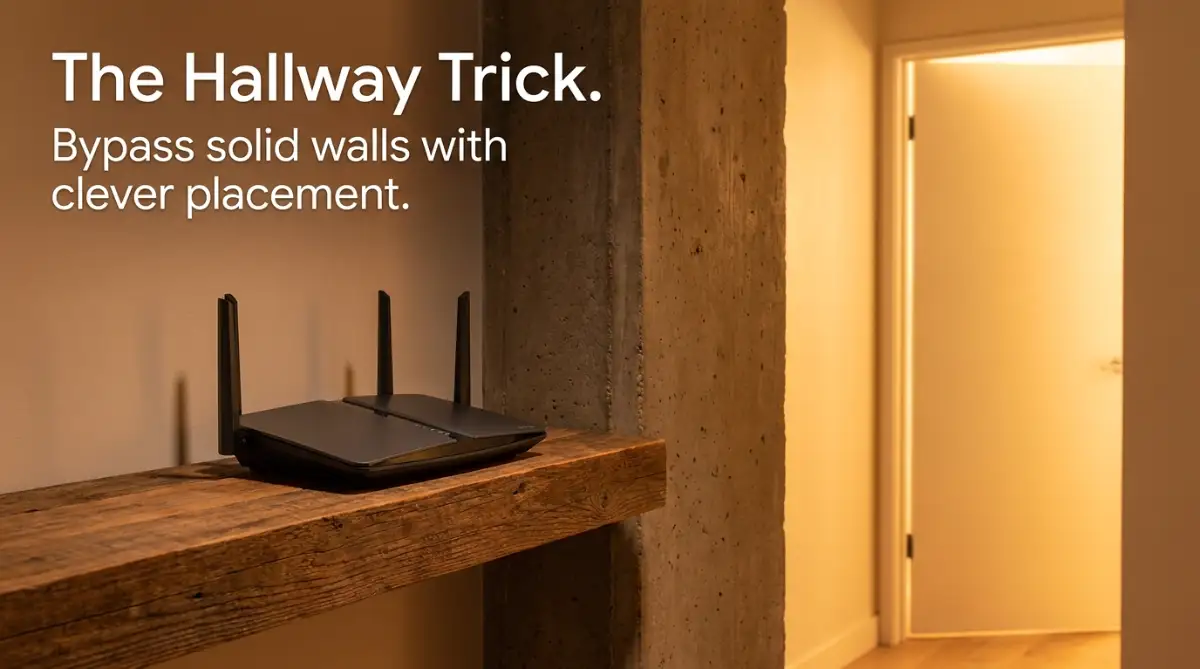
- Stop fighting the wall: Place your router in a long hallway to let the signal bounce through open doors.
- Switch your frequency: Force devices in distant rooms to use the 2.4 GHz band—it pushes through dense walls much better than 5 GHz.
- Use your home's wiring: Skip wireless extenders entirely and use Powerline adapters to send the internet through your electrical outlets.
- Ditch the TV cabinet: Never hide your router behind a TV or inside a metal shelf; it kills the signal instantly.
Why Your House Hates Your Internet (And How to Outsmart It)
To solve this heavy problem, we first need to understand what is actually happening invisible to our eyes. Wi-Fi signals are simply radio waves, much like the signals your car radio picks up.
When these waves travel through the air, they move incredibly fast and carry a massive amount of data. But they absolutely hate physical obstacles. Drywall and wood are relatively easy for these waves to pass through.
Concrete, on the other hand, is an absolute nightmare for radio waves. It is incredibly dense and often filled with thick steel rebar inside. When your Wi-Fi signal hits a solid concrete barrier, it does not just slow down. It literally gets absorbed and scattered.
Quick Reference: How Different Materials Block Your Wi-Fi
| Wall Material | Signal Loss Level | What Happens to Your Wi-Fi? |
| :--- | :--- | :--- |
| Wood / Drywall | Low | Waves pass through easily. Barely any speed drop. |
| Brick / Stone | Medium | Speeds drop by about 30-40%. You might notice some buffering. |
| Solid Concrete | High | Waves get absorbed. Range drops massively. |
| Concrete with Steel Rebar | Severe | Total signal block. It acts like a metal cage. |
Think of it like trying to shine a flashlight through a thick brick wall. The light simply cannot pass through. To get light into the next room, you have to bounce it off a mirror or shine it down a hallway.
We are going to use that exact same logic to fix your internet. You do not need a degree in computer science to do this. You just need to change the way you think about the layout of your home.
Here are some highly effective, unconventional strategies to bypass those stubborn physical barriers.
The Open-Door Rebound Technique
Most people place their Wi-Fi router in the most convenient spot, usually tucked away in a corner near the television. In a concrete house, this is the worst possible place you could put it.
Instead of trying to force the signal through the wall, we are going to guide it around the wall. Radio waves can actually bounce off certain surfaces, much like a tennis ball bouncing off a court.
You need to look at the hallways and open doorways in your home. Think of them as open highways for your internet. If you place your router in a location where it has a direct line of sight down a long hallway, the signal can travel freely.
Watch this incredibly simple visual breakdown to understand exactly how radio waves bounce around your house.
Even if the signal cannot go directly through the bedroom wall, it will travel down the hallway and bounce through the open bedroom door. It is all about finding the clever angles in your floor plan.
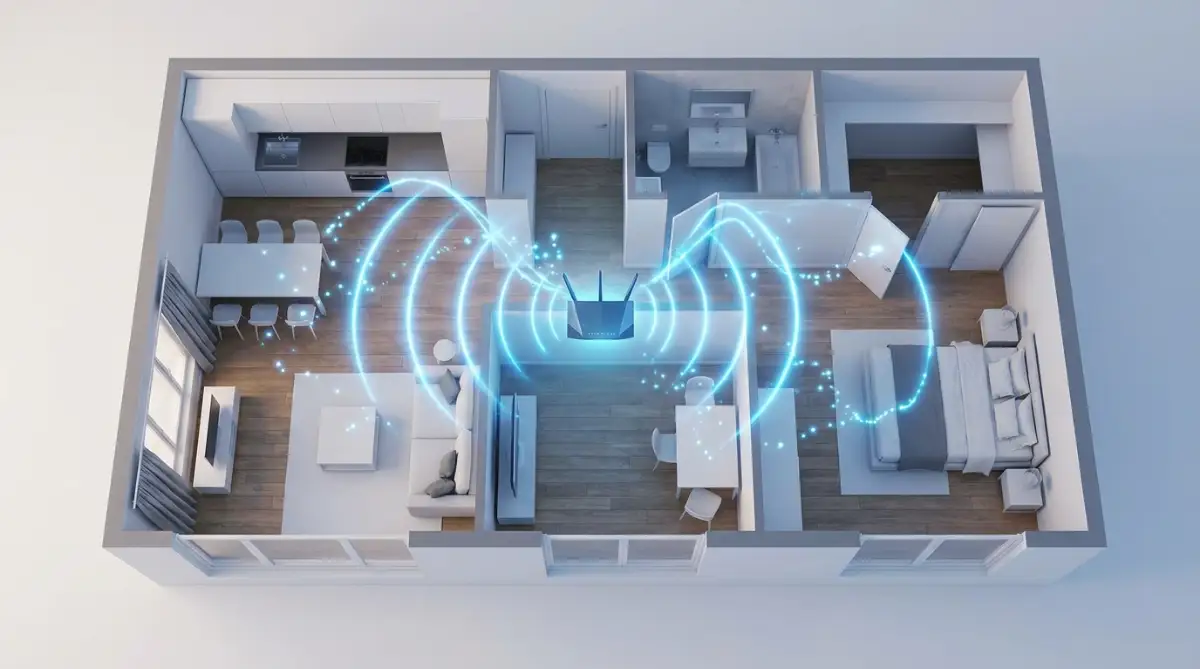
Try moving the router out of the enclosed living room corner. Place it on a high shelf near the entrance of your main hallway. You will immediately notice a massive difference in how far the signal travels.
Always keep the router elevated. Do not put it on the floor. The higher you place it, the fewer furniture pieces and physical objects it has to fight through.
Dropping to a Lower Frequency
We are always told that faster is better. When you buy a modern dual-band router, it broadcasts two different signals: 2.4 GHz and 5 GHz.
Your devices usually default to the 5 GHz band because it offers much faster top speeds. However, there is a massive catch that internet companies rarely explain properly.
Higher frequency waves have a very short range. They are incredibly weak when it comes to penetrating solid objects. 5 GHz will give you amazing speeds in the exact same room as the router, but it will instantly die the moment it hits concrete.
Lower frequency waves are the heavy lifters. The 2.4 GHz band might have slower maximum speeds, but its waves are longer and much more powerful at pushing through dense materials.
If you are struggling to get a connection in your bedroom, go into your phone or laptop settings. Force your device to connect exclusively to the 2.4 GHz network.
Quick Breakdown of the Two Networks:
- 5 GHz Network: Very fast speeds, terrible wall penetration, best used for devices in the same room.
- 2.4 GHz Network: Slower maximum speeds, excellent wall penetration, best used for distant rooms and smart devices.
You might not be able to download massive files in two seconds, but your connection will remain incredibly stable. A slightly slower, stable connection is always better than a fast connection that constantly drops.
My Personal Router Setup Trick:
Most modern routers combine the 2.4 GHz and 5 GHz networks under one single Wi-Fi name. This causes your phone to constantly jump between the two, confusing your connection when you walk behind a concrete wall. I highly recommend logging into your router settings and splitting them. Name one "MyNetwork_Fast" (for 5 GHz) and the other "MyNetwork_Far" (for 2.4 GHz). This gives you total control over which band your device uses!
The Directional Antenna Hack
Most default routers come with omnidirectional antennas. This means they broadcast the Wi-Fi signal equally in every single direction in a giant circle.
This sounds great in theory, but in a concrete home, it is a massive waste of energy. If your router is placed against an exterior concrete wall, half of your signal is literally being pushed straight into the solid wall and dying.
You want to aim your signal exactly where you need it, rather than broadcasting it everywhere. Some modern routers allow you to unscrew the default antennas and replace them with directional ones.
A directional antenna focuses all the energy into a single, powerful beam. It acts like a sniper rifle instead of a shotgun. You can point this beam directly toward the hallway or the specific room where you need internet the most.
If you cannot change your antennas, there is a clever DIY trick you can try. You can create a simple parabolic reflector using aluminum foil and cardboard.
By placing a curved piece of foil directly behind the router's antennas, you block the signal from going backward into the wall. The foil catches the waves and naturally bounces them forward into the house. It looks a little silly, but the physics behind it is incredibly sound.
I actually learned this the hard way after wasting money on unnecessary gadgets. I spent weeks trying different expensive extenders, only to realize I had shoved my main router behind a giant flat-screen TV. TVs have massive metal plates inside them that completely destroy Wi-Fi signals. Moving the router just three feet away onto an open shelf instantly solved half of my dead zone issues without spending a single dime.
Repurposing Your Home's Hidden Wires
Sometimes, no matter how clever you are with angles and frequencies, the concrete is just too thick. If you live in an older concrete building, you might feel completely out of luck.
But you likely have a secret network of wires already running through those impenetrable walls. You can use your home's existing electrical wiring to bypass the concrete completely.
This is done using something called a Powerline Adapter. You buy them in pairs. You plug one adapter into a wall outlet near your router and connect them with a short cable.
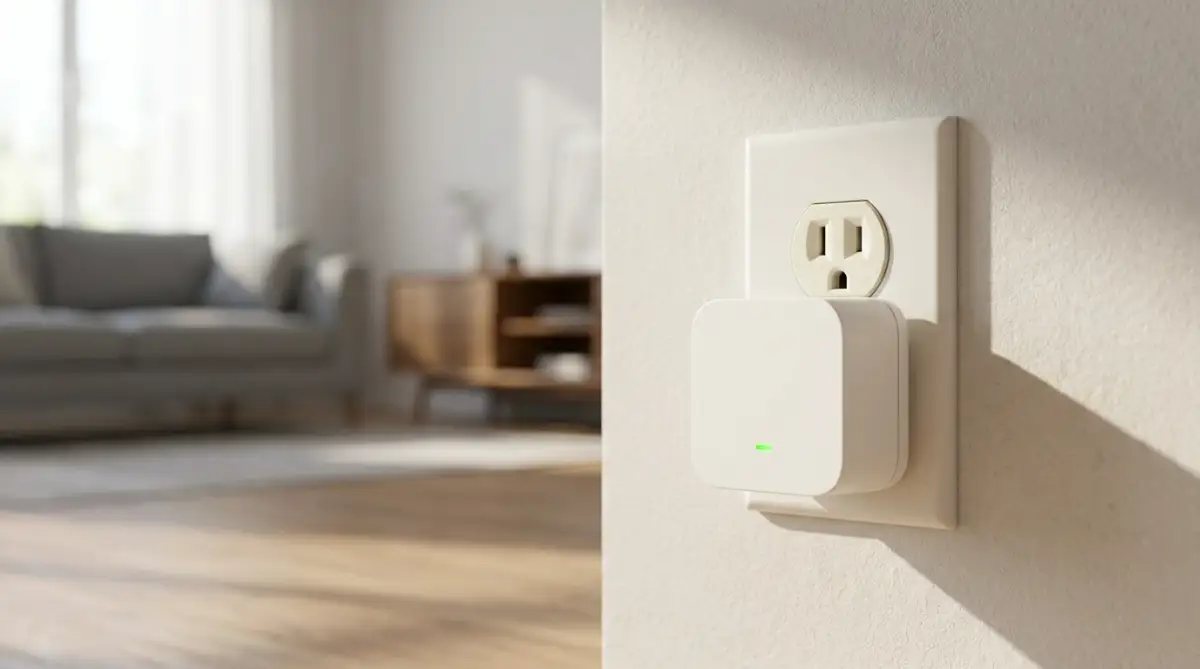
You take the second adapter and plug it into a wall outlet in your dead zone room. The internet signal literally travels through the copper electrical wires inside your walls, completely ignoring the concrete.
The second adapter then broadcasts a fresh, brand new Wi-Fi signal right in the room where you need it. It is like building a secret underground tunnel for your internet.
Another amazing alternative is using MoCA adapters. These do the exact same thing, but they use the old coaxial cable TV lines in your walls instead of the electrical wires.
If your concrete home has standard cable jacks in the bedrooms, you have a massive advantage. Coaxial cables are specifically designed to carry heavy data, making them much faster and more reliable than electrical wires.
Separating Fact From Fiction
When you start searching for ways to fix your internet, you will run into a lot of terrible advice. It is very easy to waste money on things that simply do not work in a concrete environment.
Myth: Buying a standard Wi-Fi repeater will fix the dead zone.
Reality: Standard repeaters just take an existing weak signal and push it further. If the signal is already heavily degraded by the concrete, the repeater will just broadcast a terrible, slow signal.
Myth: The more antennas a router has, the better it will blast through walls.
Reality: Antennas help manage multiple devices at once. They do not magically give the radio waves the physical strength to melt through solid steel and cement.
Myth: Keeping the router hidden in a cabinet keeps the signal safe from interference.
Reality: Cabinets, especially those made of thick wood or metal, just add another physical barrier. Your router needs to breathe and needs open space to broadcast clearly.
The secret to conquering this problem is working with your environment instead of fighting against it. Concrete is stubborn, but radio waves are incredibly flexible if you know how to guide them.
Every home layout is entirely unique. You might need to spend a weekend doing a little trial and error. Move the router, check your phone's signal strength, and move it again.
Finding that perfect geometric angle down a hallway or utilizing a simple set of electrical wires can completely transform your daily digital life. You deserve an internet connection that works just as hard as you do, without the constant headache of buffering screens.
Taking Your Home Network to the Next Level
Once you master the basic placement and frequency tricks, you can push your internet performance even further. Sometimes, just shifting a router is not quite enough for larger concrete homes. You need to start thinking like a professional network engineer, but without all the confusing jargon.
One of the smartest investments you can make is upgrading to a Tri-Band Mesh network. A standard mesh system uses multiple nodes placed around your house to blanket it in Wi-Fi. However, regular mesh systems use the exact same radio band to talk to your devices and to talk to each other.
In a concrete house, this causes a massive traffic jam. A Tri-Band system solves this by dedicating an entire, invisible third radio band strictly for communication between the mesh units. Think of it like a private VIP lane on a busy highway.
Your devices get full access to the regular lanes, while the routers whisper to each other on their own private channel. This completely stops the speed drops that normally happen when a signal bounces through multiple thick walls. If you are bootstrapping a new online business from your home office, this kind of stability is absolutely non-negotiable.
Dodging Neighborhood Traffic Jams
If you live in a dense apartment building or a closely packed suburban neighborhood, you are fighting more than just cement. You are actually fighting your neighbors' routers too. Every single router broadcasts on a specific "channel," much like a walkie-talkie.
Most consumer routers come out of the box set to "Auto" channel selection. In reality, they usually just sit on the default channels, which quickly become overcrowded. When too many routers use the same channel, they create heavy radio frequency interference that destroys your connection quality.
You can easily fix this by downloading a free Wi-Fi analyzer app on your smartphone. Walk around your house and let the app scan the airwaves. It will show you exactly which channels are crowded and which ones are completely empty.
Once you find a quiet channel, log into your router's admin panel and manually switch your 2.4 GHz network to that specific number. Just like understanding basic DNS management, changing a Wi-Fi channel only takes a few clicks. It is a tiny adjustment, but you will be amazed at how much faster your pages load when you stop fighting your neighbors for air space.
The Invisible Flat Cable Strategy
Sometimes, the absolute best way to beat concrete is to just ignore the wireless route entirely. I know we are talking about Wi-Fi, but a hardwired connection will always be king. If you have a specific device that constantly drops, like a smart TV or a gaming console, you should strongly consider wiring it directly.
Running thick, ugly ethernet cables across your beautiful living room floor is a terrible idea. However, many people do not realize that ultra-flat Ethernet cables exist. These cables are as thin as a piece of tape.
You can run them perfectly along your baseboards, hide them under the edges of your carpet, or even paint over them so they blend right into the wall. You get the flawless, uninterrupted speed of a direct wire without ruining the look of your home.
By wiring your heavy-duty devices, you actually free up wireless bandwidth for your mobile phones and laptops. It is a win-win situation for every single device in your house.
Traps That Will Destroy Your Internet Speeds
When people get frustrated with slow internet, they tend to make impulsive decisions. I completely understand the panic of a dropping zoom call, but rushing into a quick fix usually makes the problem much worse. There are specific traps you must avoid if you want a healthy home network.
The most common trap is the "Decorative Box Disaster." Routers are generally not very pretty to look at. They look like weird plastic spiders with antennas sticking out everywhere.
Because of this, people love to hide them. They shove them inside wooden TV cabinets, put them behind large potted plants, or tuck them onto the bottom shelf of a metal bookcase. This is the absolute worst thing you can do for your internet speeds.
Every single object you put between your router and your device acts like a sponge, soaking up the signal before it even reaches the concrete wall. You are essentially suffocating your own internet. Your router needs open air, high placement, and a clear line of sight to work properly.
The Bargain Bin Extender Trap
Another massive mistake is blindly buying cheap Wi-Fi extenders from the local electronics store. These little plug-in boxes promise to magically boost your signal across the entire house. In a home with standard drywall, they might offer a tiny bit of help.
In a concrete home, they are completely useless. A basic extender simply catches an existing signal and repeats it. If you plug the extender into a room where the signal is already heavily degraded by cement, it will just broadcast a strong, but terrible quality signal.
Your phone will show full Wi-Fi bars, but nothing will actually load. This false sense of security is incredibly frustrating. If you rely on smooth video calls for work, this mistake might even cost you valuable freelance clients due to dropped calls.
Instead of wasting money on standard repeaters, always invest in proper Powerline adapters, MoCA adapters, or a dedicated Tri-Band mesh system. They cost a little more upfront, but they actually solve the root of the problem.
Neglecting the Brain of Your Network
We often treat our routers like fancy lightbulbs. We plug them in, turn them on, and completely forget they exist until they break. But your router is actually a miniature computer, and it needs regular maintenance.
Manufacturers constantly release firmware updates to improve performance, patch software bugs, and increase range efficiency. If you are running on firmware that is three years old, you are intentionally crippling your own hardware.
Leaving your network outdated is also a massive security risk. Following basic consumer router security standards by keeping your system updated protects your personal data from local snooping. Make it a habit to log into your router's app once a month and hit the update button.
Some modern routers even allow you to set up automatic updates during the middle of the night. It is a completely effortless way to make sure your router is fighting those thick walls with the most optimized software possible.
Your Blueprint for a Buffer-Free Home
You do not have to accept terrible internet just because you live in a solidly built house. Concrete is definitely an obstacle, but it is not an unbeatable wall. By understanding how radio waves actually travel, you have already won half the battle.
Stop trying to force the signal straight through the heaviest materials. Start looking at your hallways and open doors as pathways for your data to travel. A simple adjustment of your router's physical position can instantly bring dead zones back to life.
Remember to rely on the heavy-lifting power of the 2.4 GHz band when you need distance, and save the 5 GHz band for devices in the same room. Whether you are streaming a 4K movie or working with complex AI prompts, having a stable, reliable connection keeps your stress levels low.
You also want to maintain the health of your digital environment. Keeping your firmware updated and using secure passwords ensures your data stays safe. After all, your digital privacy relies on a secure connection just as much as a fast one.
If you are ever in doubt, look up official university IT department recommendations for setting up home networks. They always suggest prioritizing direct line-of-sight and avoiding physical clutter around your broadcasting equipment.
It takes a little bit of patience and a willingness to experiment with different setups. Move things around, test the speeds, and do not be afraid to try weird angles. You have the knowledge and the tools to completely eliminate those annoying buffering wheels from your life.
My best advice for you is to grab a cup of coffee this weekend, pull that router out of the hidden cabinet, and start testing new hallway angles today. I finally got my entire apartment fully connected by just moving my router three feet to the left, and I know you can get the exact same satisfying results.
Quick Answers About Dealing With Stubborn Walls
Do Wi-Fi boosters actually work through cement?
Standard cheap boosters usually fail because they rely on catching an already weak signal. If the signal cannot pierce the cement to reach the booster, the booster has nothing to repeat. You are much better off using Powerline adapters that send the signal through your electrical wires instead.
Can aluminum foil really help my router?
Yes, it actually can! Placing a curved piece of aluminum foil behind your router's antennas stops the radio waves from hitting the wall behind it. The foil acts like a mirror, reflecting that wasted energy forward into your living space where you actually need it.
Is 5G internet better for thick walls than standard broadband?
Cellular 5G internet relies on cell towers outside your home, and those high-frequency waves struggle heavily to penetrate concrete buildings. If you live in a thick concrete structure, a standard wired broadband connection coming directly into your home will almost always be more stable.
Does painting over concrete affect the Wi-Fi signal?
Standard interior paint does not have any noticeable impact on your internet waves. However, if the wall contains lead-based paint or heavy metallic wallpapers from decades ago, those specific materials can definitely block radio frequencies.
Why is my Wi-Fi worse at night in my apartment?
At night, everyone in your building comes home, turns on their smart TVs, and connects their phones to the network. This causes massive channel congestion on the 2.4 GHz band. Switching your router to a less crowded channel can easily fix this evening slowdown.
Disclaimer: The strategies mentioned in this article are for informational and educational purposes only. Home layouts, building materials, and internet service providers vary greatly. Always consult your router manufacturer's manual before changing advanced network settings or replacing hardware antennas.