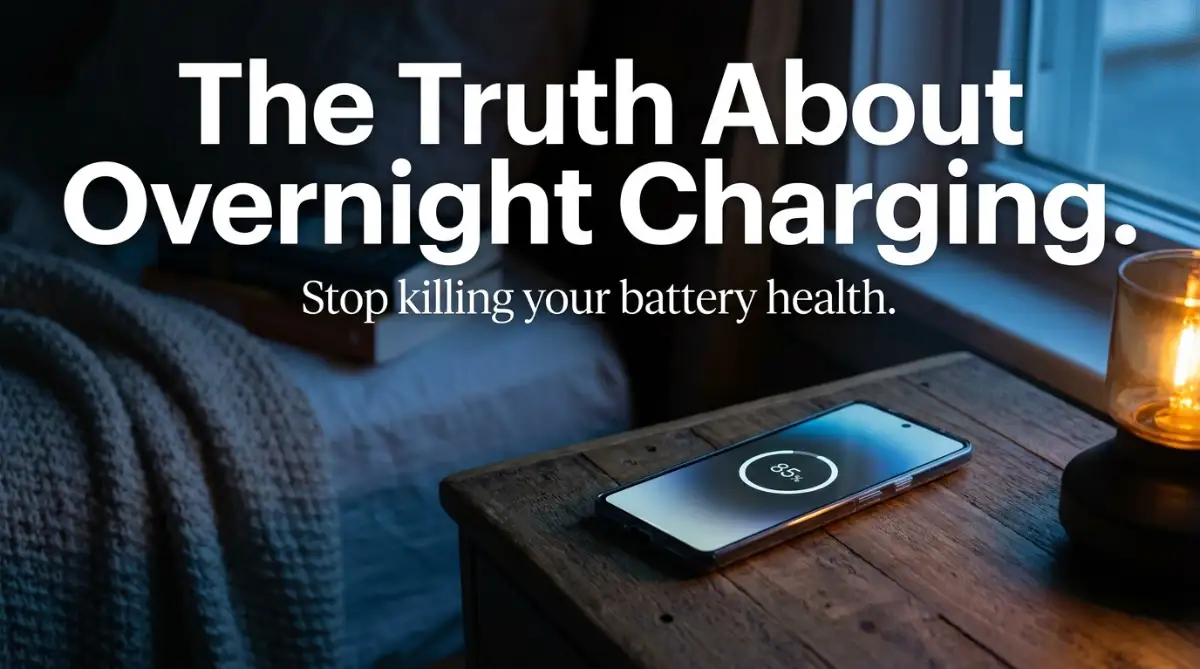
The Morning Battery Anxiety We All Know Too Well
Did you check your battery percentage right before clicking on this post? Honestly, we all do it. You bought your smartphone to make your life easier, yet somehow, you end up treating its battery like a fragile glass toy. Let's clear up the charging confusion and kick those old myths to the curb. It is time you finally plug your phone in at night and go to sleep without feeling stressed out.
I had intentionally left it unplugged the night before because a friend told me that charging it overnight would completely destroy my new battery. So, I went to sleep with my phone at 40%, thinking it would easily survive the night. Instead, I missed my morning meeting, felt incredibly stressed out, and started my day in an absolute rush.
I realized right then that I was making my life much harder because of a simple fear. I was letting rumors about battery damage dictate how I lived my daily life. It felt silly, but I know I am not the only one who struggles with this weird anxiety.
We rely on our phones for everything today, from our digital wallets to our daily schedules. When that little battery icon turns red, it almost feels like a personal emergency. This constant worry about battery health creates a totally unnecessary mental burden.
People are setting alarms in the middle of the night just to unplug their phones. Others are strictly carrying around heavy power banks everywhere they go, terrified their phone will die halfway through the day.
The mental peace of simply plugging in your device and going to sleep is something we all deserve to have back. We are letting outdated information from older technologies control our modern habits.
You should not have to baby your device or treat it like a fragile piece of glass. Your smartphone is a tool designed to make your life easier, not to add another layer of daily stress to your mind.
It is time to look at the actual science behind how these devices manage power. Once you understand what goes on inside that metal and glass rectangle, your daily anxiety will completely vanish.
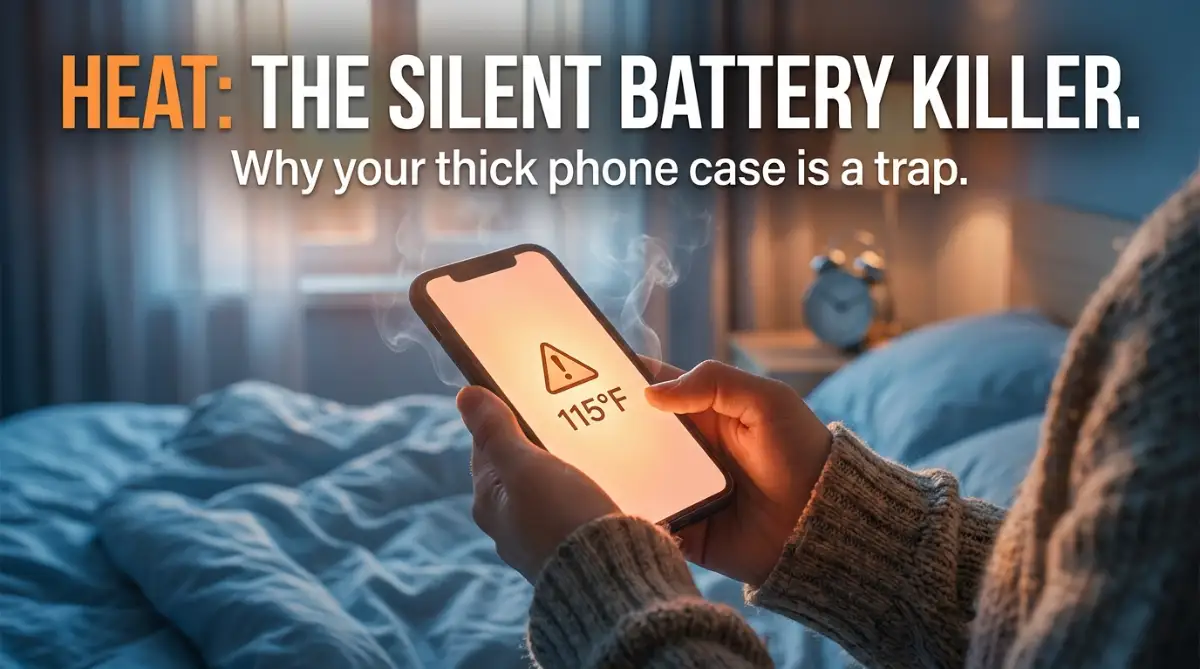
⚡ Quick Takeaways to Save Your Battery Today:
- Heat is the real enemy: Thick phone cases and sunny car dashboards destroy your battery faster than any overnight charging habit.
- 0% is bad news: Do not let your phone completely die. Keep the battery dancing between 20% and 80% when you can.
- Slow down at night: Dig out that old, slow 5W charger for overnight charging to keep the device perfectly cool while you sleep.
- Clean your ports: Before you buy a new battery or charger, gently clean the pocket lint out of your phone's charging port with a wooden toothpick.
Demystifying How Modern Batteries Actually Eat Power
To really understand why we panic so much, we have to look inside the device. Modern smartphones do not use the same batteries our old flip phones used a decade ago. Today, almost every mobile device runs on something called a lithium-ion battery.
These batteries are incredibly smart, highly efficient, and designed specifically to handle our heavy daily usage. Think of your phone battery like a very smart sponge absorbing water.
When the sponge is completely dry, it absorbs water very quickly and easily. This is why your phone charges extremely fast from 0% to about 80%. The internal chemical structure is hungry for power and takes it in without any resistance.
However, once the battery hits that 80% mark, things start to slow down significantly. The sponge is almost completely full, so forcing more water into it takes a lot more time and careful pressure.
Smartphone manufacturers know exactly how this chemistry works. They have built highly advanced power management chips directly into your phone to control this exact flow of electricity.
Your phone is constantly communicating with your charger to decide how much power it actually needs at any given second. It is not just blindly accepting electricity until it bursts.
The Myth of Overcharging Your Device
Let us talk about the biggest fear everyone has: the idea of "overcharging." People often think that if a phone stays plugged in at 100%, electricity keeps pushing in and severely damages the internal components.
This is an old myth left over from the days of nickel-cadmium batteries. Those old batteries would actually forget their capacity if you left them on the charger too long.
But lithium-ion batteries are completely different. Once your modern smartphone reaches 100%, the internal chip simply stops the charging process completely.
It cuts off the electrical current, exactly like a smart pump turning off when a water tank is full. Your phone is basically just resting on the charger, using wall power to stay awake rather than using its own battery power.
So, leaving your phone plugged in overnight does not force unnecessary electricity into a full battery. The device is smart enough to protect itself from taking in too much power.
Understanding the Concept of Trickle Charging
Even though the phone stops charging at 100%, it will naturally lose a tiny bit of power while doing background tasks like syncing emails. When it drops to 99%, the charger will push a tiny bit of power to bring it back to 100%.
This constant bouncing between 99% and 100% is known as trickle charging. While trickle charging is entirely normal, it does keep the battery in a state of high tension.
Imagine holding a heavy bag of groceries right near your chest. You are not lifting it higher, but your muscles are still constantly engaged and under pressure.
Being at 100% capacity for eight hours every single night keeps the internal chemistry of the battery under a bit of stress. Over a very long period, this stress can slightly reduce the overall lifespan of the battery.
But here is the most important thing you need to remember about this process. The degradation from trickle charging is incredibly slow and almost unnoticeable to the average user.
💡 Myth vs. Fact: The Overnight Charging Fear
- The Myth: Leaving my phone on the charger all night pushes too much power into it and fries the battery.
- The Fact: Your phone stops taking in power the second it hits 100%. The tiny bit of wear from overnight "trickle charging" is so small you will not even notice it over a normal two-year period.
You are losing maybe a few minutes of total battery life over the span of an entire year. For most people, the convenience of waking up with a fully charged phone heavily outweighs that tiny bit of natural wear and tear.
The Real Silent Destroyers of Your Phone Battery
If leaving the phone plugged in all night is not the main villain, what is actually ruining our devices? The answer often surprises most people because it happens completely silently.
The number one enemy of any lithium-ion battery is extreme temperature, specifically high heat. Heat fundamentally alters the chemical reactions happening inside the battery cells.
When a battery gets too hot, the internal liquid electrolytes start to break down much faster than normal. This chemical breakdown permanently reduces how much power the battery can hold.
If you charge your phone overnight while it is trapped under your heavy sleeping body, you are creating a massive heat trap.
Why Your Favorite Phone Case is a Problem
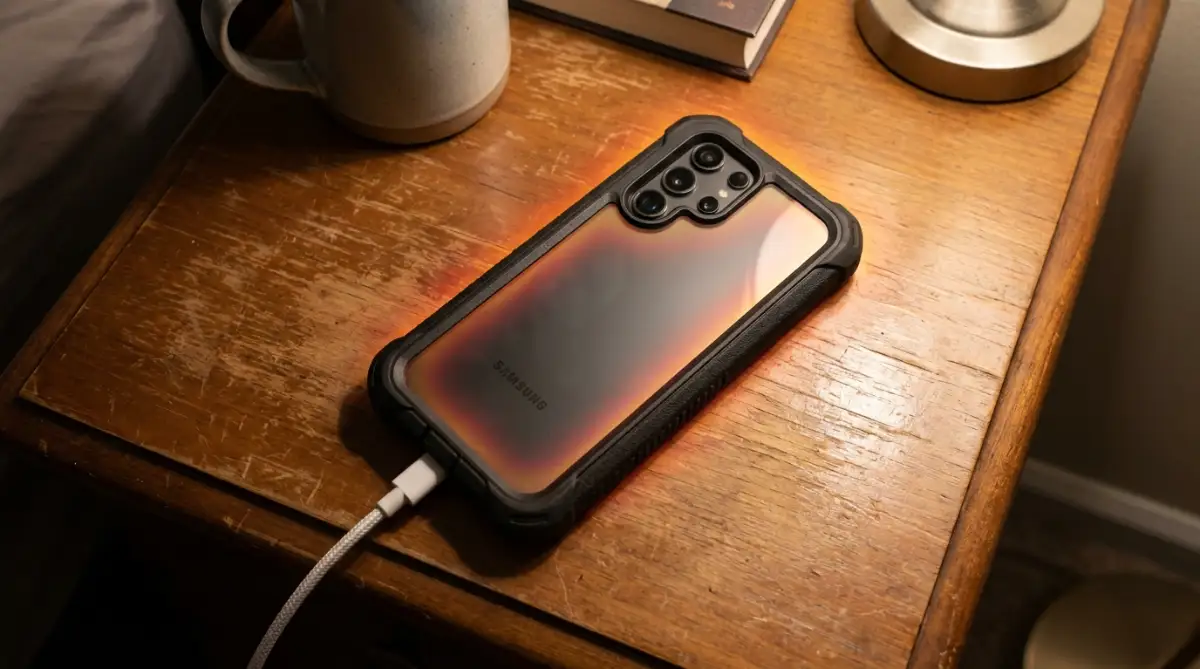
Many of us buy very thick, heavy-duty phone cases to protect our expensive devices from accidental drops. While these cases are great for physical protection, they are terrible for heat dissipation.
When your phone charges, it naturally generates a little bit of heat as electrical current flows inside. A thick rubber or leather case acts exactly like a heavy winter coat on a hot summer day.
The heat cannot escape into the air, so it bounces back right into the battery compartment. Over the course of the night, this trapped heat slowly cooks the internal chemicals.
If you wake up and your phone feels surprisingly warm to the touch, your case is likely the main problem.
Taking a few seconds to slip the phone out of its heavy case before plugging it in can make a massive difference. This allows the aluminum or glass back of the phone to breathe and release that natural charging heat.
The Danger of Cheap, Unregulated Chargers
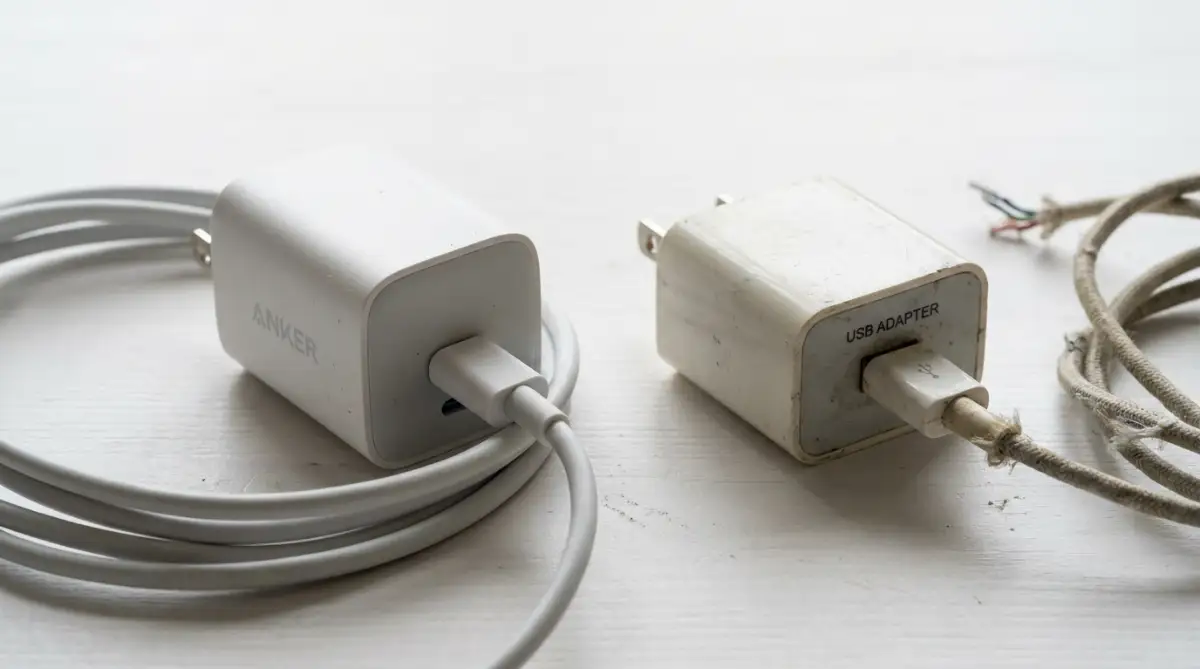
Another major factor that silently ruins batteries is the type of equipment you use to deliver the power. We have all been in a situation where we lose our original charger and quickly buy a cheap replacement from a gas station.
These cheap cables and charging bricks might look completely normal on the outside. But on the inside, they lack the sophisticated safety chips required for smart power delivery.
A high-quality charger communicates with your phone to provide a smooth, steady stream of electricity. A cheap, unregulated charger often pushes power erratically, causing sudden voltage spikes.
These rapid changes in voltage force the battery to work much harder to process the energy. This extra work creates unnecessary internal heat and puts massive stress on the battery cells.
Always stick to chargers from reputable brands or the manufacturer that actually made your phone. Spending a few extra dollars on a good charger will easily save you from a very expensive battery replacement later.
Before we move to the next important habit, check out this brilliant breakdown of how these batteries degrade over time:
Want to see exactly what happens inside your phone when you plug it in? This excellent visual guide clearly explains the hidden science behind battery wear and tear, making it super easy to understand.
Practical Habits to Keep Your Battery Healthy Today
Now that we know heat and bad chargers are the real enemies, we can build some very easy daily routines. You do not need to drastically change your life to protect your device.
One of the smartest features built into modern phones is something called Optimized Battery Charging. Both Android and iOS devices have a version of this feature hiding deep inside their settings menu.
When you turn this setting on, your phone actually learns your daily sleeping habits. It will charge your phone up to 80% very quickly when you first plug it in at night.
Then, it stops charging completely and simply waits while you sleep. The phone calculates exactly when you normally wake up based on your daily alarms.
About an hour before your eyes open, it pushes the remaining 20% into the battery. This means the phone spends very little time sitting at 100% tension while you are sleeping.
This simple software trick completely eliminates the stress of trickle charging without requiring any effort from you.
Why You Should Stop Draining to Zero
Another common habit people have is intentionally letting their phone die completely before plugging it in. People call this "calibrating" the battery, but it is actually a terrible idea for modern lithium-ion chemistry.
Deep discharges are incredibly stressful for the chemical structure of your battery. Every time your phone drops to 0%, the battery cells have to work extremely hard to restart the charging process.
A good rule of thumb is to keep your battery level somewhere between 20% and 80% most of the time. You do not have to be obsessive about these exact numbers, but they serve as a helpful guideline.
If you notice your phone hitting 20% in the afternoon, just plug it in for a quick 15-minute boost. Short, quick charges throughout the day are actually much healthier for the battery than one massive charge from zero to full.
My Personal Realization About Charging Areas
I used to have a very bad habit of keeping my phone perfectly tucked right under my soft pillow while I slept. I thought it was the best way to hear my morning alarm without waking anyone else up in the house. I had no idea I was essentially wrapping a tiny space heater inside a heavy blanket every single night. Once I started leaving the phone on a cool, hard wooden nightstand, I noticed my battery health percentage stopped dropping so quickly.
Managing Extreme Environmental Temperatures
We talked a lot about the heat generated by the phone itself, but external environment matters just as much. Leaving your phone charging on a car dashboard under the direct afternoon sun is a recipe for disaster.
The combination of the sun's harsh rays and the internal charging heat will degrade your battery faster than anything else. Always try to charge your devices in a cool, shaded area with decent air circulation.
Even placing your phone on top of another warm electronic device, like a running laptop or a gaming console, is a bad idea. Give your phone a little bit of physical space to breathe while it absorbs power.
By simply paying a little bit of attention to where you place your phone, you are adding months of healthy life to your battery.
The Reality of Chemical Aging
Even if you follow every single piece of advice perfectly, you need to accept one simple truth. All batteries are consumable items, and they are chemically designed to slowly degrade over time.
It is perfectly normal for your battery to lose a little bit of its maximum capacity after a year of heavy use. This is not a failure on your part, and it does not mean you have terrible charging habits.
The chemical components simply wear out naturally through the daily process of absorbing and releasing energy. Instead of obsessing over every single percentage drop, focus on how the phone actually performs for you daily.
If your phone easily gets you through a full day of normal work and social media use, your battery is perfectly fine. Stop checking the battery health menu in your settings every single week, because it will only cause unnecessary stress.
Enjoy your device, use it exactly how you need to, and charge it when it is convenient for you. A battery can easily be replaced at a service center for a reasonable price, but your daily peace of mind is priceless.
Next-Level Strategies for Extending Your Phone's Lifespan
Now that we understand the basic chemistry of our devices, we can talk about some truly professional habits. You do not have to be a tech genius to apply these simple tricks to your daily routine. Most people completely ignore these hidden settings, but they make a massive difference over time.
I want to share a few clever strategies that go far beyond just taking off your phone case. These are the exact methods professional hardware technicians use to keep their personal devices running smoothly for years. By adjusting just a few simple things around your house, you can easily protect your expensive investment.
The Secret Power of the Old 5-Watt Charger
Everyone today is obsessed with super-fast charging technology. We all love the idea of plugging our phone in and seeing it jump to 50% in just fifteen minutes. But fast charging generates an enormous amount of aggressive heat, which we already know is terrible for battery chemistry.
If you are going to sleep for eight hours anyway, there is absolutely zero reason to fast-charge your device. You do not need to push maximum voltage into a phone that is just sitting quietly in the dark. Instead, dig into your old tech drawers and find one of those old, basic 5-watt charging bricks.
Using a slow, low-wattage charger overnight is one of the smartest things you can do for your device. It pushes electricity at a very relaxed, gentle pace that barely generates any internal temperature rise.
Think of it like eating a meal. Fast charging is like entering a hot dog eating contest where you are forcing everything down as quickly as possible. Slow charging is like enjoying a relaxed dinner over several hours, which is much better for your digestion.
This gentle delivery method keeps the internal lithium cells perfectly cool and totally stress-free all night long. According to extensive research published by experts at Battery University on prolonging lithium-ion lifespans, lowering the charge rate significantly reduces thermal stress and doubles the cycle life.
Fast Charger vs. 5W Slow Charger (Overnight Test):
| Charger Type | Speed to 100% | Heat Generated | Best Time to Use |
| :--- | :--- | :--- | :--- |
| 20W+ Fast Charger | Under 90 mins | High (Felt hot to the touch) | Mid-day emergency top-ups |
| Old 5W Slow Brick | 3 to 4 hours | Very Low (Stays totally cool) | Overnight sleeping hours |
Takeaway: Stop rushing your overnight charge. Slow and cool wins the battery race.
Automating Your Power with Smart Plugs
If you want to get a little bit more creative, you can completely eliminate overnight trickle charging for less than ten dollars. You can buy a very basic smart plug from any local hardware store or online shop. These little devices plug directly into your wall outlet, and then you plug your phone charger into them.
You can set a simple timer on your phone to turn the smart plug off after exactly two or three hours. This means your phone will charge up to a healthy 80% or 90% while you fall asleep. Then, the wall outlet physically cuts the power completely, leaving your phone resting safely off the charger until morning.
I started doing this a few months ago, and it completely changed my morning anxiety levels. I wake up with my phone at a comfortable 85%, and I know the battery rested safely all night without any electrical tension. It is a tiny investment that pays off beautifully by pushing your battery replacement back by several years.
Building a solid daily charging routine is incredibly beneficial, much like designing productivity templates for your work to keep your schedule running smoothly. Once the system is in place, you never have to think about it again.
Taming Background Chaos While Connected
Another brilliant strategy is to change how your phone behaves while it is actively receiving power. Many people have automatic backups, heavy app updates, and massive photo syncing turned on by default. These heavy tasks are usually programmed to run only when the phone connects to a wall charger and a Wi-Fi network.
This means the moment you plug your phone in at night, the internal processor starts working incredibly hard. The processor generates its own heat while downloading files, and the charger generates heat while pushing electricity.
To fix this, simply go into your settings and change your heavy backups to run manually during the day. Alternatively, you can place your phone on a cool, solid surface like a marble coaster or an aluminum desk when it syncs data. This simple change pulls the heat directly out of the phone, keeping the internal electronics safe while the software does its heavy lifting.
Silent Mistakes That Are Destroying Your Device Daily
Knowing what to do is only half the battle when it comes to technology care. We also need to talk about the everyday habits that people do without realizing the heavy damage they cause. Some of our most common daily activities are quietly shaving months off our phone's total lifespan.
These are not rare accidents, but rather things almost every single smartphone owner does on a regular basis. Fixing these bad habits will immediately improve how long your device lasts on a single charge.
The Car Dashboard Torture Chamber
Let me paint a very familiar picture for you. You get into your car on a bright, sunny afternoon to drive across town for an important meeting. You plug your phone into the car charger, open your GPS navigation app, and mount the phone directly on the front dashboard.
This specific combination of actions is perhaps the most destructive thing you can legally do to a modern smartphone. First, the GPS chip and the super-bright screen are working at maximum capacity, generating heavy internal heat. Second, the car charger is pushing fast electricity into the device, adding a second layer of thermal pressure.
Finally, the direct sunlight beaming through the glass windshield turns your black phone into a literal frying pan. The internal temperature of a phone sitting on a dashboard can easily exceed safe operating limits in just ten minutes.
Always mount your phone lower down, preferably right in front of the air conditioning vent to keep the metal casing icy cold while you drive. The official hardware guidelines from the Environmental Protection Agency on electronic waste strongly advise keeping personal electronics away from direct sunlight to prevent premature chemical failure and reduce global e-waste.
Gaming While Tethered to the Wall
We all love playing visually stunning mobile games or watching high-definition movies on our devices. These activities drain the battery very fast, so it feels completely natural to plug the phone into the wall while we continue to play.
However, playing a heavy 3D video game while actively charging creates massive confusion for the power management chip. The battery is trying to absorb power from the wall while simultaneously dumping power into the screen and processor.
This creates a chaotic push-and-pull effect inside the battery cells, leading to intense electrical friction. You will usually notice your hands getting sweaty because the back glass of the phone becomes uncomfortably hot to hold.
If your phone ever gets too hot to hold comfortably against your cheek, the battery is actively taking damage. The best practice is to simply put the phone down, let it charge in peace for thirty minutes, and then resume your gaming session.
The Freezing Cold Charging Trap
We talk endlessly about the dangers of high heat, but extreme cold is just as dangerous for lithium chemistry. During the deep winter months, you might accidentally leave your phone in the car overnight. You wake up, find the freezing cold phone, bring it inside, and immediately plug it into the warm wall charger.
This is a massive mistake that can instantly kill a battery cell completely. When a battery is freezing cold, the internal fluids become very thick and resistant to electrical movement. Forcing raw power into a frozen battery can cause the lithium metal to plate abnormally, short-circuiting the entire system.
It is very similar to how residential solar energy systems need carefully managed temperature controls to properly store and distribute winter power. Always let your freezing phone sit on the kitchen counter for at least an hour to naturally reach room temperature before you even think about plugging it in.
The Wireless Charging Convenience Cost
Wireless charging pads look incredibly futuristic and are very convenient to keep on your office desk. You just drop the phone onto the little circle, and the magic of magnetic induction starts filling your battery.
While this technology is very cool, it is also incredibly inefficient compared to a standard copper wire. That inefficiency means a large portion of the electrical energy is lost during the transfer process. This lost energy does not just disappear; it instantly converts directly into heavy heat.
If your phone is slightly misaligned on the charging pad, it has to work even harder to catch the magnetic waves, generating even more heat. Over a full year of daily office use, this constant low-level baking will degrade your battery health much faster than standard cable charging.
If you want maximum lifespan, sticking to a high-quality physical cable is always the superior choice.
Ignoring the Pocket Lint Problem
Sometimes, people think their battery is completely ruined because the phone stops charging properly or randomly disconnects from the wall. They experience extreme frustration, assuming the internal hardware is broken and they need to spend hundreds of dollars on a repair.
More often than not, the actual problem is much simpler and completely free to fix. After months of going in and out of your jeans, the charging port at the bottom of your phone fills up with tightly packed pocket lint.
When you push the charging cable in, it smashes the lint against the electrical pins, blocking the connection. You can solve this by taking a simple wooden toothpick and very gently scraping the lint out of the bottom port.
Once the port is totally clean, the cable will click firmly into place, and the steady flow of safe electricity will return instantly. Understanding this basic physical connection is just as important as understanding DNS management and network routing for keeping digital systems running smoothly.
Your Simple Daily Power Action Plan
We have covered a lot of technical ground today, but protecting your device really comes down to a few basic habits. You do not need to constantly monitor your device or panic every time the battery drops below fifty percent.
The main goal is simply to keep your phone away from extreme temperatures and avoid putting it under unnecessary pressure. Take the heavy case off when you sleep, try using a slower charger by your bed, and never leave your device cooking on a hot car dashboard.
Your smartphone is an amazing piece of modern technology built to handle your busy daily life. By making these tiny adjustments to your physical environment, you are giving the internal chemistry the best possible chance to survive.
Instead of stressing out over the tiny battery health numbers in your settings menu, focus on enjoying the amazing things your phone can actually do for you. A healthy battery means less daily anxiety, fewer mid-day charging panics, and a much smoother digital life overall.
I used to obsess over every single percentage point on my screen, making myself miserable in the process. Once I started treating my phone like a tool instead of a fragile egg, my daily stress vanished, and surprisingly, my battery actually lasted longer.
Things People Always Wonder About Battery Care
Should I let my phone completely die before charging it?
No, letting your phone drop to zero percent is actually very bad for modern lithium-ion batteries. Deep discharges cause extreme chemical stress, so it is much better to plug it in when it reaches around twenty percent. Short, frequent top-ups throughout the day keep the internal chemistry happy and healthy.
Does dark mode really save that much battery life?
Yes, but only if your phone has an OLED screen where each tiny pixel lights up individually. When you use dark mode on these specific screens, the black pixels physically turn off, completely stopping power drain in those areas. If you have an older LCD screen, dark mode might look nice, but it will not save you any real power.
Can a cheap gas station cable actually ruin my phone?
Absolutely, because cheap cables lack the smart internal chips needed to regulate electrical flow smoothly. They can send sudden spikes of unregulated voltage directly into your phone, causing serious overheating and permanent battery damage. Spending a little extra money on an official or certified cable is the best insurance policy for your device.
Is wireless charging bad for my phone's health over time?
Wireless charging is completely safe to use, but it does naturally generate more physical heat than a standard wire. If you leave your phone on a wireless pad for eight hours every single day, that extra heat will slowly degrade the battery chemistry faster than normal. It is great for a quick boost, but a traditional cable remains the healthiest option for overnight power.
Why does my phone charge so slowly after it hits 80%?
Your phone does this on purpose to protect the internal battery cells from dangerous pressure. Pushing electricity into a nearly full battery is difficult, so the software intentionally slows the speed down to prevent extreme heat buildup. This smart feature guarantees your device will not accidentally damage itself while you are not paying attention.
Disclaimer: The information provided in this article is for educational and informational purposes only. Battery chemistry and smartphone software vary significantly between different manufacturers and models. Always refer to your specific device manufacturer's official guidelines and safety instructions regarding charging practices, hardware care, and battery replacement. We are not responsible for any damage to your personal devices or data loss resulting from following the tips mentioned above.