Escaping the Endless Hustle: Why I Stopped Trading Time for Pennies
I used to think working 12 hours a day was the only valid way to pay the bills. My freelance clients were happy, but my brain felt like scrambled eggs by Friday afternoon, and if I took a day off, my income dropped to zero. That all changed when I made a messy, simple digital planner just to fix my own chaotic schedule—and to my absolute shock, people online actually asked if they could buy a copy.
I realized my daily routine was an endless trap, and my mental health was taking a serious hit. I desperately needed a way to make money without being tied to my desk all day and night. That was when I accidentally stumbled into the world of creating digital assets that people actually use every day.
I created a simple weekly planner to organize my own chaotic schedule. When I shared it online, people started asking if they could buy a copy for themselves. That tiny moment changed my entire perspective on how we can earn a living on the internet.
So many regular people today are trapped in this exact same exhausting cycle. You wake up, rush through the morning, and spend eight to ten hours working hard just to survive. The cost of living keeps rising, and our paychecks simply refuse to stretch far enough.
We try to find extra ways to earn money, but most side hustles demand hours of active physical or mental labor. This leaves us with absolutely zero energy for our families, our hobbies, or even just a moment of quiet rest.
People are desperately searching for tools to help them manage this modern chaos. They want systems to organize their finances, track their daily habits, and get their messy lives under control.
This deep desire for order and peace is exactly where a massive opportunity lies for everyday creators. By designing simple, helpful tools for others, you can actually build a reliable income stream.
Quick Things You Will Learn in This Post:
- Why fixing your own messy habits is the best way to find a profitable product idea.
- The exact reason why simple, ugly spreadsheets often outsell heavily designed planners.
- How to structure your digital files so buyers actually use them on their phones.
- Why bundling your templates together creates a reliable, passive income over time.
The Hidden Psychology Behind Digital Organization
Why do people spend money on digital planners, habit trackers, and budget spreadsheets? The answer comes down to basic human psychology and cognitive load.
When our brains are overwhelmed with too many tasks, we experience high levels of stress. Writing things down or organizing them into a clear visual system instantly reduces this mental burden.
People do not buy a spreadsheet; they buy mental clarity. They are paying for the feeling of being in control of their chaotic lives.
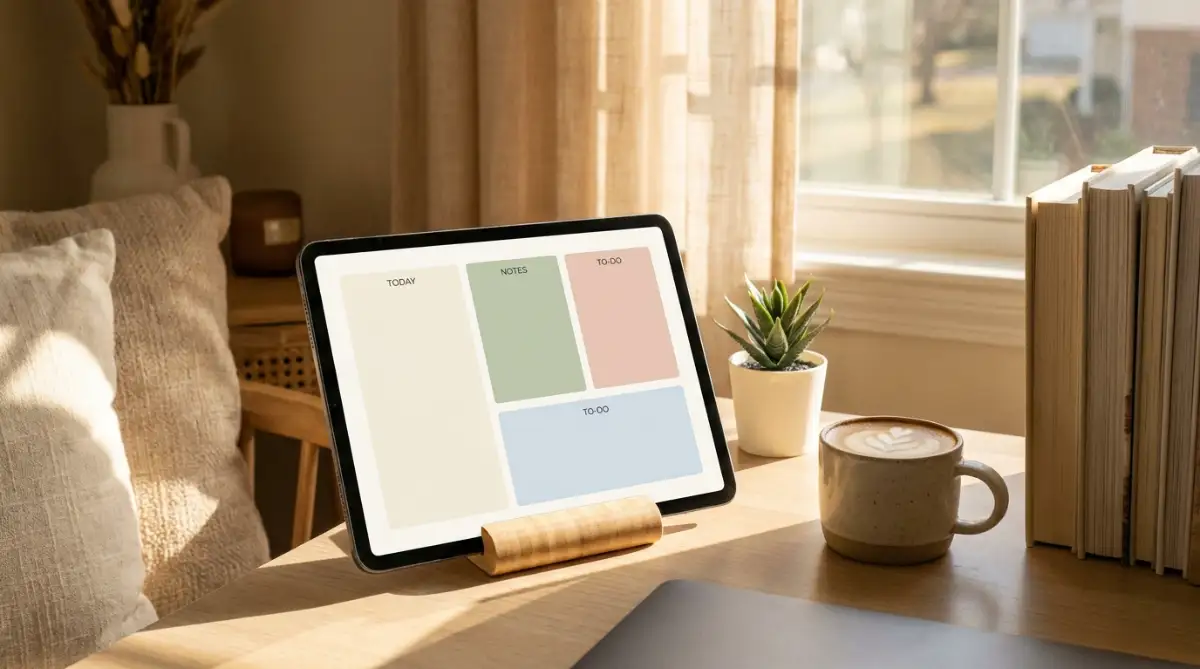
When you design a productivity template, you are basically offering a digital painkiller for an overwhelmed mind. Understanding this emotional drive is the most important step in creating something people will actually want to use.
Let us look at a practical example. Think about someone who struggles with Attention Deficit Hyperactivity Disorder (ADHD). Traditional planners often feel way too complicated and overwhelming for them.
If you design a highly simplified, distraction-free daily tracker specifically for ADHD minds, you are solving a very real problem. You are offering a focused solution that brings them immediate relief.
Myth vs. Reality in the Digital Product Space
Many beginners hold themselves back because of common misconceptions about digital products. Let us clear those up right now.
- The Myth: You need to be a professional programmer or a highly skilled graphic designer to create things people will want.
- The Reality: Some of the most popular templates are incredibly simple black-and-white spreadsheets. Functionality always beats fancy graphics.
- The Myth: The market is already too crowded, and nobody will notice your new products.
- The Reality: The market is crowded with bad, confusing templates. If you create something that is actually easy to use, you will easily stand out.
Identifying the Right Problems to Solve
Before you open any software, you have to figure out what specific problem you want to solve. Guessing what people want is a guaranteed way to waste your precious time.
Instead, start by paying attention to the complaints of the people around you. What are your friends always stressing about? Is it meal planning for the week? Is it tracking their small business expenses?
The best digital assets are born from personal frustration. Look at your own life. What is a messy process that you wish was more organized?
If you struggle to track your daily water intake and gym routine, build a template for yourself first. Fix your own problem, and you will naturally create a tool that thousands of other people need.
Once you have a rough idea, do some gentle research online. Look at forums where people discuss their productivity struggles. Notice the specific words they use when they describe their frustrations.
Use those exact words when you eventually name and describe your template. This shows potential users that you truly understand their pain points.
Structuring Your Idea for Maximum Usability
A great template feels almost invisible when you use it. It should guide the user naturally from one step to the next without making them think too hard.
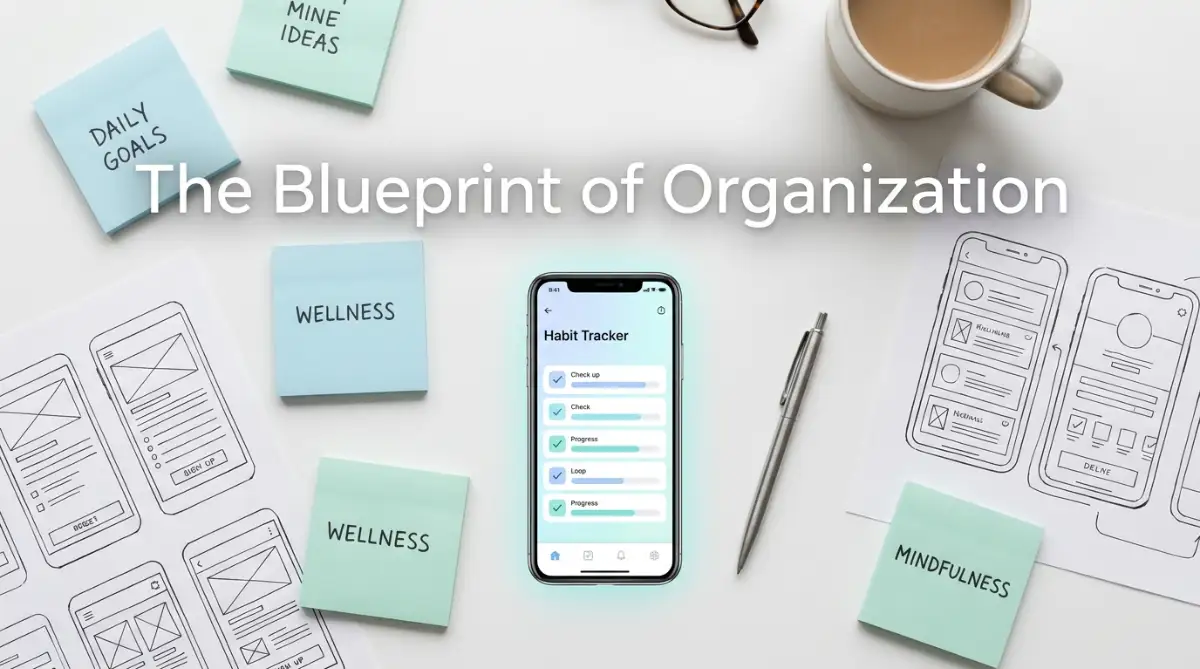
Start by grabbing a piece of plain paper and a pen. Do not touch your computer yet. Sketch out the basic flow of your tracker or planner.
What is the absolute most important piece of information the user needs to see first? Put that right at the top.
If it is a budget tracker, the total remaining balance should be the biggest number on the screen. Do not hide important details behind complicated menus.
Remove any feature that is not absolutely necessary. Every extra box, color, or column you add increases the mental effort required to use the tool.
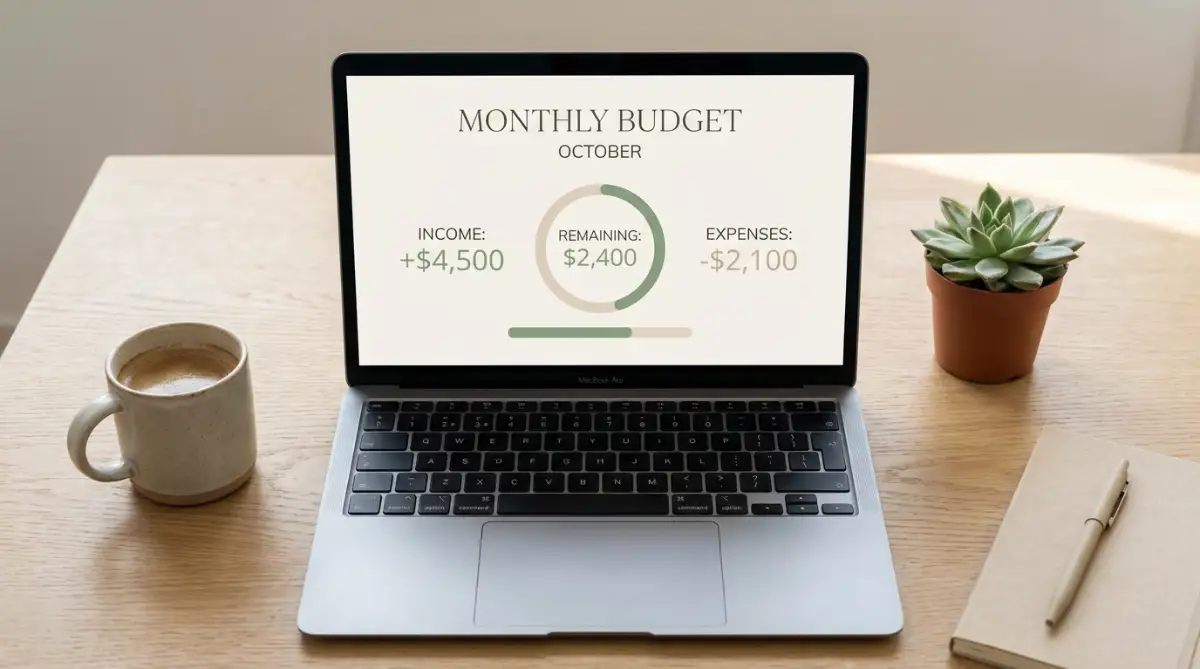
Keep your colors gentle and your fonts easy to read. High contrast might look cool, but it can cause eye strain during daily use. Aim for a clean, minimalist aesthetic that feels calming.
I remember when I first tried to make a habit tracker for my morning routine. I added so many different columns for meditation, journaling, stretching, and reading that just looking at the template made me anxious. I realized that a good tool should simplify your life, not give you more chores to worry about. Once I deleted half the columns and focused only on the most important habits, I actually started using it consistently.
Watch This Brilliant Breakdown on Digital Workflows
Sometimes, seeing the process in action makes everything click into place. If you want a deeper understanding of how these visual tools come together, check out this excellent visual guide.
This video perfectly explains how to structure your digital ideas so they instantly make sense to a brand new user.
Choosing the Right Platform for Your Asset
You do not need to buy expensive software to design these tools. There are plenty of free and highly accessible platforms available today.
Google Sheets is an incredible place to start. Almost everyone has a Google account, making your templates very easy to share and use.
If you want to create something more visually structured, Canva is a wonderful option for printable planners and PDF guides. It offers thousands of free elements to help you build clean layouts.
For more advanced digital workspaces, Notion has become incredibly popular. People love Notion because it allows them to connect different parts of their lives into one interactive dashboard.
Pick just one platform to start with. Trying to learn three different software programs at the same time will only leave you feeling frustrated and confused.
My Personal Platform Cheat Sheet:
If you feel stuck on where to begin, here is a quick breakdown of how I choose my tools:
- Google Sheets: Best for budget trackers and habit logs. (Pros: 100% free, everyone knows how to use it. Cons: Can look a bit boring).
- Canva: Best for printable daily planners or meal prep lists. (Pros: Super easy drag-and-drop design. Cons: Not meant for doing math or complex data).
- Notion: Best for building "second brain" life dashboards. (Pros: Looks highly modern and aesthetic. Cons: Takes a weekend to learn the basics).
Master the basics of your chosen tool. Learn how to format text clearly, how to align your boxes, and how to make the final product look polished.
The Science of Frictionless Habits
Let us talk a little bit about behavioral science. According to psychology, a habit is much more likely to stick if we remove the "friction" required to do it.
Friction is any obstacle that stands between a person and their goal. If your template requires someone to click five different times just to log a single workout, that is high friction.
They might do it for a day or two, but eventually, they will give up. Your goal as a designer is to make the right action the easiest action.
Use dropdown menus instead of forcing people to type out long words. Use checkboxes that give a satisfying visual reward when clicked.
Automate calculations wherever possible. If your spreadsheet can automatically add up their weekly expenses, you have just saved them five minutes of frustrating math.
These small details might seem insignificant, but they completely change the user experience. A frictionless template becomes a beloved daily companion.
Testing and Iterating Your Design
Your first draft will never be perfect, and that is completely okay. The magic happens during the testing phase.
Before you try to share or sell your template, use it yourself for at least one full week. You will quickly discover which parts are annoying and which parts work well.
You might notice that a certain column is too narrow for your text. Or you might realize that you completely forgot to add a section for weekend tasks.
Fix these issues immediately. Then, give the template to a friend or family member.
Do not explain to them how to use it. Just hand it over and watch how they interact with it.
If they look confused or ask you what a certain button does, that means your design is not intuitive enough. Go back to the drawing board and simplify that specific section.
Feedback is the most valuable tool you have. Every time someone points out a flaw, they are helping you make your product stronger.
Building a Library of Helpful Solutions
Once you finish your first solid template, do not stop there. The secret to generating a consistent income is to build a whole library of helpful tools.
Think about how different problems are connected. If someone buys your monthly budget tracker, they might also need a tool to manage their small business inventory.
If someone loves your weekly meal planner, they would probably appreciate a printable grocery shopping list as well.
Create related products that solve different parts of the same person's life. This allows you to offer more value to the people who already trust your work.
Over time, this collection of digital assets works for you silently in the background. While you are sleeping, someone halfway across the world might be downloading your tracker to organize their morning routine.
This is the true beauty of digital products. You do the hard work of building and refining the tool once, but it can continue helping people over and over again.
Cultivating a Mindset of Value First
Instead, focus entirely on providing immense value. Ask yourself: "Will this template actually save someone time?"
When you prioritize helping others, the financial rewards naturally follow. Happy users will recommend your tools to their friends, and your reputation as a helpful creator will grow.
Keep your pricing fair and accessible. Remember that your goal is to help regular people who might already be struggling with their finances.
Designing productivity templates is not a magic trick for overnight wealth. It is a genuine, learnable skill that requires patience, empathy, and a bit of logical thinking.
By observing the struggles around you and creating simple, elegant solutions, you can build a sustainable digital income. You get to step away from the exhausting hourly grind and create something that truly matters.
Moving Beyond the Basics: Expert Strategies for Lasting Growth
Once you have your first few simple designs out in the world, you might wonder how to turn this fun hobby into a reliable income. Scaling your digital product library requires a slight shift in how you think about your customers.
The secret to long-term success is not constantly hunting for new buyers every single day. Instead, it is about increasing the lifetime value of the people who already love your work.
One of the most effective ways to do this is by creating specific product bundles. Think about how major retail stores operate. When you buy a toothbrush, they usually place the toothpaste right next to it.
You can apply this exact same logic to your digital assets. If someone purchases your daily fitness tracker, they are clearly focused on improving their health.
They will likely be highly interested in a healthy meal planning template or a weekly grocery list organizer. By bundling these related items together at a slight discount, you help them solve multiple problems at once.
This smart packaging strategy is a fantastic way to how to bootstrap your first business from scratch without needing a massive advertising budget. You simply offer more value to the traffic you already have.
The Hidden Power of Visual Hierarchy and Psychology
When you design, you have to remember that human brains process visual information before they read any text. A cluttered layout instantly triggers feelings of anxiety.
You want your users to feel a sense of calm the moment they open your digital planner. This is where mastering basic visual hierarchy changes everything.
Visual hierarchy simply means guiding the user's eye to the most important elements first. You can do this by using slightly larger fonts for main categories and softer, lighter colors for secondary notes.
According to research published by the American Psychological Association regarding cognitive load, reducing unnecessary mental effort is key to learning and adopting new systems. If your template is noisy, the user's brain will reject it.
Stick to a very restricted color palette. Using three gentle, complementary colors looks incredibly professional and keeps the user focused entirely on their tasks.
Leveraging Artificial Intelligence the Right Way
Many new creators struggle to come up with catchy names or clear instructions for their digital tools. This is where AI writing tools can act as your personal brainstorming assistant.
However, you have to know how to ask the right questions. If you just ask an AI to write a sales page, it will sound completely robotic and unnatural.
Learning how to talk to AI is a skill of its own. If you want to avoid sounding like a machine, you need to understand exactly why your prompt engineering fails and how to fix it easily.
Use AI to suggest ten different titles for your budget tracker. Then, pick your favorite and rewrite it in your own friendly voice.
You can also use these tools to help generate ideas for new template categories you might never have thought of on your own. Just remember to always keep the final output strictly human.
Preparing for Independence and Professionalism
In the beginning, you will probably sell your templates on established marketplaces to take advantage of their built-in audience. But eventually, you will want to build your own independent storefront.
Owning your own platform means you keep all the profits and control the entire customer experience. Getting a basic website running is easier than ever, but it does require some foundational knowledge.
You will need to buy a custom domain name to look trustworthy. Having a solid grasp of the ultimate guide to understanding DNS management without the headache will save you hours of technical frustration when connecting your shop.
Furthermore, when you process payments independently, security becomes your top priority. Shoppers will instantly leave your site if their browser says it is not secure.
It is incredibly important to know what really happens to your traffic when an SSL expires and how to fix it. Keeping your digital storefront safe ensures your customers feel confident typing in their email addresses.
As your library of tools grows, treating this venture like a real, professional service is what separates successful creators from temporary hobbyists. Small technical details make a massive difference in how people perceive your brand.
The Heartbreaking Pitfalls That Destroy Digital Creators
I have seen so many incredibly talented people give up on this exact business model after just a few weeks. They usually quit because they fall into a few very common, highly destructive traps.
The most dangerous mistake you can make is trying to build the "Everything Dashboard." This happens when a creator tries to solve fifty different problems inside one single template.
They build a spreadsheet that tracks finances, diet, reading goals, pet vaccinations, and car maintenance all on the same screen. This is a complete disaster for the end user.
When a customer opens a template that looks like the control panel of a spaceship, they immediately feel terrified. Instead of feeling organized, they feel deeply overwhelmed and instantly close the file.
Complexity is the enemy of action. A tool that tries to do everything usually ends up doing absolutely nothing well.
Ignoring the Mobile Experience Completely
Here is a harsh reality check: a massive portion of your customers will use your templates exclusively on their smartphones. They will check their grocery list at the store or log their expenses while sitting in their car.
If you design your entire Notion workspace or spreadsheet on a giant desktop monitor, you might forget how small a phone screen really is.
If your customer has to endlessly scroll left and right just to read a single sentence, they will abandon your product. Always, always shrink your browser window to a mobile size while you are designing.
Major design authorities, like the Nielsen Norman Group's guidelines on mobile usability, constantly remind us that responsive design is not optional. If it is hard to tap on a phone, it is simply a bad product.
The 3-Second Mobile Test (Do Not Skip This):
Before you sell anything, send the template link to your phone and try to do these three things:
- Try clicking a checkbox using your thumb. Did you hit the wrong box? Make the rows taller.
- Try reading the main headers without zooming in. If you have to pinch the screen, bump up the font size.
- Try typing a short word in an input field. Does the screen jump around weirdly? Lock the layout.
The Trap of Copying Without Understanding
Another terrible mistake is the temptation to copy someone else's popular template exactly. You might see a highly successful creator making thousands of dollars and think you should just duplicate their layout.
This will hurt you in two major ways. First, customers are smart, and they can easily spot cheap imitations in the marketplace.
Second, if you just copy the structure, you miss the deeper logic of why the template actually works. You will not be able to answer customer questions or update the tool properly because you do not truly understand it.
Always build your assets from scratch. Let your own unique brain solve the problem in a way that feels natural to you.
Your unique perspective is exactly what will attract your specific ideal audience. Authenticity is a magnet for loyal customers.
Your Blueprint for a Calmer, More Profitable Future
Building a collection of helpful digital files is one of the most rewarding ways to earn a living on the internet today. It allows you to step away from trading your precious hours for tiny paychecks.
You get to focus on creativity, problem-solving, and actually helping people organize their messy lives. Every time you simplify a complex task for someone else, you are making their day just a little bit brighter.
The beauty of this path is that the barrier to entry is almost zero. You can open a free Google account today, build a simple weekly meal planner, and have your very first digital asset ready by tomorrow morning.
You do not need to be a coding genius or a marketing guru. You just need to have a genuine desire to make everyday routines easier to manage.
Start small. Find one specific frustration in your own daily schedule and build a visual tool to fix it.
Once you fix it for yourself, share it with the world. Over time, these small acts of organization compound into a steady, reliable income that works for you around the clock.
I truly wish I had discovered this incredibly peaceful way of working years ago. Building tools that help others find clarity has completely changed my own life, and I know it can do the exact same for you.
Questions People Frequently Ask About Digital Templates
Do I really need expensive software to start designing?
Absolutely not. You can create incredibly popular and highly profitable templates using completely free tools like Google Sheets, the basic version of Canva, or a free Notion account. The value is in how the tool solves a problem, not the price of the software you used to make it.
How do I figure out what to price my products?
A great strategy is to look at similar products in the market and price yours somewhere in the middle for your first launch. Usually, simple trackers range from three to ten dollars, while comprehensive planners might sell for a bit more. Keep it highly affordable so it becomes an easy, instant purchase for the buyer.
What if I am totally bad at math and spreadsheets?
You do not need to be a math expert at all! Many top-selling templates are strictly visual, like habit trackers, journaling prompts, or digital reading logs. If you want to make financial templates later, you can easily find basic spreadsheet formulas on helpful resources online or simple tutorials.
How do I protect my digital files from being stolen?
While you cannot stop every single bad actor, you can make it harder for them. Lock your spreadsheet cells so only the input areas can be changed, and always put your brand name or logo subtly in the corner of your designs. Building a strong, recognizable brand is your best defense against copycats.
How much time does it take to see consistent sales?
This completely depends on how consistently you create and share your work, but patience is required. Most creators see their first few sales within a month, but building a reliable, passive income stream usually takes a few months of steady effort. Treat it like planting a garden; the seeds take a little time to grow before you can harvest.
Disclaimer: The information provided in this article is for educational and informational purposes only and does not constitute financial or business advice. Earnings and income potential depend entirely on individual effort, market conditions, and personal skills. Always conduct your own research before starting any online business venture.