The Day My Entire Developer Workflow Almost Collapsed
Has this ever happened to you? You wake up, grab your phone, and see twenty weird login alerts from a country you do not even live in. Yeah, I had that exact panic attack last year. I used the same lazy password for a dummy test site and my main cloud server, and it almost cost me everything. Let me show you how to fix this mess before you become the next target.
When that small testing site experienced a data breach, my login details were exposed to the dark web. Because I was too lazy to create unique logins, hackers now held the keys to my most important projects. I spent the next fourteen hours locked in my room, frantically changing credentials, terrified that years of hard work were about to vanish.
This is the harsh reality for so many people working with software tools today. We create accounts for hosting providers, code repositories, database managers, and deployment services on a daily basis. Keeping track of all these logins feels completely overwhelming.
To save time, our brains default to the easiest path. We just type in our favorite, go-to password and move on to the next task. But this tiny shortcut creates a massive blind spot in our digital lives.
📌 What You Need to Fix Today (Quick Guide):
- Stop Recycling: Treat every single cloud tool as an isolated island. Never share passwords between them.
- Get a Vault: Use a highly rated password manager so you only have to remember one master phrase.
- Kill Active Sessions: Log out of big developer tools (like AWS or GitHub) at the end of the day to stop session hijacking.
- Upgrade Your 2FA: Move away from SMS texts and start using authenticator apps or physical hardware keys immediately.
The Psychology of Password Fatigue (And Why We Cut Corners)
We need to understand why smart people make such risky security choices. It is not about a lack of intelligence. It is about human psychology.
The average person manages dozens, if not hundreds, of online accounts. When you work with cloud automation and digital platforms, that number skyrockets. You are expected to remember complex combinations of numbers, symbols, and letters for every single tool.
Psychologists call this condition password fatigue. Your brain simply runs out of energy to process and store new security keys. So, you start taking shortcuts.
You might add a number to the end of your favorite word. Or maybe you change an "a" to an "@" symbol. You trick yourself into thinking you are being clever.
The truth is, hackers know exactly how human beings think. They program automated bots to guess these exact patterns in a matter of seconds. Your clever variation is actually highly predictable.
Myth vs Reality in Digital Security
Before we fix the problem, we need to clear up some major misunderstandings. Many people hold onto dangerous beliefs about their online safety. Let us break them down.
Myth: I am not a big company, so hackers do not care about my small cloud projects.
Reality: Hackers use automated scripts that target millions of accounts at once. They do not care who you are. They only care if your door is left unlocked.
Myth: My chosen platform has great security, so my data is safe.
Reality: The platform might be secure, but if your specific login details are leaked from a weaker website, that platform security means nothing. You just handed over the front door key.
Myth: I will just change my password every few months to stay safe.
Reality: Frequent changes often lead to weaker passwords. People get tired and start using simpler words just to get through the mandatory update process.
Anatomy of a Developer Platform Breach
How does a breach actually happen in the real world? It is rarely a cinematic hacker typing furiously in a dark basement. The process is much more silent and efficient.

It starts with a technique called credential stuffing. When a small, poorly protected website gets hacked, user lists are dumped online. These lists contain emails and passwords.
Cybercriminals take these massive lists and load them into automated software. This software then rapidly tests those exact email and password combinations across major cloud services. They will test GitHub, AWS, DigitalOcean, Vercel, and hundreds of other popular platforms simultaneously.
Because so many people recycle their login details, the software always finds successful matches. Within minutes, the attackers gain access to high-value environments. They bypass all the expensive security systems simply because the user reused a weak key.
Quick Reality Check: Did you know that over 80% of web application breaches are tied directly to stolen or weak passwords? You are not just fighting a single guy at a keyboard; you are fighting massive networks of automated bots that test millions of passwords per minute.
The Domino Effect of Stolen Access
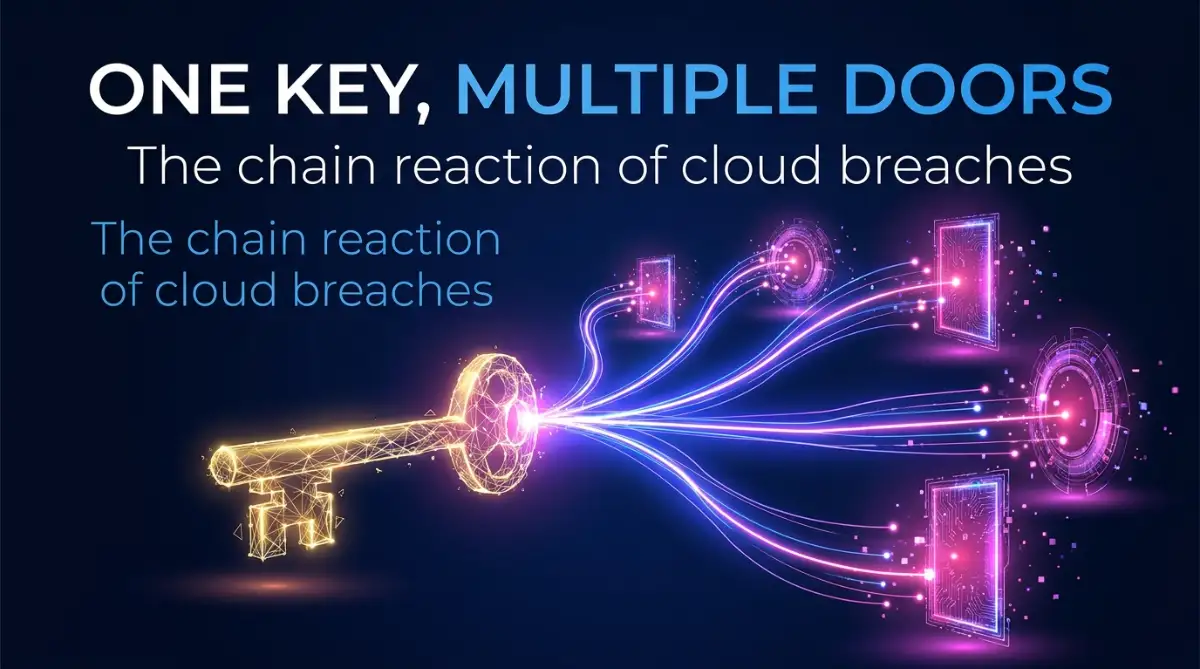
Once an attacker gets inside one platform, the nightmare truly begins. Developer tools are heavily connected to one another. Your code repository is likely linked to your hosting server.
Your hosting server might be linked to your payment gateway. If someone gets into just one piece of this puzzle, they can easily navigate to the rest. This is known as lateral movement.
They can inject malicious scripts into your automated deployment pipelines. Suddenly, your legitimate projects are serving spam or malware to your innocent users. The damage to your professional reputation happens almost instantly.
Are you wondering exactly how fast these automated attacks can take down an entire project? Watch this quick breakdown of how credential stuffing operates in real time.
Building an Independent Credential Strategy
Now that we understand the severity of the problem, we must take immediate action. The goal is to completely separate every single tool in your workflow. If one platform fails, the others must remain totally untouched.
You need to treat every cloud service as an isolated island. No two islands should ever share the same key. This strategy is called identity segregation.

Start by auditing your most sensitive platforms. Write down a list of where your core data lives, where your code is stored, and where your billing information is kept. These are your top-tier assets.
You must immediately replace the login details for these top-tier assets with completely random, highly complex strings of text. Do not use words from the dictionary. Do not use your pet's name.
A strong security key should look like absolute gibberish. It should be impossible to memorize. That is how you know it is actually safe from automated guessing tools.
Managing the Chaos Without Losing Your Mind
You might be thinking that remembering twenty different random strings of gibberish is impossible. You are absolutely right. The human brain was not designed for that.
This is where you must rely on technology to fight technology. A reputable password manager is the only logical solution to this problem. These tools generate, store, and encrypt your keys behind one single, incredibly strong master phrase.
By using a management tool, you remove the burden of memory from your daily routine. You only need to memorize one strong phrase for the rest of your life. The software handles all the heavy lifting for your various cloud services.
I used to resist password managers because I thought putting all my eggs in one basket was dangerous. But my realization came after a long weekend of manually resetting 30 different accounts. I finally understood that having one heavily guarded vault is infinitely safer than hiding 30 weak keys under 30 different doormats.
When you set up your management tool, make sure the master phrase is long and memorable to you, but meaningless to everyone else. Combine random words together to create a visual story in your head.
Risky Workflow vs Secure Workflow
Let us look at a quick comparison of how an amateur operates versus how a professional protects their digital assets.
By shifting your habits toward the secure workflow, you eliminate the single point of failure in your digital life.
The Silent Threat of Session Hijacking
Even if you have unique login details, reusing certain authentication methods can still leave you exposed. Hackers have evolved beyond just guessing your favorite words. They are now targeting the active sessions in your browser.
When you log into a developer platform, the server places a temporary token on your computer. This token tells the platform that you are already verified, so you do not have to log in every five minutes.
If your computer gets infected with malware from a sketchy download, attackers can steal these active session tokens. They do not even need your password. They just clone your active session and walk right into your cloud dashboard.
To defend against this, you must aggressively manage your active sessions. Log out of heavy developer environments when you finish working for the day. Do not leave your AWS or GitHub sessions running indefinitely in the background.
Clear your browser cookies on a regular schedule. This forces the platforms to ask for fresh authentication, killing any stolen tokens floating around on the web. It adds a few seconds to your morning routine, but it blocks a massive avenue of attack.
Layering Defenses for Total Peace of Mind
Creating unique keys is just the foundation of your digital defense. To truly protect your cloud infrastructure, you must build layers. Think of it like a medieval castle.
The unique password is the moat. It stops the casual invaders. But you also need high walls and a heavy gate to stop the determined attackers.
Here is a quick look at how you should upgrade your defense layers. Do not settle for the easy option:
- The Weak Choice (SMS Texts): Hackers can easily swap your SIM card and steal your text messages.
- The Smart Choice (Authenticator Apps): Apps like Google Authenticator or Authy generate offline codes that change every 30 seconds.
- The Ultimate Choice (Hardware Keys): A physical YubiKey blocks almost all remote attacks because the hacker physically needs the USB stick in their hand.
This means enforcing mandatory multi-factor authentication across every single platform you use. Never rely on SMS text messages for this second step. Phone numbers can be hijacked quite easily these days.
Instead, use a dedicated authenticator app on your mobile device. These apps generate temporary, time-based codes that never travel across a phone network. Even if a hacker perfectly guesses your unique login details, they will hit a brick wall when asked for the time-based code.
For your absolute highest-value cloud environments, consider purchasing a physical security key. This is a small USB device that you must physically tap to grant access. A hacker in another country cannot physically touch the USB drive on your desk.
By combining unique, randomly generated text strings with a physical hardware key, you make your developer workflow practically invisible to automated threats. You stop being an easy target. You finally take control of your digital peace of mind.
Moving Beyond the Basics: Pro-Level Defenses for Developers
Once you stop recycling your login details, you are already ahead of most people on the internet. But when you are handling sensitive cloud environments and software automation, you need to think like a professional security engineer. The basic steps are great for regular users, but developers are high-value targets.
Attackers know that compromising a developer's machine gives them the ultimate prize. They do not just want your email. They want access to your entire production database.
This means you must secure the unseen parts of your workflow. Many developers perfectly secure their main platform passwords but completely ignore their API keys. These tiny strings of text act just like passwords for your software applications.
I once made the terrifying mistake of pushing a testing API key to a public code repository. Within three seconds, automated bots scraped that key and tried to launch expensive server instances on my account. If I had not set strict billing limits, that simple mistake would have cost me thousands of dollars overnight.
You must treat API keys, database credentials, and access tokens with the exact same respect as your main passwords. Never send them over unencrypted chat apps like Slack or Discord. Always store them securely in environment variables.
Embracing the Zero Trust Mindset
The most advanced teams in the world operate on a very simple philosophy called "Zero Trust." This concept means you never automatically trust anyone or anything inside your network. You assume that a breach has already happened.
In a traditional setup, once someone logs into the main server, they can access everything inside. In a Zero Trust environment, every single application asks for verification again. It creates internal walls that stop hackers from moving around.
If you want to understand how top organizations structure these defenses, you can review the official NIST guidelines on digital identity and authentication. They provide incredible insights into building systems that verify every single action. Applying these concepts to your personal projects makes them nearly impossible to penetrate.
You should also isolate your working environments. Do not use the same browser profile for casual internet browsing and high-level server management. Create a dedicated, clean browser profile specifically for your developer accounts.
The Future of Access: Going Passwordless
The absolute best way to stop someone from stealing your password is to eliminate the password entirely. The tech industry is rapidly moving toward a future driven by Passkeys. This technology replaces typed characters with the biometric sensors on your devices.
When you use a Passkey, your computer generates a unique cryptographic pair. The public half goes to the cloud platform, and the private half stays securely locked inside the hardware of your laptop or phone. Because the private key never leaves your device, hackers cannot steal it from a server data breach.
Major developer platforms are aggressively rolling out support for this technology. The FIDO Alliance authentication standards are completely changing how we think about digital identity. By relying on your fingerprint or facial recognition, you make remote attacks practically impossible.
If a hacker halfway across the world wants to access your GitHub account protected by a Passkey, they would physically need to steal your laptop and your actual fingerprint. This takes the threat of automated credential stuffing completely off the table. Start migrating your most important accounts to Passkeys today.

The Trap of Convenience: Costly Blunders We Make Every Day
Even with all this technology available, human error remains our biggest weakness. We are busy, tired, and under tight deadlines. When the pressure is on, we tend to make terrible security decisions just to get things working.
The most common trap I see developers fall into is the "slight variation" trick. You know you should not use your old password, so you just add the current month or an exclamation point to the end. You convince yourself that this new variation is completely secure.
It is not secure at all. Automated password cracking tools are specifically programmed to look for these exact human patterns. If your base password is leaked, the hacking software will automatically test hundreds of common variations in milliseconds.
Another massive mistake is ignoring the security of secondary, low-priority tools. You might have incredibly strong defenses on your main cloud hosting account. But what about the random email marketing tool you connected to your domain three months ago?
Hackers frequently target these smaller, forgotten applications. Once they breach a weak third-party app, they use it as a backdoor into your main infrastructure. The CISA guidelines on lateral movement clearly show how attackers exploit weak links to access highly secured areas.
The "Temporary Fix" Nightmare
How many times have you temporarily disabled a security feature while testing code, promising to turn it back on later? We have all done it. We open up a server port or share a root password with a team member just to fix a quick bug.
The problem is that "temporary" usually becomes permanent. We forget about the open port, and it sits there completely exposed to the public internet. This is exactly how massive data breaches happen in the real world.
Think about how systems rely on continuous, secure processes to function. For example, understanding how sunlight converts into household electricity involves a very specific, unbroken chain of energy transfer. If you break one connection in that chain, the whole system fails.
Your cloud security works the exact same way. If you break the chain of secure authentication for just one "temporary" test, you compromise the entire workflow. The attackers are constantly scanning the web waiting for you to make that exact mistake.
Ignoring the Warning Signs
Our digital systems often try to warn us when something is wrong, but we ignore the alerts. We see a notification about an unrecognized login attempt and just swipe it away. We assume it is just a glitch or a mistake.
When you get a sudden spike in cloud billing or a strange login alert, you must treat it like a fire alarm. It is very similar to figuring out why is my solar inverter beeping and how to fix it today. A loud, annoying alert usually means something is critically wrong right now, and ignoring it will cause a total system shutdown.
If a hacker successfully infiltrates your server, the damage is rarely just stolen data. They will often intentionally corrupt your system files to cover their tracks. You will suddenly find yourself desperately trying to learn how to recover corrupted configuration files in Linux easily just to get your basic website back online.
Do not wait for the disaster to happen. Pay attention to security logs. Monitor your active sessions, and if something looks even slightly suspicious, instantly revoke access and reset your keys.
Your Blueprint for a Bulletproof Digital Life
Taking control of your digital identity does not happen overnight. It is a gradual process of replacing bad habits with strong, automated systems. You do not need to fix everything today, but you do need to start immediately.
Begin with your email account. Your primary email is the master key to your entire digital life. If someone controls your email, they can request password resets for every single developer tool you use.
Lock down that inbox with a randomly generated, extremely long phrase. Add an authenticator app for a second layer of defense. Once your email is acting as an impenetrable fortress, you can slowly start securing your other cloud platforms one by one.
Make security a natural part of your daily routine rather than a chore. Keep exploring new methods and stay updated on the latest tech strategies at https://global24info.com/. The more you learn about how these systems work, the less intimidating they become.
You have worked entirely too hard on your code, your projects, and your digital business to let a lazy password habit destroy it all. Hackers rely on your exhaustion and your desire for convenience. When you remove that convenience, you completely ruin their business model.
By building independent, highly encrypted walls around your work, you buy yourself something money cannot buy. You buy true mental freedom. You can finally close your laptop at night knowing your projects will be exactly where you left them in the morning.
I used to go to sleep terrified that a single leaked password would erase all my hard work. Today, I rely on a strictly encrypted management vault and physical hardware keys to protect my livelihood. Taking that one weekend to completely rebuild my security habits was the single greatest investment I have ever made in my career.
Common Questions About Securing Cloud Platforms
Why do browsers ask to save passwords, and is it safe for developers?
Web browsers offer to save your login details to make your life more convenient. However, for high-level software development, browser-based saving is generally considered risky. If malware infects your computer, attackers can easily extract those saved credentials directly from the browser files.
Can I use the same password if I enable two-factor authentication?
No, you should never recycle login details, even with a second layer of defense. If a platform's secondary authentication fails or gets bypassed by a sophisticated attack, your weak password is the only thing left. Always use unique strings of text combined with your authenticator app.
What should I do immediately if I suspect my developer account is compromised?
Instantly log into the platform and force a logout for all active sessions across all devices. Next, change your password to a completely new, randomly generated string. Finally, check your API keys and billing logs to ensure the attacker did not leave any hidden backdoors.
How often should developers actually rotate their passwords?
Security experts no longer recommend changing your passwords every few months if they are already strong and unique. You only need to rotate them if you suspect a breach, or if a specific platform announces a security incident. Frequent, forced changes actually cause people to create much weaker, predictable patterns.
Are cloud hosting platforms responsible if my account gets hacked?
Most major cloud providers operate on a shared responsibility model. They protect the physical servers and the core infrastructure, but you are entirely responsible for securing your own login credentials and data. If someone walks through the front door using your recycled password, the platform will not cover your financial losses.
Disclaimer: The information provided in this article is for educational and informational purposes only. Digital security threats evolve rapidly, and readers should always conduct their own research or consult with a certified cybersecurity professional before making changes to their network infrastructure. We do not accept liability for any data loss or damages resulting from the implementation of these practices. Always follow the specific terms of service provided by your cloud hosting platforms.


