
The Silent Weight of Invisible Digital Clutter
Has your computer screen ever made you want to just walk away and take a nap? You sit down to do real work, but spend the first hour just dragging files, deleting spam, and organizing folders. I used to think I was just bad at time management. But that exhausting feeling isn’t laziness—it’s your brain begging for a break from endless micro-decisions. Today, I am going to show you how assigning simple rules to your boring digital chores can instantly give you your mental peace back, without needing any expensive software.
Normal people face this exact same struggle every single day, and it is quietly destroying their mental peace. You wake up, check your phone, and immediately face a barrage of small, seemingly harmless tasks. You delete five spam emails, move a client invoice to a specific folder, and manually save an attachment you will need later. None of these tasks are physically demanding. However, they drain a massive amount of cognitive energy.
Every time you have to decide where a file goes or whether an email needs a reply, you spend a tiny fraction of your brainpower. By the time you actually start your most important work, your brain feels tired, foggy, and overwhelmed. This constant digital noise creates a background level of anxiety that never really goes away.
You might think you are just bad at managing time, but the truth is much deeper. You are forcing your human brain to act like a basic computer processor. Our minds were designed to solve complex problems, create art, and connect with others. They were absolutely not built to manually categorize hundreds of data points every single hour.

What You Will Learn Today (At a Glance):
- How tiny digital choices secretly drain your best mental energy.
- The easy psychology behind setting up "If/Then" rules for your files and emails.
- Exactly how to safely test new automated workflows without losing important data.
- Why fixing your messy folders is actually a powerful form of mental self-care.
Why Your Brain Craves Predictable Systems
To understand why mindless tasks exhaust us, we need to look at how the brain processes information. Psychologists often talk about something called "Cognitive Load Theory." Think of your working memory like a small backpack. You can only carry a few items in it at any given time.
When you hold onto tiny tasks—like remembering to forward an email to your accountant or moving a downloaded image to your project folder—you are filling up that backpack. Every uncompleted digital chore stays active in your mind. This creates a psychological phenomenon where unfinished tasks constantly interrupt your thoughts.
Your brain desperately wants predictability. When it knows that certain tasks will handle themselves automatically, it immediately relaxes. This is where the magic of simple rules comes in.
By offloading these repetitive actions to software, you are essentially emptying your mental backpack. You are telling your brain, "You no longer need to worry about this, a system is handling it." The relief you feel when you set up these rules is not just about saving time. It is a deep, biological relaxation response.
The Hidden Trap of Decision Fatigue
Decision fatigue is a very real condition that affects almost every modern professional. Every choice you make, no matter how small, burns a little bit of mental fuel. Deciding what to wear, what to eat, and how to categorize a messy spreadsheet all draw from the exact same energy pool.
If you spend your first hour at work deciding which emails to archive and which to label, you have already wasted your best mental energy. You are making hundreds of meaningless decisions. Should this go in the 'Finance' folder or the 'Receipts' folder? Should I mute this group chat or just ignore it?
These micro-decisions add up rapidly. Eventually, your brain simply gives up, leading to procrastination. You start avoiding important projects because you literally do not have the mental energy left to make good choices. Removing these choices through smart logic is the ultimate form of self-care.
Quick Reality Check: Your Daily Energy Drains
Ask yourself if you do any of these manually every single day:
- Moving downloaded PDF receipts to a tax folder.
- Deleting the exact same promotional emails from your favorite stores.
- Typing "Thanks, received!" to internal team updates.
- If you checked even one of these, you are wasting prime brainpower on tasks a free background script could do in zero seconds.
The Magic of "If This, Then That" Thinking
The simplest and most powerful way to reclaim your mental energy is through conditional logic. You do not need to be a programmer or a tech genius to use this. Conditional logic is just a fancy way of saying, "If a specific thing happens, then do this automatic action."
It is a basic rule-based system. You probably already use it in your physical life. For example, if it is raining outside, then you grab an umbrella. We are simply applying this exact same natural logic to your digital workspace.
Software tools today are incredibly smart, yet most people use them manually. Your email provider, your file storage apps, and your task managers all have built-in rule engines. Learning to use them is like hiring an invisible personal assistant who works for free, 24/7.
When you start thinking in "If/Then" statements, your entire relationship with technology changes. You stop being a passive victim of notifications. Instead, you become the director of your digital environment.

Watch this short breakdown to see exactly how removing tiny decisions instantly frees up massive amounts of brainpower, allowing you to focus on what actually matters.
Transforming Digital Chaos into Organized Harmony
Let us break down exactly how you can start implementing these psychological stress-relievers today. The goal is not to automate everything at once. The goal is to identify the most annoying, repetitive tasks that drain your daily energy.
Start with your inbox, as it is usually the biggest source of digital anxiety. Every time a newsletter arrives, your brain has to process it. Instead of manually deleting them, set up a simple logical rule. If an email contains the word "unsubscribe", then automatically move it to a "Read Later" folder and skip the inbox.
Suddenly, your main inbox only shows messages from real humans. The psychological weight of seeing 50 new emails drops down to seeing maybe five important ones. That instant reduction in visual clutter directly translates to a reduction in mental stress.
Another massive energy drain is file management. How often do you download attachments, leaving your computer's 'Downloads' folder a complete disaster zone? You can easily set up rules on your computer. If a file ends in ".pdf" and contains the word "Invoice", then automatically move it to your "Tax Documents" folder.
I used to think setting up rules would take too much time, but that was my biggest mistake. I finally sat down on a quiet weekend and spent just thirty minutes creating simple filters for my most annoying emails. That single half-hour investment gave me back hours of my week and a sense of calm I hadn't felt in months.
Myth vs Reality: The Fear of Losing Control
Many people resist setting up automated rules because they fear they will miss something important. They believe that manual control equals safety. Let us address this common psychological block.
Myth: If I automate my digital chores, things will fall through the cracks and I will make terrible mistakes.
Reality: You are actually much more likely to make mistakes when you do things manually. Human beings get tired, distracted, and bored. A simple logic rule never gets tired and never forgets.
When you rely on your memory to move important client files, you will eventually forget one. When you tell a software system to do it automatically, it happens perfectly every single time. Letting go of manual control actually gives you much greater control over your overall workflow.
It takes a little bit of trust to step back and let the logic work. But once you see it happen successfully for the first time, the psychological reward is immense. You realize that you no longer have to be the glue holding your digital life together.
Freeing Up Space for Creative Thinking
What happens when you stop doing mindless chores? Your brain finally gets the space it needs to actually think. Boredom and mental rest are essential for creativity.
When you are constantly reacting to pings and sorting files, you are stuck in a reactive state. You are always playing defense against incoming information. Automating these chores shifts you into a proactive state.
You can finally sit down at your desk and think about big-picture strategies. You can write that book, plan that business, or simply enjoy a quiet moment without feeling guilty. Your digital tools should work for you, not the other way around.
A Quick Comparison: Manual vs Logic-Driven Work
To truly understand the impact, let us look at a simple breakdown of how an average professional handles tasks compared to someone using smart logic.
Looking at this chart, you can easily see who has more mental energy left at the end of the day. The person relying on simple logic rules is operating with a clear mind. The manual worker is exhausted before they even tackle their main projects.
Step-by-Step Practical Implementation
Now that we understand the deep psychological benefits, how do we actually begin building this system? You need to approach this like a scientist observing their own behavior. Do not rush to buy expensive software.
For the next three days, simply keep a piece of paper next to your keyboard. Every time you find yourself doing a mindless digital chore, write it down. Make a little tally mark every time you repeat that exact same action.
You might notice that you manually download and rename expense receipts ten times a week. Or you might realize you spend twenty minutes every morning sorting internal team updates from actual client messages. These tally marks are your blueprint for relief.
Once you identify the biggest offenders, pick just one task to tackle first. Go into your email settings or use a free automation tool like Zapier or Make. Create your very first "If This, Then That" rule.
Keep the rule incredibly simple at first. Test it out. Watch as the software perfectly executes the task you used to hate doing. Notice the small burst of dopamine and relief you feel when you realize you never have to do that specific chore manually ever again.
Building a Long-Term Automation Mindset
Delegating digital chores to logic is not a one-time event. It is a completely new way of interacting with your digital world. Over time, you will start looking at every annoying task as a puzzle to be solved.
Whenever a new repetitive task enters your life, your first thought should be, "How can I make a rule for this?" This mindset shift is incredibly empowering. You stop feeling overwhelmed by technology and start feeling like a master of your own digital domain.
Taking control of your digital chores might seem like a small technical change, but it is actually a massive psychological upgrade. It is about respecting your own time and your own mind. Start small, trust the logic, and watch as your mental clarity completely transforms.
Moving Beyond Basics: Building Your Personal Automation Engine
Once you experience the initial relief of simple rules, your brain naturally starts looking for more ways to save energy. You are no longer just reacting to your inbox; you are actively designing your digital environment. This is where we move from basic survival to true psychological mastery over our screens.
The goal here is not to turn you into a robot. Instead, we want to give you back the mental space needed to actually be human. When you stop worrying about saving receipts and sorting folders, your creativity naturally returns.
To achieve this long-term peace, you need to understand how to layer your logical rules. Think of your digital tools as a team of highly obedient assistants. You just need to give them very clear, specific instructions so they can run the background operations of your life.
The Psychology of Layered Rules (If/And/Then)
Basic logic solves simple problems, but our daily work often has slightly more complicated requirements. This is where layered logic completely changes the game. By adding an "And" to your rules, you create highly specific filters that perfectly mimic your own decision-making process.
For instance, you might not want every single email with an attachment to be saved automatically. That would just create a new mess in your cloud storage. Instead, you create a layered rule: If an email has an attachment, AND it comes from your accountant, then save it to your tax folder.
This simple addition acts like a highly trained gatekeeper for your attention. Your brain no longer has to pause and evaluate the context of the file. You can easily start automating everyday administrative tasks by setting up these smart, context-aware triggers across all your devices.
Researchers studying the psychological toll of decision fatigue have found that complex categorizing drains our willpower faster than almost anything else. Layered rules completely eliminate this specific type of cognitive drain. You are essentially pre-making decisions while you are calm, so your tired brain doesn't have to make them later.
Creating a "Catch-All" Safety Net
Even with the best rules, some random digital chores will slip through the cracks. This uncertainty can cause a lingering sense of anxiety. To completely relax, you need to build a digital safety net.
A catch-all system is a dedicated folder or rule designed to grab anything that doesn't fit your exact parameters. For example, you can set a rule that any email older than thirty days that you haven't replied to gets moved to a "Review Later" archive.
This guarantees that your main workspace never becomes visually overwhelming. You know that even if you completely ignore your computer for a week, the system will keep things reasonably tidy. Trusting the system is the absolute most important step in finding preventing mental burnout and maintaining your peace of mind.
The "Friday Afternoon Audit" Ritual
You cannot just set up digital rules and completely forget about them forever. Our lives change, our projects shift, and old rules can actually become annoying if they are outdated. You need a dedicated time to review your invisible helpers.
I highly recommend taking just ten minutes every Friday afternoon to look at your automated workflows. Ask yourself a simple question: "Did any of my rules annoy me this week?" If an automated filter is moving things you actually wanted to see, adjust the logic slightly.
This weekly check-in provides a massive sense of psychological closure before the weekend. You are confirming that your systems are healthy and working properly. It allows you to close your laptop and truly disconnect, knowing Monday morning will be completely organized.

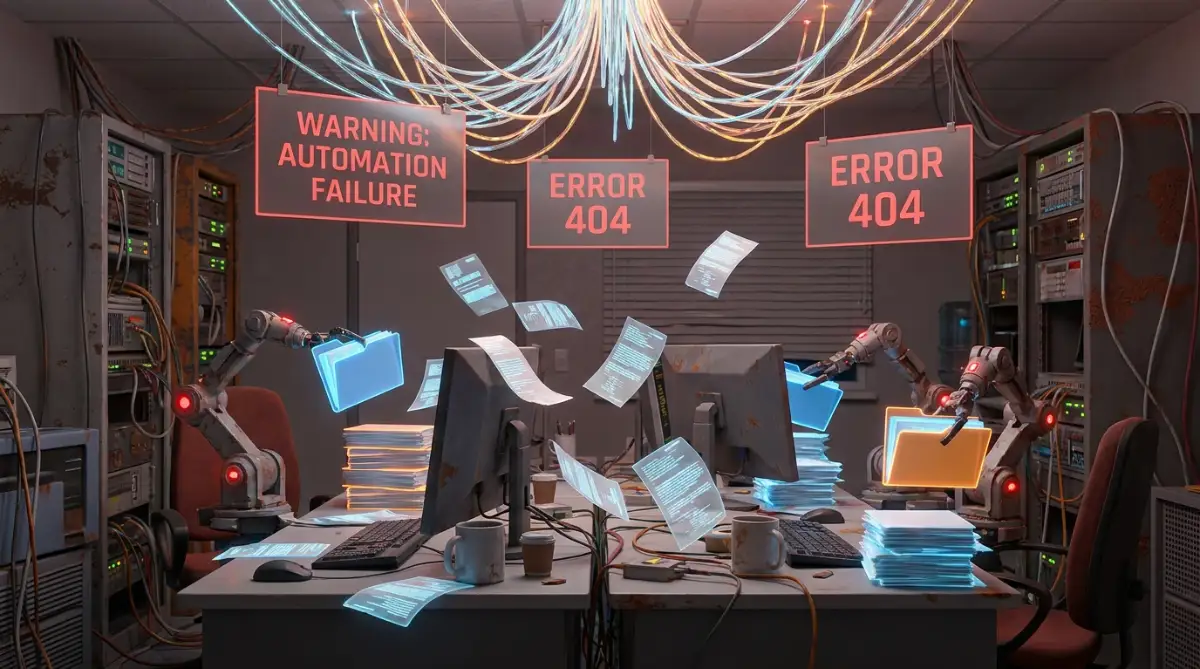
The Hidden Traps: What Happens When Automation Fails
While delegating tasks to software is incredibly freeing, it is not without its risks. When people first discover conditional logic, they often get too excited. They try to automate every single click and keystroke of their entire day.
This over-enthusiasm usually leads to a spectacular digital collapse. I have personally experienced the sheer panic of realizing an aggressive email rule accidentally deleted two weeks' worth of important client feedback. Instead of saving my mental energy, I spent days manually digging through trash folders while apologizing to people.
We need to discuss these common pitfalls openly. If you do not respect the logic you are building, it can easily turn against you and cause even more anxiety. Let us look at the most dangerous mistakes you need to avoid to protect your digital sanity.
The Danger of Over-Complicating Day One
The biggest mistake beginners make is trying to build a massive, complex machine right away. They string together ten different applications using highly complicated triggers. When you do this, you are essentially building a house of cards.
If one single app updates its interface or changes a setting, your entire workflow breaks down. You then have to spend hours troubleshooting a system that was supposed to save you time. This completely destroys the psychological relief we are trying to achieve.
Always start with the absolute simplest version of a rule. If you are struggling with messy data transfers, focus first on creating sustainable naming conventions before you try to automate the actual file movement. A simple, reliable rule is always better than a complex, fragile one.
My Personal 24-Hour Rule for New Automations
Whenever I build a new workflow, I never trust it completely on day one. I set up the rule, but I keep my original manual folder open right next to it. I let the software run for exactly 24 hours to see if it grabs the right files. This tiny testing window prevents massive headaches later and builds genuine trust in the system.
Ignoring Broken Connections and Sync Failures
Sometimes, software just stops talking to other software. APIs update, passwords expire, or servers temporarily go down. If you rely entirely on an automated rule without occasionally checking its output, you might miss a catastrophic failure.
Imagine trusting an automated rule to send your weekly data backup, only to discover three months later that the connection dropped on day two. The feeling of betrayal and stress in that moment is horrible. You must learn to recognize the warning signs of a broken system.
When things go wrong, do not panic. Instead, keep a list of actionable workarounds for syncing issues handy. Treat these moments as simple maintenance tasks rather than massive emergencies, and your stress levels will remain low.
The "Frankenstein" Workflow Mess
Another massive trap is creating overlapping rules across different platforms. You might have one rule in your email client forwarding messages, and another rule in your task manager trying to organize them simultaneously. They eventually collide, creating duplicate files and endless confusion.
This happens when we build rules out of sheer frustration rather than careful planning. Your digital workspace turns into a chaotic Frankenstein monster of random triggers doing unpredictable things. To fix this, always map out your logic on a piece of physical paper first.
Seeing the workflow visually helps you spot loops or conflicting instructions. Taking five minutes to draw out your "If/Then" plan prevents weeks of digital headaches. According to cognitive overload studies from MIT, visualizing a process externally frees up your brain's processing power to spot potential errors.
Forgetting the Human Touch in Communication
Conditional logic is amazing for managing files, data, and internal organization. However, it can be extremely dangerous when applied to human relationships. Never automate a highly emotional or sensitive communication.
Setting an automatic "Thank you for your email" reply to every single person who contacts you feels incredibly robotic. People can instantly sense when they are talking to a script. It damages trust and makes you look deeply unprofessional.
Keep your automation focused on the invisible chores behind the scenes. Let the software handle the routing, tagging, and saving. But when it comes time to actually type a response to a living person, use your own human brain and genuine empathy.
Your Roadmap to a Calmer Digital Workspace
We have covered exactly why your brain feels so exhausted by small digital tasks. We have also explored how applying basic conditional logic acts as a massive pressure release valve for your mind. You now hold the exact blueprint needed to stop working like a manual machine.
Remember, the goal is not to become a hyper-productive robot who never takes a break. The true goal is to protect your mental energy for the things that actually matter. You deserve to close your laptop at five o'clock feeling satisfied, rather than drained and overwhelmed.
By slowly building a system of simple, reliable rules, you are actively investing in your own mental health. You are drawing a firm boundary against the endless noise of the modern internet.
The "Tomorrow Morning" Action Plan
You do not need to overhaul your entire life today. Instead, I want you to try a very small experiment tomorrow morning when you first open your computer. Do not immediately dive into answering emails or checking Slack.
Instead, find the one repetitive digital chore that annoys you the most. It might be deleting promotional emails or moving a specific daily report to a shared drive. Spend exactly ten minutes figuring out how to create a basic "If/Then" rule for that single task.
Test it, watch it work, and let yourself feel that small wave of relief. Tomorrow, you will have successfully permanently removed one tiny stressor from your life. If you want to keep exploring how to optimize your digital life safely, you can always spend time exploring comprehensive digital solutions at your own pace.
My entire relationship with work changed the day I stopped acting like a manual data entry clerk for my own business. I finally realized that my mental energy was my most valuable asset, and it was too precious to waste on sorting generic emails. Give yourself permission to let the software do the heavy lifting, and watch how quickly your natural creativity comes rushing back.
Real Questions People Ask About Digital Task Relief
Do I need to know how to code to use conditional logic?
Not at all. Almost all modern productivity tools and email providers use simple, visual drag-and-drop menus for their rules. If you can click a button and select an option from a drop-down list, you can easily build automated workflows.
Will automating my tasks make me lazy or unmotivated?
It does the exact opposite. By removing the boring, repetitive chores, you actually preserve your motivation for deep, meaningful work. You will find yourself with much more energy to tackle creative projects because your brain isn't exhausted by lunchtime.
What if an automated rule accidentally deletes something important?
This is a very common fear, which is why you should never use "Delete" as your first automated action. Instead, set your rules to "Archive", "Mark as Read", or "Move to Folder". This way, the clutter is hidden from your view, but completely safe and searchable if you ever need it again.
How much time does setting up these digital systems actually take?
Creating a basic rule usually takes less than five minutes. While it might feel like a distraction in the moment, that tiny five-minute investment will literally save you dozens of hours over the course of a single year. Start small and only build one rule at a time.
Can this really help with my daily anxiety at work?
Yes, absolutely. A cluttered digital workspace constantly triggers your brain's stress response because it looks like unfinished work. When systems automatically organize things for you, you experience a genuine sense of visual and psychological relief.
Disclaimer: The information provided in this article is for educational and informational purposes only. It does not constitute professional psychological advice or technical IT consulting. Always test automated rules in a safe environment before applying them to sensitive personal or business data. We are not responsible for any data loss or workflow disruptions that may occur from implementing third-party software automations.


