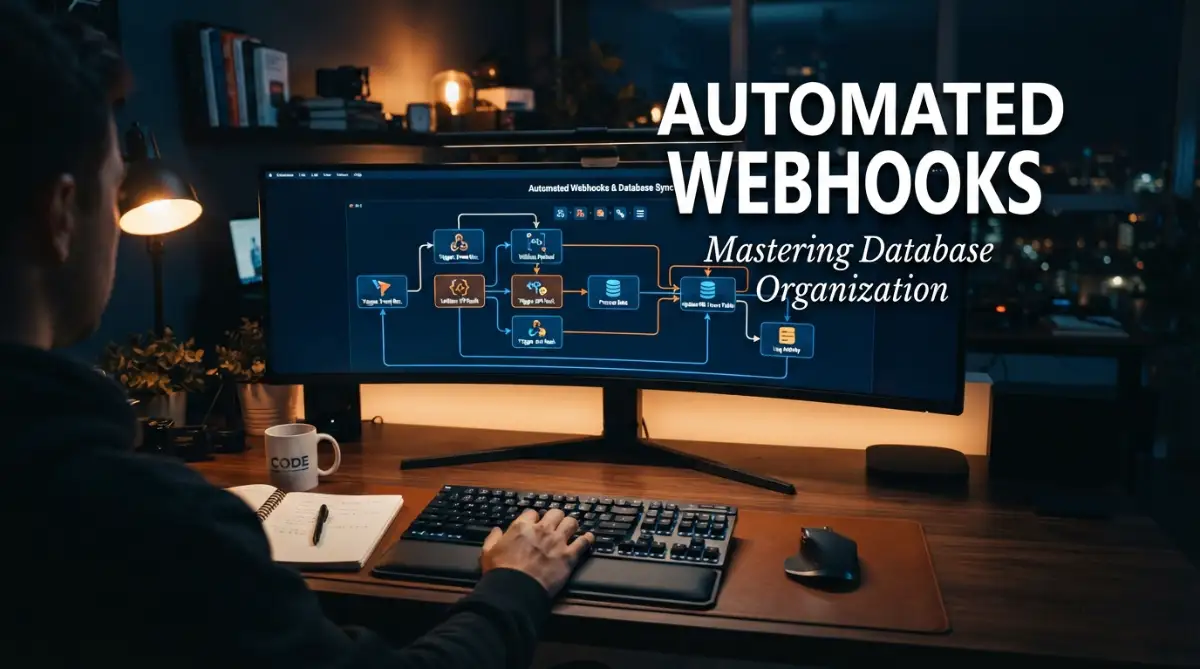
The Hidden Nightmare of Growing Automation Workflows
Ever opened your Zapier or Make dashboard and felt a mild panic attack coming on? Yeah, me too. When you have dozens of automated tasks labeled with useless names like "test-final-2" or "webhook-new," finding a broken link feels like searching for a needle in a digital haystack. You do not need to be a software engineer to fix this. Let's clean up that messy dashboard today with a simple naming rule that actually makes sense and saves you hours of headaches.
I found myself staring at a dashboard full of titles like "zapier-test-new-2" and "customer-update-final-real-version". I was completely lost in my own creation. Finding the right connection to fix a simple data error took hours instead of seconds.
This is a reality many businesses face today as they expand their digital operations. When you first start building automations, naming things feels easy and casual. You type whatever comes to mind just to get the system running.
But as your business scales, this casual habit turns into a massive operational headache. Imagine trying to find a specific book in a massive library where none of the books have titles, and they are just labeled as "Book 1", "Good Book", or "Read Later".
This lack of structure completely destroys your mental peace. You wake up wondering if the latest marketing data is actually hitting the right database table or getting lost in the void. When an error notification pops up, you experience a wave of anxiety because you have no idea what "webhook-final-3" actually does.

Your customer support team complains about missing data, and your developers waste valuable hours hunting down broken connections. It feels like walking through a minefield blindfolded. Every time you try to update a workflow, you risk breaking three others because everything is tied together in a chaotic mess.
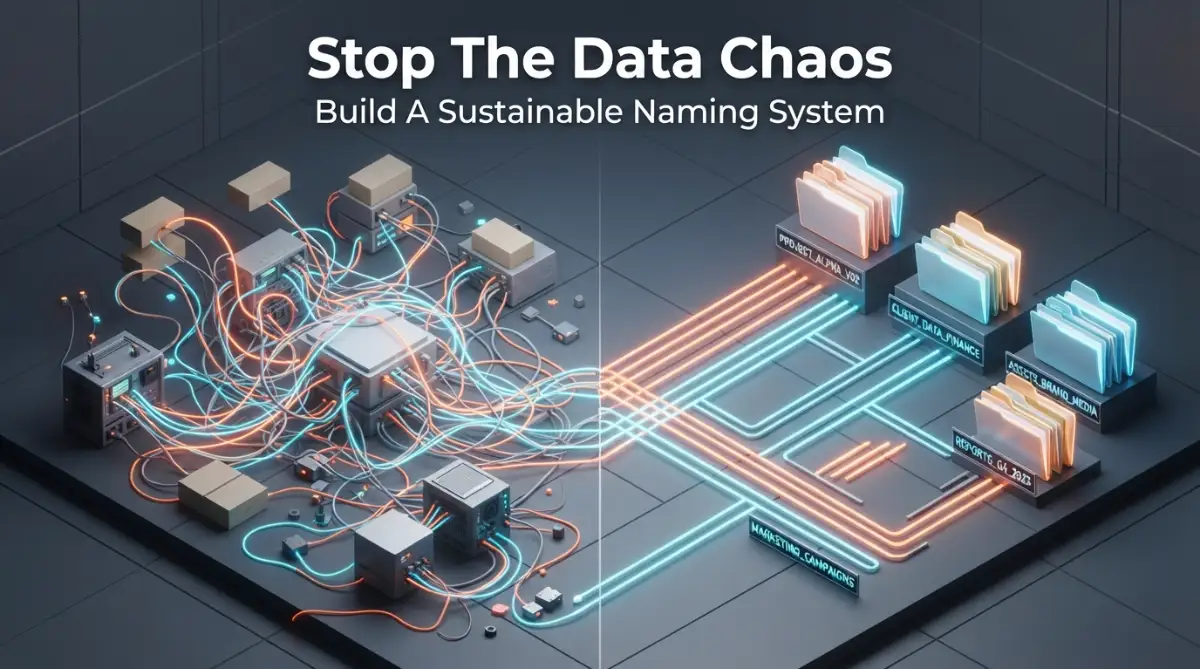
Quick Action Guide: What You Will Learn Today
- Ditch the junk names: Stop using words like "final", "new", or "test1" in your automated workflows.
- Use the 3-Step Rule: Always name your tasks using the exact Source, Event, and Target (e.g., Shopify-NewOrder-Slack).
- Isolate the tests: Keep your experimental workflows in a totally separate folder so you do not accidentally break live customer data.
- Map it out first: Draw your data connections on paper before you start clicking buttons on your screen.
Escaping the Trap: Designing a Logical System That Works
To fix this overwhelming problem, we need to completely change how we think about labeling our data endpoints. You cannot just rely on your memory when you are handling hundreds of automated tasks every single day.
Our brains are naturally wired to look for patterns and predictable structures. When we look at a highly structured list, our cognitive load decreases. We process the information faster and make far fewer mistakes.
This means your naming structure needs to act exactly like a clear road sign on a busy highway. Anyone looking at it should instantly know where the data is coming from, what it is doing, and where it is going.
Establishing the Source-Event-Target Method
The most effective way to organize your incoming data triggers is to follow a strict, predictable formula. I highly recommend using the Source-Event-Target framework.
This simple structure tells a complete story in just a few words. First, you identify the exact tool or application sending the data. Next, you clearly state the specific action that triggered the event. Finally, you list the final destination where the data will rest.
For example, instead of naming a trigger "new-customer-update", you would use a format like "Shopify-NewOrder-Airtable". This immediately removes all the guesswork.
If a data sync fails in your Airtable database, you instantly know that the problem originated from a new order in Shopify. You do not have to click through ten different menus just to figure out what the trigger is supposed to do.
Choosing the Right Separators for Readability
When you are creating these labels, the way you separate your words is incredibly important for human readability. Spaces are generally a bad idea because many software platforms will automatically convert them into weird symbols.
This leaves you with a few popular options, mostly revolving around dashes or underscores. Using clear separators makes it much easier for both human eyes and search filters to scan the text quickly.
If you use hyphens, the text looks clean and spaced out. If you use underscores, it feels a bit more technical but keeps everything tightly grouped. The secret is not about which one is scientifically better; it is entirely about picking one style and sticking to it forever.
Quick Cheat Sheet: Bad vs. Good Naming
To give you a clear idea, here is a quick look at how you should transform your messy titles into clean, readable labels:
- The Lazy Way (Don't do this): update-email-list-final
- The Smart Way (Do this): Stripe_NewPayment_Mailchimp
- The Lazy Way: zapier-test-3
- The Smart Way: TEST_Shopify_CartAbandon_Slack
- Notice how the good examples tell you exactly what is happening without forcing you to click open the workflow? That is your ultimate goal.
Standardizing the Format Across Teams
The Danger of Using Vague Time Stamps
A very common mistake people make is adding dates or words like "new" to their titles. They think this will help them remember when they built the automation.
In reality, a system built in January might run perfectly for five years. Calling it "Stripe-Payment-Jan-New" becomes completely irrelevant and confusing by February.
If you need to track versions because you are testing a massive update, use a clear, numeric versioning system. Adding a simple "v1" or "v2" at the very end of your structured name is much cleaner.
I used to think adding the date to a webhook name was a smart idea to track exactly when I created it. I quickly realized this just clutters the dashboard and confuses my team members, so now my strict rule is to only include the data source, action, and destination in the title.
Differentiating Between Testing and Production
Another massive headache occurs when testing environments get mixed up with live, public-facing operations. You should never guess whether a trigger is handling real customer money or just fake testing data.
To solve this, you need a clear indicator at the very beginning of your title. Simply adding a prefix like "TEST" or "LIVE" immediately sets the boundary.
When your team sees "TEST-Shopify-NewOrder", they know they can freely adjust the settings without breaking the real store. This small addition prevents catastrophic mistakes that could accidentally delete real customer profiles.
Myth vs Reality: Database Organization
Conducting a Clean-Up Audit on Existing Workflows
If you are already deep into the chaos, do not panic. You can fix this by scheduling a structured audit of your existing endpoints.
Do not try to rename everything in a single afternoon. Instead, start by identifying your most important, high-traffic triggers. These are the ones handling money, customer onboarding, or primary data syncs.
Take a spreadsheet and list out all the current, confusing names in one column. In the next column, write down what the new, structured name will be using the Source-Event-Target method.
Once you have a clear map, you can begin updating them one by one during off-peak business hours. This slow, methodical approach ensures you do not accidentally disrupt your daily business operations.
Creating a Shared Dictionary for Your Organization
A naming system is only successful if every single person in your company actually uses it. If your marketing manager uses a different format than your lead developer, the chaos will return very quickly.
You need to create a simple, easily accessible glossary or rulebook. This does not need to be a massive manual. A single shared document outlining the agreed-upon prefixes, separators, and structures is plenty.
Real-World Win: Last year, I helped a local e-commerce brand clean up their automation mess. We spent just two hours building a simple Google Doc that listed their approved prefixes (like MKT for Marketing and SUP for Support). Within a week, their internal "where is this data?" questions dropped by almost 80%. A tiny bit of shared documentation goes a very long way.
Make this document a required read during the onboarding process for any new employee who touches your software tools. When everyone speaks the exact same organizational language, your entire business moves faster.
You will notice a massive drop in internal support tickets asking "where is the data for this campaign?" You are no longer relying on tribal knowledge hidden inside one person's brain; you are relying on a scalable, sustainable system.
Next-Level Strategies for Long-Term Data Harmony
Once you master the basic rules of organizing your digital triggers, you are ready to implement a few expert-level secrets. These advanced methods will save you from massive headaches when your business grows beyond a handful of connections.
I remember the exact moment my team realized our basic naming strategy was no longer enough. We had over five hundred active data connections, and managing them felt like directing air traffic during a massive storm.
You need to shift your mindset from just building connections to actually designing a highly scalable architecture. This means treating every single data endpoint as a permanent piece of your company infrastructure.
The Power of Department-Specific Prefixes
As your company grows, multiple different teams will start building their own automated workflows. Marketing will sync email lists, while the accounting department will automate their monthly invoice receipts.
If all these workflows sit in the same exact dashboard, finding a specific file becomes a complete nightmare. To fix this, you should assign a specific, short prefix to every single department.
For example, marketing workflows could start with "MKT", while accounting workflows start with "FIN". A label like "MKT-Mailchimp-NewSubscriber-Salesforce" instantly tells you exactly who owns that specific data route.
This simple addition prevents the marketing team from accidentally turning off an automation that the accounting team desperately needs. It keeps everyone safely within their own designated workspace.
Mapping Your Architecture Visually Before Building
Most people make the mistake of logging into their automation software and building triggers immediately. They try to figure out the logic while they are actively connecting the digital wires.
This is exactly how you end up with messy, confusing labels that no one understands. Instead, you should always map out your data paths visually before you ever touch the actual software.

You can use a simple digital whiteboard or even just a plain piece of paper to draw out the connections. When you see the entire flow laid out visually, naming the individual steps becomes incredibly easy.
Implementing the Concept of Sandbox Testing Environments
When you are testing a brand new workflow, you should never mix it with your live business operations. Professional engineering teams use something called a sandbox environment to safely test new ideas.
You can easily replicate this by creating a completely separate folder or workspace dedicated entirely to testing. Every single trigger inside this folder must contain the word "TEST" in its title.
By keeping experimental workflows completely isolated, you ensure your main dashboard remains perfectly clean and readable. Once a test is successful, you can carefully rename it and move it to the live production folder.
Following basic agile project management methods like keeping a clean workspace will radically improve your daily productivity. It completely removes the fear of accidentally breaking a live customer payment sequence.
Writing Descriptions that Actually Make Sense
Many software platforms allow you to add a small description box right below the name of your webhook. Unfortunately, most people either leave this completely blank or write something completely useless like "updates the thing."
You should treat this description box as a mini-instruction manual for your future self. Write one or two clear sentences explaining exactly why this connection exists and what happens if it breaks.
A great description might say, "This trigger sends new Stripe payments to the main Airtable tracker. If this fails, the sales dashboard will not show daily revenue." This level of detail is an absolute lifesaver when an error occurs while you are on vacation.
Whenever you are building your ultimate hub of tech knowledge, small documentation habits make all the difference. Your team will never have to guess what a specific connection actually does.
Scheduling Routine Health Audits
Your database is exactly like a machine; it requires regular maintenance to keep running smoothly. You cannot just set up a perfect naming system once and expect it to stay flawless forever.
I strongly recommend scheduling a short, thirty-minute system audit on the last Friday of every single month. During this time, you simply scroll through your active workflows and look for anything that breaks your naming rules.
You will often find quick, messy tests that an employee forgot to delete, or outdated connections that are no longer serving a purpose. Deleting these old files keeps your dashboard incredibly fast and responsive.
If you want to maintain maximum efficiency over time, you cannot ignore this routine cleaning process. A clean digital workspace creates a remarkably calm and focused mind.

The Catastrophic Traps That Will Break Your System
Even with the best intentions, it is incredibly easy to fall back into bad habits when you are rushing to meet a deadline. I have watched entire databases completely shut down because someone decided to cut corners on a Friday afternoon.
When you ignore your organizational rules, you are actively planting a ticking time bomb in your digital infrastructure. The errors usually do not happen immediately, but they will definitely strike when you are least prepared.
Let us discuss the most dangerous pitfalls you must actively avoid to keep your workflows secure and reliable.
The "Final Version" Naming Myth
This is easily the most common and embarrassing mistake people make when labeling digital files. You build a workflow, think it is perfect, and name it "Shopify-To-Stripe-FINAL".
Three days later, you realize you need to add a new step, so you name the next one "FINAL-Version-2". A month later, your dashboard is filled with labels like "Actual-Final-New-UPDATED".
This completely destroys your search functionality and confuses every single person looking at the screen. You should completely ban words like "Final", "New", or "Updated" from your internal dictionary.
Many standard software engineering standard practices strongly warn against using these highly subjective terms. Instead, use a simple numeric system like "v1.1" or "v2.0" to track changes professionally.
The Danger of Mixed Capitalization Styles
When a system looks messy, people naturally stop caring about keeping it organized. If you use dashes today, underscores tomorrow, and spaces the next day, your naming system will look like complete chaos.
Mixing things like CamelCase (NewOrderData) with snake_case (new_order_data) forces your brain to work much harder to read the text. It also creates massive problems if your software platform is extremely sensitive to exact text matching.
You must sit down, pick exactly one capitalization style, and strictly enforce it across the entire company. It really does not matter which style you pick, as long as you are completely consistent.
A lack of consistency acts exactly like the hidden dangers of carrying a heavy structural load without proper support. Eventually, the uneven pressure will cause the entire framework to crack.
Emotion-Based Labeling During Frustration
We have all experienced the intense frustration of trying to fix a broken API connection at two in the morning. In these stressful moments, people tend to name their temporary tests things like "fix-this-stupid-bug" or "why-is-this-broken".
While it might feel good in the moment, it creates a highly unprofessional environment for anyone else reviewing the logs. Imagine a major client or a new manager looking over your screen and seeing those emotional, chaotic titles.
You must train yourself to remain completely robotic and neutral when creating these labels, no matter how tired you are. Always stick to the agreed Source-Event-Target formula, even for quick, five-minute tests.
Ignoring the "Orphaned Endpoint" Problem
An orphaned endpoint happens when you change the name or location of a destination folder, but forget to update the initial trigger. The data fires perfectly, but it goes straight into a digital black hole.
This usually happens because the original workflow name was so vague that the developer did not realize it was connected to the folder they just moved. A name like "data-push-1" gives zero clues about its final destination.
When you use highly descriptive titles, you instantly know which tools rely on that specific connection. You can safely update the destination folder because the workflow name explicitly tells you where to look.
Letting Everyone Have Admin Creation Access
A naming convention is completely useless if you have twenty different people constantly creating their own random rules. Too many cooks in the digital kitchen will always result in a massive data spill.
You should tightly restrict who actually has the administrative power to create new automated connections. Only a small, trusted group of trained employees should be allowed to build and name live workflows.
If other team members need a new automation, they should submit a simple request to this central team. This guarantees that every single new entry strictly follows your established organizational guidelines.
Your Blueprint for a Stress-Free Automation Workspace
Transitioning from a messy, chaotic dashboard to a perfectly organized system is an incredibly rewarding journey. It might take a few days of hard work to clean up the existing mess, but the long-term payoff is absolutely incredible.
You are no longer guessing where your important customer data is flowing. You are operating a highly predictable, incredibly smooth digital machine that works tirelessly in the background.
Every time you look at your perfectly aligned list of data endpoints, you will feel a massive sense of relief. Your team can confidently build new tools without the constant fear of accidentally breaking old ones.
Implementing strong data governance rules early on simply saves businesses countless hours of expensive troubleshooting. It proves that you respect your own time and the time of the people working alongside you.
When everyone speaks the exact same organizational language, your daily operations become remarkably peaceful. You finally have the mental space to focus on growing your business instead of constantly putting out digital fires.
A Quick Thought Before You Start: I know exactly how overwhelming it feels to stare at a massive list of unorganized data files. My best advice to you is to just take a deep breath, pick the top five most important workflows, and rename them correctly right now. Taking that first small step completely changes your momentum, and I promise you will feel so much better tomorrow!
Quick Answers to Your Biggest Automation Worries
What is the easiest way to rename existing workflows without breaking them?
The safest method is to pause the specific automation during your slowest business hours. Rename the connection according to your new rules, instantly turn it back on, and run a single test entry to ensure data still flows perfectly.
Should I include the names of specific team members in the titles?
No, you should never use individual employee names because team members often leave or change roles over time. Always use broad department prefixes like "Marketing" or "Sales" so the workflow remains relevant regardless of who is managing it.
How do I handle a single trigger that sends data to multiple apps?
When one event triggers multiple actions, name it based on the primary starting event and use a general term for the target. For example, "Shopify-NewOrder-MultiAppSync" clearly explains that a new order pushes data to several different platforms simultaneously.
Are spaces allowed if the software platform accepts them?
Even if your current platform allows spaces, it is highly recommended to avoid them. If you ever migrate your data to a stricter system later, those spaces will cause massive formatting errors that take hours to manually fix.
How often should my team review our naming rules?
You should hold a quick review meeting every six months with everyone who manages your digital infrastructure. This ensures all new employees actually understand the guidelines and gives you a chance to update the rules if your software tools change.
Disclaimer: The information provided in this article is for educational and informational purposes only. Managing databases, automated workflows, and digital infrastructure carries inherent risks, and improper configurations can result in data loss or system errors. Always test your workflows in a secure environment before applying changes to live business systems. We are not responsible for any operational disruptions or data issues that may occur. Please consult with a certified IT professional for your specific business needs.


