
Escaping the Trap of Endless Repetitive Work
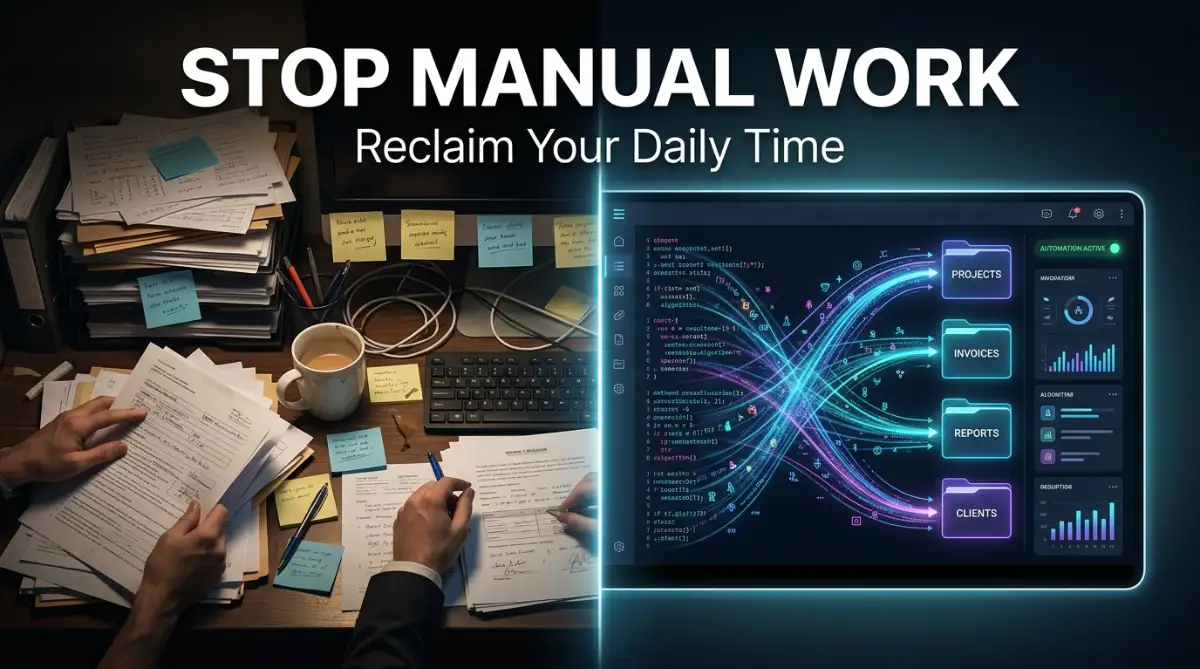
Are you absolutely sick of feeling like a human copy-paste machine? Let me guess—you are spending hours downloading attachments, moving files, and updating spreadsheets that nobody even reads. I used to waste half my week doing exactly that, until I discovered a simple way to make my computer do all the boring chores for me. You do not need to be a tech genius to get your free time back, and I am going to show you exactly how to do it.
Instead of using your beautiful brain to solve creative problems, you are treated like a simple copy-paste tool. This makes you feel undervalued, deeply frustrated, and incredibly exhausted by the time you finally clock out for the day.
How many times have you missed a family dinner because you had to finish updating a basic daily report? Have you ever felt a sudden spike of panic because you accidentally copied the wrong cell in a massive company data file?
These tiny human errors happen because our brains are simply not designed to do exactly the same boring thing for eight hours straight. We deserve to do work that actually matters, leaving the mindless clicking to a system that never gets tired.
Actionable Key Takeaways:
- Identify the boring stuff: Find daily tasks that require zero creative thinking and exact clicks.
- Clean your workspace: Strictly organize and name your computer folders before setting up any software.
- Start incredibly small: Automate just one 5-minute task today instead of trying to fix your entire workflow at once.
- Map it out first: Always write down your exact human clicks on a piece of paper before building your digital assistant.
Understanding Your New Invisible Office Assistant
When you first hear the term robotic process automation, it sounds like something out of a science fiction movie. You might picture a physical metal robot sitting in your office chair, loudly typing away on your physical keyboard.
The reality is much simpler and far more practical for everyday office workers like us. Think of this technology as an invisible, highly obedient digital intern who lives quietly inside your computer.
This digital intern watches exactly what you do on your screen. It learns where you click, what text you highlight, and where you paste that information.
Once it learns your exact steps, it can repeat those exact same actions perfectly, thousands of times, without ever asking for a coffee break. It is simply software designed to mimic human interactions with other computer programs.
If you use a mouse to drag a file, the software can virtually drag that file. If you use a keyboard to type a client name, the software can virtually type that name.
The best part is that this invisible assistant works at lightning speed. A data entry task that takes you three hours of frustrating clicking can often be completed by this software in just three minutes.
Here is a quick reality check of how much time you actually save:
| Task Type | Human Time | Bot Time | Error Rate |
| :--- | :--- | :--- | :--- |
| Data Entry (50 Invoices) | 2 Hours | 4 Minutes | 0% |
| Sorting 100 Emails | 45 Minutes | 2 Minutes | 0% |
| Formatting Daily Reports | 30 Minutes | 1 Minute | 0% |
The Clear Difference Between Smart and Repetitive
To truly understand how this technology helps us, we need to look at how we spend our working hours. Almost every job involves two very different types of thinking.
The first type is cognitive work, which requires human emotion, complex problem-solving, and relationship building. Talking to an upset customer or brainstorming a new marketing idea are perfect examples of cognitive work.
The second type is transactional work, which is purely rules-based and extremely predictable. If you get an email with a specific subject line, you save the attachment to a specific folder.
Transactional work is exactly what robotic software is built to handle for you. It thrives on clear rules, predictable patterns, and zero surprises in the workflow.
By pushing the boring transactional work to the software, you instantly free up your schedule for the important cognitive work. This shift completely changes how you feel about your daily job.

Breaking Down Common Automation Myths
Whenever people start talking about bringing robots into the office, panic usually spreads very quickly. People worry about their jobs, their technical skills, and the future of their careers.
Let us clear up some of the biggest misunderstandings about this technology right now.
Looking at this simple table, you can see that the fear is mostly based on the unknown. Once you understand the basics, the fear completely disappears.
Identifying Tasks Ripe for Automation
You cannot just tell the software to "do my job" and expect magic to happen. You have to be very specific about which administrative tasks you hand over to your digital intern.
The first rule is to look for tasks that require absolute consistency. If a process involves doing the exact same sequence of five clicks every single time, it is a perfect candidate.
Next, look for tasks that involve moving data between different applications that do not naturally talk to each other. For example, reading a PDF invoice and typing that information into your old accounting software.
You should also look for high-volume tasks. Automating something you do once a month might not be worth the setup time.
However, automating a tiny action that you perform fifty times a day will save you hundreds of hours over a few months. Always focus on the daily annoyances that make you sigh out loud at your desk.
I used to spend three whole days every month just formatting messy Excel sheets before sending them to the sales team. My biggest realization was that I wasn't just wasting company time, I was actively destroying my own creative energy by forcing myself to do robotic work. Once I automated that single formatting task, my stress levels dropped instantly.
Watch This Quick Visual Guide to Understand the Magic Better
If you want to see exactly how this invisible assistant operates in real-time, this short demonstration will clear up any confusion and show you the true power of automation.
Real-Life Scenarios: Taking Back Your Morning
Let us walk through a very common administrative nightmare that almost every office worker faces. We will look at how human workers handle it versus how automated software handles it.
Imagine it is Monday morning. You open your email inbox and see fifty messages from different vendors, all containing important PDF invoices.
The Manual Human Way:
You click on the first email. You download the attachment to a temporary folder.
You open your company bookkeeping software in another window. You open the PDF invoice.
You copy the vendor name, switch windows, and paste it. You copy the invoice number, switch windows, and paste it.
You copy the total amount, switch windows, and paste it. Then you click save, close the PDF, and move to the second email.
By the time you finish all fifty invoices, two hours have passed. Your wrist hurts, you are deeply bored, and you accidentally typed a "
500"invoiceas"
500"invoiceas"
5000" because your eyes were tired.The Automated Software Way:
You arrive on Monday morning and turn on your computer. You drink your coffee and check your calendar.
While you are sipping your coffee, the software bot automatically scans your inbox in the background. It instantly recognizes the fifty vendor emails based on a rule you set earlier.
The bot silently downloads all fifty attachments in less than three seconds. It scans the text inside the PDFs using basic optical character recognition.
My Quick Pro-Tip: If the PDFs you receive are simply pictures of wrinkled paper, the optical character recognition might struggle to read them perfectly. Always ask your vendors to send original digital PDFs instead of scanned image files. This one tiny habit makes your automated system almost bulletproof.
It directly connects to your bookkeeping software and inputs the vendor names, invoice numbers, and total amounts flawlessly. It completes the entire batch of fifty invoices in about four minutes, with absolute zero errors.
You just saved two hours of your Monday morning. More importantly, you saved your mental energy for the rest of the day.
Preparing Your Digital Environment
Before you can start playing with automation, you need to prepare your digital workspace. Software bots are incredibly fast, but they are also incredibly literal.
If you constantly change the names of your main computer folders, the bot will get confused and stop working. You need to establish highly consistent naming conventions for your files.
You also need to map out your own processes before you try to automate them. You cannot teach a digital intern how to do a task if you do not understand the steps yourself.
Grab a piece of paper and a pen. Pick one boring administrative task you did today.
Write down every single click, every single keystroke, and every single decision you made during that task. You will be very surprised by how many tiny micro-actions you perform without even thinking about them.
Once you have that detailed list on paper, you have the exact blueprint needed to build your first automated workflow. You are essentially creating a clear recipe for the software to follow.
Overcoming the Initial Learning Curve
Many professionals avoid automation because they think it requires a master's degree in computer science. Ten years ago, that might have been true, but the technology has changed dramatically.
Today, the top platforms use visual interfaces that look exactly like flowcharts. You do not write confusing lines of text to make things work.
Instead, you drag a small box that says "Open Email" onto your screen. Then you drag another box that says "Download Attachment" and connect them with an arrow.
It feels much more like playing a simple puzzle game than doing actual computer programming. Of course, there is still a learning phase you must go through.
You will build a workflow, run a test, and watch it completely fail because you forgot to tell it to click a specific "Submit" button. This failure is a completely normal part of the learning journey.
Every time it fails, you adjust your flowchart slightly and try again. The feeling of pure joy when you finally watch the software complete a boring task perfectly on its own is truly hard to describe.
The Ripple Effect of Reclaimed Time
When you start automating basic tasks, something very interesting happens to your daily routine. You suddenly find yourself with small pockets of free time scattered throughout the day.
At first, you might just use this time to catch your breath and grab an extra cup of coffee. That alone is a massive win for your mental health.
However, as the days go on, you will start using that reclaimed time to tackle bigger, more meaningful projects. You will finally have the time to organize that messy database you have been avoiding.
You will have the time to actually call your best clients just to see how they are doing. You become a proactive professional instead of a constantly stressed reactive worker.
Your manager will start noticing that your data entry is completely error-free. They will also notice that you are suddenly volunteering for more interesting, high-value projects.
Automation does not just clean up your desktop folders. It actively clears up the mental clutter in your head, allowing you to focus on becoming exceptional at your job.
Stepping Up: Pro-Level Secrets for a Seamless Digital Workflow
Once you get a taste of how wonderful it feels to have a digital assistant handle your basic chores, you will naturally want to automate even more. However, scaling your new digital workforce requires a bit of smart planning.
I see so many excited professionals try to automate their entire daily schedule on the very first day. This usually leads to a messy system that breaks down under pressure.
The secret to long-term success is building a rock-solid foundation for your software bots to operate on. You have to treat your digital intern just like a real human employee who needs clear instructions, regular check-ins, and a highly organized workspace.
The Power of the "Record and Review" Method
Before you even open your automation software, you need to understand your current human habits perfectly. The best trick I ever learned is to simply record my own screen while I perform a boring office chore.
I hit the record button, and then I process a batch of digital invoices exactly how I normally would. I do not try to speed up or change my natural behavior.
Later, I watch that video back and write down every single click, pause, and keyboard shortcut I used. You will be absolutely amazed to discover how many tiny, hidden steps you take without realizing it.
Those hidden steps are exactly what confuse a software bot if you forget to program them. By watching yourself work, you create a perfect, flawless map for your new automated assistant to follow.
Organizing Your Digital Environment for Success
Software robots are incredibly fast, but they are also incredibly strict rule followers. If you tell a bot to open a folder named "Client Invoices", it will only look for that exact name.
If you accidentally rename that folder to "Client_Invoices_New", the bot will completely panic, throw an error message, and stop working immediately. Your digital workspace must be perfectly organized before you invite automation in.
This means you need to get very serious about how you name your files and folders. In fact, learning how to structure your folders is just like how to create sustainable naming conventions for automated webhooks in advanced programming.
Everything must be standardized, predictable, and clean. When your files are highly organized, your digital intern can fly through data entry tasks smoothly.
Keeping Your Automated Systems Healthy
A lot of office workers think that once a task is automated, they can ignore it forever. This is a very dangerous mindset that leads to broken workflows.
Websites update their designs, accounting software changes its buttons, and your company might switch to a new email provider. When the digital environment changes, your bot will easily get confused.
You should set aside just fifteen minutes every single month to do a simple health check on your bots. Run a quick test, watch the bot perform the job, and make sure it is still clicking the right places.
According to excellent workforce management guidelines from the MIT Sloan Management Review, treating your digital tools as a continuous work-in-progress ensures long-term business success. A little bit of monthly maintenance keeps your stress levels permanently low.
Think Outside the Simple Spreadsheet
Once you master moving data between folders and spreadsheets, you can start looking at more creative tasks. Think about the repetitive communication you do every week.
For example, do you send the exact same welcome email to new clients every Tuesday? Do you spend hours how to automate cross-platform social media posts using API keys for your company's marketing department?
These repetitive communication tasks are completely ripe for automation. You can set up a system that watches for a new client name in your database, and instantly sends them a warm, beautifully formatted welcome package.
You still write the friendly email yourself, but the bot handles the boring delivery process. This makes your clients feel deeply valued while saving you hours of mindless clicking.
The Dangerous Pitfalls of Rushing the Process
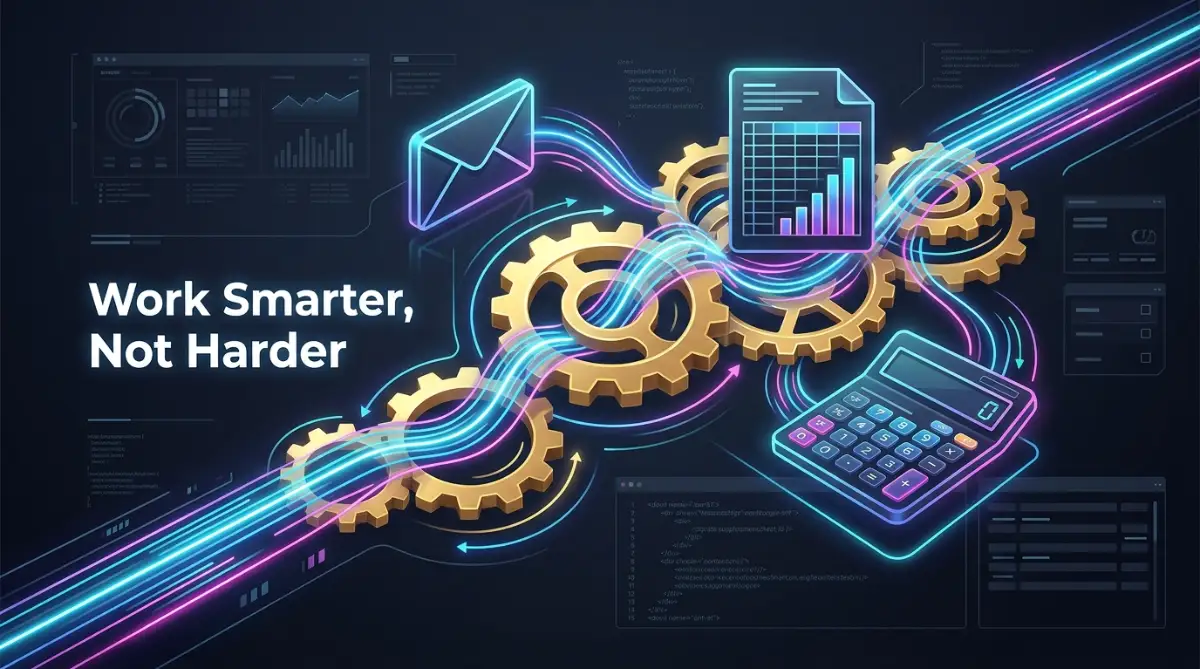
Even with the best intentions, it is incredibly easy to make a mess when you first start playing with these tools. When we discover a shiny new technology, our natural human excitement often clouds our logical judgment.
I want to share the dark side of automation so you can protect yourself and your company's valuable data. Making these common mistakes will not just waste your time; it can actually cause serious emotional distress and professional embarrassment.
Imagine waking up to realize your bot just emailed the wrong confidential price sheet to three hundred angry clients. That is the kind of nightmare we are going to avoid by understanding these major pitfalls.
The "Bad Process Multiplier" Trap
This is arguably the most common and damaging mistake I see in modern offices today. People take a workflow that is completely broken, confusing, and highly inefficient, and they try to automate it.
If a process is terrible when a human does it, it will still be terrible when a robot does it. The only difference is that the robot will execute that terrible process a thousand times faster.
Automating a bad process just creates a massive pile of errors at lightning speed. You must fix your manual workflow, simplify the steps, and remove unnecessary actions before you ever touch the automation software.
You need to lean on high-quality resources for modern technology and business growth to ensure your basic business rules make sense first. Always optimize the human task before you invite the bot to take over.
Ignoring the "What If" Scenarios
When we build an automated workflow, we naturally only think about the happy path. We assume every email will have the right attachment, and every spreadsheet will have the right numbers.
However, the real business world is messy, unpredictable, and full of strange surprises. What happens if your digital intern expects a PDF invoice, but a client sends a JPEG image instead?
If you do not plan for exceptions, the bot will simply crash and stop working without telling you. You will think the job is done, only to find a huge backlog of unprocessed data three days later.
You must intentionally build safety nets into your flowcharts. Tell the bot, "If the file is not a PDF, send an alert email directly to my human inbox and move to the next task."
Creating a Bottleneck of Technical Debt
Sometimes, people get so excited that they build thirty different bots in their first month. They automate everything from their morning email sorting to their weekly expense reports.
Then, they get promoted or leave for a new company, leaving behind a complex web of silent robots. Nobody else in the office knows how these bots work, what they do, or how to turn them off.
This creates a massive security and operational risk for the entire team. A study by the National Institute of Standards and Technology (NIST) highlights how undocumented software creates severe vulnerabilities in any organization.
Every single automated task you build must be clearly documented in a simple, easy-to-read manual. Think of it like leaving a clear instruction manual for the next person who takes over your desk.
Giving Bots Too Much Decision-Making Power
Robots are excellent at moving numbers from one box to another box. They are absolutely terrible at understanding human context, empathy, or complex business logic.
You should never let a basic software bot make a final decision that impacts a customer's money, health, or happiness. For example, a bot can gather all the data needed for a customer refund, but a human should always click the final approval button.
When you remove the human element from sensitive situations, you lose the trust of your clients. Treat your bot as the helpful assistant who prepares the paperwork, not the boss who signs the checks.
Just like figuring out how to use portable solar canopies when renting a home, you have to know the hard limits of the tools you are working with. Keep the robot in the background and keep your human judgment front and center.
Your Blueprint for a Stress-Free Workspace
We have covered a massive amount of ground today, moving from the heavy burden of manual labor to the incredible freedom of digital assistance. You now know that you do not need to be a professional computer hacker to stop doing boring data entry.
By identifying your highly repetitive tasks, organizing your digital folders, and using simple drag-and-drop tools, you can completely change your daily routine. You understand the deep importance of standardizing your rules and avoiding the trap of automating broken processes.
Think about what you will do with those extra hours every week. You can finally focus on deep, meaningful projects that actually get you noticed by senior management.
Instead of going home with burning eyes and aching wrists, you will leave the office feeling energized and accomplished. The software handles the robotic chores, while you get to focus on being delightfully human.
My final piece of advice to you: Do not wait for your company's IT department to magically fix your daily frustrations. I took control of my own digital workspace by starting with just one tiny, annoying five-minute task, and it completely transformed my career path. Pick one boring chore today, map out your clicks on paper, and take your very first step toward a beautifully automated working life.
Common Questions About Everyday Office Automation
Does this software require advanced coding skills to use?
Not at all. Modern tools are designed specifically for regular office workers with simple drag-and-drop visual flowcharts. If you can understand a basic map, you can easily build a helpful digital assistant.
Can a software bot handle my complex decision-making tasks?
No, these tools are built strictly for rules-based, highly predictable tasks. If a job requires human empathy, creative judgment, or complex problem-solving, it belongs firmly in human hands.
Will setting up these automated workflows cost a lot of money?
Actually, many popular platforms offer completely free versions that are perfect for individual administrative workers. As you scale up, the massive amount of saved human labor makes the paid plans incredibly cost-effective.
Is my sensitive company data truly safe with digital bots?
Yes, as long as you follow basic security rules and keep your software updated. According to the Cybersecurity & Infrastructure Security Agency (CISA), well-configured automated systems often reduce data leaks by eliminating dangerous human errors.
What happens if a website I automate completely changes its layout?
Your bot will likely stop working because it can no longer find the exact buttons it was trained to click. You will simply need to open your flowchart, point the bot to the new buttons, and run a quick test to get it working again.
Disclaimer: This article is for informational and educational purposes only. The software, tools, and strategies mentioned represent general advice and my own personal insights. Always consult with your company's internal IT department or data security team before installing new software or automating workflows that handle sensitive business information.


