
Escaping the Manual Posting Trap
Have you ever felt like you're working a second job just trying to keep your social media accounts active? Let me guess: you're copying and pasting the exact same caption across four different tabs right now, hoping none of them crash. Trust me, I've been stuck in that endless loop of manual posting, and it absolutely drains the fun out of creating content. But what if I told you there’s a simple way to make the machines do the heavy lifting while you sleep?
Every time I hit the publish button, a random formatting error popped up on one of the platforms. This small glitch forced me to refresh the page, re-upload the media, and start the entire frustrating process all over again. I felt completely trapped by my own content strategy.
Instead of enjoying the creative side of digital marketing, I was acting like a human robot. I was glued to my phone screen during family dinners just to make sure a post went live at the right time. The constant anxiety of missing the "perfect posting window" was completely destroying my peace of mind.
This manual grind makes us hate the very platforms that are supposed to help us grow our audience. We start skipping important updates, ignoring specific networks, and ultimately losing out on organic reach. There had to be a better way to handle this heavy workload without sacrificing my personal life.
Quick Action Plan: What You Will Learn Today
- How to stop wasting hours copying and pasting content across platforms.
- The safe way to generate and protect your secret access tokens.
- Why treating every social network the exact same way will actually hurt your reach.
- How to build an "evergreen loop" that keeps your feeds active while you take a vacation.
The Foundation of Automated Content Distribution
If you want to stop working like a machine, you need to understand how machines talk to each other. This is exactly where Application Programming Interfaces (APIs) come into the picture. You can think of an API as a highly trained waiter in a busy restaurant.
You, the customer, sit at the table with a specific request on your menu. You cannot just walk into the kitchen and start cooking the food yourself. Instead, you give your specific order to the waiter, who then securely delivers that exact message to the kitchen.
When the food is ready, the waiter brings it right back to your table without you ever having to leave your seat. In the world of social media, your automation tool is the customer, and the social platform is the kitchen. The API acts as the secure messenger that carries your photos, videos, and text directly to the network.
By utilizing these invisible messengers, you can send instructions to multiple platforms simultaneously. You do not need to open the Facebook app, the Twitter website, or the LinkedIn dashboard ever again. A single command can trigger a chain reaction that publishes your content everywhere at once.
Here is a quick breakdown of how API automation compares to using native apps on your phone:
| Feature | Native App Posting | API Automation |
| :--- | :--- | :--- |
| Setup Time | None | 20-30 minutes upfront |
| Daily Effort | High (constant logging in) | Zero (runs quietly in the background) |
| Best For | Casual, spontaneous updates | Planned campaigns and consistent growth |
Unlocking the Doors with Secure Access Tokens
Before your automated waiter can enter the kitchen, they need proper identification. Social networks are highly protective of their user data and platform integrity. They do not allow random external systems to just walk in and start publishing posts.
To gain entry, you must generate a unique, secret password known as an API key or access token. This string of characters tells the platform exactly who is trying to connect and what permissions they hold. It acts like a digital VIP pass that grants your automation system specific publishing rights.
Getting this pass usually involves creating a developer account on your chosen platform. Once approved, the platform gives you a public identifier and a highly classified secret key. You must protect this secret key exactly like you would protect your bank account password.
If a bad actor gets their hands on your secret token, they can publish spam directly to your business pages. Always store these keys inside secure environment variables or trusted password managers. Never paste them into public documents, open chat rooms, or unsecured emails.
My Personal Security Hack: When I first started, I used a free tool called Bitwarden to keep all my platform access tokens locked away. If you ever hire a freelancer or virtual assistant to manage your workflow, never hand them the actual text file with your keys. Instead, use a secure password manager to share access without ever exposing the raw characters!
Planning Your Strategic Content Workflow
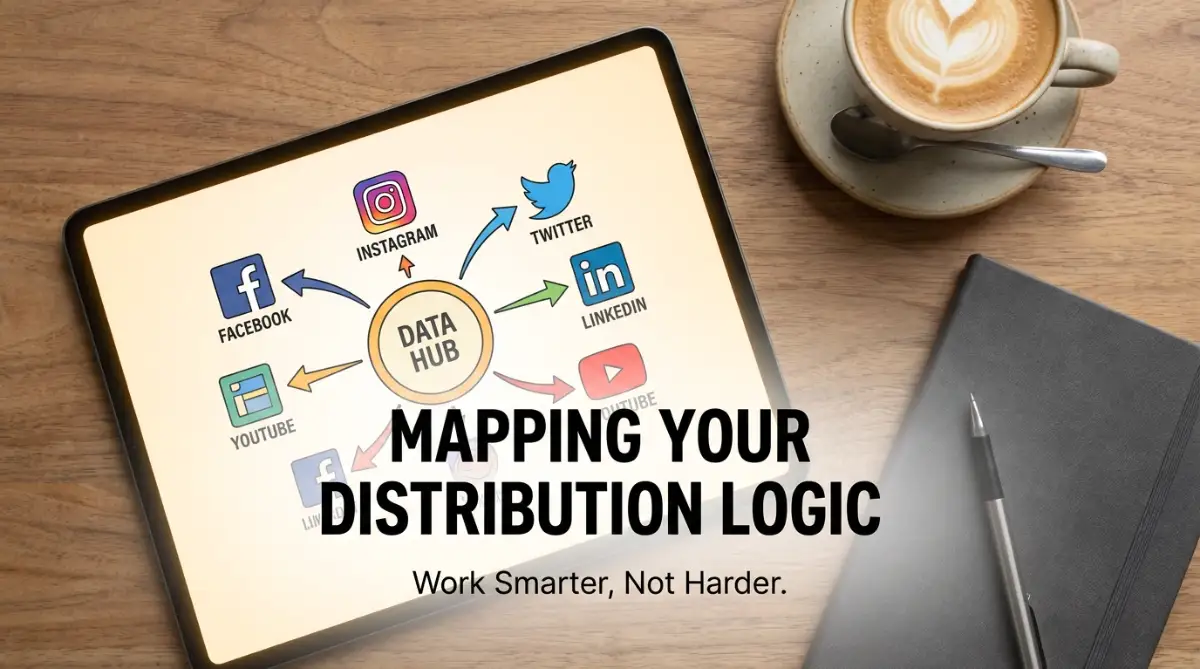
Automation is completely useless if you do not have a solid plan behind it. Before connecting any systems together, you need to map out the exact journey your content will take. Grab a simple piece of paper and draw out your ideal posting logic.

Ask yourself where your content naturally lives before it gets published. Does your team write drafts in a Google Sheet, an Airtable base, or a Notion database? This centralized location will serve as the primary brain of your entire automation setup.
When a new row is added or a status changes to "Approved," that action becomes your main trigger. This trigger then wakes up your automation system and tells it to gather the text and images. From there, the system splits the data and sends it down different pathways based on your specific rules.
This brilliant automation tutorial perfectly breaks down how these connections work in real time. Watch this detailed walkthrough below to visually grasp the concept before moving forward.
Managing Platform-Specific Rules and Formatting
One of the biggest mistakes beginners make is treating all social networks exactly the same. What works wonderfully on a visual platform like Pinterest might completely flop on a professional network like LinkedIn. Each API has its own set of strict rules regarding text length, image dimensions, and media formats.
Twitter, for example, will immediately reject an automated post if the caption exceeds its strict character limit. Instagram requires images to meet specific aspect ratios, or the server will throw an annoying error. Your automation logic must account for these unique restrictions before attempting to send the payload.
To solve this, you can set up smart routing rules inside your main database. Create separate columns for your short captions, professional summaries, and highly visual tags. When your system picks up the content, it knows exactly which version of the text to send to which specific platform.
I learned this the hard way when I first started experimenting with scheduled posts.
I set up a massive campaign for a product launch and excitedly went to sleep, expecting everything to run perfectly. The next morning, I woke up in horror to find that all my posts went out at 3:00 AM instead of 3:00 PM. Pro Tip: Always double-check that the timezone settings in your database match the timezone of your automation platform exactly, or you will accidentally wake up your audience in the middle of the night!
Understanding Rate Limits and Server Traffic
Even with a VIP pass, you cannot overwhelm the kitchen with too many orders at once. Every major social network enforces something called a rate limit to protect their servers from crashing. A rate limit is essentially a strict speed limit on how many requests you can make within a specific timeframe.
If you try to publish fifty posts in a single minute, the platform will view this as suspicious behavior. The server will temporarily block your connection and return a specific error code. This is a built-in safety mechanism to prevent bots from flooding the timeline with spam.
To maintain a healthy connection, you must space out your automated commands. If you are launching a massive campaign, schedule your posts to drop in ten-minute intervals rather than all at once. This gentle approach keeps your account in good standing and ensures every single post actually reaches the public feed.
Myth vs Reality: The Truth About API Automation
Many people hold false beliefs about how automated systems impact their digital presence. Let's clear up some of the most common misunderstandings right now.
- Myth: Automated posts get less engagement because platforms heavily penalize them.
- Reality: The algorithms care about content quality and user interaction, not the tool you used to hit publish.
- Myth: Setting up an automated pipeline requires a computer science degree.
- Reality: Modern visual logic tools allow you to connect complex systems simply by dragging and dropping blocks.
- Myth: Once you set it up, you can completely ignore your accounts forever.
- Reality: You still need to manually reply to comments, engage with your community, and analyze your performance metrics.
Building a Scalable Media Storage System
Images and videos are the heavy lifters of modern digital marketing. When you automate your distribution, your system needs a reliable place to grab these large files. You cannot just send a file directly from your local computer hard drive through an automated cloud sequence.
The media must be hosted on a public server where the social platform can easily download it. Cloud storage solutions like Google Drive, Dropbox, or dedicated Amazon servers are perfect for this job. When you log your upcoming post in your database, you will include a direct, publicly accessible link to the image file.
The social network's server will read this link, instantly visit the URL, and download the photo for the final post. If your file permissions are set to private, the API request will instantly fail. Always ensure your media folder is set to "Anyone with the link can view" to guarantee a smooth transfer.
Tracking Success Through Error Handling
No automated system is completely flawless, and occasional hiccups are bound to happen. Sometimes a network goes down for routine maintenance, or an access token randomly expires. When this happens, your system needs a backup plan so you are not left entirely in the dark.
Good automation design includes proper error handling and automatic notifications. If a post fails to publish on LinkedIn, the system should instantly send a message to your private Slack channel or personal email. This alert tells you exactly what went wrong, allowing you to fix the issue manually before it ruins your content calendar.
Without these alerts, you might go days without realizing your audience hasn't seen any of your updates. Taking the time to build these small safety nets will save you massive headaches in the long run.
A Quick Comparison: Manual Work vs Automation Logic
The Psychological Freedom of Automated Systems
You can dedicate entire days to brainstorming fresh ideas, recording amazing videos, and writing compelling stories. The heavy, repetitive lifting is permanently delegated to the software running quietly in the background. You finally get to experience the joy of being a true creator again.
You can take a weekend trip with your family and watch your phone light up with new likes and comments. Your audience remains consistently engaged, and your business continues to grow while you are completely offline. This level of freedom is exactly why mastering platform integrations is worth every single second of your initial effort.
Preparing for Future Platform Updates
The digital world is always shifting, and social networks update their rules regularly. An integration that works perfectly today might require a slight adjustment six months from now. Platforms frequently change their privacy policies, which directly affects how external tools can communicate with them.
You must treat your automation setup like a living, breathing system that needs occasional check-ups. Subscribe to developer newsletters for the networks you rely on most heavily. When they announce a change to their connection methods, you will be the first to know.
Staying proactive ensures your content machine never breaks down unexpectedly. By understanding the core concepts of how these connections securely talk to one another, you can easily adapt to any future changes. You are no longer just a casual user; you are now the main architect of your own digital distribution empire.
Taking Your Content Machine to the Next Level
Once you understand the basic mechanics of moving data from a spreadsheet to a social feed, you can start building true digital workflows. The real magic happens when you move away from simple scheduling and start thinking about long-term sustainability. You do not just want a system that works for a week; you want a setup that runs perfectly for months.
To achieve this, you have to organize your trigger events with absolute precision. Think of your automation triggers like the sorting facility at a major post office. If the incoming packages do not have clear, readable labels, the sorting machines will inevitably send them to the wrong destination.
This is exactly why you need strict labeling rules inside your central database or workspace. If you take the time to create sustainable naming conventions for automated webhooks, your external software will never get confused. Your system will instantly know whether a piece of content is meant for an Instagram Reel or a LinkedIn professional update.
Automating the Evergreen Content Loop
One of my absolute favorite expert strategies is building an evergreen content recycling loop. Not every post you create is tied to a specific trending news topic or a temporary flash sale. Many of your educational posts, industry tips, and motivational quotes will remain highly valuable long after you first publish them.
Instead of letting these amazing posts disappear into the dark archives of your timeline, you can tell your API to recycle them. You can set up a special column in your database labeled "Evergreen." When an automated post goes live, a secondary logic path can schedule that exact same content to publish again three months later.
By building this continuous loop, your timeline will never look empty, even if you take a two-week vacation. You are essentially building a digital library that automatically reminds your audience of your best work. This is a massive secret weapon that top creators use to maintain a highly active presence without doing extra writing.
Prioritizing Digital Security and Token Refreshing
We touched on the importance of keeping your access passes secret, but long-term management requires a bit more active monitoring. Social platforms are constantly updating their security measures to protect user data from malicious bots and hackers. Because of these tight security rules, your secret access tokens will not last forever.
Most major networks require you to refresh your digital keys periodically to prove you still have authorized control over the account. If you ignore these backend security requirements, your entire publishing pipeline will suddenly freeze without warning. You should familiarize yourself with understanding OAuth 2.0 authorization protocols to see exactly how these secure handshakes work behind the scenes.
Set a recurring reminder on your personal phone calendar to check your developer dashboards every single month. During this routine checkup, simply verify that your application status is active and your tokens are fully validated. Taking five minutes to perform this digital maintenance will save you from waking up to a massive pile of failed post errors.
Connecting Your Error Logs to Daily Workflows
Even the most beautiful automation sequences will occasionally run into an unexpected roadblock. Maybe a platform server goes offline for routine maintenance, or maybe you accidentally uploaded an image file that is simply too large. When these technical glitches happen, you need to know about them immediately before your audience notices a gap in your schedule.
Do not rely on logging into your automation software every single day just to check for error messages. Instead, build a secondary automated path that alerts you exactly where you already spend your working hours. For example, if you connect your email client to project management tools, you can force your system to create an urgent task whenever a post fails to publish.
You will get a direct notification right on your desktop, complete with the specific error code from the social network. This proactive setup allows you to fix a minor formatting issue and manually push the post live within minutes. You stay completely in control of the situation without having to actively babysit the software.

The Dark Side of Auto-Publishing: Traps to Avoid
While connecting these systems can feel like a superpower, using that power incorrectly can actually damage your brand reputation. I have seen incredibly smart business owners ruin their online presence because they treated automation like a magic fix-all button. The biggest mistake you can make is forgetting that real human beings are on the receiving end of your content.
The Carbon Copy Pitfall
The most common trap beginners fall into is the "Carbon Copy" method. Because the API makes it so incredibly easy to send one message everywhere, people start blasting the exact same caption to every single network. They will send a post filled with thirty Instagram hashtags directly to their professional LinkedIn feed.
When your LinkedIn connections see a post drowning in casual hashtags and weird spacing, they immediately know a bot published it. This makes you look lazy, unprofessional, and entirely disconnected from the actual community culture of that specific platform. Always format your text dynamically before the system pushes it out.
For instance, if you write an educational guide explaining how the science behind solar attic fans shrinks cooling bills, you need different angles. On Facebook, you might share a personal story about saving money on your electricity bill. On Twitter, you would extract just the core scientific data point to fit the strict character limit.
Ignoring Accessibility Standards
Another massive blind spot in automated scheduling is completely forgetting about visual accessibility. When we manually upload photos to our favorite apps, the platform usually prompts us to add descriptive alt text for visually impaired users. When you bypass the app and use an automated tool, you have to deliberately include this information in your database instructions.
If you just send the raw image file without any attached metadata, screen readers cannot explain your photo to users with poor vision. Not only does this exclude a large portion of your potential audience, but many algorithms actively limit the reach of inaccessible media. It is incredibly important to study managing digital accessibility guidelines so you can structure your image data properly.
Always create a dedicated cell in your master spreadsheet specifically for image descriptions. Map this specific text block to the correct API endpoint before you finalize your scheduling sequence. This small extra step shows your audience that you genuinely care about their experience.
The "Ghost Town" Engagement Trap
The final, and perhaps most dangerous mistake, is what I call the "Ghost Town Effect." You set up this brilliant, complex machine that posts amazing graphics and perfectly formatted captions three times a day. You feel so productive that you completely stop logging into the actual social apps to read your comments.
Your followers start asking highly relevant questions, praising your work, and trying to start meaningful conversations with you. Because you are never actually online to reply, your comment section turns into an ignored, silent ghost town. The algorithm quickly notices that you are just broadcasting information without ever participating in the community exchange.
Within a few weeks, the network will severely restrict your organic reach, no matter how good your scheduled photos are. Automation is designed to handle the heavy lifting of publishing so that you have more free time to interact with your fans. You must block out fifteen minutes every single day to manually reply, like, and engage with the people who support your work.

Your Personal Roadmap to Digital Freedom
Building an automated publishing system might feel a bit intimidating when you first look at all the moving parts. However, once you break it down into manageable daily steps, it becomes an incredibly rewarding puzzle to solve. You are essentially building a digital assistant that will reliably work for you around the clock, completely free of charge.
Start by organizing just one single platform first, rather than trying to conquer every network on the internet at once. Pick the channel where your audience is most active and build a simple spreadsheet to feed it. Once you see that first test post successfully go live while you are away from your keyboard, your entire perspective on digital marketing will change.
If you are looking for more strategies to organize your entire online business ecosystem, I highly recommend checking out global24info.com for actionable guides. You have the creative vision required to build an amazing audience, and now you have the technical knowledge to deliver that vision consistently. Take a deep breath, map out your workflow on a piece of paper today, and start claiming back your precious free time.
When I finally got my first multi-platform API connection working perfectly without any errors, I literally cheered out loud in my empty home office. Knowing that my content was working hard for me while I enjoyed a quiet evening with my family completely changed my life, and I know it will do the same for you.
Common Questions About Automated Publishing Workflows
Will social media platforms punish my account for using API scheduling tools?
No, the platforms actually provide these official developer tools specifically so you can build these connections. Algorithms care mostly about whether your audience finds your text and images valuable or entertaining. As long as you are not publishing aggressive spam or violating community guidelines, your organic reach will remain completely safe.
How much coding experience do I need to set this up?
You honestly do not need to know how to write a single line of traditional code. Modern visual integration software allows you to map data by simply dragging and dropping blocks on your screen. If you know how to organize a basic Excel spreadsheet, you are already qualified to build a highly effective workflow.
What happens if I try to send an image that is too large?
The receiving network's server will immediately reject the incoming file and send a failure code back to your system. The post will not go live, and you will need to compress the image file before trying again. Always check the official developer documentation for strict file size limits before organizing your media folders.
Can I automate my replies to user comments using these same methods?
While technically possible, I strongly advise against fully automating your comment replies. People can easily spot robotic, repetitive responses, which instantly destroys the trust you have built with your community. Use technology for publishing the initial post, but always keep your community interactions highly personal and human.
Disclaimer: The information provided in this article is for educational and informational purposes only. Managing external software connections involves sharing data between third-party platforms. Always review the specific privacy policies, terms of service, and developer guidelines of each individual social network before connecting external systems. We are not responsible for any suspended accounts, lost data, or API rate limit penalties resulting from the misuse of these automation methods.


