The Hidden Cost of a Disconnected Digital Brain
Have you ever felt that sudden drop in your stomach when you realize your calendar didn't sync with your to-do list, and you just missed an important call? We build these massive digital workspaces to save time, but when the tools refuse to talk to each other, they actually create more work. You end up copying and pasting data like a human robot. Let's fix that right now, without needing a computer science degree or waiting for developers to update their apps.
My daily routine turned into a stressful game of copy-and-pasting information from one window to another. I found myself constantly second-guessing if my team had seen my updates, or if I had forgotten to manually transfer a critical deadline. This lack of software interoperability completely drained my energy before the workday even began.
When your productivity apps refuse to sync natively, the mental toll is incredibly heavy. You are forced to rely on your own memory to bridge the gap between incompatible platforms. This creates a constant background anxiety that ruins your focus and kills your momentum.
Instead of doing actual deep work, you become a human data entry machine. You waste precious hours manually moving text files, updating statuses, and checking multiple dashboards just to understand what you need to do next. It is frustrating, exhausting, and completely unsustainable for anyone trying to maintain their peace of mind.
🚀 Actionable Takeaways at a Glance
- Stop Waiting for Native Syncs: Use third-party middlemen (like Zapier) or hidden email parsers to bridge the gap today.
- Protect Your Data: Always use a "Hub-and-Spoke" model to keep your files organized and prevent endless automation loops.
- Automate the Old Stuff: Don't abandon legacy software; use basic screen-recording macros to do the manual clicking for you.
- Test Before You Rest: Never push live client data through a new integration without testing it in a dummy workspace first.
Building Your Own Bridges: How to Connect Stubborn Software
When the direct road between two towns is blocked, you do not just give up and go home. You find a detour, or better yet, you build a new bridge. The exact same logic applies to software interoperability.
If two applications refuse to share data through an official built-in connection, we have to look for alternative pathways. These workarounds are completely practical, and you do not need to be a software engineer to set them up. Let us explore some of the most effective methods to get your digital workspace flowing smoothly again.
The Magic of Third-Party "Middleman" Services
If App A and App B refuse to shake hands, you need to introduce them to a friendly middleman. These intermediary platforms specialize in grabbing information from one place and carefully dropping it into another. They act as universal translators for your digital tools.
Tools like Zapier, Make, and IFTTT are designed specifically for this exact purpose. They wait for a specific event to happen in your first app, like a new row in a spreadsheet or a flagged email. Once that event occurs, the middleman instantly performs an action in your second app, like creating a task or sending a message.
This method completely bypasses the need for native integration. You are essentially renting a digital assistant whose only job is to carry notes between your disconnected tools. It keeps your hands clean and your data moving perfectly behind the scenes.
Myth vs. Reality: Third-Party Automation
| What People Think | The Actual Reality |
| :--- | :--- |
| You need coding skills to use them. | Most tools use a simple drag-and-drop visual interface. |
| They are too expensive for personal use. | Almost all platforms offer a generous free tier for basic syncs. |
| They drain your computer's memory. | Everything runs in the cloud, so your computer stays fast. |
My personal workflow relies heavily on these platforms to keep my project management tool aligned with my communication apps.
I learned the hard way that creating overly complex automated flows usually breaks down when you least expect it. Pro Tip: I used to build massive, ten-step automations that constantly failed, but my life changed when I started breaking them down into simple, two-step triggers and actions. Keeping it simple ensures your data actually arrives where it needs to be.
Automating Data Transfer Through Email Parsing
Sometimes, the most powerful bridge between modern applications is actually the oldest digital communication tool we have: email. Almost every premium productivity tool on the market has a hidden feature that allows you to create items by sending an email to a secret, unique address.
This hidden address is your golden ticket when productivity apps refuse to sync natively. Let us say you are using a specialized note-taking app that simply will not connect to your team's task manager. You can easily set up an automated rule to forward specific notes straight to the task manager's secret email address.

The moment the email arrives, the receiving app reads the subject line and the body text. It then automatically transforms that email into a brand new task, card, or database entry. You have successfully synced your data without ever relying on an official API connection.
Email parsing is incredibly resilient because email protocols rarely change. While fancy modern integrations break during server updates, email forwarding just keeps working silently in the background.
Check out this incredibly helpful breakdown on how to map your data perfectly across different platforms to avoid messy sync errors.
Harnessing the Power of Automated Webhooks
The word "webhook" sounds intimidating, but it is actually a very simple concept. Imagine a webhook as a digital doorbell. When something happens in your first app, it rings the doorbell of your second app and hands over a tiny package of information.
Unlike the middleman method where a third-party tool constantly checks for updates, webhooks are instantaneous. The first application actively pushes the data out the moment an event occurs. This means your information transfers in real time.
Many apps that lack official native integrations still provide options to send or receive incoming webhooks. You simply copy a specific web address provided by your receiving app and paste it into the webhook settings of your sending app.
Whenever you update a project status, the sending app shoots a quick message to that web address. The receiving app catches it, reads the data, and updates your dashboard automatically. It is a lightweight, incredibly fast way to bypass broken native connections entirely.
Scheduled Exports and Automated File Imports
Not every problem requires a real-time, instantaneous solution. Sometimes, a batch update is more than enough to keep your digital workspace functioning properly. If your apps absolutely refuse to talk to one another, you can rely on the tried-and-true method of CSV data files.
Most software allows you to export your entire database or task list into a simple spreadsheet format. You can often schedule these exports to happen automatically at the end of every week or month. This creates a consistent backup of your information.
Once you have that exported file, you can use automated folder-watching tools to detect when the new file arrives on your computer or cloud drive. The tool can then automatically push that file into the import module of your second application.
Understanding the Reality of API Limits
We often blame ourselves when our tools fail to connect properly. However, the truth is that software companies frequently limit their connections on purpose. Let us look at a clear breakdown of what you are actually dealing with behind the scenes.
Understanding this reality completely changes how you approach your personal workflow. You stop waiting for developers to fix their official integrations. Instead, you take full control of your own data and build independent connections that actually serve your daily needs.
Leveraging RSS Feeds for Content Tracking
If your primary goal is to sync reading materials, research links, or content updates, RSS feeds are a fantastic hidden weapon. Many people think RSS is a thing of the past, but it remains one of the most universally accepted data formats on the internet.
If your favorite article-saving app refuses to sync with your primary note-taking software, look for an RSS output link. You can take that link and paste it into almost any modern productivity dashboard.
Every time you save a new article, the RSS feed updates automatically. Your dashboard reads the feed and displays the new link without requiring any complex setup or third-party automation tools. It is a clean, text-based solution that works flawlessly across nearly all operating systems.
Optimizing Manual Transfer with Clipboard Managers
Sometimes, security protocols or strict company policies prevent you from using any external automation tools at all. In these specific scenarios, you have to accept that manual data transfer is your only option. However, manual transfer does not have to be slow or painful.
A powerful clipboard manager completely transforms how you move data between unconnected apps. Instead of copying and pasting one single item at a time, a clipboard manager remembers everything you copy. You can copy a client's name, their email, and their project details all at once.
When you switch over to your target application, you can paste those three pieces of information sequentially with a few quick keyboard shortcuts. This dramatically reduces the amount of time you spend switching back and forth between different windows.
It keeps you in a state of flow, even when you are performing a highly repetitive manual task. By optimizing the physical act of moving data, you protect your mental energy and get the job done significantly faster.
My Everyday Strategy: I personally use a clipboard history tool that holds my last 50 copied items. When a client emails me a long list of changes, I copy them one by one without ever switching tabs. Then, I open my project dashboard and paste them all sequentially. It saves me at least twenty minutes of pure tab-switching fatigue every single day.
Creating a Unified View Through App Embedding
What if you do not actually need the data to sync? Often, we just want to look at information from App A while we are actively working inside App B. If they refuse to share data natively, you can bypass the problem entirely by using embedded views.
Many modern workspace tools allow you to embed live web pages directly into their interface using an iframe. Instead of trying to force your calendar data into your task manager's database, you simply embed a live view of your calendar on the task manager's dashboard.
You get exactly what you need: a unified, single-screen view of your entire workday. The apps are not technically talking to each other, but your brain is processing the information perfectly in one place.
This approach completely eliminates the stress of integration errors. Since the data never actually moves between databases, there is absolutely zero risk of duplication, corruption, or missing text. It is the perfect visual workaround for stubborn software ecosystems.
Going Beyond the Basics: Expert Hacks for Seamless Software Harmony
Now that we understand the foundational workarounds, it is time to look at some truly advanced strategies. Setting up a basic connection is one thing, but keeping it stable over a long period requires a bit more thought. You want a system that runs quietly in the background without constantly demanding your attention.
The secret to long-term software stability lies in how you organize your digital environment before you ever build a connection. Most people rush to connect their tools without preparing the actual data first. This leads to messy transfers, missing files, and a lot of unnecessary frustration.
One of the smartest things you can do is standardize the language across all your platforms. If your task manager calls a project deadline a "Due Date," but your calendar app calls it an "End Time," your automation middleman might get confused. Taking five minutes to rename these fields so they match perfectly will save you hours of troubleshooting later.
To make these background processes completely error-proof, you must learn how to create sustainable naming conventions for automated webhooks right from the start. A clear naming system ensures that your data flows exactly where it needs to go, every single time.
The Power of the Hub-and-Spoke Setup
When people first discover third-party automation tools, they often get overly excited and connect everything to everything else. App A connects to App B, App B connects to App C, and App C suddenly connects back to App A. This creates a tangled web of data that is nearly impossible to manage or fix.

Instead, expert workflow designers use what is known as the "Hub-and-Spoke" model. You pick one single application to act as your central command center, or the "Hub." This is usually your primary database, like a master spreadsheet or your main project management dashboard.
Every other tool you use acts as a "Spoke." Your calendar, your email client, and your note-taking app only communicate directly with the Hub. They never talk to each other. If you take a note on your phone, it goes to the Hub. If your team needs to see that note, their software pulls it directly from the Hub.
This strategy dramatically reduces the number of connections you have to maintain. If one specific tool breaks, the rest of your system remains completely safe and functional. It gives you incredible peace of mind knowing your core data is protected in one central location.
Leveraging Robotic Process Automation for Legacy Tools
Sometimes you are forced to use an older piece of software that does not support webhooks, API connections, or even email parsing. This usually happens in corporate environments with outdated company systems. You might feel totally stuck, but there is actually a brilliant workaround for this exact scenario.
You can use basic screen-recording macros to mimic human actions on your computer. This technology tells your computer to physically open a program, click a specific button, copy text, and paste it into a new window. It literally performs the manual data entry for you while you grab a cup of coffee.
This method requires a little bit of patience to set up, but the time saved is unbelievable. Once you figure out how to automate everyday administrative tasks with rpa basics, you will never look at repetitive clicking the same way again. It turns your computer into a highly efficient digital assistant.
Auditing Your Workflows Before Hitting Publish
Before you turn any new automation on, you must run a test in a controlled environment. I highly recommend creating a "dummy project" or a fake client profile in your software specifically for testing purposes. Never use real client data when you are experimenting with new webhooks or integrations.
Send a piece of fake information through your new digital bridge. Then, open the receiving application and carefully inspect the results. Did the text format correctly? Did it pull the right dates? Did it accidentally overwrite any existing information?
Research published by the American Psychological Association shows that constantly shifting focus to fix broken tools severely damages human productivity. Taking ten minutes to properly audit your connections prevents this mental drain from happening in the middle of a busy workday.
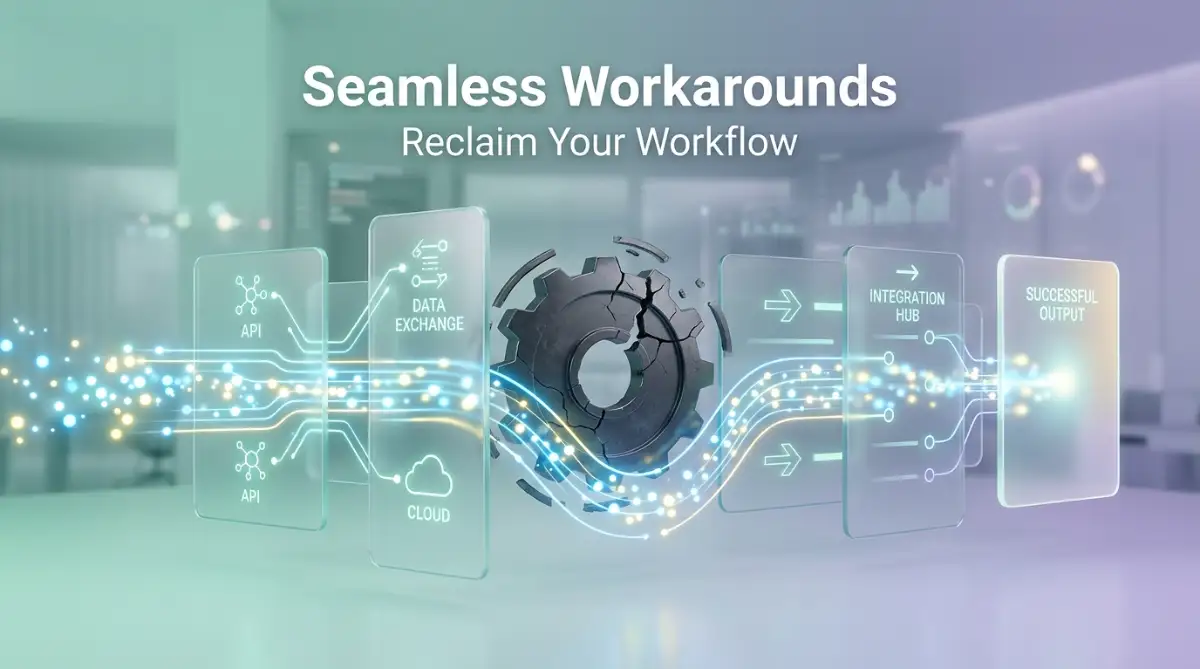
Where Good Intentions Fail: The Dark Side of App Bridging
Setting up software workarounds is highly rewarding, but the path is filled with hidden traps. When we try to force incompatible tools to communicate, we sometimes create bigger problems than the ones we started with. Understanding these common traps is the only way to protect your digital workspace.
I once woke up to find my email inbox completely frozen and locked out by my provider. A simple integration I built had malfunctioned overnight, sending exactly four thousand blank emails to my team's internal message board. The panic I felt that morning completely changed how I approach software bridging.
We often assume that once a connection is active, our job is done forever. This false sense of security causes us to ignore warning signs until our entire system crashes. Let us explore the most dangerous pitfalls you need to avoid when building your own custom integrations.
The Nightmare of the Infinite Automation Loop
The absolute worst mistake you can make is creating an infinite data loop. This happens when two applications are set up to constantly update each other based on the same trigger. It is the digital equivalent of two people standing in a doorway saying, "After you," over and over again.
For example, you set App A to update App B whenever a task name changes. Then, you set App B to update App A so the information stays perfectly synchronized. The moment you change one letter in App A, the system fires a message to App B.
App B receives the message, registers a change, and immediately fires a message back to App A. This loop will trigger thousands of times per minute, completely draining your API limits and often crashing both applications. Always design your automations to flow in one single direction to prevent this chaos.
Ignoring Data Privacy and Compliance Standards
When you use third-party platforms to move your information, you are essentially handing your data to a stranger. Many people completely ignore the privacy policies of the middleman tools they use to bridge their apps. If you are handling sensitive client information, medical records, or financial details, this is a massive risk.
Some free automation tools clearly state that they have the right to analyze the data passing through their servers. If you blindly connect your company database to a random free tool, you might accidentally leak confidential records. You must verify that your integration tools follow strict security guidelines.
Organizations like the National Institute of Standards and Technology offer clear guidelines on secure data sharing. Taking a moment to understand basic encryption and secure webhooks will protect you from severe legal and professional consequences down the road. Always prioritize security over convenience.
Building Systems That Nobody Else Understands
There is a huge danger in creating a workflow that only makes sense inside your own head. You might build an incredibly clever series of webhooks, email parsers, and custom scripts that work flawlessly for you. But what happens when you go on a two-week vacation?
If a connection breaks while you are away, your team will have absolutely no idea how to fix it. They will be staring at a broken system, completely paralyzed because the original native sync was replaced by your complex workaround. This bottleneck hurts the entire team's performance.
Whenever you implement a workaround, document it clearly in a shared company folder. You can find excellent templates and tech guides on global24info to help you structure these documents properly. Keep your explanations simple, so any new employee can read them and understand exactly how the tools communicate.
Failing to Plan for Sudden Software Updates
Software companies update their platforms all the time. They change button locations, alter data formats, and occasionally completely rewrite their API codes. When a major update happens, there is a very high chance your custom workaround will instantly break.
If you rely heavily on screen-scraping macros or exact web layouts, your system is highly fragile. A tiny design update from the developer will throw your entire workflow off track. This is why relying on raw data transfers, like simple text files or standard webhooks, is always safer.
You must build flexibility into your digital life. Set a calendar reminder every few months to manually review your active integrations. Checking them proactively ensures you are never caught off guard during an important project deadline.
Your New Blueprint for a Stress-Free Digital Environment
Dealing with software that refuses to cooperate is incredibly frustrating, but you are now equipped to handle it like a professional. You no longer have to wait helplessly for developers to release official updates. You have the knowledge to build your own bridges and take full control of your data.
The key to success is starting very small and moving slowly. Do not try to automate your entire life in one single afternoon. Pick the one broken connection that annoys you the most, and apply a simple middleman tool or an email parsing rule to fix it.
Once you see that first piece of data magically appear in the right place, your confidence will grow immensely. According to research from Stanford University's organizational behavior department, reducing minor daily frictions significantly improves long-term career satisfaction. You are not just fixing software; you are actively protecting your mental energy.
Remember to keep your systems clean, document your steps, and always test with fake data first. The goal is to make technology work seamlessly for you, not the other way around. By applying these smart workarounds, you transform your messy workspace into a beautifully synchronized digital brain.
My Personal Takeaway: I spent years feeling completely overwhelmed by my own digital tools until I finally stopped trying to force them to be perfect. The day I embraced these simple, custom workarounds, my daily stress vanished, and I finally got my creative energy back. I truly hope this guide helps you reclaim your time and find that exact same peace of mind today.
Common Questions About Software Interoperability
Why do software companies block direct integrations?
Many companies intentionally restrict data sharing to keep you locked inside their specific ecosystem of products. They want you to buy their premium add-ons rather than easily connecting to a competitor's cheaper tool.
Is using a third-party automation tool safe for my business?
It is generally very safe if you use reputable, enterprise-grade platforms that prioritize end-to-end encryption. However, you should always review their privacy policy carefully before passing highly sensitive client data through them.
Do I need to learn how to code to use custom webhooks?
Not at all, as modern webhooks simply require you to copy a web address from one app and paste it into another. The software platforms handle all the complex coding and data packaging completely out of sight.
What should I do if my automated data sync suddenly stops working?
The very first step is to check the error logs within your middleman software to see exactly where the failure happened. Usually, simply reconnecting your account or refreshing your login credentials will instantly solve the problem.
Can I connect ancient legacy software to modern cloud tools?
Yes, you absolutely can connect older tools by relying on automated file exports or robotic screen-recording macros. Even if an application has no internet connection capabilities, you can usually extract data using scheduled CSV spreadsheet files.
Disclaimer: This article is for informational and educational purposes only. The strategies and third-party tools mentioned are based on personal experience and general industry practices. Always ensure that any automated data transfer complies with your organization's security policies and local data privacy laws. We are not responsible for any data loss or account suspensions resulting from custom software integrations.


