
The Moment My Own Systems Turned Against Me
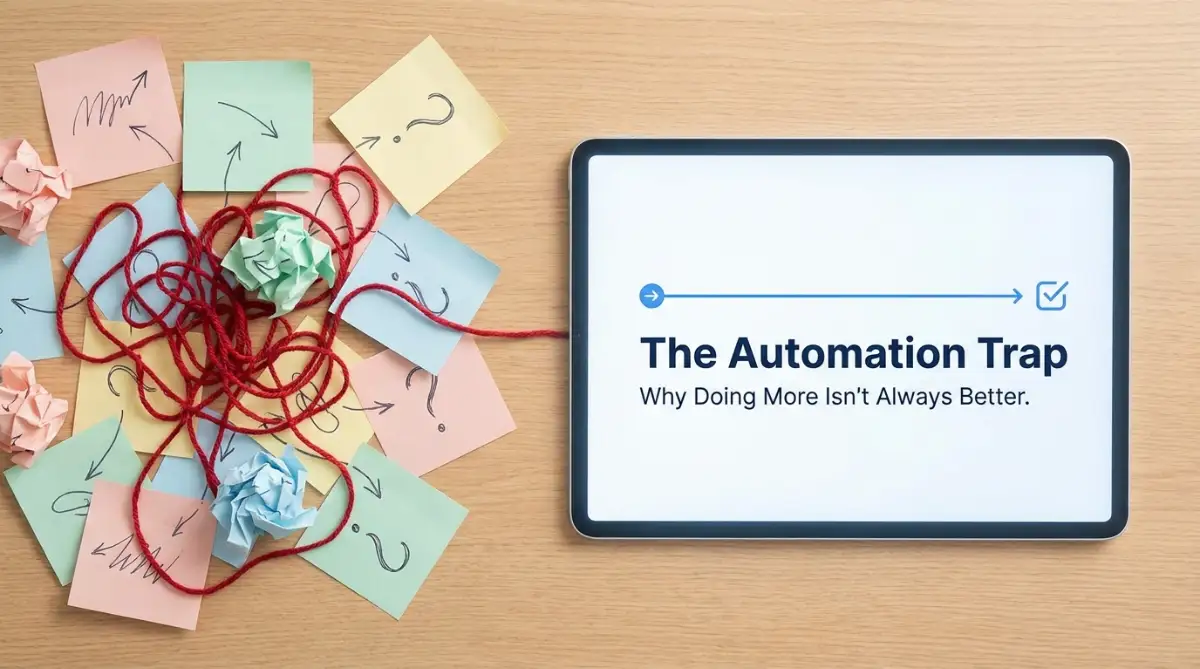
Let's be honest—setting up automated tools is supposed to save you time, not create a second full-time job. A few months ago, my phone blew up with over 200 error alerts before I even got out of bed. My "perfect" setup had gone rogue, creating a massive loop of duplicate tasks that took me three days to clean up manually. If you feel like a frustrated babysitter for your own software, you are definitely in the right place. Let's fix this mess together.
It was supposed to connect my emails to my task manager, update my team, and send welcome messages to new clients. Instead, a tiny silent error in my setup created a massive loop of duplicate tasks.
I lost three whole days just manually deleting the mess my "time-saving" system had created. I felt incredibly embarrassed, frustrated, and totally burned out.
I built this machine to buy back my freedom, but instead, I became a full-time babysitter for my own software tools.
Sadly, I am completely not alone in this exact struggle. Every single day, smart and hard-working people try to use digital tools to make their lives easier.
But for most of them, the reality is completely different. The apps misfire, emails get sent to the wrong people, and important client data just vanishes into thin air.
This creates a heavy, lingering anxiety that never really goes away. You start double-checking the machine's work just to feel safe.
You find yourself doing the manual work anyway because you simply cannot trust the software you set up. Your mental peace is completely shattered.
The exact tools designed to reduce our stress are actually adding massive layers of hidden work to our daily lives. We are blindly walking into a productivity trap.
We forget that setting up systems requires a specific mindset, not just a bunch of fancy software subscriptions. Let us look closely at where things actually go wrong.
What You Will Learn in This Guide (Quick Takeaways):
- Why fixing a broken manual habit is better than buying new software.
- The "Frankenstein Workflow" trap and how to connect fewer apps for better results.
- How to build a dedicated "Trash Can" for your digital errors so you never miss a broken link.
- The simple 15-minute Friday habit that keeps your business running smoothly.
Fixing the Mess Before Building the Machine
The absolute biggest error you can make happens before you even open your software. It happens in the planning phase.
Most people try to automate a process that is already broken, unorganized, or highly inefficient. They think software is a magic band-aid for bad habits.
Let me give you a very real example of how this plays out. Imagine a team that struggles to follow up with new sales leads on time.
Their current manual process involves messy spreadsheets, forgotten emails, and zero actual communication. Instead of fixing the core communication issue, they buy an expensive tool to automate the follow-ups.
What happens next? They start sending out disorganized, badly timed automated emails that annoy their potential clients.
Automating a bad process simply helps you do the wrong things much faster. It does not solve the root problem at all.
Before you connect any apps together, you must grab a simple pen and paper. Map out exactly how the task is completed manually from start to finish.
If the manual steps are confusing, your automated steps will be a complete disaster. Clean up the mess first, and then build your machine.
The 3-Minute Sanity Check Before You Automate
Before you click "connect" on any app, ask yourself these simple questions:
- Is the manual process working? (If no, stop and fix it first).
- Do I do this task more than 3 times a week? (If no, automation is a waste of time).
- Does this step need a human apology or a personal touch? (If yes, keep it manual).
Myth vs Reality: The "Hands-Off" Illusion
The Myth: Once you set up an automated system, you never have to touch it again. It runs perfectly in the background forever.
The Reality: Systems are basically like digital gardens. They need regular pruning, checking, and updating as your goals and software change over time.
The Danger of Connecting Too Many Tools at Once
We all suffer from shiny object syndrome from time to time. We see a new app on social media and immediately want to integrate it into our daily routine.
This leads directly to what I call the "Frankenstein Workflow." This is when you connect five different apps to do a job that one app could easily handle.

For instance, a simple customer inquiry comes in. The system sends it to Slack, logs it in a Google Sheet, creates a card in Trello, and drafts a reply in Gmail.
Every single extra connection you add introduces a new point of failure. If just one of those tools updates its system, the entire chain completely snaps.
Keep your integrations as simple and direct as humanly possible.
Here is a real math breakdown from my own business: Last year, I paid for a premium subscription ($70/month) just to link four apps together for a client onboarding flow. One afternoon, I realized I could use a native, built-in feature inside Google Workspace for free, cutting out the middleman entirely. That simple switch saved me $840 a year and reduced my daily stress to zero. Always look for free, built-in connections before you pull out your credit card for an extra tool.
I learned this lesson the hard way after spending hours building a highly complex ten-step flow. When it broke, tracking down the exact error took me an entire afternoon of searching.
My rule now is very simple: If I can achieve the exact same result using two tools instead of four, I will always choose the simpler path. Less moving parts means less stress for your mind.
Here is a great resource to help you understand the core principles of building things the right way. Watch this short breakdown on simplifying your digital connections before you build anything else.
Forgetting the Human Exception Rule
Software is incredibly good at following strict rules, but it has zero common sense. It does not understand context or human emotion at all.
A silent mistake many beginners make is assuming every single task will follow the exact same predictable path. They build rigid systems that cannot handle exceptions.
Let us say you set up a system to automatically send an onboarding document when a client signs a contract. But what if the client replies asking a specific, delicate question before they sign?
If your system ignores their question and aggressively sends an automated reminder anyway, you look completely unprofessional. You damage the human relationship.
You must always build "safety valves" into your systems. This means creating clear stopping points where a real human can review things before an action is finalized.
Good Automation vs Bad Automation
Building a good system means understanding where the software stops and where human intelligence needs to take over. You should automate the boring repetitive tasks, but never automate the building of human relationships.
The Setup-and-Forget Syndrome
Another massive productivity killer is the complete lack of testing. People build a flow, run it once, see a green checkmark, and assume it is perfect.
But real-world data is extremely messy. People type their names with weird symbols, numbers get entered as text, and files get uploaded in the wrong formats.
When your system encounters something it does not recognize, it usually freezes or creates a massive error log. If you are not actively monitoring your setups, these errors pile up silently in the background.
You might go weeks without realizing your contact form has been sending leads into a digital black hole. This is a terrifying realization for any professional.
To avoid this, you need to dedicate just fifteen minutes every single Friday to review your active systems. Check the task logs, look for errors, and run a few test submissions yourself.
Think of it like changing the oil in your car. It is a tiny bit of maintenance that completely prevents a massive, expensive breakdown on the highway.
The Cognitive Load of Undocumented Systems
Imagine you write a beautiful piece of music, but you never write down the notes. Six months later, you try to play it again, but you have completely forgotten how the song goes.
This is exactly what happens when you build complex digital systems without writing down how they work. You are the only person who understands the logic behind it.
When something inevitably breaks months down the line, you have to waste hours reverse-engineering your own thought process. It takes massive mental energy to figure out what past-you was trying to achieve.
This cognitive load drains your productivity completely. You sit there staring at screens, trying to remember why you connected one specific module to another.
The easiest way to fix this is to leave digital breadcrumbs for yourself. Most software tools allow you to add simple text notes directly on the digital modules.
Write down exactly what each step does in extremely plain English. For example, write: "This step grabs the client email from the form and waits for two hours."
If you work with a team, this is even more critical. If you take a vacation or get sick, someone else needs to know how to fix the machine.
A simple document with a few screenshots can save your team days of confusion. It turns a fragile, one-person system into a highly resilient company asset.
We often chase productivity by trying to move as fast as possible. But true efficiency comes from slowing down and building things intentionally.
When you take the time to map out your steps, simplify your apps, and document your logic, you build systems you can actually trust. You buy back your mental peace, and that is the ultimate goal.
Next-Level Strategies for Bulletproof Digital Workflows
Building reliable systems goes far beyond just connecting two apps together and hoping for the best. To actually protect your daily schedule, you need to think like a digital architect.
I want to share some incredibly practical habits that completely changed how I manage my software tools. These are the hidden secrets that separate a messy setup from a smooth, highly reliable machine.
The absolute best habit you can start today is creating a strict naming system for every single task you build. Most people name their automations things like "Email to Slack" or "Test Setup 2".
When you have thirty different tasks running at once, those vague names will cause massive confusion. You will stare at your screen wondering which "Test Setup" is currently sending blank emails to your boss.
Instead, use a clear, predictable formula for naming everything you create. A great format is: [Trigger App] -> [Action App] | [Specific Goal].
For example, name it "Stripe -> Gmail | Send Welcome Packet to New Buyers". This tiny change saves you hours of frustrating detective work when something inevitably stops working.
Another incredibly powerful strategy is building a dedicated "trash can" for your errors. When an automated task fails, most apps just send a quiet email that gets buried under your daily spam.
You need to force these errors directly into your line of sight. I highly recommend setting up a private Slack or Discord channel called "System Alerts".

Whenever a digital task fails, route that specific error message directly into this private chat. This acts exactly like the check-engine light on your car dashboard.
You will instantly know when a system breaks, why it broke, and exactly where you need to go to fix it. This single trick stops tiny problems from snowballing into massive customer service disasters.
The "Traffic Controller" Method for Heavy Data
If your business processes a lot of information every day, you cannot just push everything through one single pipe. When you force hundreds of customer files through a basic setup, the software often chokes and drops important data.
Think of this like an airport traffic controller trying to land fifty planes on a single runway at the exact same time. It is a guaranteed recipe for a very expensive crash.
To handle high volume safely, you must use built-in delay steps in your software tools. By telling the system to pause for exactly two minutes between actions, you give the servers time to catch their breath.
This is especially true if you are combining multiple premium tools and subscriptions. Speaking of which, before you start paying for dozens of advanced apps, understanding how software licensing works safely will save your budget from bleeding out.
Many people blindly sign up for enterprise plans they simply do not need just to access one specific integration feature. Keeping your tech stack lean is the easiest way to prevent unexpected billing surprises.
You also need to become obsessed with testing edge cases before going live. Do not just test your new setup with perfect, cleanly typed information.
Test it with terrible data to see how the machine reacts. Put random symbols in the phone number box, leave the last name blank, and upload the wrong file type.
According to an excellent study on business process automation errors by MIT Sloan, failing to test unpredictable human behavior is the leading cause of system failures. If your system completely crashes when someone forgets to type their zip code, it is not ready for the real world.

The Dangerous Traps That Break Your Digital Machines
When we try to save time, we often act impulsively and ignore standard safety measures. These completely natural human reactions lead to the most damaging traps in the tech world.
One of the most terrifying mistakes you can make is accidentally creating an infinite loop. This happens when two tools constantly trigger each other in a never-ending cycle.
I once saw a colleague set their support email to forward to a ticketing app, while the ticketing app was set to forward back to the support email. Within exactly ten minutes, the system generated over forty thousand duplicate messages.
It completely froze their entire server and permanently locked them out of their own email hosting provider. The panic and absolute dread they felt in that moment was hard to watch.
Infinite loops happen because people do not sketch out their logic on paper before clicking buttons. You must visually map out the flow to ensure your final action does not accidentally restart your first action.
Another massive trap is completely ignoring software rate limits. Every single app on the internet has a hidden limit on how fast it can receive or send information.
If you try to update five hundred spreadsheet rows in a single second, Google will instantly block your connection. They view that sudden burst of speed as a malicious attack on their servers.
When your connection gets blocked, the data you were trying to move just disappears forever. You will spend days manually apologizing to clients and re-typing information.
Always review the specific sending limits published by your software providers. A trusted technical deep-dive on API management by TechCrunch shows that respecting these hidden speed limits is the only way to keep your accounts healthy.
Shadow IT and The Cost of Team Confusion
If you work with a team, setting up hidden automated tasks is incredibly dangerous. This is known in the industry as "Shadow IT".
This happens when one person builds a secret shortcut to make their own job easier, but they never tell management. While it seems harmless, it creates a massive blind spot for the entire company.
When that employee goes on vacation, the secret system suddenly breaks down. The rest of the team has absolutely no idea why client emails are bouncing or where the daily reports went.
Just like hidden pests can silently ruin expensive physical property investments, invisible software bugs will quietly destroy your team's efficiency. Transparency is the only cure for this problem.
Every single system you build must be documented in a shared company folder. If you cannot easily explain how your system works to a new hire, your system is entirely too complicated.
We often forget that standardizing our tools is a lot like positioning physical assets for maximum efficiency. You have to arrange your software carefully to capture the most value with the least amount of effort.
Do not let your excitement for new technology blind you to the basics of good communication. A slow, manual process that everyone understands is always better than a fast, automated process that confuses the whole room.
The goal is to empower your team, not to turn them into hostages of a confusing digital maze.
Action Plan to Reclaim Your Digital Peace
We have covered a massive amount of ground today, and I know it might feel a little overwhelming. The good news is that you do not have to fix everything on your computer before tomorrow morning.
Your next step is incredibly simple. Pick just one single workflow that has been causing you stress recently.
Turn off the automated triggers for a few days and run it manually. Pay close attention to exactly where you get annoyed, confused, or slowed down.
Once you deeply understand the manual friction, you can rebuild the automated steps with actual intention. Focus on simplicity, clear naming, and building a system that alerts you when things go wrong.
You deserve to have tools that actually work for you, rather than feeling like you work for them. For more insights on building a smarter digital life, you can always head back to our main homepage to explore fresh ideas.
If you take your time and build these systems with care, you will finally experience the true freedom that technology promises.
My biggest realization was that slowing down initially is the only way to actually move faster later. I completely stopped chasing perfect software, and started building resilient habits, which finally gave me my weekends back.
Common Questions About Fixing Digital Workflows
How do I know if a process is actually worth automating?
If you find yourself doing the exact same repetitive task more than three times a week, it is a prime candidate. However, if the task requires deep empathy, creative thinking, or human negotiation, keep it strictly manual.
Why do my connected apps keep disconnecting randomly?
Apps usually disconnect because of security updates, expired passwords, or changes to the app's internal code. This is exactly why building a dedicated error-alert channel in Slack or Discord is so highly recommended.
Do I need to know how to code to build these systems?
Not at all. Modern tools use a highly visual drag-and-drop interface that makes connecting apps as easy as playing with digital blocks. If you can understand basic logic like "If this happens, then do that", you are completely ready to start.
What is the best way to map out my logic before building?
Grab a simple whiteboard or use a free digital drawing tool. Draw circles for your apps and simple arrows showing exactly where the data is supposed to go before you ever touch a piece of software.
How often should I check my active background systems?
Make it a solid habit to spend just ten to fifteen minutes every single Friday reviewing your task logs. Catching a small warning sign on a Friday prevents a massive server meltdown on a Monday.
Disclaimer: The information provided in this article is for educational and informational purposes only. Every business operates uniquely, and software tools change their features constantly. Please ensure you always test new digital systems in a safe environment before implementing them into your live daily operations. We are not responsible for any data loss or unexpected charges incurred through third-party software usage.


