The Hidden Trap in Everyday Software Building
Imagine putting months of sweat, late nights, and endless coffee into building an app, only to realize a single piece of copied code means you have to give your entire project away for free. Sounds like a total nightmare, right? Sadly, this happens to indie developers every single day just because they ignore the tiny text files attached to "free" software. Let's talk about how you can grab the best community tools online without accidentally signing away the rights to your hard work.
That terrifying experience taught me a lesson I will never forget. You see, we developers love finding quick solutions online. We pull resources, copy snippets, and integrate third-party tools to make our lives easier. But most of us completely ignore the legal warnings attached to these tools.
When you use someone else's work without understanding their specific rules, you are walking on very thin ice. The constant worry of getting a cease-and-desist letter can easily destroy your mental peace. You might think you are just building a simple app for fun, but the legal system does not care about your intentions.
Imagine waking up to find out your most successful app has been taken down because you missed a single line of text in a text file hidden deep within your project folders. This is the harsh reality thousands of everyday creators face. People are losing their hard-earned money, their accounts are getting banned, and their professional reputations are being ruined over simple misunderstandings.
Have you ever stared at a "terms of use" document and felt like you were reading an alien language? Why does it have to be so complicated just to use a simple user interface component? How can you possibly protect your own hard work while still benefiting from community tools?
These questions used to keep me awake at night. The fear of doing something wrong accidentally is a heavy burden to carry. But the good news is that you do not need an expensive lawyer to figure this out.
What You Will Learn in 3 Minutes:
- Why borrowing "free" code can legally force you to give away your private app.
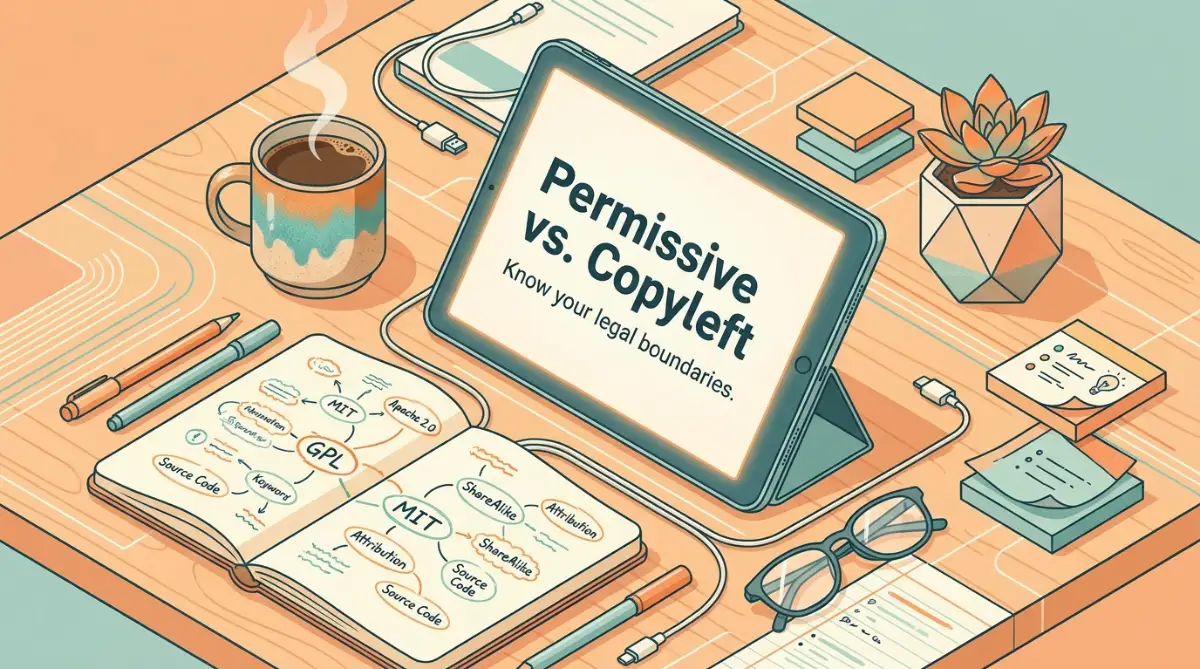
- How to quickly spot the difference between safe tools (MIT/Apache) and strict traps (GPL).
- The exact automated scanners you need to catch sneaky legal rules hiding in your folders.
- How to use the "clean room" trick to fix a messy code problem safely.
Decoding the Legal Jargon Without a Law Degree
Let us break down this massive wall of confusion into small, manageable pieces. Think of community-shared software like borrowing tools from your neighbors. Some neighbors are incredibly relaxed and just want a simple "thank you" when you return the hammer.
Other neighbors have very strict rules. They might say, "You can use my hammer to build your house, but only if you leave your front door open for everyone else to enter." This basic idea is the foundation of all digital legal agreements you will encounter as a creator.
We need to look closely at these different types of neighbors. By understanding their personalities, you can easily avoid stepping on the wrong toes.
The Relaxed Neighbor: Permissive Agreements
When you see terms like MIT or Apache, you can breathe a sigh of relief. These are the relaxed neighbors of the digital world. They basically give you the freedom to do almost anything you want with their work.
You can modify their work, sell it, and include it in a closed, private project. The only real requirement is that you give them credit. You just have to leave their original name and copyright notice inside your project files.
This means if you are building an app that you plan to sell on a subscription basis, you want to actively look for these types of relaxed resources. They give you maximum flexibility with almost zero headaches.
Quick Cheat Sheet: The Open Source Neighborhood
Here is a fast breakdown so you know exactly what you are dealing with when you open a license file:
The Strict Landlord: Copyleft Rules
Now we get to the tricky part. Whenever you see the letters GPL, red warning lights should immediately flash in your head. These rules are designed to force everything to remain open and public forever.
If you take a tool with a GPL rule and mix it into your private, money-making software, you have triggered a chain reaction. The rule acts like a virus, infecting your entire project.
Suddenly, your private code is legally required to become public. Anyone who buys your software can demand to see your exact source files and share them for free. For a commercial business, this is a complete disaster waiting to happen.
Pro Tip: I always keep a separate spreadsheet just to track where I get my external resources from. Before writing a single line of code, I check the rules of the library and log it in my sheet so I never get a nasty surprise later.
How to Audit Your Dependencies Before Trouble Hits
Watch this quick breakdown to understand how automated scanners can save your project from unexpected legal nightmares.
You cannot possibly read every single text file when a modern project pulls in hundreds of tiny external packages automatically. Manually checking them is a complete waste of your valuable time.
Instead, you need to set up smart guardrails. Just like you would install a smoke detector in your kitchen, you must install automated checkers in your workspace.
These smart tools scan your entire project folder in seconds. They read all the hidden text files and highlight exactly which rules you have accidentally agreed to.
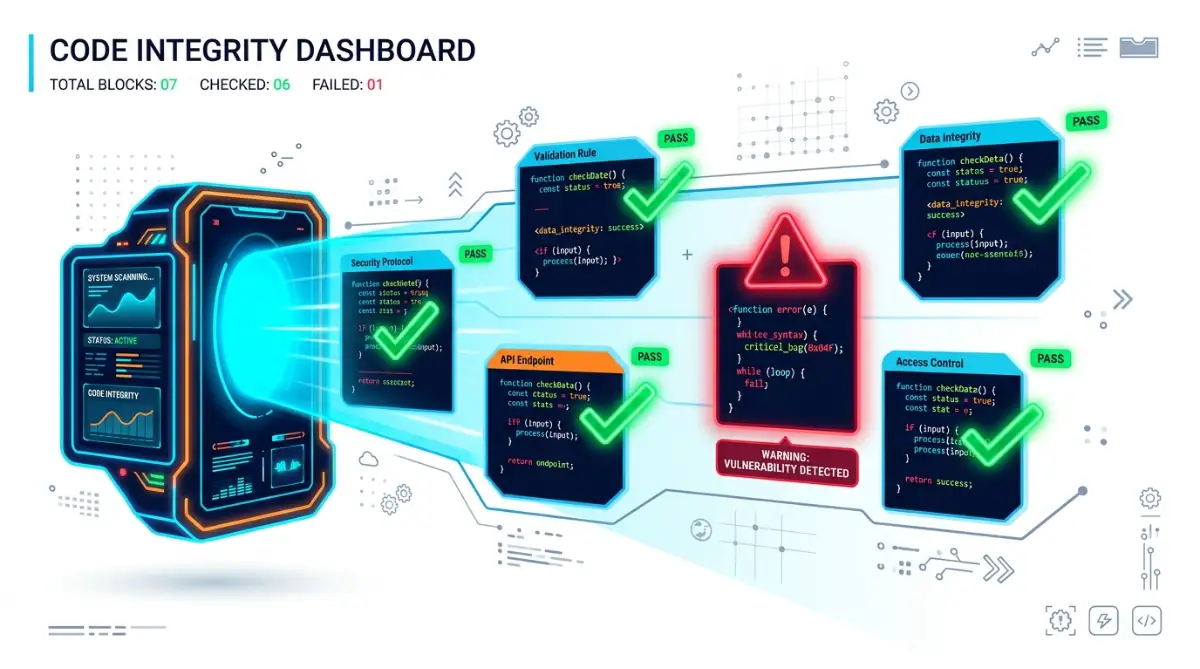
If they spot a strict GPL rule hiding inside a tool you thought was totally free, the scanner will stop your work and alert you. This gives you the chance to remove the dangerous file before you share your project with the public.
Real-Life Scenarios You Might Face Tomorrow
Let us look at a very common situation. You are building an artificial intelligence automation tool for small businesses. You find a brilliant pre-trained model online that does exactly what you need.
You download it, plug it in, and your app works perfectly. But did you check the specific permissions attached to that AI model? Many modern machine learning resources strictly forbid commercial use.
They allow students and researchers to play with them for free, but the moment you try to charge a customer, you are breaking the law. If the original creators find out, they can demand all the money you earned using their work.
To stay safe, always look for the word "Commercial" in the permission file. If it says non-commercial only, you must walk away immediately and find an alternative solution.
Myth vs Reality in the Digital Community
Myth: If something is published publicly on a community website, it is entirely free to use however I want.
Reality: Public visibility does not equal public ownership. If a project has no permission file attached to it at all, default copyright laws apply. This means you legally have zero right to use it, copy it, or modify it.
Always look for a clear, written rule. Never assume that a blank space means you have a green light to proceed.
Setting Clear Boundaries for External Contributions
What happens when other people want to help improve your project? If you manage an open project, strangers might submit their own improvements to you.
This sounds amazing, but it can create a legal mess. If a stranger gives you a piece of code, who legally owns that specific piece? Can they come back next year and sue you for using it?
To prevent this nightmare, smart creators require contributors to sign a simple digital agreement. This document basically says, "I give you full permission to use my contribution in your project forever."
Having this simple digital signature protects you from angry contributors who might change their minds in the future. It acts as an unbreakable shield for your growing business.
Mixing Different Rules Together
Another major headache occurs when you try to mix two different tools that have conflicting rules. It is like trying to play a game where half the players are following football rules, and the other half are following basketball rules.
For example, you cannot take a strict GPL tool and combine it with a tool that forbids public sharing. The two rules cancel each other out, making it legally impossible to use them together.
Before you merge two major resources, always check if they are legally compatible. There are plenty of free online charts that clearly show which rules can mix safely and which ones will cause an explosion.
Creating Your Own Clear Pathway
Now, put yourself in the shoes of the creator. When you build something amazing from scratch and want to share it with the world, you must attach your own rulebook.
If you want massive adoption and want companies to love you, choose a relaxed MIT agreement. If you want to force everyone to share their improvements back to the community, choose a stricter rule.
Never leave your project naked on the internet without a rulebook. It confuses other developers and prevents them from using your brilliant work because they are afraid of getting sued.
Take five minutes to generate a standard text file using free online generators. Drop it into your main folder, and you instantly look like a reliable professional.
The Importance of Team Communication
If you work with a team or hire freelancers, you cannot be the only person who understands these boundaries. You must train your team to recognize the danger signs.
A single junior developer pulling in a bad resource can sink an entire company. Make it a strict policy that no one adds a new external tool without getting the specific rulebook approved first.
Keep your communication clear and simple. Create a basic list of "Approved" and "Banned" rules for your internal team to follow. This removes the guesswork and keeps everyone moving fast without breaking things.
Building a Safety Net for the Long Haul
Treat every external resource like a contract. Read the first paragraph, understand the basic limitations, and respect the boundaries set by the original author.
When you adopt this mindset, the fear completely disappears. You stop worrying about unexpected lawsuits and start focusing on what you actually love doing: building amazing things.
By setting up automated scanners, keeping a log of your tools, and choosing the right rules for your own work, you create a permanent safety net. You can sleep peacefully at night, knowing your digital empire is built on a solid, legally sound foundation.
This basic knowledge is your ultimate superpower in the digital economy. It allows you to move quickly, borrow brilliant ideas safely, and build successful products without ever looking over your shoulder.
Dealing with Outdated or Abandoned Tools
Sometimes you will find a spectacular tool that solves your exact problem, but the creator has abandoned it. The last update was years ago, and there is no clear rulebook attached.
Your first instinct might be to just use it and hope nobody notices. I strongly advise against this. An abandoned project is basically a ghost town, and taking things from a ghost town can still get you in trouble if the owner suddenly returns.
If you really need that specific tool, try reaching out directly to the original creator. Send a polite email explaining your situation and asking for explicit written permission to use their work.
If they do not reply, you have to walk away. It is incredibly frustrating to leave a perfect solution behind, but the risk of using undocumented work is simply too high. Always prioritize the long-term safety of your project over a temporary shortcut.
Managing Client Expectations
If you run a freelance business or an agency, you have a massive responsibility to your clients. When you hand over a finished website or application, the client assumes they own it completely.
If you secretly used strict community tools inside their project, you have unknowingly passed a legal timebomb to your client. When they try to sell their business later, the buyers will audit the software and discover the strict rules.
Your client will be furious, and they will come directly after you for compensation. To avoid this, always be totally transparent with your clients. Tell them exactly which external tools you are using and explain the basic rules attached to them.
Put this information in your final handover document. This level of honesty builds massive trust and positions you as a true professional who actually cares about their business safety.
Keeping Things Simple
You do not need to become an expert overnight. Start small. The next time you download a free resource, just take sixty seconds to open the text file usually named "LICENSE".
Read the first few lines. Does it sound relaxed, or does it sound strict? Over time, you will start recognizing the patterns instantly.
Building software should be a fun, creative journey. Do not let the fear of rules hold you back. Embrace these guidelines as simple guardrails that keep everyone playing fair in the digital world.
Mastering the Art of Clean Software Architecture
Once you understand the basic differences between strict and relaxed rules, you are already ahead of most beginner creators. However, if you want to build a serious digital business, you need to think like a professional architect.
Professionals do not just react to problems; they build systems to prevent them from happening in the first place. You need to establish a set of daily habits that keep your entire workspace clean and legally safe.
Let us look at some highly effective strategies that industry experts use to protect their digital assets. These methods might sound intimidating at first, but they are actually very easy to set up.
The "Clean Room" Development Strategy
Imagine you accidentally bring a piece of strictly regulated work into your private project. When the automated scanner flags this danger, you cannot just delete the file and pretend nothing happened.
Sometimes, seeing how someone else solved a problem permanently influences your own brain. If you try to rewrite the feature yourself right after looking at their strict work, you might accidentally copy their logic.
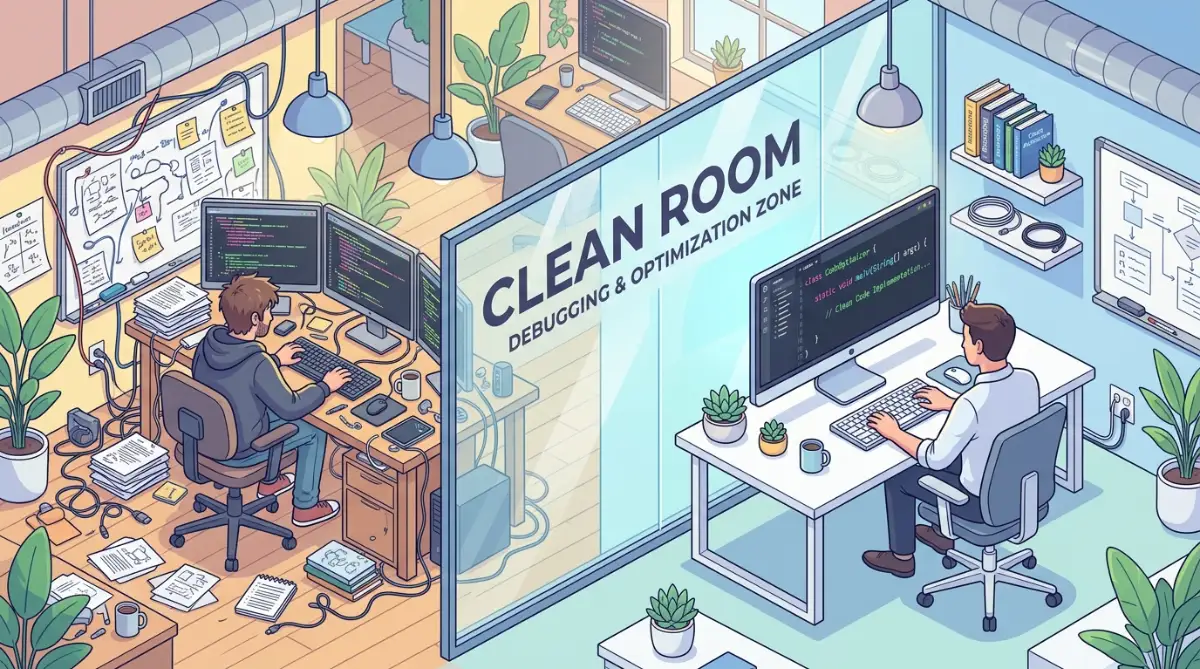
To avoid this entirely, experts use a "clean room" approach. This means if a dangerous tool is found, the person who deletes it is not allowed to write the replacement version.
Instead, they write down a simple description of what the feature needs to do. Then, a second person who has never seen the strict version builds the new feature from scratch. This completely separates your private work from the restricted rules.
Automating the Security Gates
If you manage a team, relying on human memory is a terrible idea. People get tired, they rush to meet deadlines, and they make silly mistakes.
This is why you must force every new addition to pass through an automated security gate. Every time a team member tries to add external work to your main project, the system should automatically scan the entire folder.
If the scanner finds a banned rule, it should physically block the update from saving. This automated guard dog protects your digital workflow without requiring a manager to manually check every single file.
Setting this up requires just a few clicks in most modern building environments. This single step ensures that human error can never compromise your long-term business goals.
Managing the Hidden Layers of External Tools
Here is a reality check that surprises many new developers. When you install a single external tool, that tool often relies on five other tools to function properly.
Those five tools might rely on twenty more tools. This creates a massive, hidden tree of dependencies that you never actually see on your screen.
You might check the main tool and see a perfectly relaxed MIT rule, but one of those hidden tools deep underground might carry a strict, dangerous requirement. If you ignore the hidden layers, you are leaving your back door completely wide open.
To handle this, you need scanners that dig all the way to the bottom of the tree. Understanding these deeper connections is exactly like learning about understanding global copyright boundaries—you have to look past the surface to see the real rules.
The Dual-Agreement Escape Hatch
Sometimes you will find a brilliant tool that carries a strict community rule, but the creator also runs a commercial business. This is known as a dual-agreement model.
They offer the tool for free to hobbyists with very strict public sharing requirements. However, if you want to use it privately to make money, they offer a paid, relaxed version.
This is a fantastic compromise for growing businesses. You can start by testing the free version in your experimental sandbox.
If your project becomes successful and you want to launch it commercially, you simply pay the creator for the relaxed rights. This keeps your project moving fast while fully respecting the original author's hard work and open source legal definitions.
The Dangerous Traps That Destroy Hard Work
Even with the best intentions, I have seen brilliant people lose months of hard work because they fell into common, avoidable traps. We often get so excited about launching our ideas that we completely ignore the warning signs.
These mistakes do not just cause slight delays. They can lead to massive financial penalties, forced public exposure of your private secrets, and a ruined professional reputation.
Let us walk through the most common pitfalls so you can steer clear of them. Recognizing these traps early will save you an incredible amount of stress.
The Copy-Paste Forum Trap
This is arguably the most common mistake made by everyday creators. You get stuck on a difficult problem, so you search the internet for a solution.
You find a random forum post where someone perfectly solved your exact issue in ten lines of text. You quickly copy that text, paste it into your project, and move on.
What you completely missed is that everything published on the internet automatically belongs to the person who wrote it. If that forum post did not explicitly give you permission to use it, you have just committed a copyright violation.
While it might seem like a harmless shortcut, doing this repeatedly fills your project with stolen property. Always trace the origin of every snippet and verify its legal status before dropping it into your own workspace.
Assuming "Non-Commercial" Means Free Forever
Many amazing digital resources are tagged with a specific rule that says "Non-Commercial Use Only." This sounds great when you are just building a fun weekend project in your bedroom.
However, things change fast. What happens if your weekend project goes viral and you decide to add a small subscription fee to cover your server costs?
The exact second you ask for a single dollar, or even just display advertisements on your platform, you become a commercial entity. Suddenly, that "free" tool you relied on is completely illegal for you to use.
I have seen startup founders forced to completely shut down their apps for weeks because an investor noticed a non-commercial restriction during an audit. Always plan for success and choose resources that allow your business to grow without artificial limits.
The Disaster of the Enterprise Audit
If you ever plan to sell your digital project or raise money from serious investors, you will face an enterprise audit. This is a terrifying process where outside experts rip your entire project apart to check for legal dangers.
If they find strict community rules mixed into your proprietary product, the deal will instantly fall apart. Investors will not give you money if there is a risk that your entire product must be legally given away for free.
I know a brilliant developer who lost a massive acquisition deal because he ignored his dependency logs. The buyers found a strict rule buried deep in his workspace, and they walked away immediately.
Stop Believing This Common Developer Myth
The Myth: "I found this code on a public GitHub repo with lots of stars, so it is basically public property."
The Fact: By default, if a public repository has no license file attached, standard copyright laws apply. You literally have zero legal right to copy, modify, or use that code in your own app. A blank space does not mean "free to use"—it means "look but don't touch."
Keeping a clean, documented list of your resources is exactly like having a solid finding reliable digital resources strategy. It proves to the outside world that you are a serious professional who runs a clean, organized operation.
Treating Documentation as an Afterthought
Many creators hate writing documentation. We just want to build things and see them work.
But failing to document where your external tools came from is a massive mistake. If a legal dispute ever arises, your memory will not protect you.
You need a simple text file or spreadsheet that lists every external tool, its version number, and the specific rule attached to it. Updating this list should become a mandatory part of your weekly routine.
Think of this documentation as your ultimate shield against managing open source risk. If someone accuses you of stealing, you simply point to your organized records to prove your innocence.
Failing to Educate the Junior Team
You might read this entire guide and become an absolute expert at managing digital boundaries. But what about the new person you just hired last week?
If your team members do not understand the difference between strict and relaxed rules, your entire project is at risk. A single innocent mistake by a junior team member can infect your whole system.
You must create a simple, readable guide for your internal team. Make it incredibly clear which rules are pre-approved and which ones are strictly banned from your company.
Creating this shared understanding protects your digital workflow from internal accidents. Education is always cheaper than hiring lawyers to clean up a messy mistake later.
Your Action Plan for Digital Peace of Mind
Managing external digital resources does not have to be a terrifying experience. Once you understand the basic personalities of these rules, the fear completely melts away.
You are no longer guessing in the dark. You now have the exact knowledge needed to protect your hard work while fully utilizing the incredible tools the internet has to offer.
The digital economy thrives on sharing, but it only works when everyone respects the boundaries set by the original creators. By setting up automated safety checks and keeping a clean record of your tools, you become a highly responsible and trusted professional.
Think of this process like setting up a smart energy system in your house. Just as you need a clear, safe method for converting natural energy into household electricity, you need a structured method for bringing external resources into your private workspace safely.
Having a solid legal compliance strategy is essentially like implementing a strict fire safety guide. It requires a little bit of setup today, but it completely prevents catastrophic disasters from burning down your business tomorrow.
You hold the power to build incredible things without constantly looking over your shoulder. By adopting these simple, highly effective habits, you guarantee that your digital projects will remain legally secure for years to come.
My journey through this confusing legal maze was stressful, but it taught me exactly how to protect my digital creations. I want you to take control of your workspace today, check your external tools carefully, and build your next big project with absolute confidence!
Common Questions About Software Compliance Rules
What happens if I ignore the rules on a free digital tool?
If you ignore the rules, the original creator can issue a legal takedown notice to remove your project from the internet. They can also sue you for copyright infringement, forcing you to pay heavy financial penalties. It completely destroys your professional reputation and puts your business at massive risk.
Can I mix two different types of open rules together?
You cannot always mix different rules together because some are legally incompatible. For example, a rule that demands public sharing cannot be combined with a rule that strictly forbids modifications. Always use free online compatibility charts to ensure your chosen tools can safely live in the same workspace.
Do I need a lawyer to understand these digital boundaries?
You absolutely do not need an expensive lawyer for everyday digital creation. By using automated scanning tools and reading the basic summaries of standard agreements, you can easily manage the risks yourself. Only seek a lawyer if you are preparing for a massive corporate acquisition or facing an active lawsuit.
Does giving credit to the creator protect me from legal trouble?
Giving credit is often a requirement for relaxed rules, but it does not protect you if you violate other specific terms. For instance, if a strict rule forbids commercial use, simply mentioning the author's name will not stop them from suing your business. You must read and follow every single condition listed in the permission file.
How do I legally remove a strict rule from my private project?
You cannot just delete the strict file and pretend everything is fine. You must completely remove the restricted work, erase any connected logic, and rebuild the feature entirely from scratch. Using a "clean room" strategy ensures that no trace of the restricted original logic remains in your final product.
Disclaimer: The information provided in this article is for educational and informational purposes only and does not constitute official legal advice. Software compliance rules and copyright laws vary significantly by region and specific circumstances. Always consult with a qualified legal professional or attorney before making critical business decisions regarding software licensing and intellectual property.


