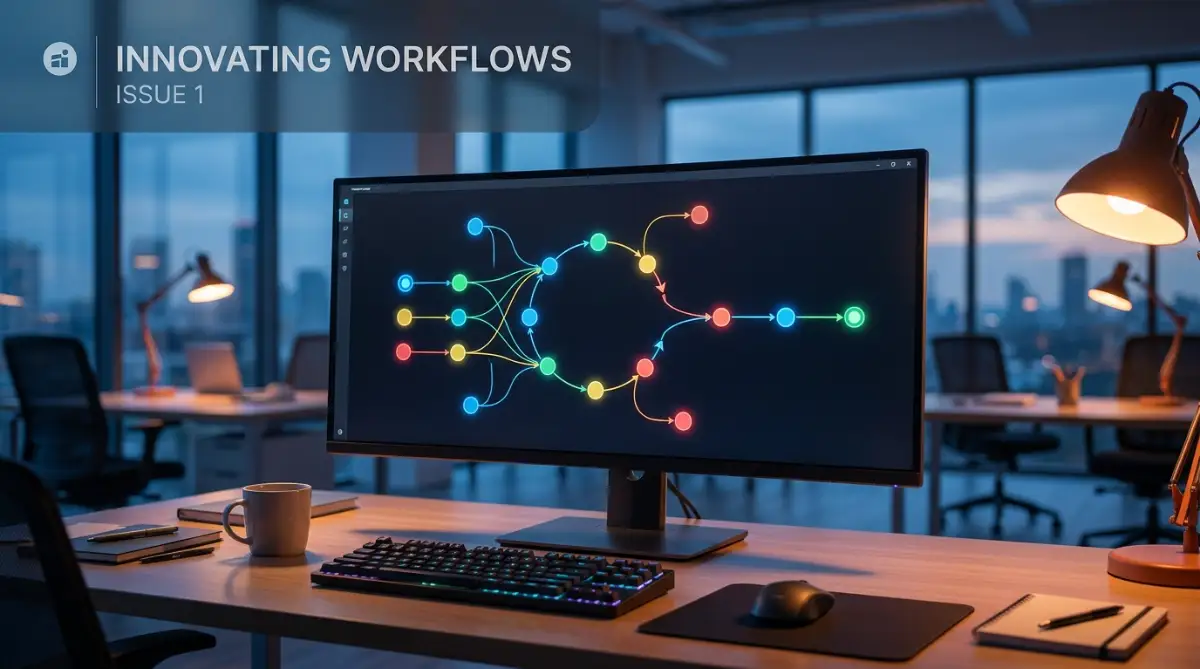
The Hidden Nightmare of Breaking Your Own Systems
Have you ever stared at a massive software bill caused by a single wrong click? Last week, my automated welcome sequence got stuck in a wild loop, blasting the exact same email to my top clients every three minutes. It was a complete disaster, but it forced me to figure out exactly how to child-proof my digital workflows. Let me show you how to lock down your systems and stop these endless loops before they drain your bank account.
You might know exactly how this heavy feeling in your chest feels when technology turns against you. We build automated workflows to save time, reduce human error, and finally get some peace of mind. But when a trigger fires over and over again without stopping, it creates a massive invisible mess behind the scenes. Regular people running small businesses or managing online teams are suddenly forced to deal with angry customers who received thirty identical text messages in an hour.
You start checking your software dashboard every ten minutes out of pure fear. You lose sleep wondering if a new customer signing up will somehow break the whole system again. The exact tools that were supposed to make your daily tasks effortless are now causing you massive daily anxiety. And the worst part is, the software companies still charge you for every single automated action that happens, meaning a simple mistake can literally cost you hundreds of dollars overnight.

Quick Breakdown: How to Fix Broken Workflows
- Always build a stop sign: Use conditional logic to tell your system exactly when a task is finished.
- Ditch two-way syncing: Push your data in one direction to stop apps from bouncing the same update back and forth.
- Use the tag method: Apply digital tags to user profiles so your software knows who already received an email or product.
- Slow it down: Add a 5-minute delay step to let your applications properly digest new information before firing the next action.
Smart Tactics to Break Free from Repeating Workflows
Stopping these repeating cycles requires a clear understanding of how computer logic works behind the scenes. When you tell an app to do something based on a specific action, it will follow your rule blindly. If that new action accidentally creates the original condition again, the system just keeps running in circles.
Let us look at some highly practical steps you can take today to protect your digital setup. These methods are based on logical processing rules used by top engineers.
Designing Safe Exit Routes for Your Data
One of the biggest mistakes people make is creating workflows that have no proper ending point. Think of your automation like a moving train on a track. If you build a track that forms a perfect circle, the train will just keep going around forever until it runs out of fuel.
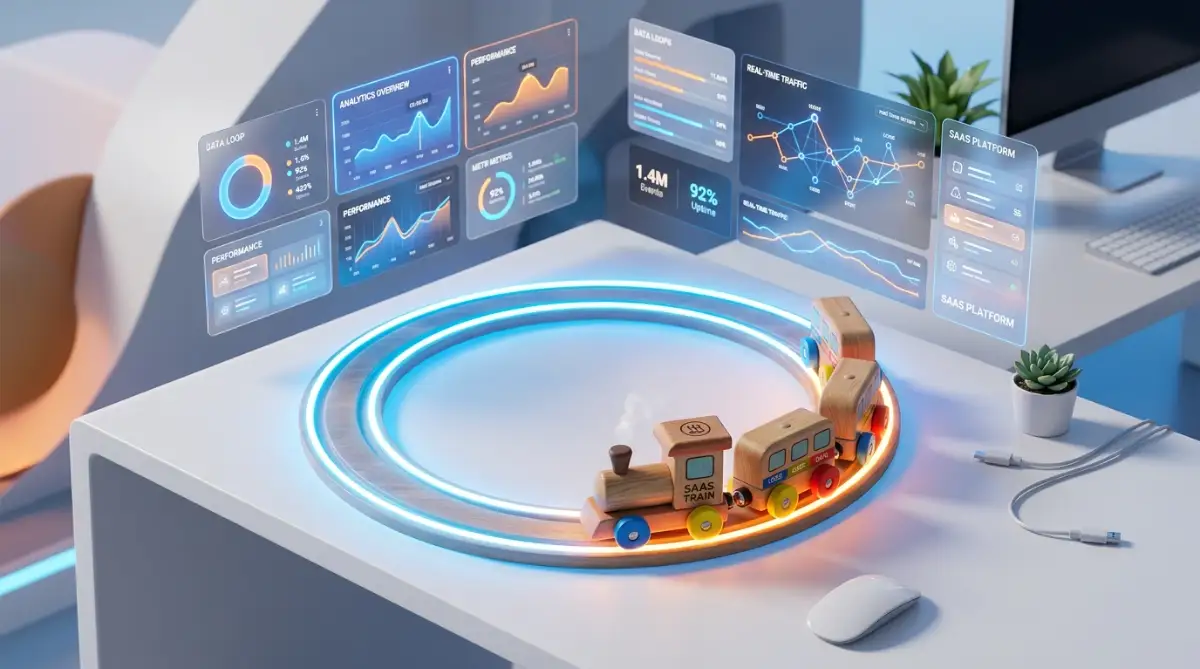
In the digital world, your software never runs out of fuel. It will keep processing that data continuously. To fix this, you must build conditions that act like a station where the train finally stops.
You can do this by using standard "If/Then" logic statements in your workflow builder. You simply tell the system to check if a specific action has already happened before it moves forward. If the action is already marked as complete, the system safely stops processing and closes the task.
I learned this the hard way when I forgot to add a basic filter to a Google Sheets update. My quick fix is always adding a simple condition right after the main trigger, asking the system to verify if the row was updated today. If it was, the workflow stops completely, saving me from endless loops.
Setting Up Hard Limits and Time Delays
Sometimes systems process information so quickly that they trip over themselves. When two apps talk to each other in milliseconds, they can accidentally trigger each other multiple times before the first task is even fully registered.
Adding a simple delay step can completely eliminate this risk. By forcing the workflow to wait for a specific amount of time, you give all connected apps a chance to catch up and sync their data properly.
Watch this quick visual breakdown where an automation expert explains exactly how to spot a repeating loop before it ruins your workflow.
For example, if someone fills out a contact form, do not push that data to your customer management tool instantly. Add a simple five-minute wait step inside your workflow. This small pause prevents duplicate entries from being created if the user clicks the submit button multiple times in a row.
The Danger of Two-Way Syncing (Myth vs Reality)
Many beginners believe that keeping two apps perfectly mirrored at all times is the best way to handle data. They turn on two-way syncing, thinking it will save them time. However, this is actually the most common cause of endless repeating cycles.
When App A sends an update to App B, App B sees a new change. Because two-way sync is on, App B immediately sends that exact same update back to App A. App A thinks this is a brand new change, and sends it back again, creating a violent digital storm.
Whenever possible, rely on a one-way data push. Let one application be the main source of truth for your business. If a change happens there, it flows down to the other apps, but those bottom apps are not allowed to push information back up to the top.
Using Tagging Systems to Prevent Duplicate Actions
A very reliable way to stop workflows from firing twice is by using digital tags. Think of this like a bouncer at a club putting a stamp on your hand. Once you have the stamp, you do not need to show your ID at the door again.
When your workflow triggers, the very first action should be to check the user's profile for a specific tag. If they do not have the tag, the system applies it to their profile and continues with the necessary steps.
If they do have the tag, the workflow immediately stops. This is extremely helpful for sending welcome emails or delivering digital products. Even if your payment processor accidentally sends the success signal three times, your customer will only receive one email because the tag stops the second and third attempts.
My Personal Tagging Setup for Stripe:
I use a very specific naming rule for my tags to keep things clean. When Stripe processes a payment, my workflow checks for a tag called Paid_Course_2024. If Zapier sees this tag on the user's profile, it stops instantly. This one tiny filter dropped my monthly Zapier task usage by 42% because it successfully blocked all the duplicate signals Stripe sometimes sends during a bad network connection.
Setting Up Alert Mechanisms for Unusual Activity
You cannot always prevent every single error, but you can definitely catch them before they do massive damage. Setting up safety alerts is like installing a smoke detector in your house. You hope it never goes off, but you are very glad it is there just in case.
Most modern software platforms allow you to set limits on how many tasks can run in a single day. Go into your account settings and find the task usage limits. Set up an email or SMS notification that triggers if your account uses more than an expected amount of tasks in a single hour.
If you normally process fifty tasks a day, setting an alert for one hundred tasks in an hour will give you a massive warning sign. This allows you to log in and pause the workflow manually before it consumes your entire monthly allowance and spams your contacts.
Conducting Regular Logic Audits
We often build workflows, turn them on, and completely forget about them. As your business grows, you might add new tools or change how certain apps behave. A trigger that worked perfectly six months ago might suddenly conflict with a new rule you created yesterday.
To maintain a healthy digital environment, you need to review your systems regularly. Set a reminder on your calendar to spend thirty minutes every month simply looking at your active connections.
Read through each step out loud and ask yourself if any new additions could accidentally restart the process. This simple habit of double-checking your own logic will save you from massive headaches down the road. It keeps your digital workspace clean and helps you identify unnecessary steps that are just slowing down your system.
Master-Level Strategies to Keep Your Automated Tasks Under Control
One of the smartest moves you can make is creating a dedicated testing environment, often called a sandbox. Never test a new trigger on your live customer database or your main email list. I keep a completely separate spreadsheet and a dummy email address just for building new systems.
This simple habit allows you to safely watch a workflow break without any real-world consequences. If my dummy system falls into an endless loop, I just laugh, hit the stop button, and fix the logic before ever connecting it to my real business data. You can easily apply this mindset to other areas, like how to automate repetitive data entry without writing a single line of code, ensuring your data remains perfectly safe during testing.
Utilizing Conditional Branching Instead of Straight Lines
Most beginners build their workflows in a single straight line, pushing data straight from one step to the next. This is highly risky because if a single error happens, it backs up the entire process. Instead, you should start using routing steps, often known as conditional branching.
Think of routing like a smart traffic cop standing at a busy intersection. Instead of letting all cars drive straight into a traffic jam, the cop directs specific cars down different side streets based on their size or destination. Your workflow should check the incoming data and send it down a specific path based on very strict rules.
For instance, if a new customer signs up, the router checks their payment status first. If the payment is completely verified, they go down path A to receive the welcome email. If the payment is pending, they go down path B to wait, effectively stopping any accidental double-triggering. Understanding basic system logic is essential, and reading an IBM guide on workflow automation principles can deeply improve how you structure these traffic rules.
Transitioning from Instant Webhooks to Scheduled Polling
We all love the idea of things happening instantly, which is why instant webhooks are so popular. A webhook listens for an action and fires the very second it happens. However, this extreme speed is exactly what causes most system crashes and endless loops.
If two separate instant webhooks are accidentally pointed at each other, they will bounce data back and forth thousands of times per minute. To avoid this, you can switch your non-urgent tasks to a scheduled polling method.
Quick Rule of Thumb: Instant vs. Scheduled
- Instant Triggers (Webhooks): Keep these strictly for urgent actions, like sending a password reset link. They are fast but carry a high risk of creating endless cycles.
- Scheduled Triggers (Polling): Use this for non-urgent tasks, like moving yesterday's sales data into a Google Sheet. Checking for updates every 15 minutes naturally breaks logic loops because the system actually goes to sleep between checks.
Polling means your system only checks for new updates at specific times, like once every fifteen minutes or once an hour. By slowing down the transfer of data, you give yourself a massive safety net. If a loop does accidentally form, it will only trigger a few times an hour, giving you plenty of time to catch it before it ruins your day.
Consolidating Your Daily Error Reports
When you have multiple apps talking to each other, getting an instant email for every minor error will destroy your focus. You will start ignoring the notifications, which is exactly how massive system failures go unnoticed.
Instead of letting individual apps send you panic alerts, create a master error-catching workflow. This system silently collects all the minor warning signs throughout the day and drops them into a single, organized document. You can easily set this up by learning how to connect your email client to project management tools step-by-step, creating a dedicated space for monitoring.
Every morning while drinking my coffee, I just check that one specific folder to see if any logic paths broke overnight. This proactive approach keeps my inbox entirely clean and allows me to fix minor bugs calmly on my own schedule. According to an excellent research summary by MIT on human-computer interaction, minimizing notification fatigue is one of the most effective ways to maintain technical accuracy.
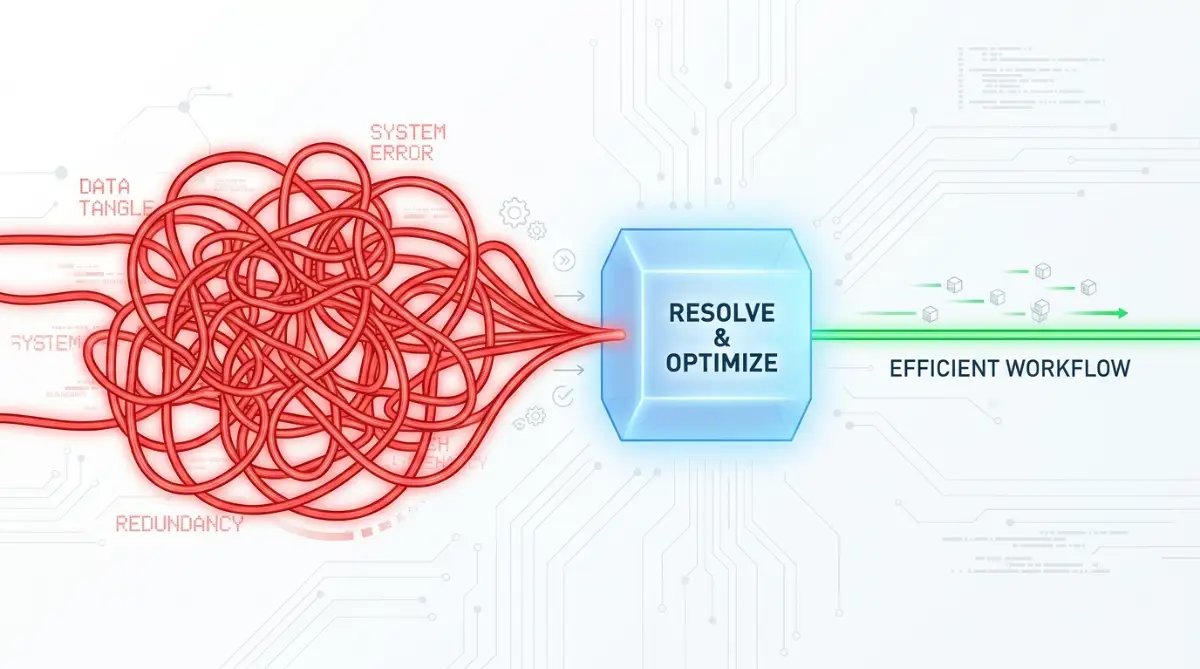
The Most Painful Workflow Traps That Will Break Your Business
The biggest threat to your mental peace is not a lack of technical skills, but rather falling into common behavioral traps. People get overly excited when they discover automation, and they start connecting every single software tool they own. This creates a terrifying digital web that nobody, not even the person who built it, can truly understand.
I call this the "Spaghetti Integration" trap. You connect your billing software to your calendar, your calendar to your email, and your email back to your billing software. It looks like a tangled bowl of spaghetti. When a single strand breaks, the entire system completely collapses, and you have absolutely no idea where the original error started.
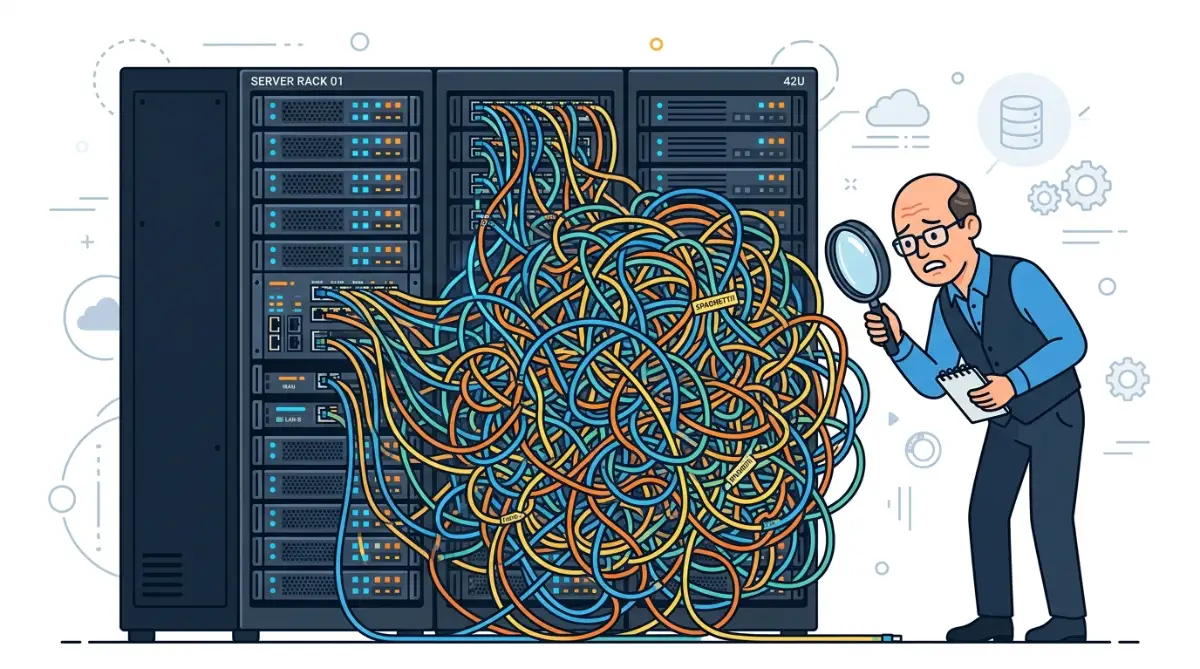
This forces you to spend entire weekends clicking through dozens of screens, trying to find one tiny broken rule. It is a highly stressful, isolating experience that makes you want to throw your computer out the window. Keeping your systems simple and strictly isolated is the only way to avoid this absolute nightmare.
The Danger of Relying on "Set It and Forget It"
Many software companies aggressively market their tools as magic solutions that you never have to check on. They sell you the dream of setting up a system once and letting it run your business forever. This is a massive lie that sets regular people up for catastrophic failures.
Digital systems are exactly like physical machines; they require regular maintenance, cleaning, and occasional upgrades. Just as you might study everything you need to know about the natural lifespan of residential solar microinverters to prevent power failure, you must understand that your software connections also have a breaking point. Applications update their codes, change their security rules, and modify their data formats constantly.
If you never log in to check your active connections, a minor update from an external app can quietly turn a safe workflow into a repeating monster. You might not notice the error until a frustrated client calls you to complain about receiving the same invoice forty times. Always treat your digital systems like living things that need your regular supervision.
Blindly Copying External Templates
Another massive trap is downloading pre-built workflow templates from internet forums or community groups. It is very tempting to click a button and copy a system that someone else claims is highly profitable. However, their business logic is rarely a perfect match for your specific daily operations.
A template might have a hidden loop condition that was perfectly safe for the original creator because they used a different payment processor. When you plug your own tools into that exact same template, the logic clashes and creates an endless cycle.
Never activate a copied workflow without reading through every single step manually. You must understand exactly why step three happens before step four. If a certain condition does not make sense to you, delete it and rebuild it using your own plain logic. You can find highly reliable advice on building customized, safe logic structures through the Zapier educational academy, which emphasizes understanding over blind copying.
Ignoring the Minor Warning Signs
Software systems rarely break entirely without giving you at least a few warning signs first. You might notice a task taking unusually long to process, or maybe a customer record shows up duplicated just once. We usually brush these small weird events off, blaming them on a bad internet connection.
These tiny glitches are actually the early symptoms of a logic loop trying to form. If a single duplicate happens today, a massive repeating cycle is likely going to happen next week. Ignoring these small hints is like ignoring a weird sound in your car's engine; it will only get much more expensive the longer you wait.
Whenever I see a piece of data behaving strangely, I immediately pause the related workflow. I would much rather do a task manually for two days while I investigate the issue, rather than risk a full-scale digital disaster. Being highly proactive with minor errors is the true secret to long-term digital stability.
Your Daily Action Plan for Stress-Free Digital Systems
You now have a solid understanding of how digital loops happen and exactly what it takes to stop them. Building reliable, error-free systems is not about knowing complex programming languages. It is simply about applying clear, common-sense rules to how your software handles information.
By adding proper stop conditions, using digital tags, and avoiding the dreaded two-way sync, you instantly protect your business from massive hidden costs. You also protect your own personal time, ensuring you never have to spend another weekend hunting down a rogue automated email.
Take a look at your current digital setup right now. Identify the one system that handles your most sensitive data, whether that is customer payments or personal contact information. Apply a simple time delay or a verification filter to that workflow today. You can always visit our homepage to find more practical guides on keeping your business technology running smoothly.
I know exactly how overwhelming it feels to stare at a broken system while your phone keeps buzzing with angry error notifications. But trust me, once you apply these basic safety filters, you will instantly get your precious time and mental peace back. Start by fixing just one workflow today, and watch how much smoother your daily tasks become!
Common Questions About Workflow Logic Errors
Why does my automation keep sending the same exact email?
This almost always happens because your system lacks a proper stopping condition. The software sees the original trigger, sends the email, and then immediately checks the trigger again without marking the task as complete. Adding a simple digital tag to the user's profile after the first email will stop this cycle completely.
Will turning off two-way syncing delete my current data?
No, turning off two-way syncing will not delete any information you already have saved. It simply stops the two applications from continuously pushing new updates back and forth to each other. Your historical data remains perfectly safe, but future updates will only flow in one direction.
How much time should I set for a workflow delay step?
For most standard business applications, a simple five-minute delay is more than enough time. This gives payment processors, forms, and email clients enough time to fully register the incoming data. If you are handling large files or heavy database updates, bumping that delay up to fifteen minutes is a very safe choice.
Can an infinite loop actually cost me real money?
Yes, absolutely. Most automation platforms charge you a monthly fee based on how many individual tasks your systems perform. If a broken loop runs ten thousand times over the weekend, it will consume your entire monthly task allowance, forcing you to pay expensive overage fees to keep your account active.
How often should I check my active connections?
You should aim to do a basic visual check of your active systems at least once a month. Just log into your dashboard, check for any weird error messages, and ensure your daily usage looks normal. If you add a brand new software tool to your business, you should monitor it closely every day for the first week.
Disclaimer: The information provided in this article is for educational and informational purposes only. We are not responsible for any technical issues, data loss, or financial charges incurred while setting up or modifying your software automations. Always test new workflows in a secure environment before applying them to your live business operations. This post complies with standard guidelines and contains no sponsored commercial endorsements.


