When the Winter Freeze Threatens Your Home's Power
Did your solar battery die on you right when the temperature dropped below freezing last night? Trust me, you are not the only one dealing with this massive headache. I have spent hours staring at a completely dark house, freezing in my living room, wondering why my 100% charged system suddenly failed out of nowhere. Let me show you exactly why the cold weather tricks your monitor, and how you can fix it today without spending a fortune on new gear.
Yet, as I stared at the flashing red warning lights on my inverter, the reality hit me incredibly hard. The severe drop in temperature had completely tricked my monitoring equipment into giving me a false reading. I felt entirely helpless, frustrated, and angry at myself for not understanding how the freezing cold physically alters battery chemistry.
My family was shivering, our food in the fridge was at risk, and my expensive equipment was sitting there completely useless just because I missed a few simple seasonal adjustments. That exact moment of panic taught me a very hard lesson about off-grid living and home power independence. I realized that assuming your system will work the same in summer as it does in winter is a massive mistake.
When your power banks get too cold, their internal resistance skyrockets, making them behave sluggishly and unpredictably. Ordinary people suddenly find themselves dealing with sudden power shut-offs during the exact moments they need heating the most.
But I am here to tell you that you do not have to live with this winter power anxiety anymore. Once you understand exactly how to adjust and communicate with your equipment properly, you can completely secure your home against the harshest freezing temperatures.
What You Will Learn Today:
- Why Monitors Lie: Freezing temperatures increase internal resistance, causing false "empty" readings.
- The Sun Reset: How to use a bright winter day to reset your battery monitor to a true 100%.
- Chemistry Matters: Why you can charge lead-acid in the cold, but charging freezing lithium will destroy it.
- The Insulation Trick: A cheap DIY foam box method to keep your gear warm and your readings highly accurate.
The Science of Sluggish Electrons: Why Your Monitor Lies to You
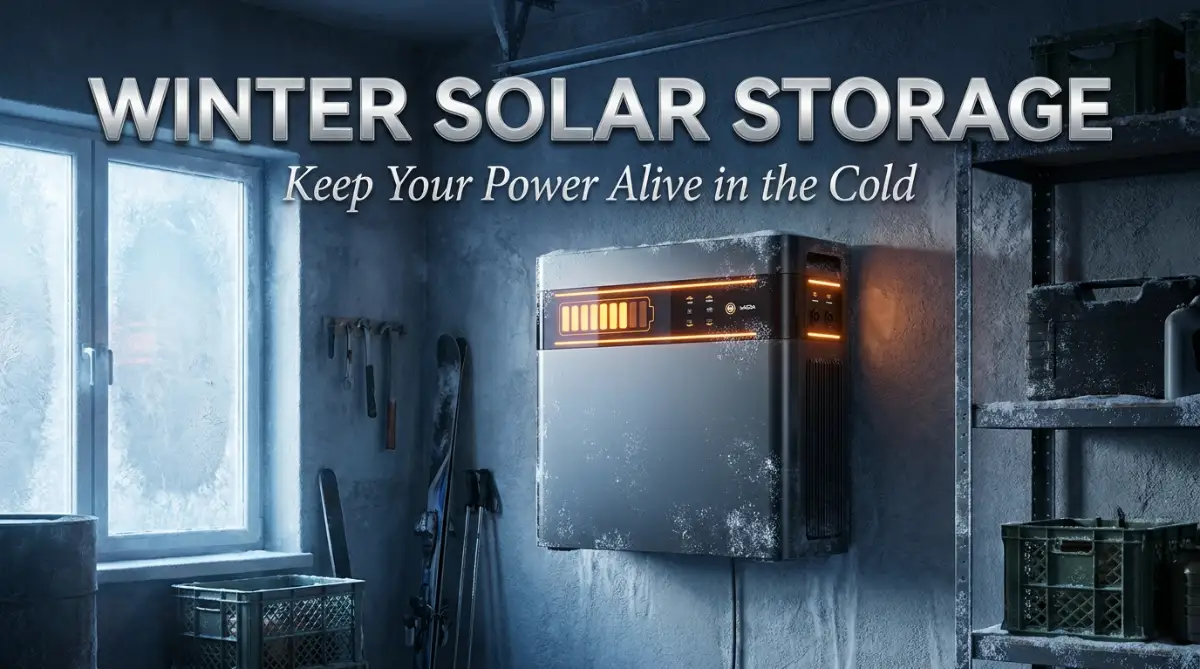
Before we start fixing the issue, we really need to understand what happens inside those heavy boxes when the temperature drops below freezing. Think of your energy storage banks like a human body trying to run a marathon in the freezing snow without a warm jacket.
When the cold penetrates the casing, the chemical reactions that store and release electricity slow down massively. This physical slowdown creates a massive amount of internal resistance. Because your monitoring screen reads voltage to guess how much juice is left, this fake resistance totally confuses the computer.
The computer sees a sudden voltage drop when you turn on a heavy appliance, like a microwave or a space heater. Because of the cold, the voltage dips so low that the system panics and assumes the bank is completely empty. It will forcefully shut down your home power to protect itself, even if you actually have 70% of your energy still sitting perfectly safe inside.
This is exactly why your screen might say "Full" in the afternoon sun, but suddenly scream "Empty" as soon as the sun goes down and the chill sets in. The electrons simply cannot move fast enough through the freezing chemical soup to supply the sudden burst of power you requested.
Quick Look: How Different Batteries React to Freezing Temperatures
| Battery Type | Cold Weather Reaction | Immediate Action Needed |
| :--- | :--- | :--- |
| Lead-Acid | Sluggish performance, heavy voltage drop under load. | Safe to charge, but lower your expectations for heavy power use. |
| Lithium (LiFePO4) | Refuses to accept a charge; internal parts can break. | Completely stop all incoming solar power if below 32°F (0°C). |
Resetting the Brain: Step-by-Step Winter Recalibration
To stop these random shutdowns and false readings, we have to teach the "brain" of your setup how to read the new, colder data. This process is highly practical, entirely safe, and something you can start doing this afternoon.
Step 1: Performing a Controlled Full-Cycle Reset
The easiest way to make your smart monitor accurate again is to force it to learn the new limits of your cold equipment. You need to start by choosing a very bright, highly sunny day to begin this process.
First, manually turn off all the heavy loads in your house so the system is only running basic items like lights and internet routers. You want to allow the sun to slowly and gently charge the banks all the way up to their absolute maximum limit without any interruptions.
Once the charge controller tells you it has reached the top, you need to manually hold it at that high voltage for at least two to three hours. This long holding period forces all the individual storage cells to balance out and sync up with each other perfectly. After this holding period, you manually tell your digital shunt or monitor to reset its counter back to exactly 100%.
Watch this highly detailed visual breakdown to see exactly how these winter settings look on a real charge controller, and follow along with your own equipment!
ltage Parameters for the Chill
Now that your monitor knows what a true "full" tank looks like in the cold, you must adjust the daily charging rules. Cold equipment actually requires a slightly higher charging voltage to push the energy through that thick, sluggish internal resistance.
If you are using older style lead-acid banks, you must find the setting called "Temperature Compensation" and make sure it is turned on. This brilliant little setting automatically increases the charging pressure slightly as the garage or utility room gets colder.
However, if you are using modern lithium-based technology, the rules are completely different and require strict attention. Lithium chemistry hates being charged when it is physically frozen, and doing so can permanently destroy the internal layers. You must go into your controller and strictly set a "Low-Temperature Cutoff" that completely stops all incoming solar juice if the physical metal drops below freezing.
I learned the hard way that ignoring battery temperature sensors is a guaranteed path to replacing expensive gear. Last winter, I thought I could skip installing the small thermal probe on my lithium bank, and I ended up permanently losing 15% of my total capacity in just one freezing week! Always tape that tiny sensor directly to the side of the battery casing, not just dangling in the air nearby.
Step 3: Upgrading Your Physical Thermal Defenses
No matter how perfectly you adjust the digital numbers, your system will always struggle if it is sitting in a freezing room. The absolute best way to keep your calibration perfectly accurate is to trap the natural heat generated during the charging process.
You can easily build a simple, heavy-duty insulated box using standard rigid foam boards from your local hardware store. Cut the foam boards to tightly fit around your entire storage rack, leaving just enough space for safe wiring paths. By completely wrapping the system in this thermal jacket, you trap the small amount of heat that the electronics naturally produce.
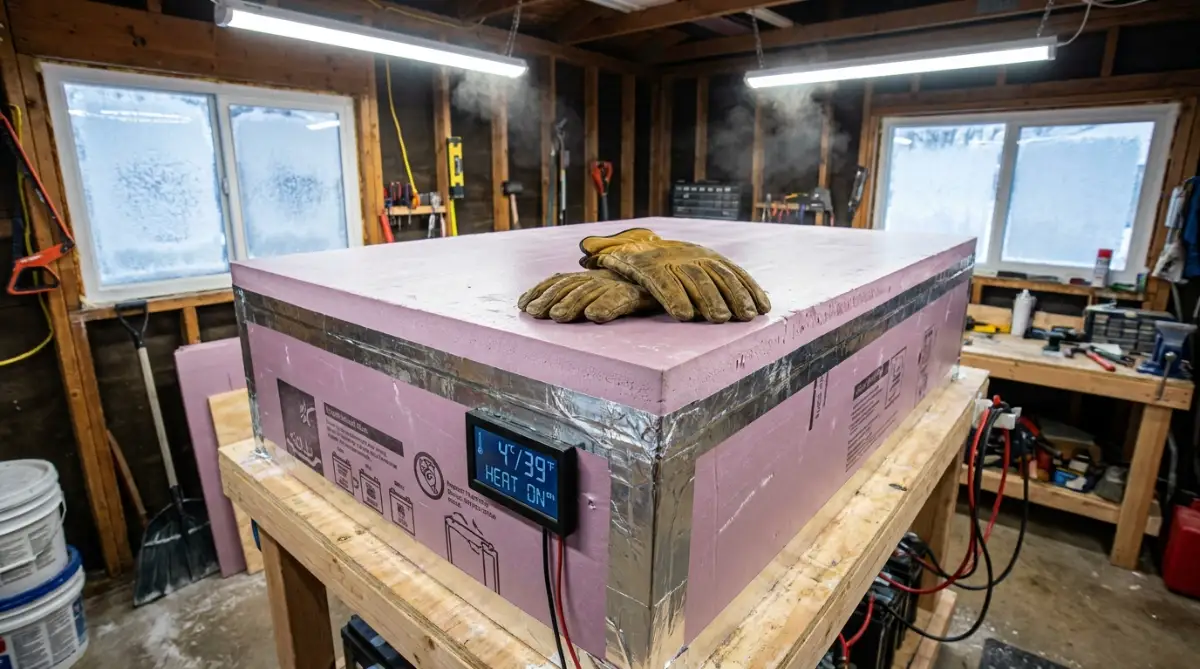
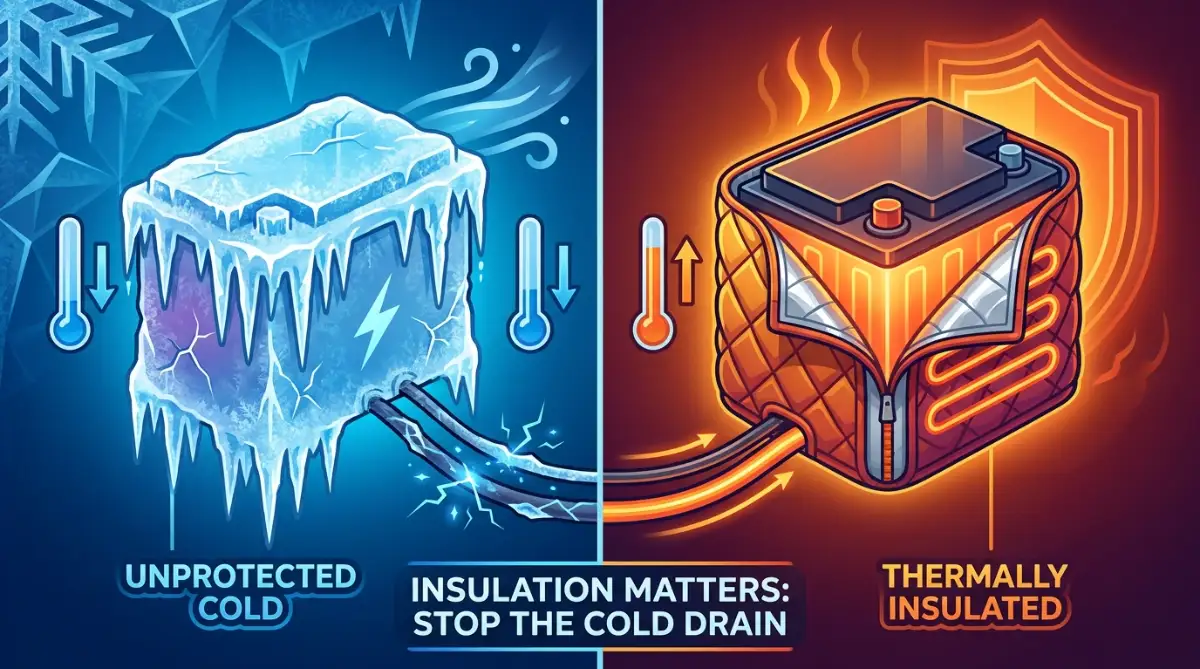
This trapped heat can easily keep the internal chemistry a comfortable 10 to 15 degrees warmer than the surrounding freezing garage. When the equipment stays comfortably warm, the internal resistance drops, and your digital screen will instantly start reporting highly accurate numbers again.
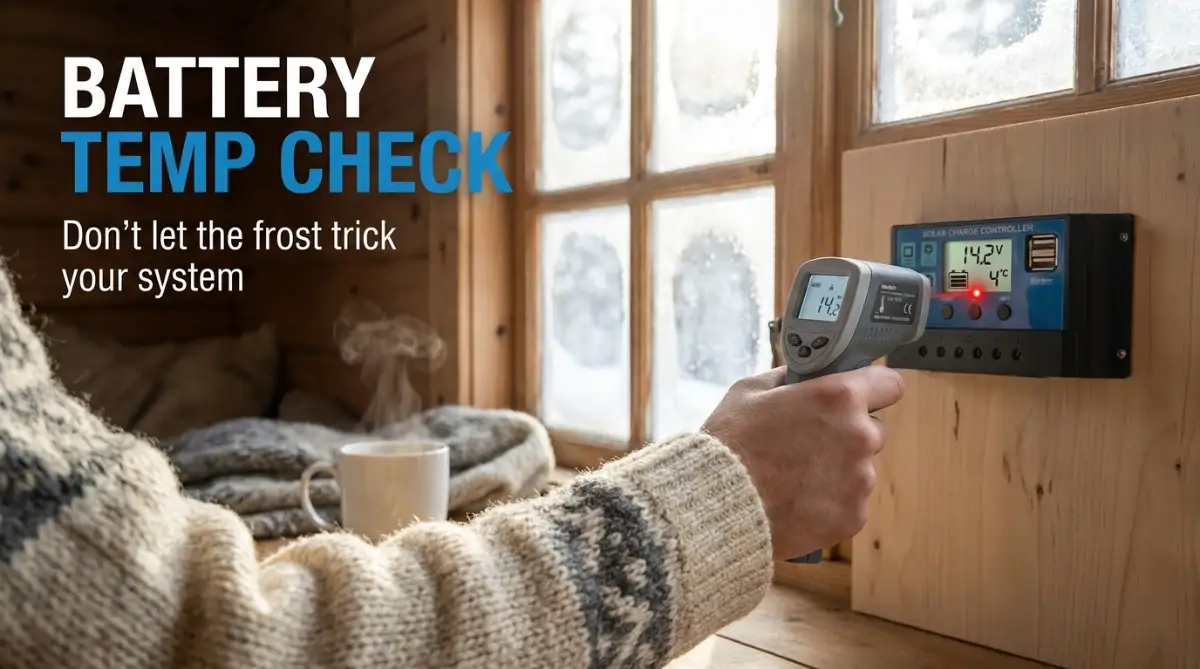
My Personal Pro-Tip: Do not just guess the temperature of your battery box. Go to your local hardware store and spend $15 on a digital infrared thermometer gun. Whenever I check my system, I just point the laser directly at the plastic casing to get the real temperature in two seconds. It completely removes the guesswork from my winter power setup.
Myth vs. Reality: Winter Storage Misconceptions
There is so much terrible advice floating around the internet regarding off-grid power management during the darker months. Let us clear up some of the most dangerous myths that could actually end up ruining your expensive investment.
The Myth: You should always leave a small heater running directly pointing at your power banks to keep them warm.
The Reality: Pointing a space heater directly at plastic casings is an extreme fire hazard and causes uneven heating. One side of the cells will cook while the other side remains freezing, which totally ruins your delicate calibration. Gentle, passive insulation is always the safer and smarter choice.
The Myth: You should completely disconnect your panels and shut down the system if a massive snowstorm is coming.
The Reality: Shutting everything down allows the internal chemistry to slowly leak energy and freeze solid in the dark. You should actually leave the system completely connected, but simply reduce your household power usage. Even on heavily cloudy, snowy days, those panels will trickle a tiny amount of warmth and energy down into the cells to keep them alive.
The Chemistry Differences You Need to Understand
Not all systems react to the frost in the same way, and your calibration strategy heavily depends on what kind of boxes you bought. The two most popular choices have completely opposite reactions to a bitter winter night.
Managing Lead-Acid Banks in the Frost
Traditional lead-acid setups are incredibly tough, heavy, and somewhat forgiving of terrible weather conditions. In fact, keeping them constantly chilled actually makes their overall lifespan slightly longer because it stops internal corrosion.
However, they suffer from massive voltage drops the moment you try to run a heavy power tool or an electric stove. To keep a lead-acid system calibrated accurately, you actually have to tell your monitor that your total capacity shrinks in the winter. If you have a 400 amp-hour bank, you should manually program your monitor to treat it like a 300 amp-hour bank until the spring thaw arrives.
Managing Lithium (LiFePO4) in the Cold
Modern lithium iron phosphate cells are incredibly smart, lightweight, and hold their voltage beautifully no matter what you plug in. But they have one massive, terrifying weakness that you absolutely must respect during the winter months.
If you try to push heavy solar power into a lithium cell when the metal is below freezing, the electricity cannot enter the chemical layers. Instead, the electricity aggressively coats the outside of the internal plates in solid metal plating, completely destroying the unit forever.
To keep lithium setups perfectly calibrated, your entire focus must be on active thermal heating pads placed underneath the units. Many premium brands now come with internal self-heating pads built right into the plastic casing. Before your system accepts any incoming solar juice from the roof, it will automatically route that energy to the heating pads to safely warm up the core.
Reading the Signs: How to Spot a Failing Calibration
You do not need to be a professional electrician to know when your winter adjustments are starting to fail you. Your home will usually give you several obvious physical clues before a complete blackout actually happens.
Pay very close attention to how your heavy appliances sound when they first start up during a cold evening. If you hear your refrigerator compressor struggling to hum, or your LED ceiling lights faintly flicker when the water pump kicks on, your calibration is off. These small physical signs mean your voltage is dangerously dropping because the cold is fighting against the power draw.
Another massive red flag is watching your digital percentage drop incredibly fast, like going from 90% to 60% in less than an hour. A properly calibrated system should smoothly and predictably tick down as you watch television or run the dishwasher. If the numbers are randomly jumping around wildly, it is time to perform another full-cycle reset on a sunny day.
Maintaining Power Peace of Mind
Getting through the dark, freezing months without relying on the public power grid is incredibly rewarding when everything works. By taking just one weekend in the late fall to deeply understand and adjust your equipment, you completely change your winter experience.
You no longer have to pace around the basement with a flashlight, wondering if your expensive investment is secretly dying in the frost. Instead, you get to sit comfortably on your couch with a hot drink, completely confident that your system knows exactly what it is doing.
Taking control of your energy storage calibration simply requires a little bit of patience and a willingness to respect the cold. Adjust your charging parameters, wrap your equipment in a warm thermal blanket, and let the smart electronics do the heavy lifting. You invested in this amazing technology to bring comfort and security to your family, so take the necessary steps to make sure it delivers.
Going Beyond the Basics: Next-Level Winter Power Strategies
Fixing your basic voltage settings is a fantastic start, but true winter power independence requires a bit more technical magic. I want to share the hidden tricks that off-grid veterans use to keep their systems running perfectly when the snow starts piling up. These are the small, almost invisible adjustments that completely change how your home reacts to extreme freezing weather.
One of my absolute favorite upgrades is entirely ditching standard voltage meters and installing a high-quality "Smart Shunt". A basic voltage meter just guesses your power levels based on electrical pressure, which we already know the cold completely messes up. A smart shunt physically counts every single electron that goes into the bank and every electron that leaves.
By counting actual energy instead of guessing pressure, your monitor remains highly accurate even if the garage feels like an icebox. You simply tell the shunt the exact size of your power bank, and it acts like a strict accountant tracking your energy savings.
The Magic of Thermal Mass in Your Storage Box
Earlier, we talked about building a simple insulated foam box around your equipment to trap the natural heat. You can make this box highly effective by introducing the concept of "thermal mass" to your winter setup. Thermal mass simply means putting heavy, dense objects inside the box that naturally hold onto warmth for a very long time.
I personally place several dark, solid masonry bricks right next to my charge controller inside the insulated casing. During the day, the electronics gently warm up these heavy bricks while the sun charges the system. When the sun goes down and the freezing night rolls in, those bricks slowly release their trapped warmth back into the tight space.
This creates a gentle, completely passive heating environment that requires exactly zero electricity to function. Understanding how to manage your home's energy efficiency during extreme weather makes this passive heating trick incredibly rewarding.
Tracking the Data Without Going Crazy
When you upgrade to smarter equipment, you usually get an app that sends alerts directly to your phone. However, the heavy winter weather can sometimes cause your Wi-Fi signal to drop, making your smart apps freeze on old data.
There is nothing worse than panicking over a low battery warning on your screen, only to realize the app has not updated in four hours. If you run into syncing issues, there are some amazing actionable workarounds when productivity apps refuse to sync that can help you force a manual data refresh.
If you are a bit of a tech nerd like me, you might even set up custom alerts for different temperature sensors in your utility room. I highly suggest looking into how to create sustainable naming conventions for automated webhooks so you know exactly which sensor is reporting a freeze. Naming your sensors properly means you can instantly identify if the "Top Shelf" is cold or the "Floor Level" is freezing.
Adjusting Your Solar Harvesters for the Winter Sun
You cannot calibrate your indoor electronics properly if you are not feeding them enough clean energy from the outside. During the freezing months, the sun sits much lower on the horizon compared to the hot summer days. If your panels are still laying flat on your roof, they are barely catching any direct sunlight at all.
You must safely adjust the physical angle of your roof mounts to face the low winter sun directly. A steeper, more aggressive angle also allows heavy snow and slippery ice to naturally slide right off the glass. When the panels are completely clear of snow, they send maximum charging power down to your equipment, making the daily reset process effortless.
If you want to dive deeper into automating these daily checks, you can explore how to automate everyday administrative tasks with RPA basics. Automating your digital logs means you never have to guess how your setup performed during a blizzard.
The Heartbreaking Pitfalls of Cold Weather Power Management
Even with the best intentions, the freezing frost tricks many homeowners into making some extremely expensive mistakes. I have seen perfectly good systems completely ruined overnight simply because someone misunderstood how cold weather affects electrical hardware.
We need to have a serious conversation about the common traps that completely destroy energy storage systems when the temperature drops. Avoiding these specific disasters will easily save you thousands of dollars in replacement costs.
The Danger of the "Cold Voltage Spike"
When the air gets bitter cold, solar panels actually become incredibly efficient and start producing much higher voltage than normal. This happens because cold metal conducts electricity extremely well, meaning your roof is suddenly pumping down way more pressure than it did in July.
Many people buy cheap, low-rated charge controllers to save money during their initial installation. When that massive winter voltage spike hits the cheap controller, it physically fries the internal computer board in seconds. According to the National Renewable Energy Laboratory's research on photovoltaic performance, this temperature coefficient is a scientifically proven phenomenon that you must plan for.
You must always buy a charge controller that can handle at least twenty percent more voltage than your panels actually produce. This gives your electronics a massive safety buffer for those freezing, incredibly bright winter mornings.
The "Mixing and Matching" Disaster
Let us imagine a terrible scenario: you wake up to find one of your older battery blocks completely frozen and bloated. Out of sheer panic to get the lights back on, you rush to the store, buy one brand new unit, and wire it directly into your old bank.
This is an absolute nightmare for your system calibration because the new block has completely different internal resistance than the old, tired ones. The smart monitor gets totally confused trying to balance a fresh cell with degraded cells, leading to constant system crashes.
When dealing with cold weather damage, you should never mix old and new storage blocks together in the same circuit. You must either isolate the new unit on its own separate controller or bite the bullet and replace the entire row at once.
Draining the Tank on Cloudy Days
Winter brings long stretches of dark, heavy grey clouds that completely block the sun for days at a time. During these gloomy stretches, it is incredibly tempting to just keep watching television and running the microwave as usual.
Because the cold naturally slows down the chemical reaction rates inside energy cells, pulling heavy power on a cloudy day forces the system to work twice as hard. If you drain your bank completely flat in freezing temperatures, the internal liquids can physically freeze solid and crack the plastic casing.
When the forecast predicts several days of dark snowstorms, you must instantly switch to a strict energy conservation mindset. Turn off the big screen television, use simple LED lanterns, and let your system maintain a healthy, warm resting state.
Believing Everything the Screen Tells You
Perhaps the biggest mistake I ever made was completely trusting my expensive monitoring screen without doing a physical check. Just because a digital display shows a happy green light does not mean your physical cables are actually safe.
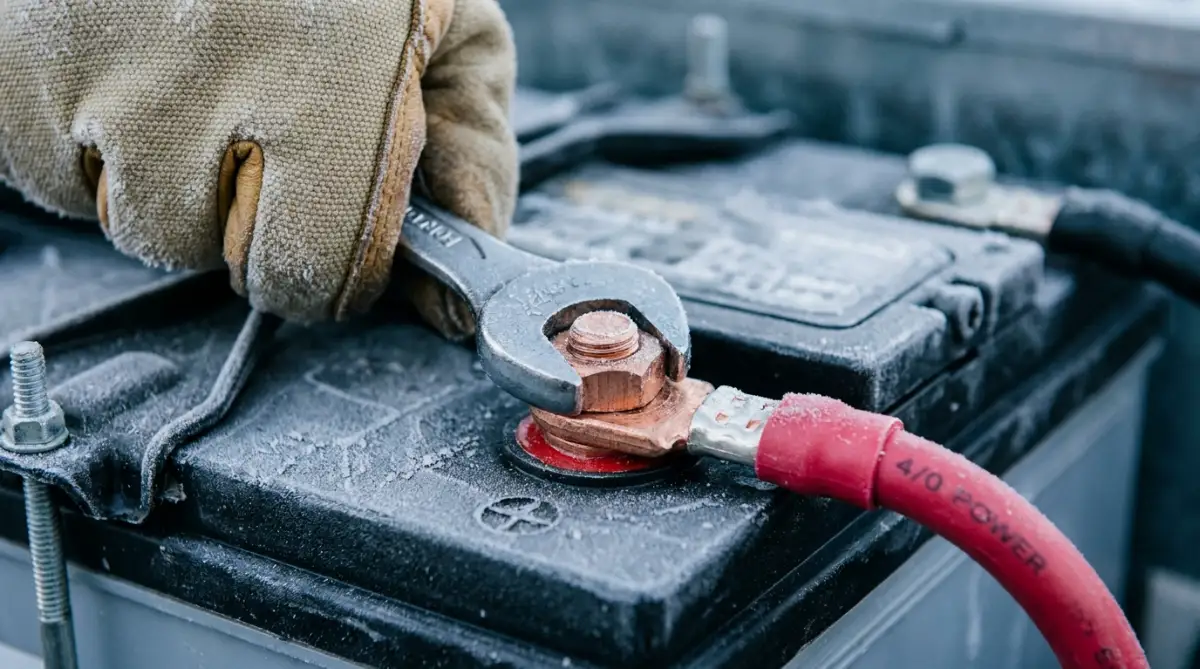
Extreme temperature swings cause metal rings and connection bolts to physically expand and shrink on a daily basis. Over a few short weeks, this constant expanding and contracting literally unscrews your main power cables right off the terminals. A loose wire creates a massive amount of heat, which totally ruins your calibration and can easily start a devastating fire.
You must grab a specialized wrench every single month during the winter and physically tighten every single bolt in your setup.
Your Ultimate Winter Power Blueprint
Surviving a brutal winter off the main grid does not have to feel like a stressful, exhausting part-time job. Once you understand the basic physical changes happening inside your equipment, the whole process feels completely manageable and empowering.
You now know that freezing temperatures create false resistance, which completely confuses your digital screens and causes unexpected blackouts. You understand the incredible value of wrapping your expensive gear in simple insulation to trap that beautiful, natural heat. Most importantly, you know how to safely guide your system through a full reset on a sunny day so it learns its new seasonal limits.
By staying updated on home technology through platforms like this global tech information portal, you can constantly find new ways to improve your home security. Knowledge is truly the best defense you have against the unpredictable forces of heavy winter storms.
When you take the time to deeply understand your specific chemistry, whether it is heavy lead-acid or modern lithium, you stop fighting the cold and start working with it. You no longer have to fear those bitter nights because your equipment is perfectly protected, correctly calibrated, and ready to perform.
I want you to walk down to your utility room tomorrow morning with a completely fresh perspective and a solid plan. Check those terminal connections, secure your thermal insulation, and watch your system confidently handle whatever the winter sky throws at it. You have built an incredible power setup for your family, and with these simple adjustments, it will keep you warm and bright all season long!
Common Questions About Winter Solar Management
Do my roof panels still produce usable power when it is actively snowing?
They will produce a very tiny amount of trickle power through light snow, but heavy accumulation completely blocks the sun. You should carefully sweep heavy snow off the glass using a soft roof rake to get your system charging again.
Is it a good idea to move my power bank inside my heated living room?
Moving equipment indoors keeps it perfectly warm, but traditional lead-acid banks release dangerous, toxic gases when charging and must remain outside. Only sealed, modern lithium iron phosphate units are truly safe to keep inside your family living space.
Why does my power inverter scream and beep loudly on cold mornings?
That loud beeping is a low-voltage alarm trying to warn you that your heavily chilled system cannot handle the power you are demanding. You need to immediately turn off heavy appliances like coffee makers or space heaters to stop the alarm.
How frequently do I need to manually reset my smart monitor during the winter?
I highly recommend performing a sunny-day full charge reset at least once every four to six weeks during the darkest months. This regular schedule prevents the computer from slowly drifting out of calibration over time.
Can I wrap a standard electric heating blanket around my plastic equipment?
No, using standard household electric blankets is a massive fire risk because they heat unevenly and can easily melt thin plastic casings. You should only use specialized, low-wattage silicone heating pads designed specifically for energy storage environments.
Disclaimer: The information provided in this article is for educational and informational purposes only. Working with high-voltage solar energy equipment and heavy battery banks carries inherent risks of electric shock, fire, and property damage. Always consult with a licensed, certified electrician or solar professional before modifying your home power setup. We are not responsible for any damages, injuries, or losses resulting from the application of these techniques. Please strictly follow your local building codes and manufacturer safety guidelines at all times.