
The Hidden Nightmare of Broken Data Pipes
Have you ever stared at a completely empty customer support dashboard and thought, "Wow, we are doing great today!"? I did exactly that last month. Then I realized our connection broke 14 hours ago, and 50 angry clients were basically shouting into a black hole. Let's fix these silent data drops right now, so you never have to feel that cold panic.
It was our biggest account manager, and he sounded furious. He asked me why we were completely ignoring three emergency requests his client had submitted the night before. I panicked.
I refreshed my helpdesk screen. Nothing. I checked our internal communication tool. Complete silence.
The tickets simply did not exist in our view. After an hour of frantic searching, I finally found the problem. Our automated notification system had quietly stopped working.

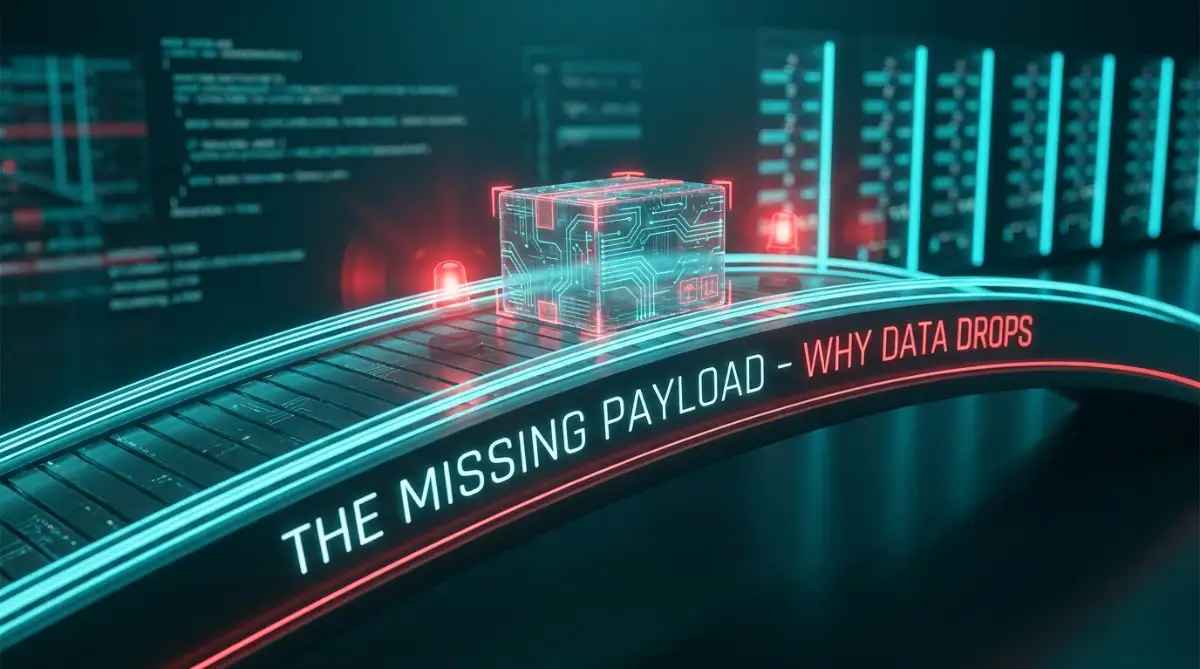
The worst part was that there were no loud alarms, no red flashing error messages, and no warnings. The connection between our customer portal and our internal desk just silently failed.
This silent failure is the exact reality thousands of support managers and operations teams face every single day. You build a beautiful, automated system to handle user requests smoothly. You trust the technology to do the heavy lifting.
But when that invisible string breaks, the chaos is overwhelming. Customers feel completely ignored and disrespected. They send urgent messages that vanish into thin air.
You begin manually checking portals just to make sure nothing slipped through the cracks. Your sleep quality drops because you constantly wonder if the system is secretly failing again right at this very moment.
Trusting an unreliable automation is like driving a car with a broken speedometer. You never really know if you are safe until it is too late. We need to stop living in this state of constant anxiety and start taking control of our digital connections.
What You Will Learn Today (At a Glance):
- How to find out if your data is actually leaving your website.
- Why simple formatting errors (like brackets or spaces) break entire systems.
- How to build a "Lost and Found" box so you never drop a customer ticket again.
- The exact numbers (404 vs 500) that tell you who is to blame for the broken connection.
Restoring Trust: How to Diagnose and Repair Broken Automations
When your customer requests stop flowing from point A to point B, you have to play detective. The problem is rarely a complete system meltdown. Usually, it is a tiny, hidden miscommunication between two software platforms.
Think of these automated messages like a digital delivery driver. The driver picks up a package from your website and tries to drop it off at your team's inbox. If the package does not arrive, we need to retrace the driver's exact steps.
Let us walk through the most logical, practical ways to figure out where your digital delivery driver is getting lost.
Understanding the Silent Rejection
The very first thing you need to check is whether the package was ever sent in the first place. Most modern helpdesk tools have an internal log hidden in their admin settings. This log acts like a security camera for your outbound messages.
If the log shows nothing was sent, your problem is at the starting line. Your trigger conditions might be wrong. Maybe someone accidentally changed a rule that says "only send tickets during business hours."
However, if the log says the message was successfully sent, but your team never got it, the problem is at the destination door. The receiving server basically looked at the delivery driver and slammed the door in his face.
Pro Tip: I spent three days troubleshooting a "broken" automation only to realize our IT department had updated the company firewall over the weekend. My biggest realization? Always ask your network team if they changed security permissions recently before you tear your workflow apart.
The Heavy Package Problem (Payload Size)
Sometimes, the delivery driver arrives at the right address, but the package is simply too big to fit through the door. This happens a lot in support pipelines.
A user might submit a ticket with a massive video file attached. Your primary system tries to bundle all that data and send it over the automation pipeline. The receiving system sees this giant block of data and instantly rejects it.
To fix this, you need to tell your sending system to travel light. Instead of sending the entire file, configure it to send only the text description and a hyperlink to the attachment. This keeps the message weight low and ensures it passes through easily.
Timeouts and Impatient Servers
Imagine knocking on a friend's door. You wait five seconds. If they do not answer, you just walk away. This is exactly how most automated data transfers work.
Your sending software gives the receiving software a very short window to respond. Usually, this is about ten to thirty seconds. If your internal database is running slow because of heavy traffic, it might take thirty-one seconds to open the door.
Because it took too long, the sender marks the attempt as a failure and drops the ticket. You can solve this by adjusting the timeout settings on your receiving end. You need to make sure your internal system processes incoming requests instantly.
Here is a great way to understand how to monitor these technical drops effectively. Watch this short breakdown of tracking lost data packets before we move to the next step.
My 3-Minute API Rescue Checklist:
| What to Check First | Why It Matters | How to Fix It Fast |
| :--- | :--- | :--- |
| 1. The Sent Folder | Did the data even leave your site? | Check the app's internal audit log. |
| 2. The Firewall | Is the door locked? | Ask your IT guy if they updated security rules today. |
| 3. The Password | Did the API key expire? | Generate a fresh token and paste it in. |
Checking the Secret Handshake
Security is extremely important when moving customer data around. Because of this, software platforms use digital ID badges to verify who is knocking on the door. If the ID badge expires, the connection breaks instantly.
We call these authentication tokens or API keys. If your automation worked fine yesterday but is completely dead today, a security key likely expired.
Go into both your sending and receiving tools. Look at the integration settings. Generate a brand new security key and replace the old one. This simple reset acts like a magical cure for almost half of all sudden connection failures.
Surviving the Sudden Traffic Jams
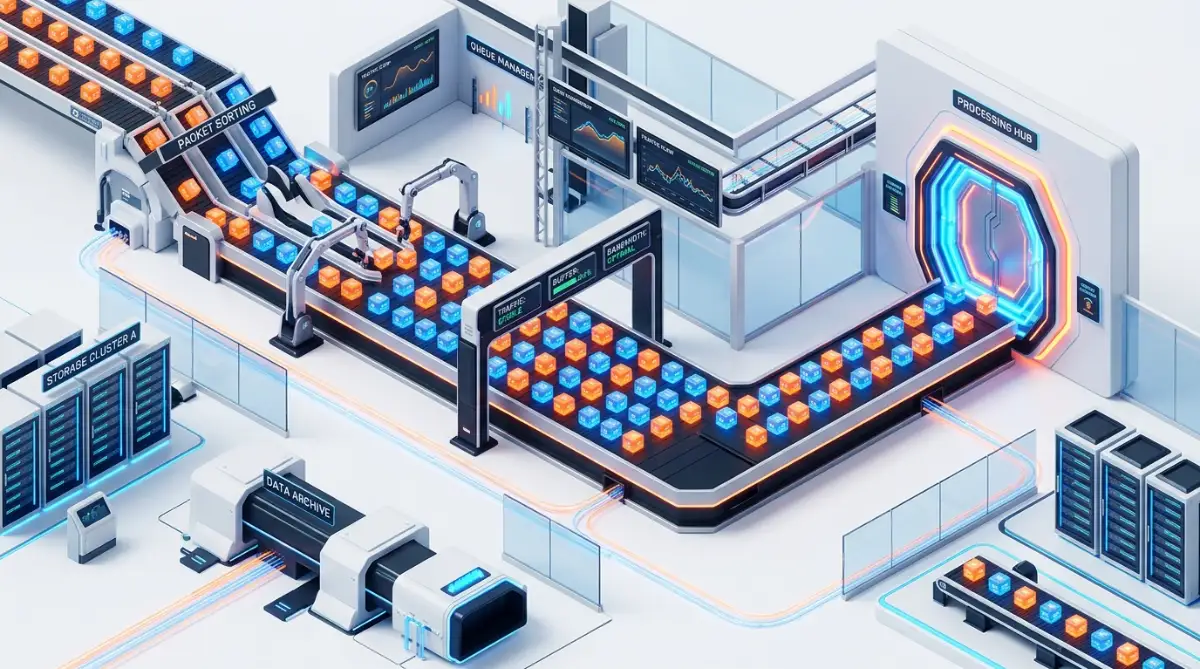
Your digital pipes can only handle a specific amount of water at once. Let us say you run a software company and your main server goes down. Suddenly, ten thousand users try to send a support ticket at the exact same minute.
Your automation pipeline tries to shove all ten thousand messages through a tube meant for one hundred. The system completely chokes. We call this hitting a rate limit.
To handle this, you need a waiting room for your data.
The Myth vs Reality of Instant Data
Let us clear up a massive misunderstanding about how these systems actually operate under pressure.
The Myth: Automations should transfer data instantly, 100% of the time, no matter how much data you push.
The Reality: All healthy systems have built-in speed bumps to prevent themselves from crashing. Delays during high traffic mean the system is protecting itself, not failing.
Instead of forcing direct connections, smart support teams use a queuing system. When the receiving server gets overwhelmed, the queue holds onto the tickets safely. Once the traffic clears up, it slowly feeds the tickets into the system one by one. No data gets lost.
Decoding the Error Messages
When things break, the system usually tries to leave a clue. These clues come in the form of three-digit numbers. Learning to read these numbers will save you hours of unnecessary stress.
If you see a number starting with a 4, like a 404 or a 401, the mistake belongs to the sender. You are either sending it to the wrong address, or your security badge is invalid.
If you see a number starting with a 5, like a 500 or a 503, the sender did everything perfectly. The receiving system is currently broken, offline, or overloaded. You need to focus all your repair efforts on the destination.
Setting Up the Ultimate Safety Net
You cannot stare at a log file all day. You have a business to run and customers to help. Therefore, your automated system needs its own automated monitor.
You need to build a rule that says: "If a message fails to deliver three times in a row, immediately send an SMS text message to the IT manager."
Setting up a queued safety net takes a little more time initially. But the peace of mind it brings is absolutely priceless. You will never again have to worry about missing an emergency request while you are sleeping.
Understanding Formatting Clashes
Sometimes, the sender and the receiver simply speak two totally different languages. Your website form might collect a user's phone number exactly like this: (555) 123-4567.
But your internal CRM might strictly demand phone numbers look like this: +15551234567.
When the website tries to hand over the data, the CRM completely rejects the entire ticket just because of a few brackets and a space. This is a very common formatting clash.
You have to act as the translator. You must set up a middle step in your automation that catches the data, strips away the brackets, and formats it perfectly before handing it over to the final destination.
Real-Life Example: The Phone Number Fix
- What the User Types: (555) 123-4567
- What the CRM Wants: +15551234567
- The Fix: I use a simple text formatter tool (like Zapier's Formatter or Make's text parser) right in the middle of the workflow. It automatically grabs the number, deletes the brackets, adds the "+1", and passes it safely to the CRM. Problem solved in two minutes.
The Importance of Testing Environments
Never test a broken pipe while real water is flowing through it. If you try to fix an active support pipeline during busy hours, you risk deleting actual customer messages by accident.
Always create a safe testing zone. Send fake tickets from a personal email address. Attach strange files. Try using emojis in the subject line. Push the system to its absolute limits in a controlled space.
By actively trying to break your own system on purpose, you will discover exactly where its weak points are. You can patch those holes long before a real customer ever experiences an issue.
Keeping Your Team in the Loop
When your digital pipes break, communication within your human team becomes your strongest asset. Do not hide the technical problems from your support agents.
If you notice tickets are dropping, tell the agents immediately. Have them monitor shared inboxes manually. Let them know you are actively working on a solution.
When the agents know what is happening, they can adjust their workflow. They can inform users about temporary delays. Honesty prevents internal frustration and helps maintain a calm, organized work environment even when the technology misbehaves.
Building a Long-Term Strategy
Fixing a broken connection today is great. But your ultimate goal should be preventing it from ever breaking again tomorrow.
Take time every single month to review your pipeline logs. Look for small patterns. Are messages always failing on Tuesday mornings? Maybe that is when your database runs a heavy backup process.
By identifying these tiny trends, you can adjust your schedules. You can move the database backup to midnight on a Sunday. Small, proactive adjustments keep the data flowing smoothly and keep your customers completely satisfied.
Beyond the Basics: Building a Bulletproof Data Bridge
Once you understand why your digital delivery drivers are getting lost, it is time to upgrade your entire system. You do not just want to fix the broken pipe today. You want to build a self-healing network that automatically corrects itself before you even wake up.
This level of reliability might sound like magic, but it is actually just a mix of smart planning and simple logic. We are going to explore some highly effective strategies that top-tier engineering teams use to keep their support desks running flawlessly.
I used to think my automations were perfect simply because they worked on the first try. But the real test of a great system is how gracefully it handles failure. Let us look at how you can train your system to handle its own errors.
The "Lost and Found" Box Strategy
When a package cannot be delivered, the post office does not just throw it in the trash. They place it in a secure holding area. Your customer support automation should do the exact same thing.
In the tech world, we call this a dead-letter queue. It is essentially a digital lost and found box for your data. When a webhook fails to deliver a ticket after multiple attempts, it safely routes that ticket into a separate spreadsheet or database.
This means zero data is ever permanently deleted. Every morning, your support manager can quickly scan this lost and found box. They can manually push those stuck tickets back into the main system, ensuring no customer ever feels ignored.
The "Polite Knocker" Technique
Imagine knocking on a locked door. If you knock twenty times in three seconds, you look like a crazy person. The person inside might just ignore you on purpose.
Servers act the exact same way. If your sending system gets a rejection and instantly tries to resend the ticket ten times in one second, the receiving server will permanently block you. You look like a spam attack.
To avoid this, you need to set up a smart retry schedule. We call this an exponential backoff strategy. The system tries once. If it fails, it waits one minute to try again. If it fails again, it waits five minutes, then twenty minutes, and so on.
This polite approach gives the broken receiving server enough time to reboot and fix itself. For a deep dive into how standard network delays operate, you can check out official HTTP status and network timeout documentation to see exactly how servers communicate their stress levels.
Preventing the Duplicate Ticket Nightmare
Have you ever refreshed a checkout page and accidentally paid for an item twice? The same annoying thing can happen with your support tickets.
Sometimes, the delivery driver drops off the ticket successfully, but the receipt gets lost on the way back. Because the sender never got the receipt, it assumes the delivery failed. So, it sends the exact same ticket again.
Suddenly, your support team is dealing with five identical complaints from the same angry user. To stop this, you need to give every single incoming request a totally unique digital fingerprint.
When the receiving system sees a fingerprint it has already processed, it simply says, "I already have this one, thanks!" and ignores the duplicate. This simple trick keeps your agent dashboards incredibly clean and organized.
Real-Time X-Ray Vision for Your Data
You cannot fix what you cannot see. When I first started managing API connections, I felt completely blind. I was just guessing where the data was dropping based on vague complaints from the sales team.
Then, I discovered the power of third-party logging tools. These tools act like an X-ray scanner for your data pipeline. They sit exactly in the middle of your sender and receiver, recording every single conversation they have.
When a connection breaks, you do not have to guess anymore. You can log into your scanner and see the exact text message the sender tried to deliver. Understanding standard data structures is very helpful here, and reviewing what an API actually looks like under the hood will make reading these logs much easier.
A Pro Tip on System Permissions
I learned a very hard lesson about system permissions a few months ago. We updated the passwords for our main project management software, completely forgetting that our support webhooks used that same password to push data.
Everything instantly broke. I spent hours checking code and formatting rules. The problem was literally just a bad password hidden in a settings menu.
When you configure your apps, try to set up dedicated passwords specifically for your automations. Just like when you connect your email client to project management tools step by step, keeping your user passwords separate from your system passwords prevents massive headaches later on.

The Hidden Traps That Destroy Support Pipelines
Even the smartest professionals fall into bad habits when managing their digital connections. We get comfortable. We assume that because a system ran smoothly for six months, it will run smoothly forever.
But the internet is constantly changing. Software updates happen overnight. Security rules shift without warning. If you are not actively protecting your pipeline, you are just waiting for a disaster to happen.
Let us break down the absolute worst habits you need to eliminate from your workflow today. Ignoring these specific traps will eventually cost you time, money, and your professional reputation.
The "Fix It Live" Disaster Scenario
This is by far the most dangerous mistake anyone can make. Your helpdesk connection breaks, and you immediately open the live, active automation to start changing the rules.
You think you are just making a tiny adjustment. But you accidentally delete a comma in the mapping code. Suddenly, instead of just dropping attachments, the system starts deleting entire customer emails permanently.
Never operate on a live system. You must always duplicate your workflow, test your new ideas in a safe environment, and only publish the changes when you are 100% sure they work.
The Silent Security Update Trap
Security is a massive deal in the modern digital space. Software companies constantly update their firewalls to block suspicious traffic.
Sometimes, your automated system gets caught in this net. Your sending app might update its digital signature, but your receiving app does not recognize the new format. The traffic is blocked, and nobody gets an alert.
You have to stay informed about the tools you use. This is very similar to how third party AI agents secretly access your personal calendar—if you do not monitor exactly who has permission to view and move your data, the system will eventually lock down to protect itself. Always read the monthly release notes from your software providers.
Ignoring Minor Formatting Changes
Let us say your sales team decides to add a new "Company Size" dropdown menu to your website contact form. They do not tell anyone in the IT department.
A user fills out the form and selects "100-500 employees". The webhook picks up this brand-new piece of data and hands it to your support desk.
But your support desk database has no idea what "Company Size" means. Because it does not recognize this new label, it rejects the entire ticket out of confusion.
You have to create a strict rule for your entire company. Nobody is allowed to change a public-facing form without notifying the team who manages the data pipelines. Communication solves 90% of formatting errors.
The Danger of Hardcoding Direct URLs
When you set up a connection, the sender needs an exact web address to drop the data. Many beginners simply copy and paste the direct link to their internal server.
This works fine until your company decides to upgrade its servers or change its domain name. The moment that web address changes, your automation starts throwing data at a blank wall.
Instead of direct links, smart teams use a middleman service. You can learn more about how using a proper API gateway protects you from these sudden domain changes by acting as a smart traffic controller. The gateway catches the data and figures out exactly where it needs to go, even if your internal addresses change daily.
The "Set It and Forget It" Mindset
Building a complex support pipeline requires exact planning and constant measuring. You cannot just build it once and walk away.
Think about building a house. It requires careful math, much like figuring out how to calculate the roof square footage needed to power a 4 bedroom house—you have to measure everything perfectly before you build, and you still have to perform maintenance every year.
Your automations need regular health checks. Set a reminder on your calendar for the first Friday of every month. Spend just twenty minutes reviewing your error logs.
Look for tiny warnings that have not turned into full breaks yet. Fixing a small warning today stops a massive system crash from ruining your weekend next month.
Your Blueprint for Unbreakable Support Systems
We have covered a massive amount of ground today. We moved from the panic of missing customer emails to understanding exactly how digital data travels across the internet.
You now know how to check your delivery logs and read those confusing error numbers. You understand why building a safety net and a lost-and-found box is absolutely non-negotiable for a professional team.
Most importantly, you know exactly what traps to avoid. You will never test changes on a live system again, and you will always keep an eye out for sudden security updates.
Taking control of your automations does not mean you have to be a master programmer. It simply means you need to think logically. You just have to follow the data step by step, asking simple questions along the way.
Where did the ticket start? Did it leave the building? Did the destination open the door?
By asking these basic questions and using the tools we discussed, you will eliminate the anxiety of silent failures. You can finally trust your systems to do the heavy lifting while your team focuses on actually helping people.
To explore more guides on simplifying your daily technology tasks, you can always visit the main resources on our homepage at global24info.com for fresh, practical insights.
I know how frustrating a broken system can feel when you are under pressure from clients and managers. But remember, every single error message is just a puzzle waiting to be solved. I promise that if you apply these exact monitoring habits, your confidence in your own technical skills will absolutely skyrocket this week.
Frequently Asked Questions About API & Webhook Drops
What causes a webhook to fail silently without sending any alerts?
A silent failure usually happens because the sending system thinks the job was completed perfectly. If the receiving server accepts the connection but drops the actual data due to a formatting error, the sender never gets an error code. This is why you must set up specific monitoring tools on both ends of the digital bridge.
Can I actually recover a dropped customer ticket?
Yes, but only if you have a safety net in place before the crash happens. If you use a message queue or a digital lost-and-found box, the failed data is stored securely. If you do not have these tools configured, a dropped payload is usually gone forever.
How often should I test my helpdesk automations?
You should run a full diagnostic test at least once a month. Send a complex test ticket with strange text characters and large file attachments. Pushing the system to its breaking point in a controlled environment helps you find weak spots before a real customer does.
Why do some connections break during high traffic hours?
Servers have built-in panic buttons to stop themselves from completely crashing. When thousands of requests hit your system at once, it starts rejecting connections to save memory. Using a queuing tool helps hold the data in a waiting room until the traffic calms down.
What is the difference between a webhook and a regular API?
Think of an API like asking a question: you have to actively knock on a server's door and ask, "Do you have any new tickets?" A webhook is like a subscription service. You do not have to ask; the system automatically pushes the new ticket to your door the exact second it is created.
Disclaimer: The information provided in this article is for educational and informational purposes only. System configurations, API structures, and software features change constantly. Always consult with your IT department or a certified network professional before making major changes to your live data pipelines. We are not responsible for any data loss or system downtime resulting from the implementation of these tips.


