The Sudden Darkness: Why Your Power Storage Keeps Failing
You spend thousands on a top-tier solar battery, expecting total grid independence. Then, a random Tuesday blackout hits, and you're left sweating in the dark because your battery quietly failed. I learned the hard way that solar storage isn't a "set it and forget it" magic box on your wall. Let's fix the sneaky maintenance mistakes that are silently killing your backup power right now.
I felt incredibly foolish and deeply frustrated. I had spent a small fortune on this beautiful renewable energy setup, thinking it was a "set it and forget it" magic box. Nobody told me that without regular check-ups, my massive energy bank was slowly dying right under my nose. I lost hundreds of dollars in spoiled groceries that night, but honestly, losing my peace of mind was much worse.
Every single day, countless homeowners face this exact same nightmare. You invest heavily in green energy to gain independence from the main grid, expecting comfort and security. But when the grid goes down and your battery fails to kick in, that sense of security shatters instantly.
We blindly trust these systems to work, ignoring the tiny warning signs they give us. We ignore the small temperature fluctuations in the garage or the thin layer of dust building up on the cooling vents. Then, when a major storm hits or a heatwave causes rolling blackouts, we are left completely helpless, sweating in the dark and wondering why we even bothered going solar.
⚡ Quick Fixes to Save Your Battery Today
- Watch the thermometer: Keep your battery room between 50°F and 80°F to stop chemical breakdown.
- Stop the deep drains: Never let your lithium system drop to 0% just to "reset" it.
- Clear the airways: Vacuum your cooling vents monthly so the system doesn't overheat.
- Run a fake blackout: Turn off your main breaker twice a year to test if your battery actually handles your heavy appliances.
Getting to Know Your Energy Workhorse
Your solar storage system is a lot like the human heart. It constantly takes in energy from the sun during the day, stores it safely, and then pumps that power throughout your house when you need it most. If you do not take care of it, it slowly loses its ability to hold a charge.
Many people think a battery is just a heavy box of chemicals that takes care of itself. That is a massive misconception. Inside that sleek casing, highly sensitive chemical reactions are happening every single second.
When you treat your storage unit poorly, those internal reactions start to degrade. The cells inside lose their capacity, meaning they hold less and less power as time goes on. Let's look at how to stop this hidden degradation and keep your power flowing smoothly.
Managing the Hidden Threat of Temperature
One of the biggest enemies of any power storage system is extreme temperature. Whether you have lead-acid or lithium-ion models, they all hate being too hot or too cold.
Think of your power bank like a person standing outside in extreme weather. If it gets too hot, it exhausts itself quickly and its lifespan drops rapidly. If it gets too freezing cold, it becomes sluggish and refuses to accept a proper charge from your panels.
You need to monitor the environment where your equipment lives. If your system is installed in a garage that turns into an oven during the summer, you have a major problem on your hands. The heat accelerates the internal chemical breakdown, cutting the overall lifespan in half.
Pro Tip from my own experience:
I completely ruined my first battery bank by installing it near a poorly insulated garage door that got blasted by the afternoon sun. I finally learned my lesson and installed a simple, cheap exhaust fan in the room, which immediately improved my system's holding capacity and saved me from another early replacement.
You should aim to keep the room temperature between 50 and 80 degrees Fahrenheit. If you live in a freezing climate, consider adding a thermal blanket or a small space heater near the installation area. Keeping the climate stable is the absolute easiest way to protect your investment.
Quick Temperature Survival Guide for Batteries:
- Ideal Zone: 50°F to 80°F (Maximum lifespan and performance)
- Danger Zone (Hot): Above 90°F (Chemical breakdown accelerates by 50%)
- Danger Zone (Cold): Below 32°F (Charging system may lock up entirely to prevent damage)
- My advice? Go buy a $10 digital indoor thermometer and stick it right next to your inverter. Check it once a week during summer.
Clearing the Path for Better Airflow
Most modern power units come with built-in cooling fans and ventilation grilles. These vents are designed to pull in fresh air and push out the heat generated during the charging process.
Over time, these tiny vents become completely clogged with household dust, pet hair, and cobwebs. When the vents are blocked, the internal temperature skyrockets, forcing the system to work twice as hard to cool itself down.
Grab a clean, dry microfiber cloth and wipe down the exterior casing at least once a month. Use a soft brush attachment on your vacuum cleaner to gently pull out any debris stuck inside the ventilation holes. Never use water or heavy chemical sprays near the vents, as liquid can easily cause a short circuit.
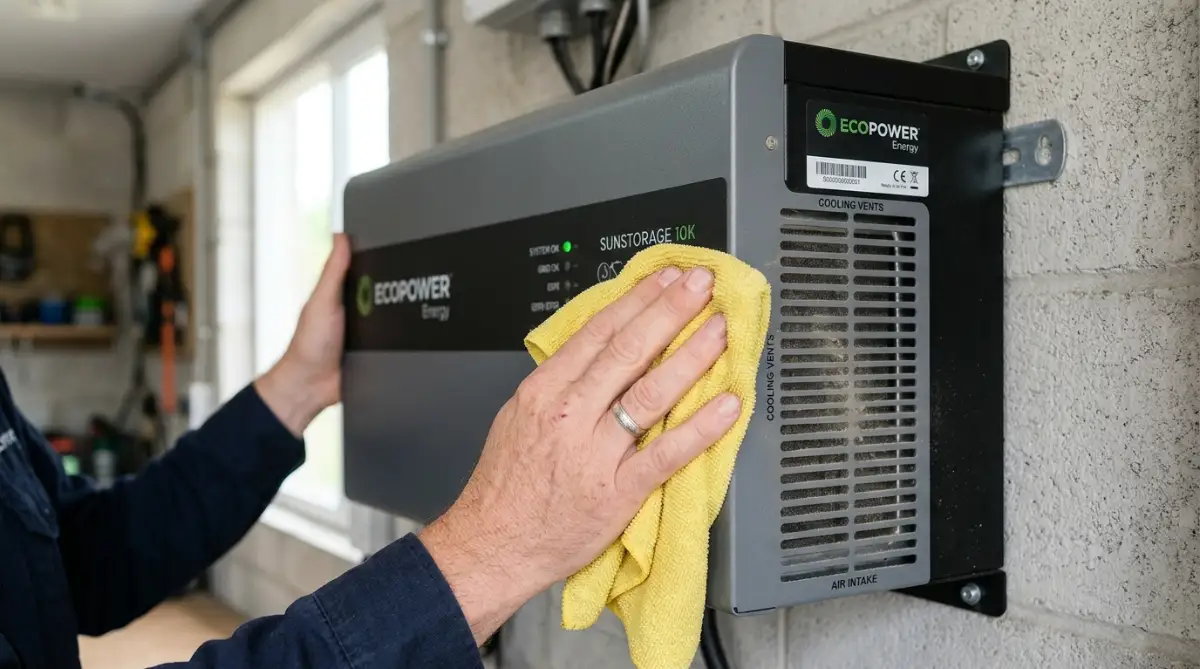
Introduction to Proper Terminal Cleaning:
If you want to see exactly how to safely inspect and clean your connections without risking a shock, check out this quick visual guide. Watch this short breakdown to see the exact tools you need for a safe and effective terminal cleanup:
The Golden Rule of Depth of Discharge (DoD)
If there is one technical term you need to understand, it is Depth of Discharge. This simply means how much of the stored energy you use before you recharge it again.
Imagine your phone. If you let your phone drop to zero percent every single day before plugging it in, the battery gets weak very fast. The same exact rule applies to your massive solar storage system.
Draining your system completely empty puts a massive amount of stress on the internal cells. For most lithium-ion setups, you should try to keep the charge above 20 percent at all times. If you are still using older lead-acid models, you should rarely let them drop below the 50 percent mark.
Adjust the settings on your inverter so it automatically switches back to grid power before the storage gets dangerously low. This one simple setting change can easily add years of healthy life to your equipment.
Myth vs Reality: Battery Charging Habits
Let's clear up some massive confusion in the solar community about how you should charge your setup.
The Myth: You should completely drain your power bank to zero once a month to "reset" its memory and keep it healthy.
The Reality: This is terrible advice for modern lithium-ion setups. Completely draining modern cells actively damages them. You should aim for shallow, frequent charges rather than deep, exhausting drains.
The Myth: Leaving the system at 100% charge for weeks is perfectly fine.
The Reality: Keeping cells constantly maxed out creates internal tension. If you are going on a long vacation and shutting the house down, it is usually better to leave the system resting at around a 50 to 60 percent charge.
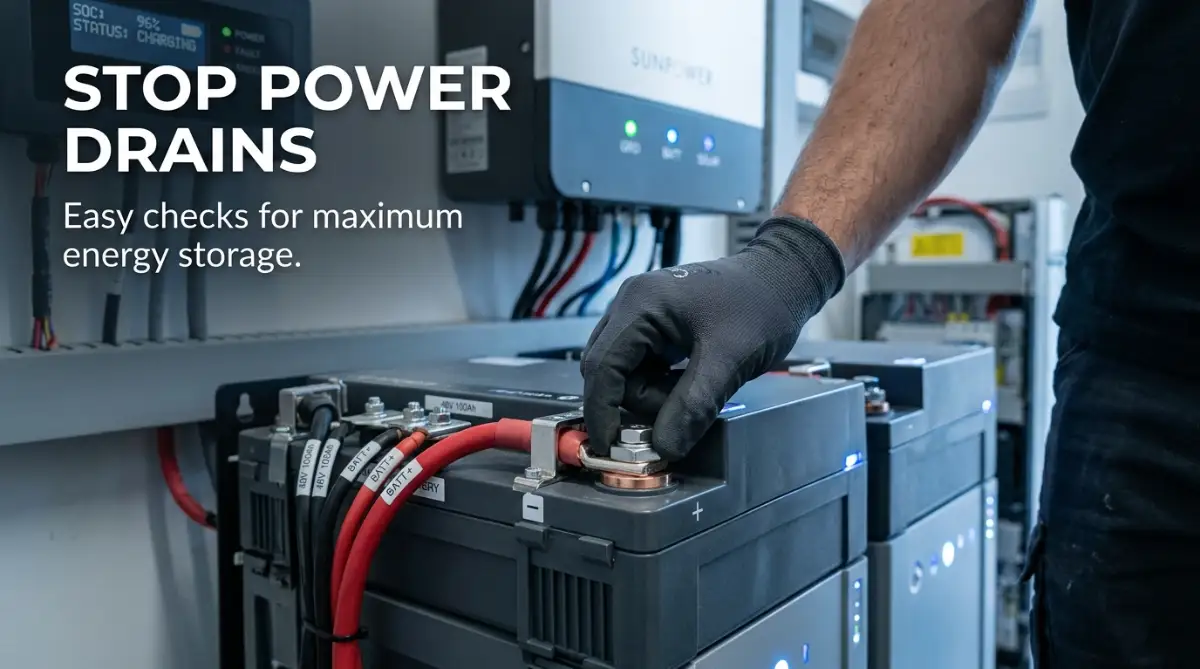
The 60-Second Terminal Health Check:
Before you scrub anything, ask yourself these three things:
- Are the cables warm to the touch while the sun is out? (They shouldn't be).
- Is the metal connector shiny, or does it look dull and chalky?
- Can you easily wiggle the cable with two fingers?
- If you answered yes to the first or third question, you have a loose connection that needs immediate tightening.
Keeping Connections Tight and Corrosion-Free
Power needs a clean, clear path to travel from the panels to the storage bank, and then into your home appliances. This path relies heavily on metal cables and connection terminals.
Because of the natural chemical reactions happening nearby, these metal terminals can develop a nasty, crusty buildup. This is called corrosion, and it acts exactly like a roadblock for your electricity.
When corrosion builds up, your system has to push much harder to send power through the wires. This wastes precious energy and creates dangerous heat at the connection points. You must inspect these terminals every few months to ensure they are shining and clean.
If you spot a white or greenish powder forming on the metal connectors, it is time to act. Put on a pair of heavy rubber gloves and safety glasses before you touch anything. Mix a simple paste of baking soda and a tiny bit of water, apply it to the crusty areas, and scrub it away with a stiff old toothbrush.
Once the metal is clean and totally dry, you can apply a thin layer of dielectric grease. This special grease stops oxygen from touching the metal, preventing future corrosion from forming. It is a tiny, cheap step that ensures a massive, steady flow of electricity.
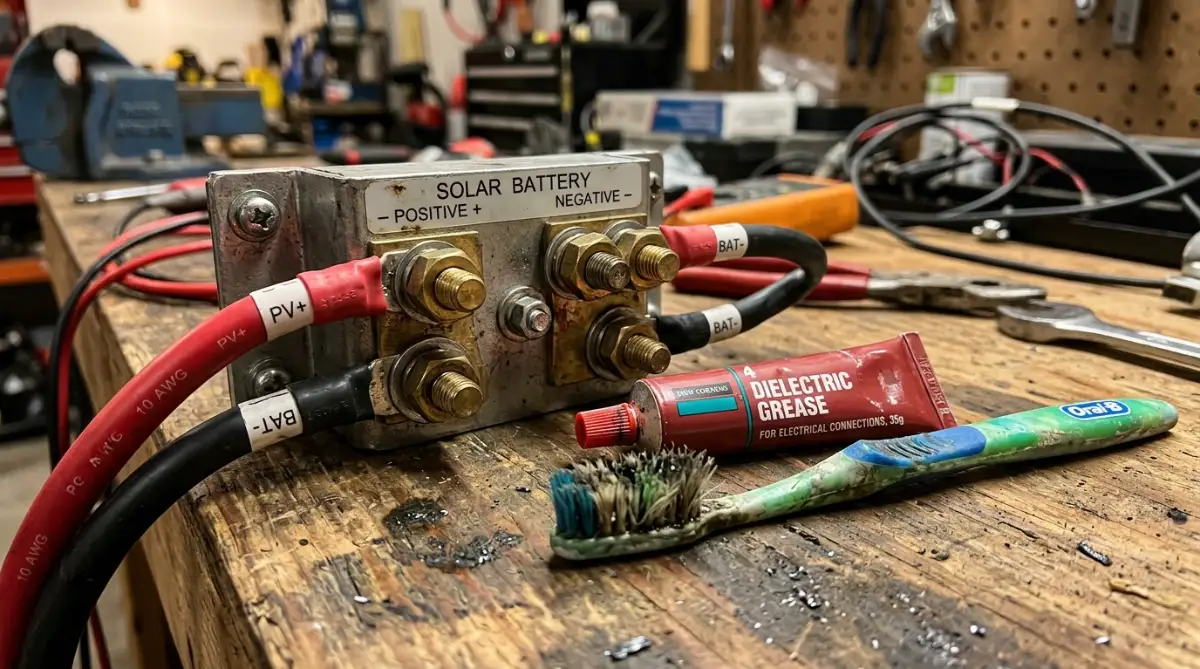
Checking for Loose Wires
Your house naturally vibrates over time. The washing machine spins, heavy trucks drive by outside, and strong winds shake the walls. All of these tiny micro-vibrations can slowly loosen the heavy cables attached to your inverter and storage bank.
A loose connection is extremely dangerous. It can cause arcing, where electricity jumps through the air, creating a serious fire hazard. It also causes random power drops that might make you think the whole system is broken.
Take five minutes every season to gently wiggle the main cables. If anything feels loose or wobbly, you need to grab an insulated wrench and carefully tighten the bolts. Make sure you read your manual to see how tight they need to be, as over-tightening can actually crack the terminal posts.
Smart Software and Firmware Updates
We live in a world where almost every home appliance is connected to the internet, and your solar storage is no exception. Modern units have complex internal computers that manage exactly how the energy flows.
Just like your smartphone or laptop, these internal computers need regular software updates. Manufacturers constantly find new ways to make the charging cycles more efficient and release these improvements through firmware updates.
Many homeowners completely ignore the smartphone app that comes with their solar setup. They leave the original, outdated software running for years. Because of this, they miss out on better efficiency and important bug fixes that protect the hardware from sudden surges.
Open your management app at least once a month and check for system updates. If your unit is connected to your home Wi-Fi, this usually takes just a few clicks. Updating the brain of your setup ensures the hardware runs as smoothly and safely as possible.
Understanding the Warning Lights
Every system has a specific language it uses to talk to you. Usually, this language is a series of colored LED lights on the front panel.
Green usually means everything is happy and healthy. A solid yellow light might mean the unit is actively updating or approaching a low charge. But a flashing red or orange light is a clear cry for help.
Do not ignore a warning light just because your lights are still on inside the house. A warning indicator often means the system has bypassed a failing cell or is struggling with an internal temperature issue. Keep your user manual right next to the equipment so you can instantly look up what a strange light means and take immediate action.
Seasonal Maintenance Checklists
Your power needs and weather conditions change dramatically throughout the year. Because of this, the way you treat your storage system should also change with the seasons.
In the summer, the sun is blazing, and your panels are generating a massive amount of power. The main focus here is keeping the equipment cool. Make sure nothing is stacked around the unit, blocking the natural airflow.
In the winter, the days are much shorter, meaning you get less time to capture the sun's energy. Your system will naturally struggle to reach a full hundred percent charge. During these dark months, you must monitor your usage heavily. Try to run heavy appliances like the dishwasher or laundry machine during the peak daylight hours, so you run off the direct sun rather than draining your precious backup storage.
Testing Your Backup Readiness
What good is an emergency backup if you do not know if it actually works during an emergency? You should never wait for a real neighborhood blackout to find out if your setup is healthy.
You need to perform a controlled, intentional test at least twice a year. Pick a quiet Saturday morning when it will not disrupt the whole family. Go to your main electrical panel and completely shut off the main breaker from the street grid.
Walk around the house and observe what happens. Did the lights flicker and come back on instantly? Is the refrigerator still humming? Open your management app and watch how fast the stored power drains while running your normal morning routine.
Doing a simulated blackout lets you spot weak points without any actual panic. If you notice the power draining dangerously fast during the test, you know it is time to call a professional technician for a deeper health scan.
When to Call a Professional
While there are many simple things you can do yourself, you have to know your absolute limits. Electricity is incredibly powerful and, if handled wrong, deadly.
You should never try to open the main sealed casing of the unit yourself. You should never try to replace individual lithium cells or mess with the heavy internal wiring. Doing so will instantly void your expensive warranty and put your life at risk.
If you notice a strange, sweet chemical smell coming from the unit, step back immediately. If the outer casing looks swollen, warped, or feels dangerously hot to the touch, shut the entire system down using the emergency switch. These are signs of a catastrophic internal failure, and you must call a certified solar technician immediately.
Taking care of your home power setup does not require a degree in electrical engineering. It just requires a little bit of steady, loving attention. By keeping the climate stable, preventing deep drains, and cleaning the simple connections, you guarantee your home stays bright, safe, and comfortable, no matter what happens to the grid outside.
Taking Your Power Storage Game to the Next Level
Once you master the basic cleaning and temperature control habits, you are ready to explore the real secrets of energy independence. Managing a massive home power bank is a lot like learning to drive a high-performance car. You can certainly just turn the key and go, but understanding exactly how the engine works gives you a much smoother and longer ride.
One of the most powerful things you can learn is the concept of active load management. Every single time a major household appliance turns on, it demands a massive initial gulp of electricity to get the motor spinning. We call this a surge load, and it puts an incredible amount of stress on your storage unit.
When your central air conditioner, electric dryer, and microwave all start at the exact same moment, your inverter has to work incredibly hard to push enough power out. This sudden heavy demand causes the internal temperature of your storage cells to spike rapidly. Over time, these daily temperature spikes slowly cook the sensitive chemistry inside the unit.
You can easily prevent this invisible damage by completely changing how you run your home. Simply staggering your heavy appliance usage makes a massive difference in your system's overall health. If you are washing clothes, wait until the dryer is completely finished before you turn on the electric oven to start cooking dinner.
Treating your stored energy like a strict budget is a fantastic way to stretch your system's capabilities. Think about it just like you would when trying to bootstrap your first business from scratch; you have to manage every single resource carefully to ensure long-term success. You should never waste your stored solar power on things that do not truly matter during an outage.
The Magic of Smart Home Automation
We are incredibly lucky to have access to modern smart home technology that can do the heavy lifting for us. You do not have to walk around the house manually flipping switches off every time the grid goes down. You can easily install a smart electrical panel that automatically drops non-essential circuits when you are running on backup power.
These smart panels let you categorize your appliances straight from your phone. You can tell the computer to always keep the refrigerator and the internet router powered on. At the same time, you can tell it to instantly block power to the pool heater or the guest room air conditioner.
This level of automatic control guarantees you never accidentally drain your entire backup supply on something silly. However, you must remember that adding these smart devices means your home energy network is now connected to the internet. Because these panels control the actual electricity flowing into your house, keeping that digital connection secure is incredibly important.
Many people completely forget that a smart inverter is basically a giant computer hanging on your garage wall. Hackers love targeting unsecured smart home devices. Just like you would take immediate steps to protect your data on public networks, you need to make sure your home Wi-Fi has a strong, complex password to keep your energy system safe from digital interference.
Mastering the State of Charge Drift
Here is an insider secret that most solar installation companies completely forget to tell their customers. Over many months of regular use, the computer inside your power bank slowly loses track of what a perfectly full charge actually looks like. We call this annoying issue "State of Charge Drift."
Imagine pouring water into a bucket while blindfolded. Eventually, you lose track of how full the bucket truly is. Your system's internal computer does the exact same thing when it constantly stops charging at 80 percent and starts discharging again.
Because of this drift, your smartphone app might say you have a 100 percent charge, but the actual physical cells are only holding 85 percent. This false reading can leave you totally unprepared when a massive storm knocks out the neighborhood grid.
To fix this, you need to gently recalibrate the system two or three times a year. You can do this by letting the equipment charge up to a completely full 100 percent and holding it there for a few hours. Checking recommendations from the National Renewable Energy Laboratory (NREL) is a great way to understand exactly how different lithium chemistries prefer to be balanced.
Recalibrating gives the internal battery management system a chance to sync up with the physical cells again. It resets the digital fuel gauge so you always know exactly how much emergency power you truly have available.
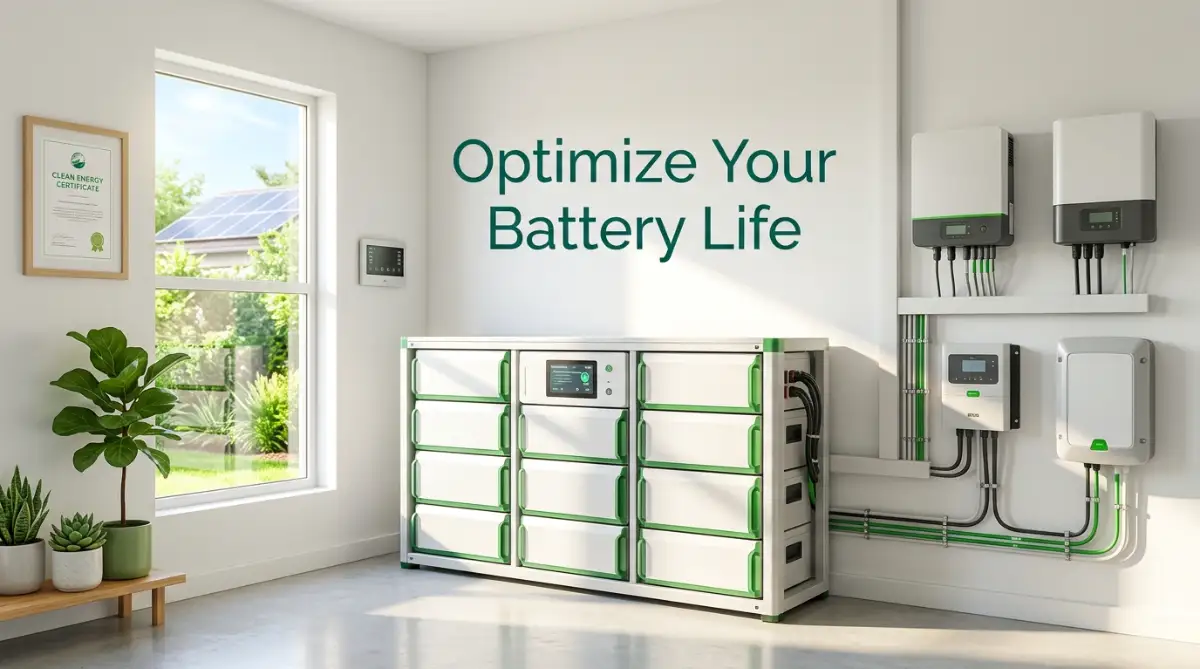
Silent Killers of Your Home Energy Bank
It is incredibly easy to make simple mistakes that silently destroy your expensive power setup. I constantly see smart, well-meaning homeowners accidentally damaging their equipment just because they treat their solar backup like a normal, limitless utility grid. Your home power bank is a delicate, living chemical system, and it demands a completely different kind of respect.
One of the absolute worst things you can do is bury your equipment under piles of household junk. We all have that corner of the garage where we throw old cardboard boxes, winter coats, and forgotten sports gear. If you stack these things anywhere near your storage unit, you are actively suffocating it.
Your inverter needs at least two feet of clear, empty space around all sides to breathe properly. When you block that natural airflow with old moving boxes, the cooling fans end up sucking hot, stale air right back into the machine. This creates a terrible heat loop that can literally melt internal components and start a devastating fire.
Ignoring the Minor Warning Signs
We are all incredibly guilty of ignoring small warning sounds around the house. When a smoke detector chirps, we often just pull the battery out to stop the annoying sound and promise to fix it later. If you do this with your solar storage app, you are setting yourself up for a massive financial disaster.
Modern units are designed to be extremely communicative. If an internal wire gets too hot, or if a specific cell starts dropping voltage too fast, the system will instantly send a notification to your phone. The worst mistake you can make is swiping that notification away because you are too busy watching television.
I have seen families lose entire freezers full of expensive meat just because they ignored a yellow warning light on their inverter for a week. They assumed the grid would just keep them safe, totally forgetting that their backup system was crying out for a simple software reboot. By the time the next heavy thunderstorm rolled through, their safety net was completely dead.
The "Garbage In, Garbage Out" Trap
Your power bank can only store the energy that your roof panels actually manage to collect. Many people obsess completely over the battery in the garage while totally ignoring the heavy layer of dirt sitting on their roof. If your panels are covered in thick pollen, bird droppings, or heavy snow, your storage system will starve.
When the system starves, it struggles to reach a healthy float voltage, which slowly damages the internal chemistry. You have to look at the entire home as one massive, connected organism. Learning how to maximize solar panel efficiency during extended cloudy weather is just as important as cleaning the metal terminals in your garage.
It is also incredibly common to fall for bad advice found on social media forums. You will see people claiming you need to spray water directly into the vents to cool the machine down, or that wrapping the unit in aluminum foil blocks harmful signals.
These ridiculous concepts are just as damaging as the fake health trends we see everywhere online. If you truly want to protect your investment, you have to stop believing random myths and stick to the actual manufacturer guidelines. Always verify strange maintenance tricks with certified electricians before you try them in your own home. You can often find highly reliable, scientifically backed maintenance standards on government sites like Energy.gov, which cut straight through the internet noise.
Mixing Old and New Equipment
Sometimes, families realize they need more power than they originally planned for. They decide to expand their system by buying a brand-new battery and wiring it directly into their three-year-old setup. This is a massive, expensive mistake that causes immediate internal conflict.
Old cells and brand-new cells have completely different internal resistances. When you wire them together, the new, strong unit tries to push energy into the older, weaker unit. This totally confuses the main inverter and causes the entire system to drain heavily just trying to balance itself out.
If you truly need more storage capacity, you usually need to install a completely separate inverter to handle the new addition. Never try to play matchmaker with highly volatile chemical storage units unless a certified engineer has explicitly designed the expansion for you.
Ready to Reclaim Your Peace of Mind?
Living with solar storage should feel incredibly freeing, not stressful. When you take the time to understand the simple habits that keep your equipment happy, you unlock a level of home security that most people only dream about. You no longer have to fear sudden summer storms or unpredictable grid blackouts.
By simply keeping the room temperature stable, wiping away dust from the vents, and managing your heavy household appliances, you are adding years of healthy life to your setup. These small, ten-minute weekend checks save you thousands of dollars in early replacement costs. They ensure that when the lights go out on your street, your house remains bright, warm, and comfortable.
A quick reminder from my own journey: I completely changed my relationship with my solar setup the day I stopped treating it like a magic box and started treating it like an important part of the family. My weekends are so much more relaxing now because I actually trust my equipment to do its job, and I want you to feel that exact same powerful sense of security.
Frequently Asked Questions About Home Power Banks
Can I hose down my outdoor battery cabinet to clean it?
No, you should never spray direct water onto any electrical storage cabinet, even if it says it is weatherproof. Heavy water pressure can easily force moisture past the protective rubber seals and cause a catastrophic short circuit. You should always use a slightly damp microfiber cloth to gently wipe away the dirt on the outside instead.
What should I do if I am going on a long vacation?
If you are leaving the house for several weeks, you should not leave your system sitting at a maximum 100 percent charge. Adjust your inverter settings to keep the stored power resting comfortably around 50 to 60 percent while you are away. This reduces internal chemical stress and keeps the cells perfectly healthy until you return.
Why does my cooling fan run so loud during the summer?
When the ambient temperature in your garage gets too hot, the internal thermal sensors force the cooling fans to run at maximum speed to prevent melting. This loud noise is actually a good thing, because it means the safety systems are working properly to protect the hardware. However, it is a clear sign that you need to improve the ventilation in that room to help the machine breathe easier.
Can I place heavy storage boxes on top of my unit?
You should absolutely never place anything on top of your power storage equipment. The top of the casing needs to remain completely clear so rising heat can safely escape into the air. Stacking heavy items on top blocks this heat escape and can also physically damage the delicate internal wiring.
How do I know if my system is totally dead and needs replacing?
If your system refuses to accept any charge from the roof panels for several days in a row, you likely have a dead cell block. You might also notice the outer plastic casing starting to bulge outward or feel unusually hot even when it is turned off. If you see any of these physical warning signs, you must turn the emergency switch off and call a professional immediately.
Disclaimer: The information provided in this article is for educational and informational purposes only and does not constitute professional electrical or engineering advice. Solar power systems involve high voltage and dangerous currents. Always consult your specific manufacturer’s manual and hire a certified, licensed solar technician before attempting any physical repairs, wiring changes, or complex maintenance on your home energy system. Global24Info is not liable for any property damage, injury, or loss resulting from the application of the general tips discussed in this post.