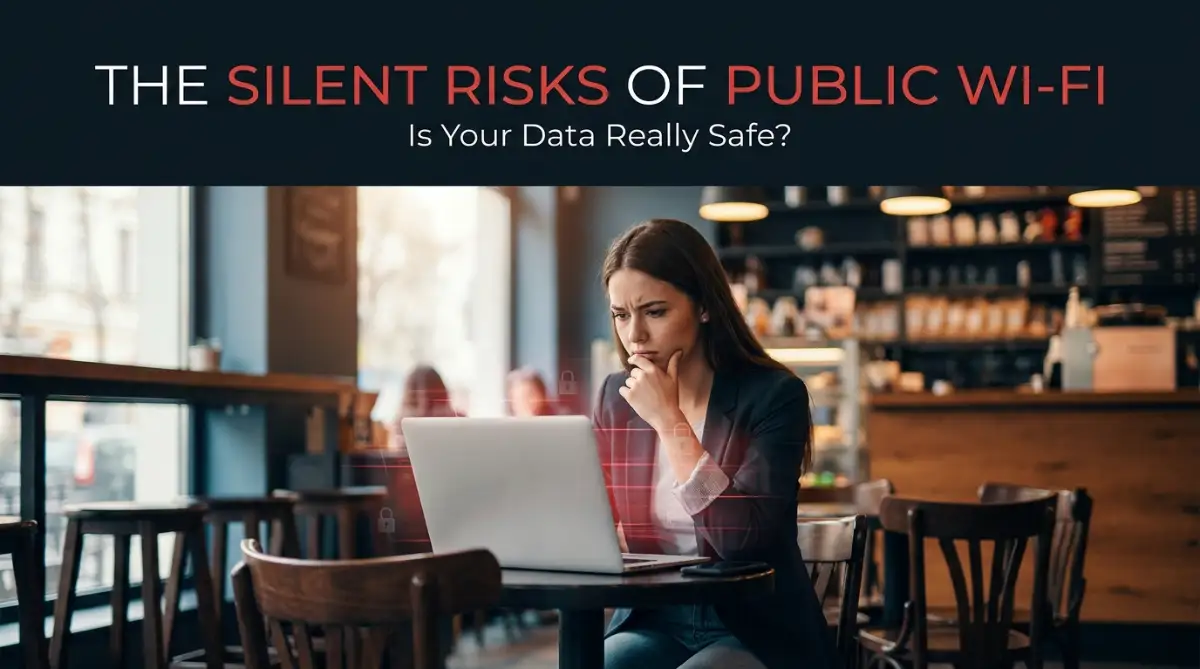
That One Innocent Coffee Shop Mistake That Cost Me Everything
Picture this: you buy a $5 coffee, connect to the cafe’s free Wi-Fi, and quickly check your bank balance. Two hours later, someone 500 miles away is maxing out your credit card. That is exactly what happened to me. I thought clicking "Accept" on a public network was totally harmless, but it almost wiped out my savings. Let me show you how to spot these invisible traps before you lose a single penny.
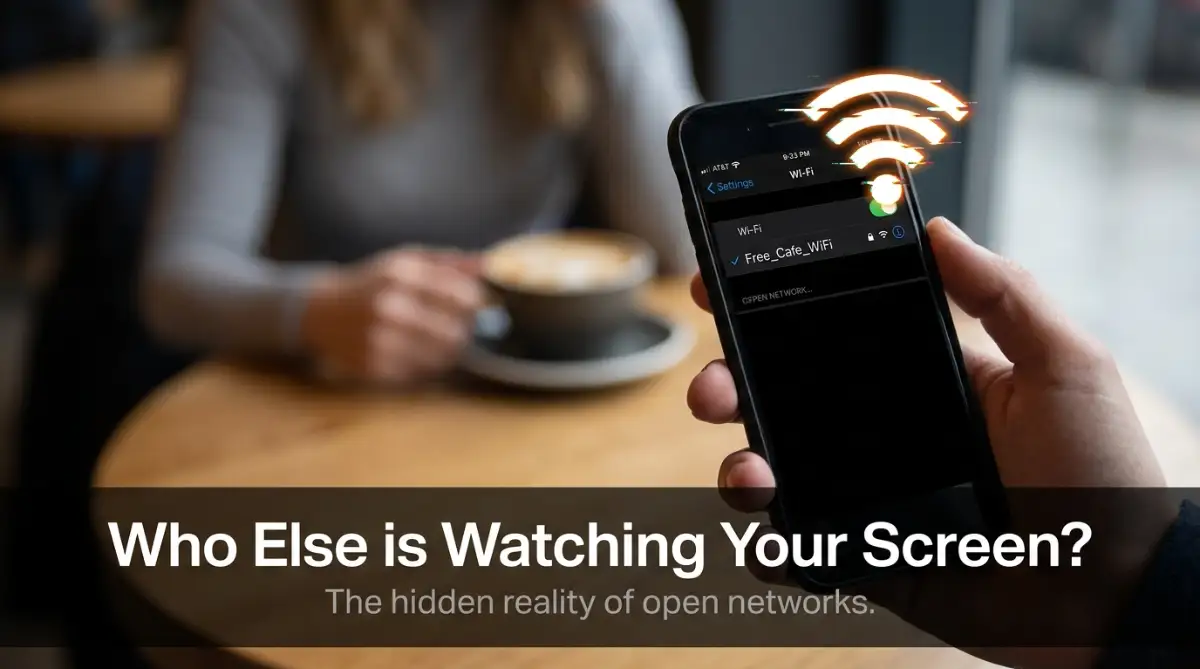
My data plan had run out, so I quickly connected to the cafe’s free open internet. It felt like such a normal, harmless thing to do. I logged into my bank account just to check if a client’s payment had cleared.
I did not think twice about the security of the connection. Why would I? Dozens of people around me were doing the exact same thing on their laptops and phones.
But less than three hours later, my phone started buzzing with frantic fraud alerts. Someone was trying to make massive purchases using my credit card from a completely different city.
My heart dropped into my stomach. I felt completely violated, confused, and terrified. I quickly realized that the free internet I had trusted earlier was actually a trap.
Someone sitting in that exact same cafe had silently intercepted my connection and stolen my login details right out of the thin air. That terrifying experience changed the way I look at free internet forever.
Every single day, millions of people unknowingly walk right into these invisible traps. We live in a society where staying connected feels like an absolute necessity.
When you travel through an airport, check into a hotel, or sit down at a restaurant, the first thing you probably look for is the free internet sign. It brings a quick sense of relief.
But behind that convenience hides a very dark reality. Regular people are losing their hard-earned money, their private photos, and their peace of mind just because they wanted to send a quick message or check an app.
It feels like you have to be a tech genius just to sit in a cafe and read the news safely. The anxiety of wondering if someone is watching your screen or copying your passwords is enough to ruin your day entirely.
Quick Summary: What You Will Learn Today
- The Cafe Trap: How attackers steal your passwords out of thin air using fake networks.
- The Steel Tunnel: Why turning on a VPN is the single best thing you can do for your phone.
- Hidden Doors: How leaving your Bluetooth and AirDrop on makes you an easy target.
- The Cellular Trick: Why using your phone's personal hotspot is always safer than free hotel Wi-Fi.
Unmasking the Invisible Thieves Around You
To fix this massive problem, we first need to understand how the bad guys actually operate in these public spaces. It is not like the movies where a hacker in a dark hoodie is violently breaking into your computer.
In reality, the attacker might look exactly like the friendly college student sitting two tables away from you. They use very quiet, invisible methods to listen in on your digital life.
One of the most common tricks is called the "Man-in-the-Middle" attack. Let me explain this in the simplest way possible.
Imagine you are sitting in a crowded room, trying to shout a very private secret to your friend across the hall. Because the room is so loud, someone standing in the middle simply listens to your secret, writes it down, and then passes it along to your friend.
You think your friend heard you directly, but a stranger now knows your deepest secret. This is exactly what happens when your phone talks to an unsecured router.
Any data you send—like passwords, chat messages, or credit card numbers—floats through the air completely unsealed. Anyone with a cheap piece of software can grab that information instantly.
The Real Cost of Open Wi-Fi (A Quick Comparison)
While free internet saves you mobile data, the hidden costs can ruin your month. Here is what you are actually risking:
- What you save: $2 to $5 on a data plan top-up.
- What you risk losing: Your bank login details, private emails, and family photos.
- Recovery time: It takes an average of 6 months and 100+ hours of phone calls to fully recover a stolen identity.
- The smart choice: Spend $3 a month on a good VPN, or just use your phone's built-in hotspot.
Is That Network Really What It Claims to Be?
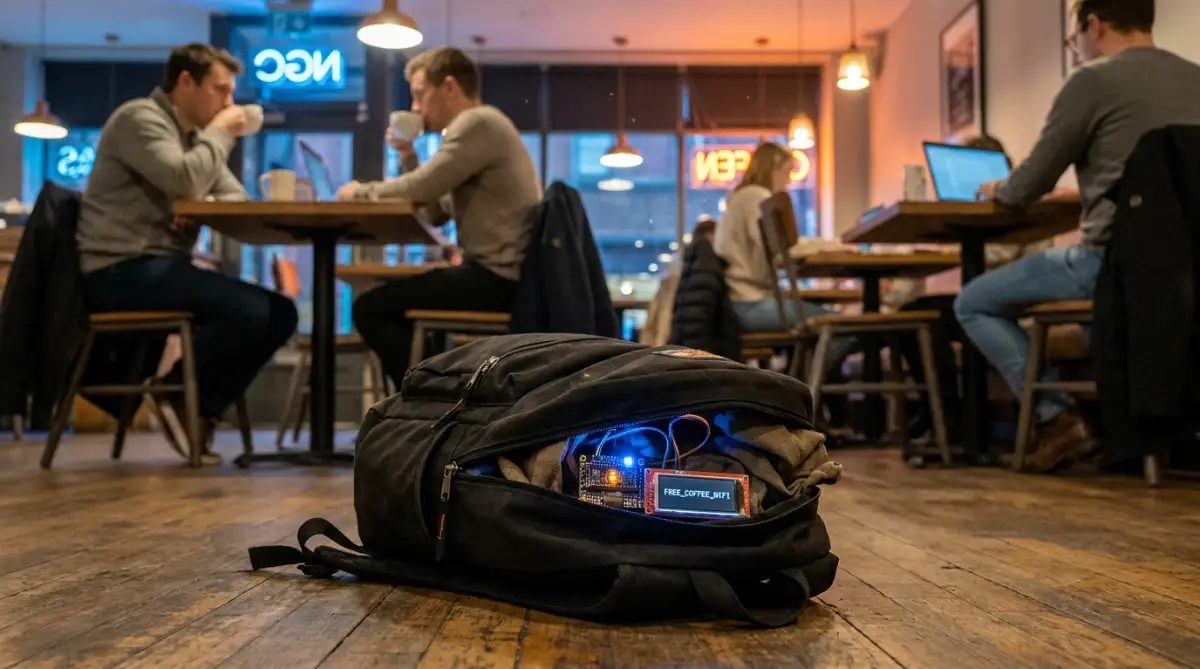
Another extremely clever trick is the fake hotspot, often called an "Evil Twin." Hackers know that you are actively searching for convenience.
So, they set up their own Wi-Fi router right inside a busy public place like an airport lounge or a shopping mall. They give their fake network a highly believable name, like "Free Airport Guest Web."
When you click on it, your phone connects happily, assuming it is an official service. But you have actually just handed the hacker the master keys to your device.
Everything you type, search, or send goes straight through their personal machine first. It is a terrifyingly simple trap, and it works incredibly well because people rarely double-check network names.
Myth vs. Reality: The Truth About Open Networks
Let's clear up some massive confusion right now. There are many dangerous myths floating around about internet safety that give people a false sense of security.
Myth: "I am safe because I am only checking the news and not logging into my bank."
Reality: Even if you are just reading articles, hackers can inject malicious software into your device through the unsecured connection. This software can quietly track you long after you leave the cafe.
Myth: "The hotel gave me a password, so the connection is safe and private."
Reality: Just because a network requires a common password given to hundreds of guests does not mean your individual connection is encrypted. You are still sharing a digital room with strangers.
Myth: "I am using an expensive Apple device, so I cannot be hacked."
Reality: Hackers on open networks do not attack your specific device brand; they attack the invisible data traveling through the air. Any device can fall victim to intercepted data.
Watch the Danger Unfold In Real-Time
Sometimes, hearing about these threats is not enough. You truly have to see it to believe how unbelievably fast an attacker can grab your sensitive information. I highly recommend watching this eye-opening demonstration.
Take a quick look at this short demonstration to see exactly how hackers steal personal data over open networks in under 60 seconds.
The Ultimate Blueprint for Bulletproof Browsing
Now that we fully understand the heavy reality of the situation, let us talk about how you can fight back. You do not need a degree in computer science to keep your data safe.
You just need to build a few smart, practical habits. Let's break down the most effective ways to protect yourself starting today.
Build Your Own Unbreakable Digital Tunnel
The absolute best defense against open network dangers is using a Virtual Private Network, commonly known as a VPN. If you do not have one installed on your phone and laptop right now, you are leaving your front door wide open.
Think of a normal open connection like sending a postcard through the mail. Anyone who touches that postcard along the way can easily read the message written on the back.
A VPN changes the game entirely. It takes your postcard, puts it inside a heavy steel box, locks it with an unbreakable code, and ships it through a private underground tunnel.
Even if a hacker is sitting on the same network trying to spy on you, all they will see is scrambled, unreadable garbage. They cannot see what websites you are visiting, and they definitely cannot see your passwords.

I use my VPN every single time I step out of my house. Whether I am at a library, a hotel, or even a friend's apartment, that shield stays turned on.
My Personal Wake-Up Call (Pro Tip):
I used to pay for a premium VPN service but would constantly forget to turn it on before connecting to a cafe's network. I realized that owning a tool is completely useless if you do not actively use it. My biggest piece of advice is to dive into your VPN app settings right now and enable the "Auto-Connect on Unsecured Networks" feature. This simple change completely removed my anxiety, because now my phone protects itself without me ever having to think about it.
Shut Down the Invisible Handshakes
Your smartphone and laptop are incredibly smart, sometimes far too smart for their own good. By default, most devices are programmed to automatically connect to any known network nearby to save your mobile data.
While this sounds helpful, it is incredibly dangerous. If you connected to "Starbucks WiFi" three years ago in a different city, your phone will actively search for that same name forever.
If a hacker names their malicious router "Starbucks WiFi," your phone will happily shake hands with it and connect while sitting quietly in your pocket. You will be hacked before you even order your drink.
You need to dive into your device settings today and turn off the "Auto-Join" or "Auto-Connect" feature for Wi-Fi. Force your device to ask for your permission before it connects to anything new.
My 10-Second Pre-Connection Checklist:
Before you ever hit that Wi-Fi icon in a public space, ask yourself these three rapid-fire questions:
- Did I ask the staff for the exact network name, or am I just guessing?
- Is my VPN app turned on and actively running?
- Do I really need to do this right now, or can it wait until I get home?
- If you answer "no" to any of these, turn off your Wi-Fi and use your cellular data instead.
You should also regularly clear out your saved networks list. Treat your saved connections like a guest list for a private party. If you do not recognize a name on that list, delete it immediately.
Lock Down Your Digital Briefcase
When you are sitting on your private internet at home, you might share files between your computer and your smart TV or printer. This is called file and printer sharing.
However, when you connect to a public space, leaving these sharing features on is like leaving your briefcase unzipped on a busy park bench. Anyone sitting near you can easily wander into your computer's folders and look at your personal files.
If you are using a Windows computer, make sure you always select "Public Network" when you connect to a new place. This instantly tells your computer to throw up its digital shields and hide your files from strangers.
If you are on an Apple device, go to your system settings and completely disable "File Sharing" when you are traveling. It takes only five seconds to do, but it shuts the door on casual snoops trying to peek into your device.
The Power of the Tiny Padlock
Before you type any sensitive information into a website, you need to train your eyes to look at the very top of your screen. Look directly at the address bar where the website name is written.
You should always see a tiny closed padlock icon right next to the web address. Furthermore, the web address should always start with "HTTPS" rather than just "HTTP."
That little "S" stands for secure. It means the website itself has locked your data before sending it across the internet.
Many modern web browsers will automatically warn you if a site is not secure. Do not ignore those bright red warning screens.
If you are browsing without a VPN, stick exclusively to websites that have that padlock icon. Never, under any circumstances, enter your email, password, or credit card into a site that says "Not Secure" next to the address.
The Ultimate Safety Net: Two-Step Verification
We have to accept the hard truth that humans make mistakes. Even with all the best tools in the world, you might accidentally connect to a bad network on a rushed morning.
If a hacker somehow manages to steal your password during that brief moment of weakness, you need a backup plan. This is where Two-Factor Authentication steps in to save the day.
By turning this feature on for your email, banking, and social media accounts, you add a massive concrete wall behind your password. If a hacker steals your password at a cafe and tries to log in from their own computer, the service will stop them.
The website will immediately send a unique, temporary code to your personal phone. Because the hacker is holding your stolen password but not your physical phone, they cannot get past the final door.
It is the absolute best safety net you can possibly have in the digital world. Yes, taking an extra five seconds to type in a code can feel slightly annoying when you are in a hurry.
But I promise you, that tiny inconvenience is infinitely better than the horrific nightmare of trying to recover a stolen bank account.
A Quick Reality Check on Security
Protecting your data outside your home does not require expensive equipment or deep technical knowledge. It truly comes down to slowing down for just a moment before you hit that connect button.
You simply have to treat your digital data with the exact same respect and caution that you treat your physical wallet. You would never leave your wallet sitting open on a table in a crowded food court.
So why would you let your sensitive digital information float around completely unguarded in the same exact space? Taking control of your digital life brings back a wonderful sense of peace and freedom.
Next-Level Strategies for Total Digital Invisibility
We have already covered the absolute basics of keeping your devices safe while sitting in a crowded coffee shop. But if you want to truly outsmart modern hackers, you need to step up your game.
Attackers are constantly inventing new ways to trick innocent people. Simply connecting to a VPN is a massive step forward, but it is not the only shield you should be carrying in your digital backpack.
Let us explore some highly advanced, professional-grade tactics that ordinary people rarely think about. These simple habit changes will transform you from an easy target into a digital ghost.
Why Your Own Cellular Data is Your Best Friend
Whenever I sit down at an airport gate, I immediately feel the urge to switch on the free terminal internet. But over the years, I have trained myself to completely ignore that temptation.
Instead, I rely heavily on my smartphone's personal hotspot feature. Your cellular data connection is heavily encrypted by your mobile carrier, making it entirely invisible to the teenager with a hacking device sitting three rows away.
If you just need to send a quick email or check your bank balance, simply tether your laptop to your phone's cellular network. Yes, it might use up a tiny bit of your monthly data allowance.
But I can guarantee that paying a few extra dollars for a data top-up is much cheaper than recovering a stolen bank account. You completely bypass the open network and create your own private internet bubble.
For a deeper understanding of mobile network safety, the Cybersecurity & Infrastructure Security Agency (CISA) provides an excellent guide on securing mobile devices in public spaces. This resource clearly explains why cellular networks naturally block local snooping attempts.
The Hidden Backdoor: Bluetooth and AirDrop
Most people completely forget that Wi-Fi is not the only way data travels through the air. Your phone's Bluetooth and file-sharing features are constantly whispering into the void, looking for nearby devices to talk to.
If you leave Bluetooth turned on while walking through a busy shopping mall, attackers can use specialized tools to quietly pair with your phone. Once connected, they can drop malicious files directly into your storage folder.
The same rule applies to Apple's AirDrop or Android's Nearby Share features. If you leave these settings open to "Everyone," a hacker can easily send you a disguised file that ruins your operating system.
Before you step out of your front door, make it a solid habit to turn off Bluetooth entirely. Only turn it on when you are actively putting your wireless headphones into your ears.
Securing Your Smart Home from the Outside
Here is a terrifying reality that most people never consider. When your phone gets infected at a public cafe, you eventually bring that phone right back into your living room.
The moment you connect to your home internet, that hidden virus can easily jump from your phone to your smart TV, your wireless security cameras, or even your smart fridge. Everything in your house becomes compromised just because of one bad connection at a restaurant.
This is why understanding the hidden cybersecurity risks of connecting multiple smart home devices is so absolutely necessary today. You have to treat your mobile phone like a digital quarantine zone when you travel.
Mastering the Art of Secure Browsing
Another incredible layer of protection is understanding how your internet browser actually routes your requests. Every time you type a website name, your computer asks a phonebook (called a DNS server) where to find that site.
Public networks often use very cheap, unsecured DNS servers that hackers can easily manipulate. They can secretly redirect your favorite banking website to a fake copycat page that looks completely identical.
You might think you are logging into your bank, but you are actually handing your password straight to a thief. Taking a few minutes to learn about the ultimate guide to understanding DNS management can completely change your security game.
By manually setting your phone or laptop to use a trusted, encrypted DNS provider, you block hackers from hijacking your web searches.
The Tragic Traps That Catch Smart People Every Day
It breaks my heart to see incredibly smart, cautious people lose everything because of a single moment of laziness. We all make excuses when we are in a hurry, but hackers actually count on your impatience.
They know exactly how human psychology works. They set traps that take advantage of our exhaustion, our stress, and our desire for instant convenience.
Let us walk through some of the most devastating mistakes people make in public spaces. Understanding these specific errors will help you spot danger from a mile away.
The "It Will Only Take a Second" Illusion
This is easily the most dangerous lie we tell ourselves. You are standing in line at a local bakery, and you suddenly remember you need to pay a credit card bill.
You think to yourself, "I am just going to connect to their open network for exactly one minute. No one can hack me that quickly." This is a massive, costly misunderstanding of how hacking actually works today.
Modern cyber attacks are completely automated by computer scripts. A malicious router does not need a human sitting there to manually attack you; the software grabs your data in the exact millisecond you connect.
In the time it takes you to simply load the banking homepage, your device ID, location, and login cookies have already been copied. Never sacrifice your entire digital identity just to save sixty seconds of your time.
Ignoring the Silent Security Warnings
Web browsers are constantly trying to protect you. They have built-in alarms that go off when a website is not protecting your connection properly.
Sometimes you will try to visit a site on hotel internet, and a giant red screen will pop up saying, "Your connection is not private." Far too many people just click the "Proceed anyway" button without a second thought.
That warning screen usually means the website's security certificate is broken, or someone is actively trying to intercept your data. If you want to know what really happens to your traffic when an SSL expires, just imagine sending your credit card details through a clear glass tube for everyone to see.
When your browser warns you, stop what you are doing immediately. Close the tab, disconnect from the network, and find a safer way to get online. The renowned Electronic Frontier Foundation (EFF) strongly advises users to never bypass browser security warnings, as detailed in their guide to secure web browsing habits.
Believing That Hotel Rooms Are Private Spaces
There is a strange psychological trick that happens when you check into a nice hotel room. You close the heavy wooden door, lock the deadbolt, and suddenly feel entirely safe and isolated.
Because you are alone in the room, you naturally assume the hotel's premium internet service is just as private. This is a very dangerous illusion.
Hotel networks are basically giant digital dormitories. The person sitting in room 302 can easily run a scanning program to see what the person in room 405 is looking at.
You are sharing a massive, unencrypted local network with hundreds of strangers. Always use your defensive tools in a hotel, even if the internet requires your room number and last name to log in.
Pushing "Remind Me Tomorrow" on Software Updates
We all hate those annoying system update notifications that pop up right when we are busy working. Hitting the "remind me later" button feels incredibly satisfying at the moment.
But when you sit down at an open cafe network with outdated software, you are carrying a shield full of massive holes. Tech companies release those updates specifically to patch newly discovered security flaws.
Hackers write scanning tools specifically designed to look for older, unpatched phones sitting on the network. They know exactly how to break into last month's software version.
Make it a strict, unbreakable habit to update your phone, your laptop, and your web browser the moment an update becomes available.
If you are struggling with a weak home connection that makes downloading updates difficult, try learning how to boost your Wi-Fi signal through thick concrete walls so you can keep your devices secure from the safety of your own house.
Changing Your Digital Mindset for Good
Protecting your private information is not about living in a constant state of fear or paranoia. It is simply about adopting a new, smarter digital mindset for the modern age.
Once you build these basic safety routines, they become as natural as looking both ways before crossing a busy street. You do not even have to think about them anymore.
You will be able to sit in any coffee shop, airport terminal, or library in the world with total peace of mind. You will know exactly how to spot the invisible dangers that everyone else is blindly ignoring.
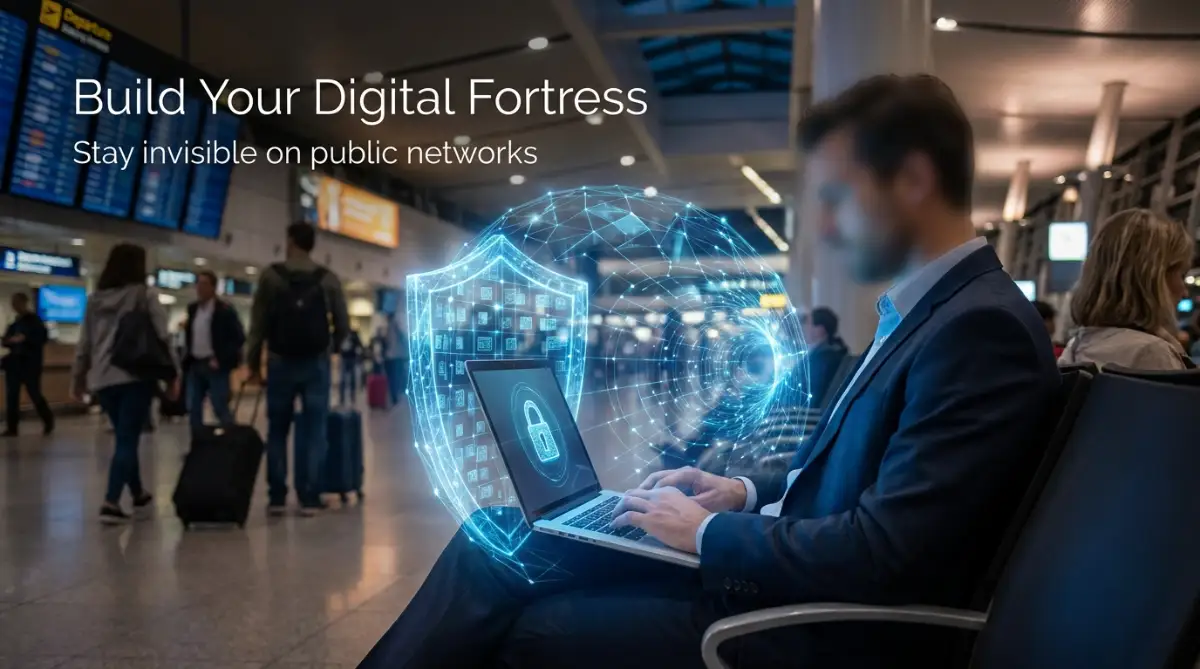
The power to protect your privacy is resting entirely in your own hands. By using encrypted tools, managing your mobile settings, and thinking twice before connecting, you build an unbreakable digital fortress around your life.
You can find more amazing everyday tech solutions and privacy tips by exploring resources on our main platform. Taking just five minutes today to secure your phone can save you months of emotional and financial agony later.
My greatest hope is that you never have to experience the cold panic of an empty bank account or a stolen identity. I want you to walk away from this guide feeling empowered, prepared, and completely ready to take control of your digital life right now.
Common Questions About Safe Public Browsing
Can I safely check my email on free internet without a VPN?
It is highly discouraged to check your email on an unsecured network without proper encryption. Hackers can easily steal your session cookies, which allows them to jump right into your inbox without even needing your password. If you must check email, heavily rely on your mobile data connection instead.
What should I do if I accidentally connect to a suspicious network?
The very first thing you must do is turn off your Wi-Fi immediately to break the connection. Next, clear your browser history, delete your recent cookies, and open your settings to permanently "forget" that network name. Finally, run a quick security scan on your device just to be absolutely sure nothing was downloaded.
Is "Incognito Mode" safe to use on a public cafe connection?
No, Incognito Mode does absolutely nothing to hide your internet traffic from hackers or the network owner. It only stops your web browser from saving your history locally on your physical computer screen. Your data is still flying through the air completely unencrypted and fully visible to attackers.
How do hackers actually make fake internet hotspots?
They use inexpensive, portable routers that can easily be bought online or at electronics stores. They plug these tiny devices into a battery pack, name the network something convincing like "Guest Free Web," and hide it in their backpack. When your phone searches for an open connection, it automatically connects to their hidden router instead of the real one.
Does having an antivirus app on my phone protect me from these risks?
An antivirus app is excellent for stopping downloaded viruses, but it cannot encrypt your live internet traffic. If a hacker intercepts your unencrypted messages or passwords through the air, the antivirus program will not even trigger an alert. You absolutely need a secure digital tunnel to protect your data while it is in transit.
Disclaimer: The information provided in this article is strictly for educational and informational purposes only. Cybersecurity threats evolve rapidly, and no single tool or method can guarantee 100% protection against data theft. Always consult with a certified IT professional for personalized security advice, and ensure your devices are updated with the latest manufacturer security patches.