
The Hidden Anxiety Behind "Automated" Systems
Ever spent three hours building an automation to save you five minutes of work, only for it to break the very next day? Yeah, me too. We build these 'smart' workflows hoping to finally get our weekends back. But instead, we end up babysitting fragile bots that crash the second a website changes a simple button color. It is completely exhausting, but I promise you, it does not have to be this way. Let me show you how to fix it for good.
It was incredibly frustrating to realize my robotic assistant needed more help than it actually gave me. You start questioning if all this technology is actually worth the headache. This is not just my personal struggle. Thousands of smart professionals deal with this exact nightmare every single day.
We build workflows to handle repetitive tasks, desperately hoping to get our weekends back. But reality hits hard when an unexpected pop-up or a slight layout change shatters the entire process. Suddenly, your inbox is completely flooded with red error alerts.
You have to drop everything you are doing to manually fix something that was supposed to run on autopilot. This constant cycle of breaking and fixing completely destroys your mental peace. You can never truly relax, even when you step away from your desk.
What You Will Learn in This Guide:
- Why traditional bots break so easily and how to stop it.
- How dynamic attribute scoring makes your scripts totally self-healing.
- The simple trick to stop sudden website pop-ups from ruining your day.
- Why switching from screen-clicking to backend APIs is a total game changer.
Moving Past Fragile Bots: How Real Resilience Works
The biggest problem with traditional scripts is that they are completely blind. They follow a strict set of rules without understanding the actual environment around them. If you tell a standard bot to click a button named "Submit," and the website owner renames it to "Send," the bot instantly panics and crashes.
It does not know how to think critically or look for alternatives. This rigid behavior is why so many automated systems fail at the worst possible times. To solve this, the industry shifted toward something much more intelligent.
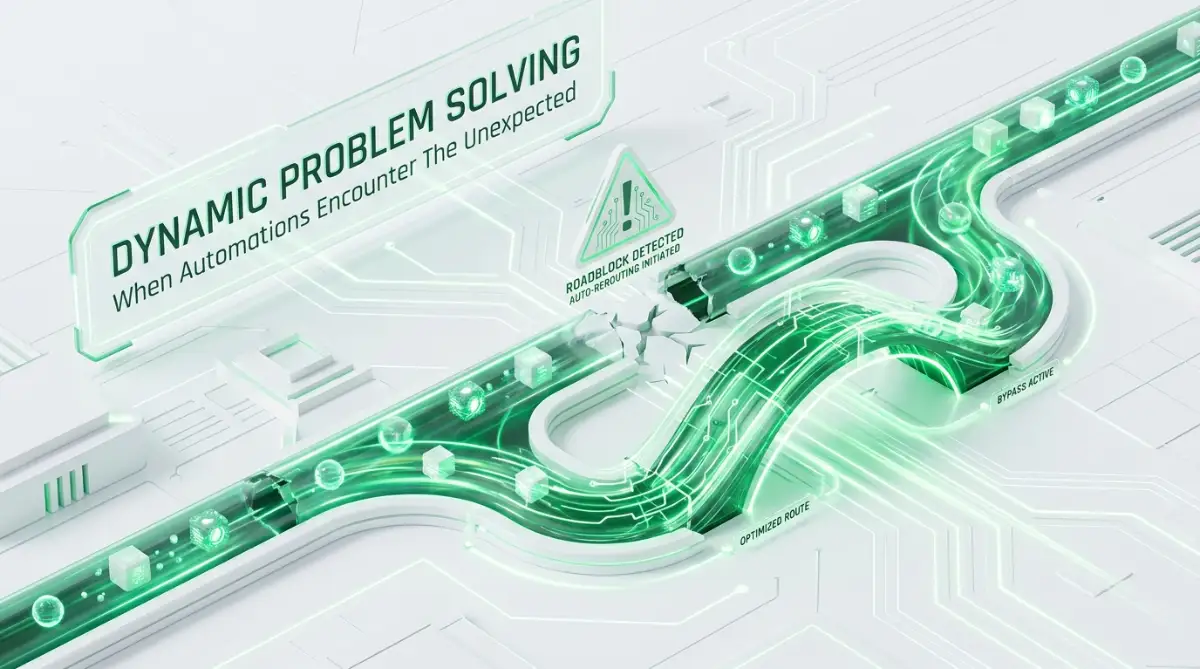
We now use systems designed to adapt on the fly when things do not go according to plan. Think of it like driving a car with a modern GPS system. If a specific road is suddenly closed for construction, your GPS does not just turn off and leave you stranded.
It instantly analyzes the surrounding map and calculates a brand new route to get you to your destination. Smart scripts operate on this exact same principle. When they encounter an unexpected roadblock, they stop, assess the situation, and figure out a new way forward.
This completely changes the way we approach software reliability. We are no longer trying to predict every single error that might happen. Instead, we are building systems that know exactly how to handle the unknown.
Smart Automation: Myth vs. Fact
| The Common Myth | The Actual Reality |
| :--- | :--- |
| Bots just blindly click where you tell them to. | Smart bots read context, colors, and nearby text before acting. |
| You need to know how to code to fix a broken script. | Modern tools use auto-healing features to fix themselves. |
| Pop-ups will always ruin your background tasks. | AI vision easily finds the "X" button and closes pop-ups on the fly
The Magic of Dynamic Attribute Scoring
One of the most powerful ways smart bots recover is through a method called dynamic attribute scoring. In the old days, a script would rely on a single piece of information to find an item on a screen. If that one tiny piece of code changed, everything fell apart.
Now, intelligent workflows look at multiple details at the same time. They act much more like a human detective gathering different clues. Let's say a script needs to interact with a checkout button on a shopping site.
Instead of just looking for the exact code name, it remembers that the button is usually blue, located in the bottom right corner, and has a shopping cart icon next to it. If the website updates and changes the underlying code, the bot does not immediately give up.
It checks its list of alternative clues. It notices that while the code name is different, the button is still blue, still in the bottom right, and still has the cart icon. The bot confidently decides this is the correct button and clicks it, completely bypassing the error.
My Personal Pro Tip: I recently updated my own online store's checkout page. I moved the "Buy Now" button from the center to the top right and changed it from green to black. My old scripts would have thrown a massive error immediately. But because I switched to dynamic scoring, my workflow noticed the shopping cart icon next to the button and processed 40 orders that night without missing a beat.
This scoring system gives the workflow a massive safety net. It dramatically reduces the number of times a human has to step in and fix a broken pathway. You can finally trust your systems to run independently overnight.
Want to see exactly how an intelligent bot automatically bypasses a broken login button without human help? Check out this complete visual breakdown to understand the magic happening behind the screen.
Handling Pop-ups and Unplanned Interruptions
Unexpected pop-ups are the absolute worst enemy of basic automated workflows. A random newsletter subscription box can bring an entire enterprise-level process to a grinding halt. The bot gets confused because it expects to see a specific page, but an overlay is blocking its view.
Traditional setups require you to manually write rules for every single pop-up that might ever appear. This is an impossible task because websites change their promotional banners almost daily. Smart recovery mechanisms take a completely different approach to this common annoyance.
They use advanced visual recognition to understand when something is blocking their main objective. Instead of crashing, the script initiates a dedicated "clearing" routine. It scans the screen for common exit signs like an "X" icon, a "No Thanks" text, or simply tries clicking outside the main box.

I used to think adding more "wait" times would fix my crashing workflows. I quickly learned that hardcoding long pauses just makes the whole process painfully slow without actually solving the root issue of surprise pop-ups.
Once the interruption is successfully closed, the bot seamlessly returns to its original task as if nothing ever happened. This simple yet highly effective strategy prevents thousands of failed runs. It allows businesses to maintain clean data flow without hiring a team just to monitor error logs.
Intelligent Retry Loops and Exponential Backoff
Sometimes, the error is not about a changed button or a pop-up. Often, the issue is just a temporary glitch, like a slow internet connection or a server timing out. A basic script will immediately fail the very second a page takes too long to load.
It throws a massive error report and shuts down completely. This creates a lot of unnecessary panic for the person managing the systems. To combat this, modern setups use a brilliant concept called exponential backoff.
Instead of aggressively trying to reload the page a hundred times in a row, the bot is patient. It encounters the slow server and decides to wait two seconds before trying again. If it still fails, it waits four seconds, then eight seconds, and so on.
This gentle approach gives the struggling website enough time to recover without overwhelming it with rapid requests. It acts exactly like a polite human refreshing a page during a heavy traffic spike. This method drastically reduces false alarms in your error reporting system.
You only get notified if the system is genuinely completely broken and unresponsive after several spaced-out attempts. Your daily workflow becomes significantly quieter and much more reliable.
Graceful Degradation: The Art of Failing Safely
Even the smartest systems in the world will eventually face an obstacle they simply cannot bypass. A website might completely redesign its entire structure, or a third-party service might go completely offline. When this happens, how the bot reacts is incredibly important.
Fragile scripts will panic, leave processes half-finished, and potentially corrupt important data. This is dangerous, especially when dealing with financial transactions or sensitive client records. Intelligent workflows practice something called graceful degradation.

When they realize a task is absolutely impossible to complete, they do not just crash instantly. They carefully undo any partial work they have started to ensure data remains clean and accurate. They leave the environment exactly how they found it.
Then, they generate a highly detailed, human-readable report explaining exactly where and why they had to stop. Instead of vague error codes, you get a clear message saying, "Could not find the payment gateway after 5 attempts."
This level of detailed communication turns a stressful system failure into a simple, manageable task. You know exactly what needs your attention, saving you hours of frustrating detective work.
Why Context Matters in Error Recovery
Automated problem-solving is not just about randomly clicking until something works. It is deeply tied to understanding the context of the specific task at hand. If a bot is trying to download a daily sales report and the download link is missing, it needs to know what to do next.
Should it skip the task and move to the next day's report? Should it pause the entire pipeline because today's numbers are absolutely necessary for the next step? Smart systems allow you to set contextual priorities.
You can instruct the workflow that certain errors are minor speed bumps, while others are full stop signs. If a secondary image fails to load on a webpage, the bot can just ignore it and keep moving. However, if a primary login field disappears, the bot knows it must halt and request immediate human assistance.
This nuanced understanding prevents minor visual glitches from ruining an otherwise perfect run. It mimics human decision-making, where we constantly weigh the importance of an obstacle before giving up. Building this level of context into your systems is what truly separates basic task runners from advanced digital assistants.
It gives you the profound peace of mind that your operations are being handled with actual logic and care. You can finally start enjoying your evenings again without constantly checking your phone for server alerts.
Mastering Long-Term Reliability in Smart Automation
We have already covered how intelligent scripts recover from unexpected bumps in the road. Now, it is time to talk about building a truly unbreakable system from the ground up. You do not just want your bots to survive errors; you want them to operate so smoothly that you forget they even exist.
Getting to that level of pure reliability requires a shift in how you plan your workflows. Many beginners focus entirely on getting a task done just once. Professionals, on the other hand, build systems expecting them to break immediately.
This simple mindset shift changes everything about how you design your digital assistants. Let me share some advanced strategies that completely changed my approach to building smart workflows. These are the exact methods experts use to keep enterprise-level bots running for months without a single manual adjustment.
Prioritize Background APIs Over Screen Clicking
If there is one massive secret to building resilient systems, it is learning to avoid the visual screen whenever possible. Simulating human mouse clicks is inherently risky because user interfaces change constantly. Marketing teams love to redesign web pages, move buttons, and change background colors.
Every single visual update is a potential landmine for a traditional bot. Instead of relying on what the screen looks like, try to talk directly to the underlying server. This is where Application Programming Interfaces or APIs come into play.
Think of a visual interface like ordering food at a busy restaurant counter. There are long lines, confusing menus, and physical obstacles in your way. Using an API is like having a direct walkie-talkie straight to the chef in the kitchen.
You completely bypass the messy visual layer and simply request the exact data you need. For example, if you are setting up a workflow to organize your daily tasks, you might want to connect your email client to project management tools directly behind the scenes.
When you use the official backend channels, it does not matter if the software company completely changes their website design tomorrow. Your data flow remains totally safe and uninterrupted because the background structure rarely changes.
Implement Multi-Layered Validation Checks
A smart bot should never just blindly accept the data it pulls from a source. Websites often glitch and load incomplete pages. If your bot scrapes a half-loaded webpage, it might accidentally delete important records or send out broken emails to your clients.
To prevent this disaster, you need to add validation gates throughout your workflow. A validation gate is simply a checklist the bot runs through before moving to the next step. If it downloads a spreadsheet of new leads, it should immediately check if the file is completely empty.
If the file is empty, the bot should trigger a self-healing retry loop instead of passing blank data to your sales team. You can apply this exact same logic to text extraction. If a bot expects to pull a dollar amount from an invoice, it needs to verify that the extracted text actually contains numbers.
If it accidentally grabs a text string like "Loading Error," the validation gate catches the mistake instantly. These small, thoughtful checks act like a safety net for your entire operation. They ensure that bad data never corrupts your final output.
The Power of Dynamic Selectors
When you do have to interact with a visual screen, you must be clever about how you target elements. I used to right-click a button, copy its exact web path, and paste it into my bot. This worked perfectly until the website added a single new row of code, breaking my entire script.
Instead of using highly specific, rigid paths, start using relative relationships to find things on a page. The World Wide Web Consortium guidelines emphasize semantic structures, meaning elements are often grouped logically. You can train your bot to understand these groupings.
For instance, rather than telling the bot to click the third button in the second column, give it a logical rule. Tell it to look for the word "Checkout" and then click the first clickable button immediately next to it. This way, if the whole block moves down the page, your bot still knows exactly what to do.
It is just like giving a human directions. If you say "turn left at the red house," they will find it even if a new street was built nearby. Using dynamic, relationship-based rules makes your workflows incredibly durable against sudden design updates.
Securing Your Autonomous Operations
Giving software the power to act on your behalf is amazing, but it also comes with significant security responsibilities. When scripts run automatically, they handle your passwords, client lists, and sensitive emails. If a smart bot gets hijacked or confused, it could accidentally expose private information.
You must ensure that any third-party tools you use have strict permissions. For example, it is incredibly important to monitor exactly how third-party AI agents secretly access your personal calendar or inbox.
Always use secure, encrypted vaults to store the login credentials your bots use. Never type your actual passwords directly into plain text configuration files. By keeping your credentials locked away, you guarantee that even if a bot fails, your core accounts remain completely safe from unauthorized access.
Following strict cybersecurity practices recommended by industry leaders ensures your automated systems are both smart and secure. You gain all the efficiency benefits without compromising your business data.

The Biggest Traps Builders Fall Into
Even with the best intentions, it is incredibly easy to make simple mistakes that ruin an automated system. I have personally broken many workflows by ignoring a few basic principles of software design. Understanding what not to do is just as important as knowing the right strategies.
When you rush to get a bot up and running, you often skip the safety measures that protect you later. Let's look at the most dangerous habits that cause automated systems to fail spectacularly. Avoiding these specific traps will save you countless hours of stressful troubleshooting.
Allowing Workflows to Fail Silently
The absolute worst thing a bot can do is crash without telling anyone. This is known as a silent failure, and it is a massive nightmare for any business owner. Imagine assuming your accounting bot is paying your vendors every Friday, only to discover a month later that it stopped working weeks ago.
Silent failures happen when we forget to set up proper communication channels for our scripts. You should never assume a process ran perfectly just because you did not see an error pop-up on your screen. You need proactive notifications sent directly to your phone or communication app.
Every single workflow should have a final step that sends a quick "Success" message to a dedicated channel. If you do not get that daily success message, you immediately know something is wrong. Conversely, if a script hits a roadblock it cannot heal from, it must loudly ring the alarm bell.
It needs to send you an urgent alert with a screenshot of exactly where it got stuck. Building this communication habit turns a silent, invisible disaster into a manageable, five-minute fix.
Automating Broken or Inefficient Processes
There is an old rule in technology: automating a bad process just helps you do bad things much faster. Many people try to build a bot to fix a disorganized, messy workflow. This is a terrible idea that always leads to highly unstable scripts.
If your human team struggles to find the right files because your folders are a mess, a bot will struggle even more. You must clean up and standardize your environment before you invite digital workers into it. Take the time to map out every single step logically on a whiteboard.
Sometimes, while organizing the steps, you realize you do not even need automation. You might just need a better filing system or a clearer set of instructions for your team. You should only introduce bots when the path is completely clear, organized, and perfectly predictable.
A well-organized foundation makes building self-healing scripts incredibly easy. If the underlying logic is solid, the bot can easily figure out how to recover from minor visual glitches.
Ignoring Website Traffic and Rate Limits
We often forget that our smart scripts operate incredibly fast—much faster than a human ever could. While speed is great, it can quickly trigger security alarms on the websites you interact with. If your bot tries to download fifty files in two seconds, the target server will think it is a malicious attack.
The server will instantly block your IP address, completely shutting down your operation. This is why you must purposefully slow down your intelligent workflows. Add human-like pauses between every major action.
Let the bot wait three seconds after clicking a login button before it starts typing a password. These small delays make your automated traffic look entirely natural to security filters. It is a balancing act between being highly efficient and being completely invisible.
Respecting the speed limits of external servers guarantees long-term stability for your daily data extraction.
Testing Only on the "Happy Path"
When we first build a workflow, we test it under perfect conditions. We log in with the correct password, the website loads instantly, and the data is exactly where it should be. This perfect scenario is called the "happy path."
The problem is that the real internet is chaotic and almost never stays on the happy path for very long. If you only test your script when things are perfect, you have absolutely no idea how it will react to stress. You must intentionally try to break your own bots before you rely on them.
Change your password and see how the script handles the "login failed" message. Disconnect your internet mid-run to test if the offline recovery loop actually kicks in. Feed it a broken spreadsheet to ensure the validation gates catch the bad data.
By actively throwing challenges at your setup, you expose its hidden weaknesses. You can patch these holes in a safe testing environment before they ever impact your actual business operations.
Moving Toward Unbreakable Daily Operations
Embracing intelligent, self-correcting workflows completely transforms how you interact with technology. You move away from being a constant micromanager of brittle scripts. Instead, you become the architect of a highly resilient digital workforce.
This journey is all about building trust with your own systems. When you know your bots can handle random pop-ups, slow servers, and design changes automatically, a huge weight lifts off your shoulders. You stop checking your computer at odd hours to see if tasks finished correctly.
You also start looking for new ways to expand your efficiency. For instance, learning new calculation frameworks for your business becomes easier when bots handle the boring daily data entry. You free up your mental energy to focus entirely on creative growth and strategy.
The initial effort it takes to implement dynamic selectors and recovery loops pays off a thousand times over. You are literally buying back your own time, hour by hour.
You can find more advanced digital strategies and guides by returning to our main knowledge hub. We regularly share deep dives into making technology work for you, not against you.
When I finally stopped hardcoding every single button click, my entire relationship with software changed. I no longer feared website updates; I actually welcomed them because I knew my bots would intelligently adapt on the fly.
Common Questions About Smart Bot Resilience
How do intelligent scripts know a button changed its name?
They rely on a combination of contextual clues rather than just a single HTML tag. By checking the button's color, location on the screen, and nearby text, the script assigns a confidence score. If the score is high enough, it proceeds even if the internal name was altered.
Can these self-healing systems fix major network outages?
No, they cannot fix a broken internet connection or a downed server. However, they can elegantly pause their current tasks and wait for the connection to return. This prevents data corruption and allows the workflow to safely resume once the outage is resolved.
Do I need to be a professional programmer to use adaptive bots?
Not anymore. Modern automation platforms offer drag-and-drop interfaces with built-in self-healing features. You just need to understand the logical steps of your task, and the software handles the complex background code for you.
What happens if an unexpected pop-up covers the whole screen?
Advanced setups use computer vision to recognize intrusive overlays that block their target path. They automatically run a background routine to search for common exit buttons, like an 'X', to clear the screen before continuing.
Why do my older automations crash so frequently?
Older setups usually rely on static coordinates or very strict code paths. If a website shifts a menu bar down by just a few pixels, the older script will click on empty space and fail immediately.
Disclaimer: The information provided in this article is for educational and informational purposes only. While we strive to provide accurate and up-to-date strategies for software automation, individual results may vary based on your specific platforms, tools, and technical environments. Always test new automated scripts in a safe staging environment before deploying them into critical business operations to prevent unintended data loss or security issues.


